Overview
AdvikSoft PST Converter is a professional email migration tool designed to convert Outlook PST files into multiple file formats and email platforms with high accuracy and data integrity. It supports batch conversion, advanced filters, and preserves the original folder hierarchy of your mailbox.
How to Use
-
1
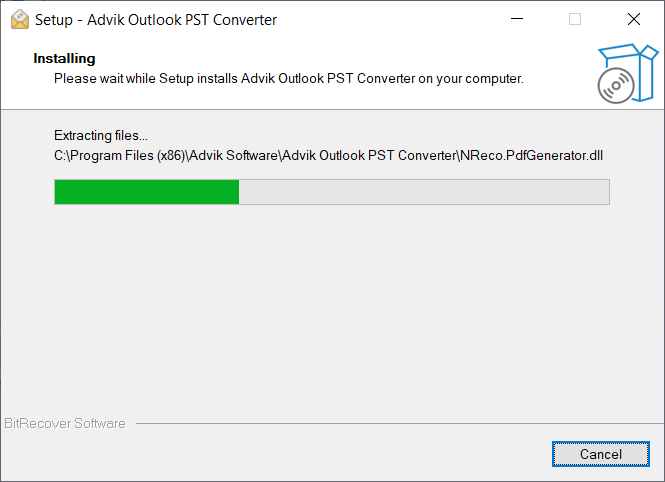
Download and install the software on your Windows PC. Run the installer and follow the on-screen setup instructions.
-
2
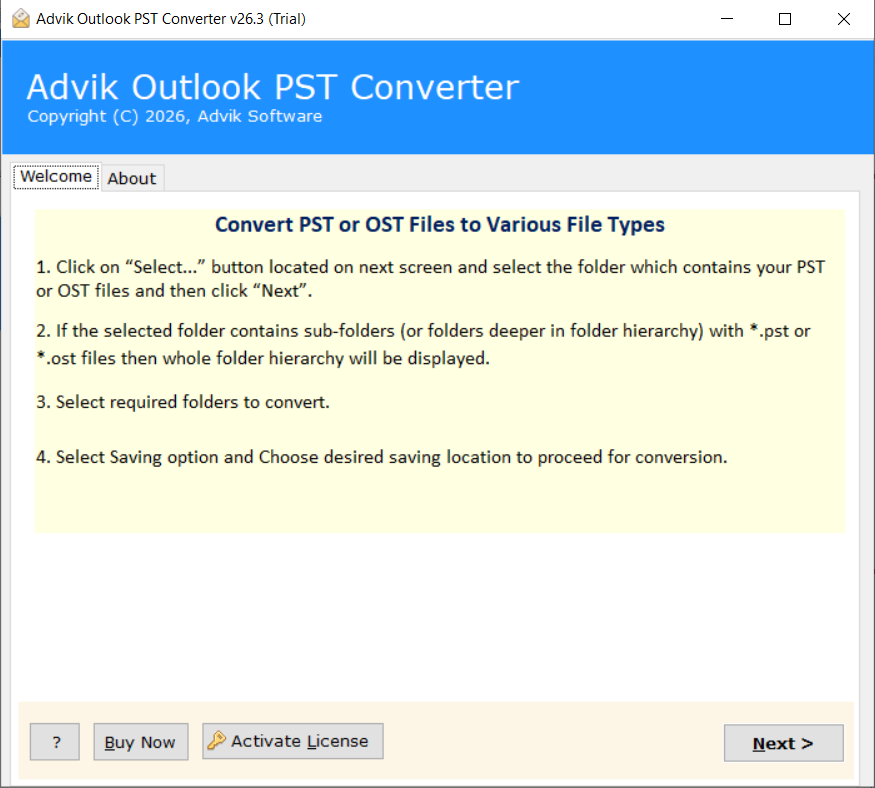
On the first screen, you will see basic instructions on how to use the software.
-
3
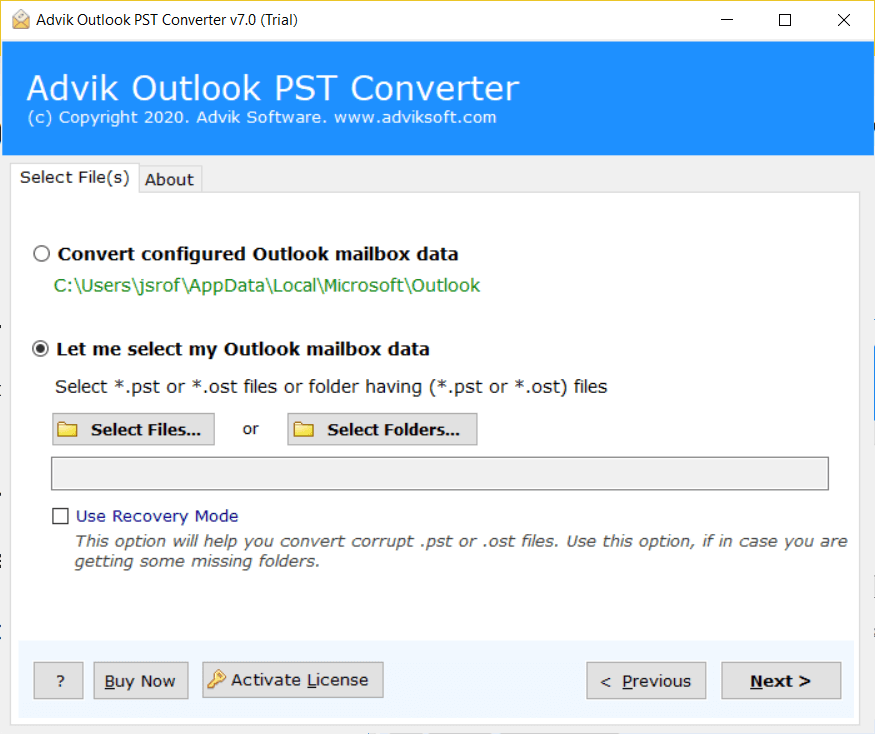
Choose how to load your PST file. You can either let the tool automatically detect it from Outlook or manually browse and add the PST file.
-
4
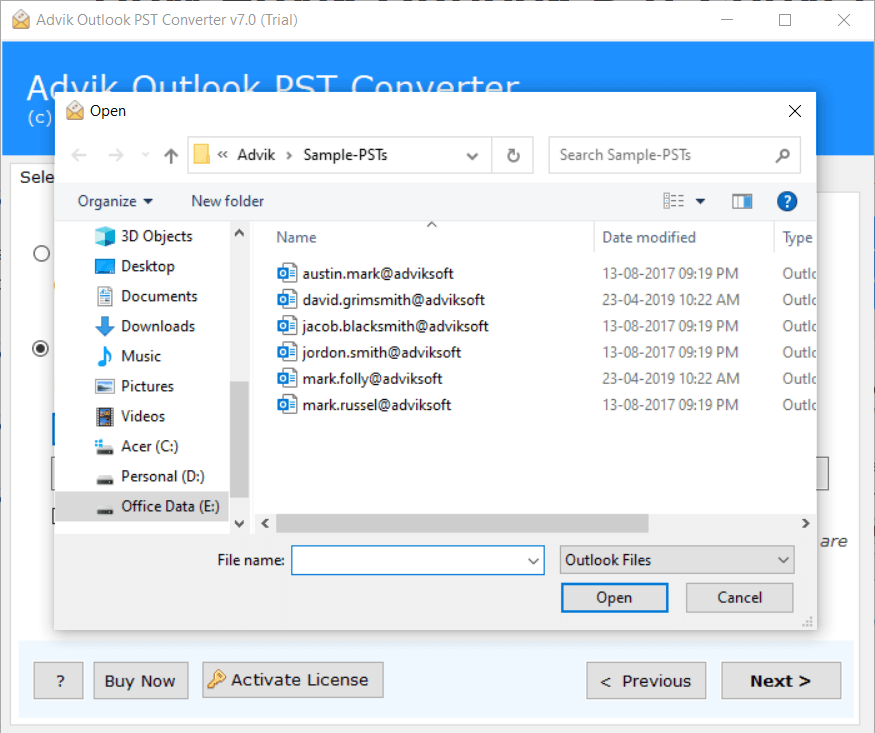
Add your Outlook PST file to the software using the file browser.
-
5
If your PST file is corrupted or damaged, enable Recovery Mode to repair and recover data before conversion.
⚠ Only needed for damaged or inaccessible PST files.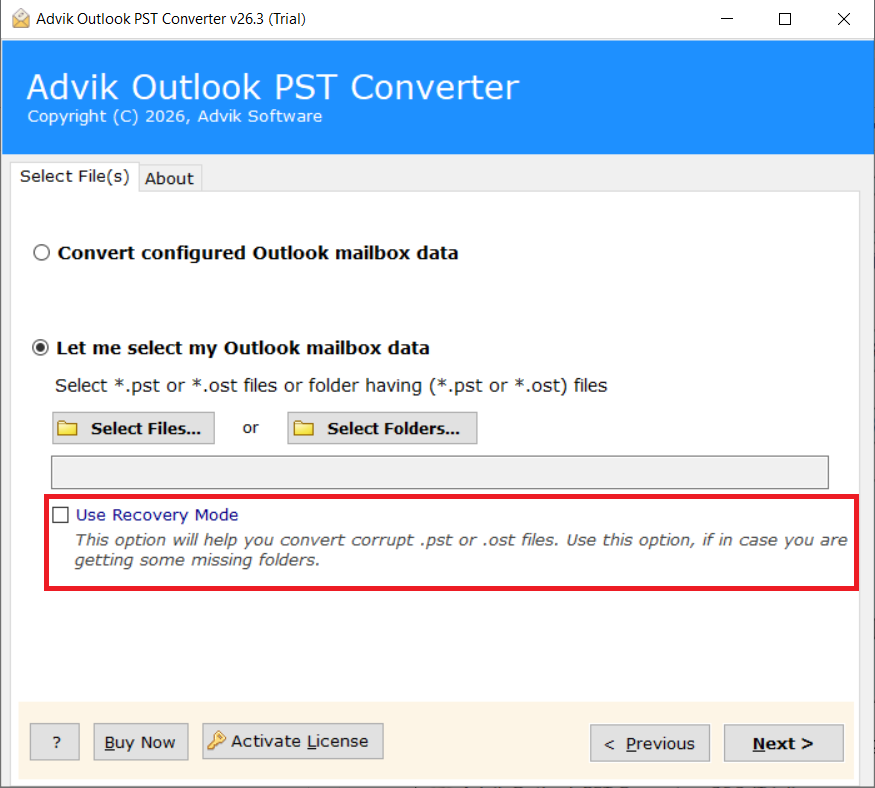
-
6
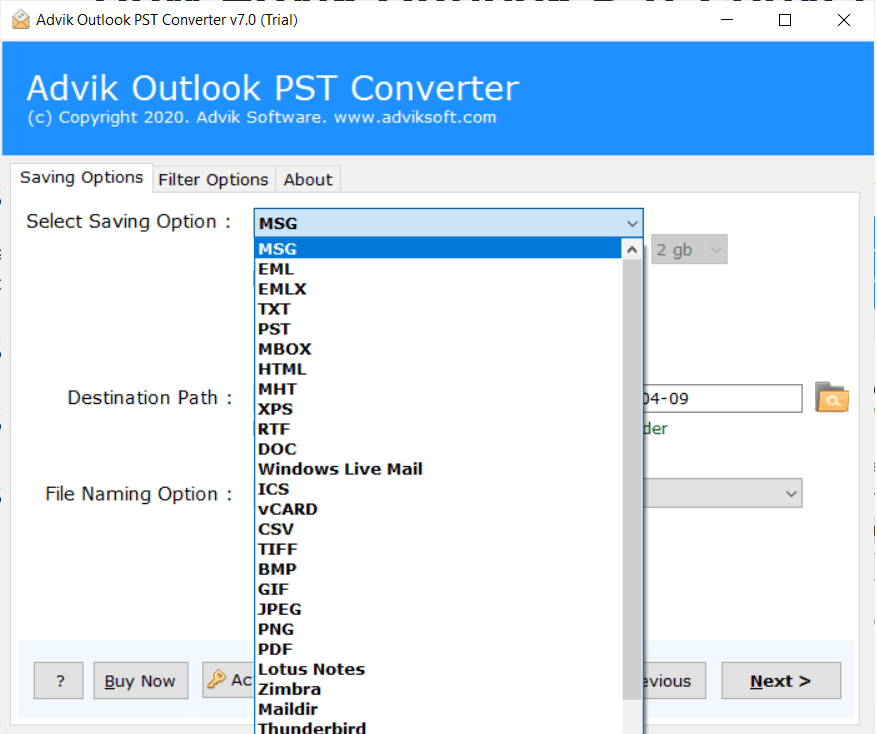
Select your desired output format from the list of 30+ supported formats (PDF, EML, MSG, MBOX, Gmail, Office 365, and more).
-
7
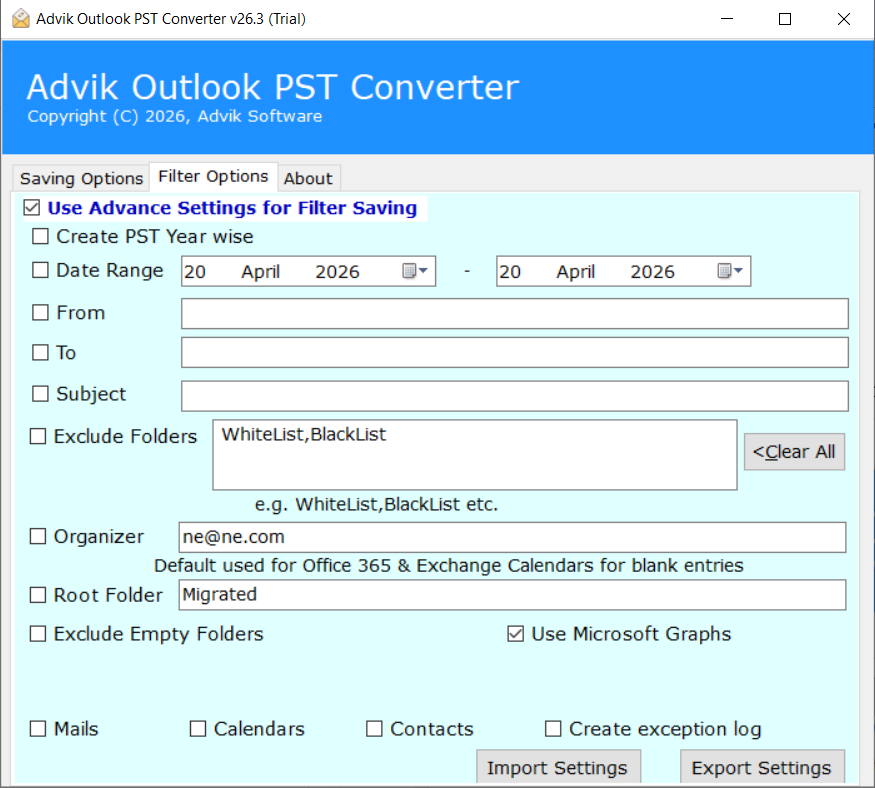
Apply Advanced Filters if needed — filter by date range, sender, subject, or specific mailbox folders to convert only the data you need.
-
8
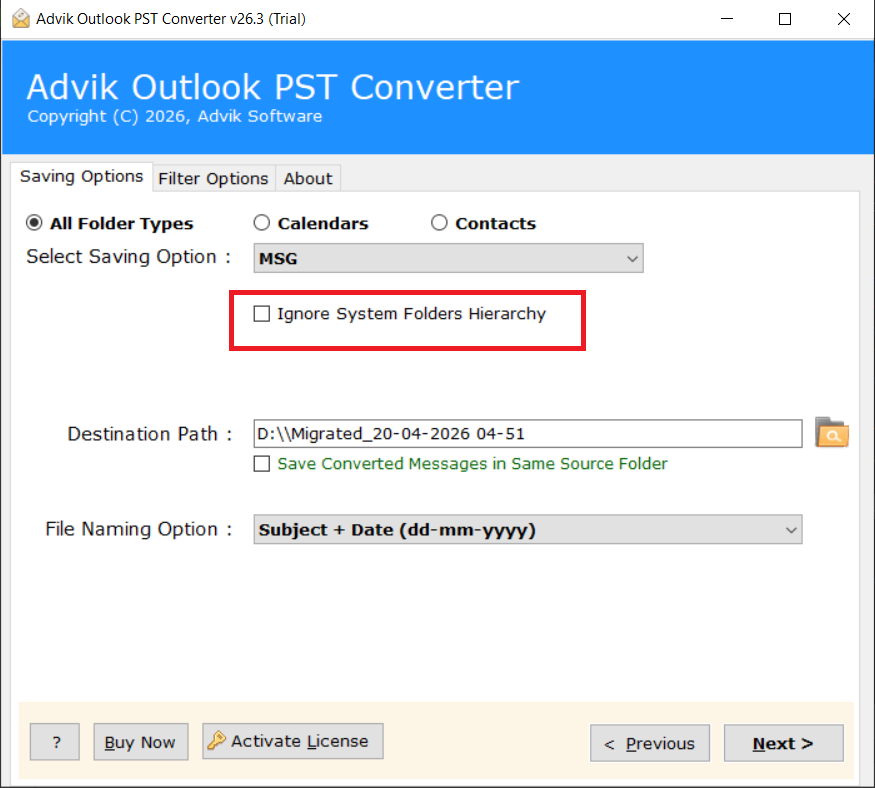
You can also ignore the folder hierarchy by selecting "Ignore System Folder Hierarchy" if you want all emails saved in a flat structure.
-
9
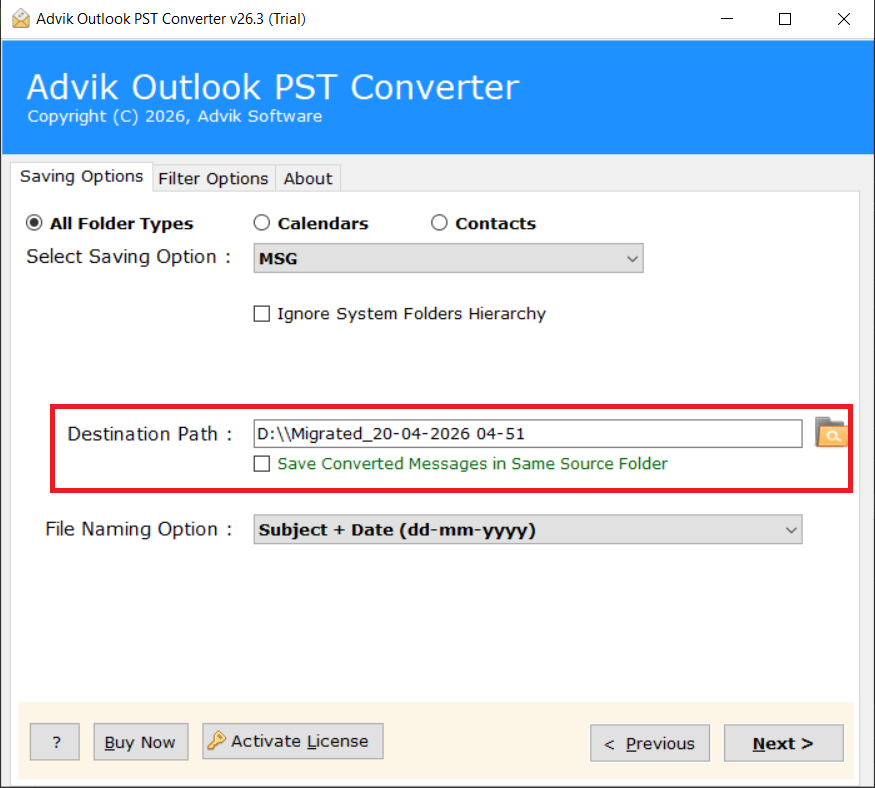
Select the destination folder where you want to save the converted output files.
-
10
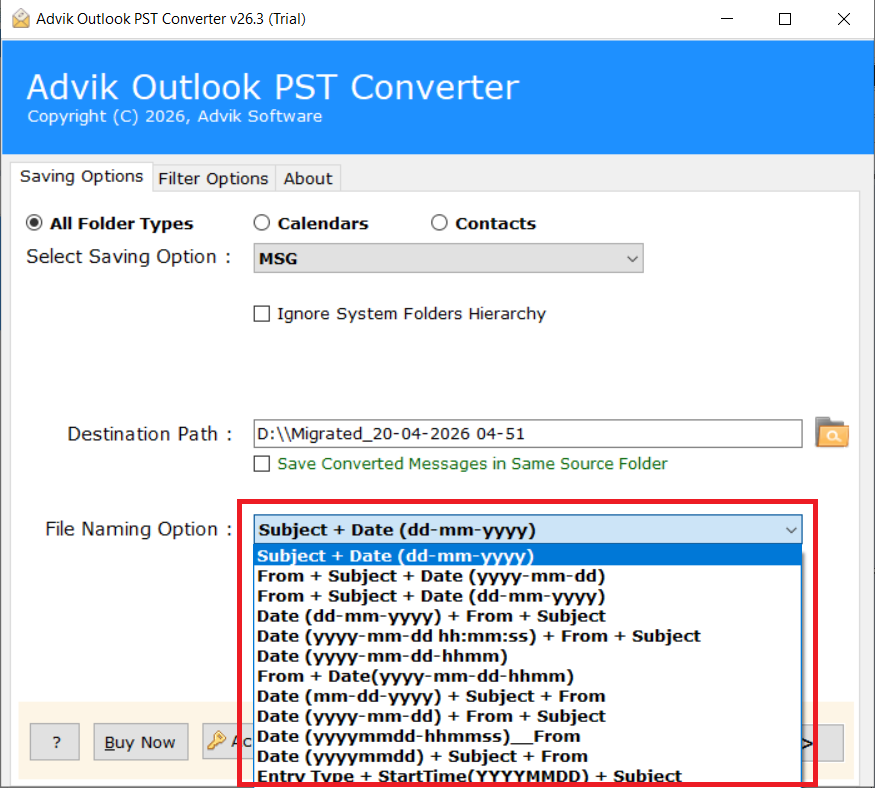
Choose a File Naming Option to define how the output files will be named (by subject, date, sender, etc.).
-
11
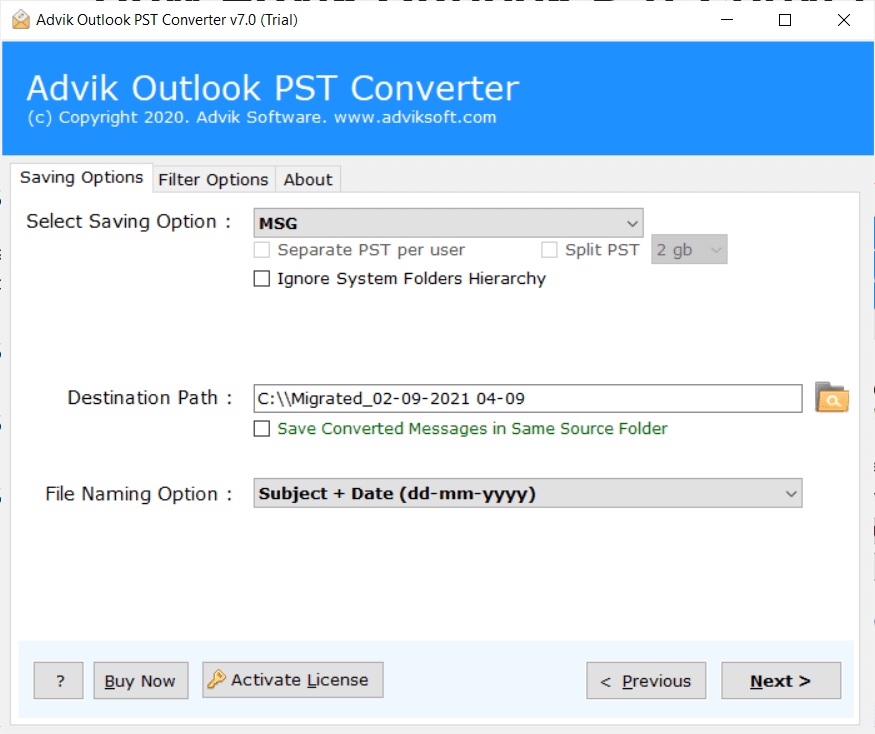
Click the "Convert" button to start the conversion. The tool will process your PST file and save the output to your selected destination.
Video Tutorial
Watch the complete walkthrough to see every step in action.