Advik PST to MBOX Converter Tool

All-in-one solution to convert Outlook PST file to MBOX format

stars

( 4.9 Rating  Based on 1650 Reviews )

  • Convert multiple PST files to MBOX Files in one go
  • Maintains folder structure intact after conversion
  • Preserves email properties such as To, From, Subject, etc.
  • Freedom to save the resultant file at the desired location
  • Advanced email filters to convert selective PST emails to MBOX
  • Converts encrypted, corrupted, or damaged PST file easily
  • No file size restrictions to export large PST files
  • Supports both ANSI and Unicode PST files to MBOX conversion
  • Outlook installation is not required for converting PST file
  • A free demo version is available to try before purchasing
Advik PST File to MBOX Converter
How It Works

PST to MBOX Conversion Tool Intro & Working

PST stands for Personal Storage Table. MS Outlook uses it to store mailbox data, including emails, contacts, calendars, attachments, tasks, etc., locally on a system. On the other hand, MBOX is a widely used file format supported by various email clients like Thunderbird, Apple Mail, Eudora, and more. It stores multiple emails in a single text file where messages are saved sequentially.

PST files are only supported by MS Outlook and cannot be directly accessed in email clients that support MBOX format. By converting PST files into MBOX format, users can easily access their PST data across multiple platforms without any compatibility issues. Therefore, a third-party tool is required to perform the PST to MBOX conversion.

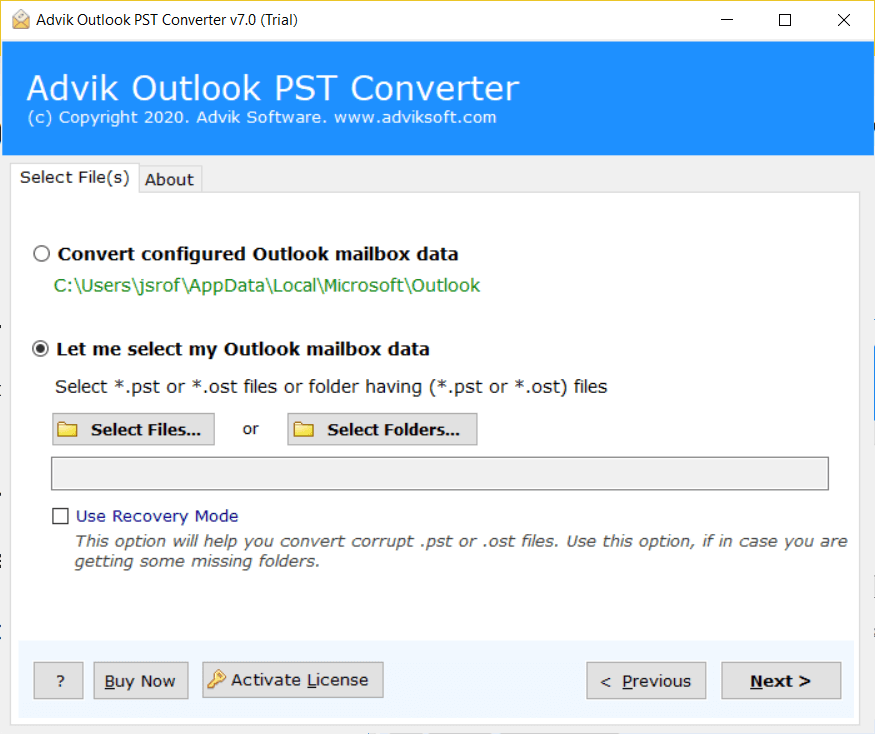
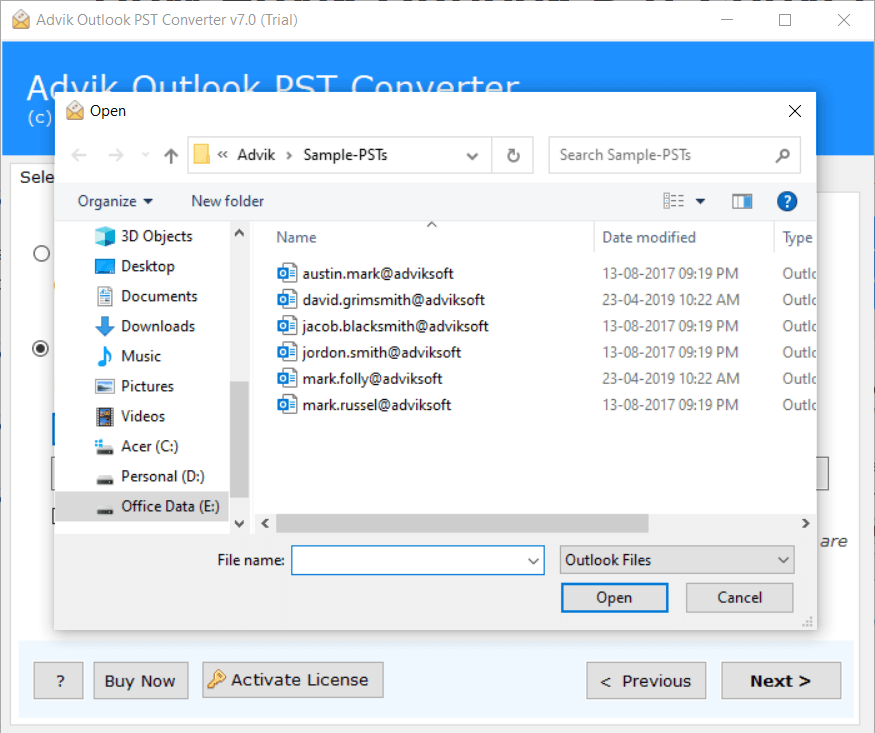
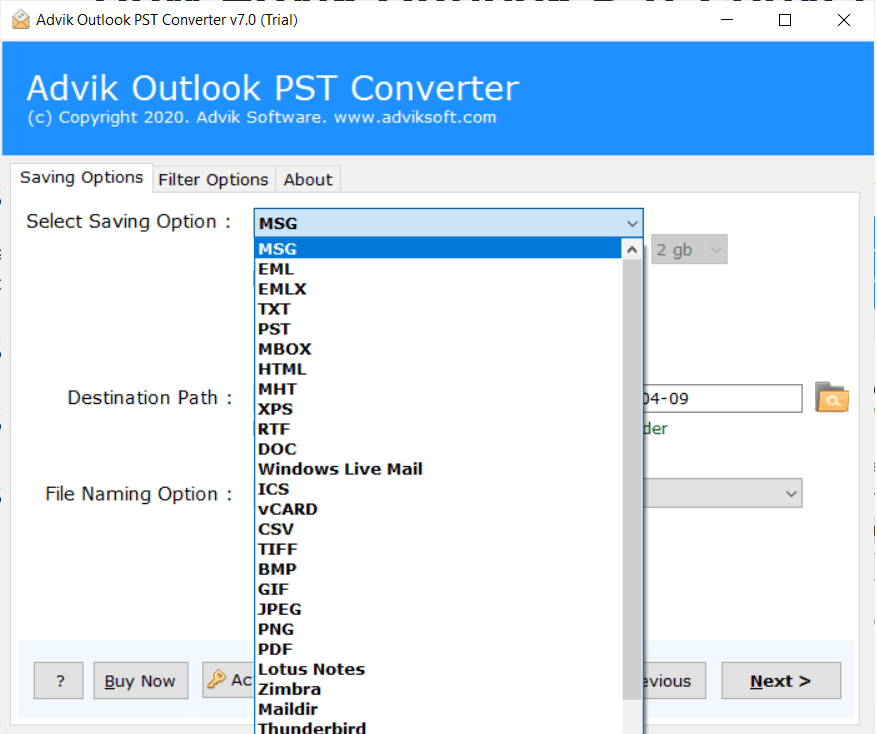
Advik PST to MBOX Converter is a reliable solution to convert Outlook PST files into MBOX format. The tool ensures safe and accurate conversion while maintaining the original structure of emails. Whether your PST file is large, password-protected, or corrupted, the software processes it smoothly. Simply add the PST file into the tool, choose MBOX as the saving option, select the destination path, and click on the convert button to begin the process.

convert pst to MBOX file
Watch Video

Watch How to Convert PST to MBOX Files

Recognition

PST to MBOX Converter - Awards & Recognition

software suggest logo

Software Suggest

Software Suggest provides a 5-star rating for being the most effective product for exporting PST files to MBOX files with attachments.

cnet logo

CNET

This is the most secure and result-oriented tool to flawlessly convert Outlook PST to MBOX for various supported email clients.

g2 logo

G2

Advik PST to MBOX Converter tool is rated as 100% secure and a powerful utility by g2 to provide an intuitive interface to instantly convert PST files into MBOX format.

Features

PST to MBOX Converter - Features

Explore the benefits of the software to export PST file to MBOX format

Compatibility Across All MBOX Platforms

Enterprise-grade solution to securely convert PST files into MBOX format. The resultant MBOX files are fully compatible with all email clients that support the MBOX format, ensuring smooth access without any data loss. The output MBOX file can be easily imported into its supported email programs. Some of the most widely used email clients.

  • Thunderbird
  • Spark Mail
  • Claws Mail
  • SeaMonkey
  • Opera Mail
  • Apple Mail
  • Eudora
  • Entourage
  • Spicebird
  • Postbox
mbox-supported file
pst to MBOX feature

Support for ANSI & Unicode PST Files

Converting PST files to MBOX format is not a typical task. With this advanced utility, you can effortlessly export Outlook PST file to MBOX without any complications. We all know that there are two types of PST files. The software supports both ANSI and Unicode PST file formats.

Unicode PST Files: Latest Microsoft Outlook editions create Unicode PST files. These files offer significantly higher storage capacity.

ANSI PST Files: Older versions of Microsoft Outlook store data in ANSI PST format. These files come with a size limitation of up to 2 GB.

Advanced Email Filters

Eliminate the need to convert unnecessary emails. Our software provides advanced filter options for users who need to export specific emails from PST file to MBOX. This unique functionality ensures accurate and need-based export without any unnecessary conversion. You can choose any filter option according to your choice during the conversion procedure:

Date Range: Enable the date range filter and select a specific date range according to your needs to convert PST emails.

To: Enter specific recipient’s email address to export only those Outlook PST email that were sent to a specific person.

From: Enter the sender's email address to export only those emails that were sent from a specific person.

Subject: Enable the Subject filter checkbox and type a specific email subject to export only those subject emails.

Exclude Folder: Using this filter option, you can exclude unnecessary folders according to your choice.

Root Folder: Assign a custom name to the Root folder for better file organization after conversion.

pst to mbox advance filter
Key Features

PST to MBOX Export Tool - Additional Key Features

Convert PST to MBOX in Bulk

The software comes with dual options - Select Files or Select Folder to convert single or multiple PST files to MBOX. You can choose any of the options for converting PST files according to your requirements. This feature saves your time and effort if you have a large number of files for conversion.

Preserve Data Integrity of PST File

Another highlighted feature of this software is that it maintains the integrity of data throughout the process of conversion. It preserves attachments, inline images, headers, email components, subject, sender, and receiver information without losing any details.

Convert Corrupted PST Files

The tool supports the conversion of all types of corrupted, damaged, or inaccessible PST files. It provides a Recovery Mode to export corrupt .pst files to .mbox files. Just enable this option, the software repairs all corruption of your file and generates a healthy MBOX file.

Folder Selection Option

With this tool, you can selectively export PST folders to MBOX. Once you add PST file into software, it shows the complete mailbox hierarchy. You can choose the necessary set of PST email folders, like inbox, sent items, personal folders, spam, etc., and convert them to MBOX.

Maintains Folder Hierarchy

Advik PST to MBOX Converter keeps the folder hierarchy intact during the process. You will get your emails in the same folder. Apart from this, it has an " Ignore System Folder Hierarchy” option to avoid folder structure. You can choose any option according to your requirements.

Convert Encrypted PST Files

Another advantage of using this tool is that it is able to export an encrypted PST file to MBOX format without losing any information. Even if your PST file is password-protected, this tool can easily decrypt and extract emails from PST file to MBOX format without changing the original file.

Multiple Saving Options

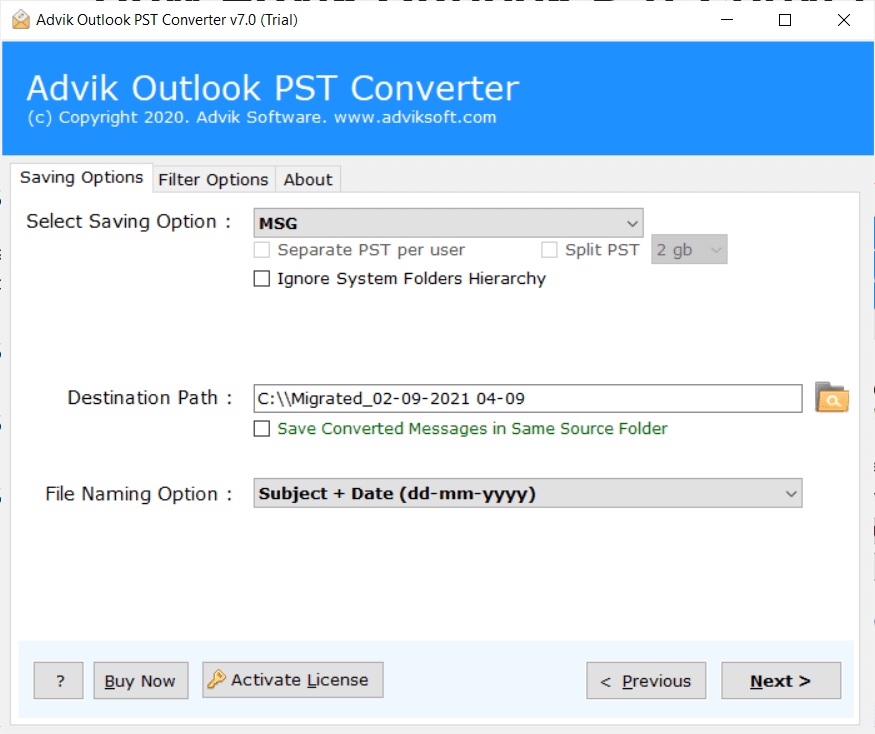
Apart from PST to MBOX conversion, you can use this utility to export PST file into various email or document file formats. With this tool, you can convert PST to PDF, MSG, EML, Text, HTML, MHT, XPS, RTF, DOC, etc. Also, it will help you to import PST file to any cloud-based email platform.

Offline and Standalone Tool

The software does not require internet access for converting PST data into MBOX format. It is designed in such a way that it only requires PST files to perform the conversion process. It gives you complete control, security, and flexibility while converting your emails.

No File Size Restrictions

The best feature of this utility is that there are no file size limitations. It is compatible to convert the large PST file into MBOX format without any restrictions. The tool allows users to migrate oversized Outlook PST files smoothly without worrying about performance issues or data loss.

Choose Destination Path

This software allows users to save the converted data into selected and desired locations. The tool chooses the Desktop location by default. If you want to save the resultant MBOX files at another location, then you can use the Browse option and select the destination path.

Generate Log Report

To help you track the progress and outcome of your PST to MBOX conversion, the software generates a detailed log report. This report includes valuable information such as the destination paths of the converted files, the success or failure of each file, the time taken to complete the conversion process, and much more.

Simple and Intuitive Interface

Our software is designed with advanced algorithms and a simplified user graphical interface. Both technical and non-technical users can easily use it without any technical training or guidance. Its step-by-step workflow makes the process quick and effortless.

Free Trial Version

A free demo version of the PST to MBOX conversion tool is available for users to evaluate its features and compatibility before purchasing. The trial version allows converting 25 emails per folder at no cost. This provides you with an opportunity to test the tool's capabilities and ensure it meets your specific requirements.

24*7 Customer Support

The interface of our tool is very simple, and the work is most accurate, still, uncertainty is always common. In case you are stuck anywhere while using this tool, you can contact our customer support. They are available for you 24*7 to solve your queries. You can get prompt assistance whenever you need help while converting.

Support all versions of Windows OS

There are no compatibility issues with this utility. It supports all versions of Windows Operating Systems, such as Windows 11, 10, 8, 8.1, 7, XP, Vista, and all editions below. You can run this program on both 32-bit and 64-bit machines with ease.

Specifications

PST to MBOX Converter - Specification

Software Download

Download Now for Windows
Size 47.2 MB
Version 26.3

Trial Limitations

Outlook PST to MBOX Converter Trial Version will allows you to convert first 25 items from each folder of PST file.

System Requirements

Processor Pentium Class or higher
Operating System Windows 11, 10, 8.1, 8, 7
Memory 4 GB recommended
Hard Disk 500 MB of free space

License Delivery

Electronic via Email

License & Version

Personal License Activation up to 2 Machines
Business License Activation up to 5 Machines
Migration License Activation up to 10 Machines
Pricing

PST to MBOX Converter - Free vs Paid Version Comparison

Choose the right plan for your software

Features

Free Demo

$0

Try before you buy

Convert PST File Data First 25 Items
Preview Email Data Before Conversion ✓ Available
Email Filters ✓ Included
Convert Corrupt or Inaccessible PST File ✓ Included
Compatible with All Windows Versions (11 & Below) ✓ Compatible
Technical Support Basic Support
Commercial Use License Personal Use Only
Free Updates Not Included
Free Download

Note: The PST to MBOX Converter free demo version allows you to convert 25 items per folder. Upgrade to the full version to unlock unlimited conversion and commercial use rights.

Reviews
Who Loves PST to MBOX Converter?

See our client's feedback and opinions about this conversion tool.

SM
Wills
Switzerland

I was facing a lot of problems converting Outlook PST files to MBOX format. Then, after my friend's recommendation, I used this PST to MBOX Converter tool and converted my files smoothly. Thankful to the Advik team for developing this helpful tool.

MM
Ryan Perez
Austria

Without this Wizard, I would never be able to complete my task. It is a wonderful application that converts PST files to MBOX with attachments. I am so thankful to the developer team for creating such an amazing tool for us. This powerhouse utility guarantees flawless data integrity and unmatched speed for a truly elite experience.

CL
David
Columbia

As per my colleague's suggestions, I used this Outlook PST to MBOX Converter. The results were awesome. Though the interface of this utilty was quite friendly and didn't involve any complicated steps, at some point, when I got stuck, contacting support team proved helpful. Thankful to the Advik team.

TO
Jenny
United States

I have been searching for an efficient tool to convert my PST file to Thunderbird MBOX format. Then I found this amazing tool. It resolved my biggest issue of exporting batch PST files to MBOX format smoothly without any data loss and error. Thanks a lot!

SM
Kimley
UK

Thanks for providing such a great application which helped me to export Outlook PST file to MBOX format. I really liked all the features of this software. The best part is that there is no data loss issue associated with this tool. Great work development team!

MD
George
Italy

I am very impressed with the speed and performance of this tool. With this application, I can easily migrate multiple PST files into MBOX format. It also keeps the folder hierarchy intact while converting. Thanks for creating such wonderful software.

CL
Ross
Belgium

I used to face a lot of trouble while exporting multiple PST Files to MBOX Format. With this tool, I am now able to convert PST file to MBOX in bulk in just a few clicks. Great job done by the Development team!

RR
James William
France

A few days ago, my colleague sent me PST files and I am a Thunderbird user. I tried to open it in the same, but the application was showing an error. So, I got to know about PST to MBOX Tool. I used it and converted all my data from PST to MBOX file accurately. Thank you so much team for providing such an amazing application.

TO
Jackie Francis
United States

The support team is active and helpful. I have faced issue while converting PST emails to MBOX files. They helped me a lot to carry out the conversion process. I find it best software to export PST to MBOX format. I am very much impressed with its support team.

FM
Smith Helen
USA

My colleagues and I aren't quite familiar with technical know-how, which seemed to be a barrier at the thought of using your tool. Gladly the support team executive was very cooperative and patiently explained every step involved to Convert PST to MBOX format.

SP
Smith James
Canada

Brilliant application to export PST data to MBOX. I used this application while switching from Outlook to Thunderbird. All data are smoothly transferred from Outlook PST file to Thunderbird MBOX format. Thank you Advik team for this nice utility.

CH
Albert John
UK

I would like to thank the developers of this conversion tool. This software has proven to be the most recognized application for me, allowing me to easily convert an Outlook PST file to MBOX without the traditional confusing process.

DM
Peter Mcloye
Texas

I have used many methods both manual and automated, to export my Outlook file to MBOX but none of them helped me. Then, one of my friends has suggested me this amazing utility developed by Advik to transfer PST emails to MBOX format. It worked like magic.

DS
Allen
Germany

Before using this application, I had no idea how to convert PST to MBOX file format. However, after using this utility, my perspective changed. With this amazing program, I successfully converted Outlook PST file to MBOX format while preserving data integrity.

GA
Dirk Shwick
Germany

For the last couple of months, I was in search of a reliable PST to MBOX conversion tool. Recently, I came to know about this amazing software. I am extremely impressed with this tool. Its working procedure is very simple and easy to use.

AW
Jim Charle
United Kingdom

After going through 6 other solutions, I stopped at this fantastic application. I have completed checked this utility by its trial edition and then invested in it. I am happy with my decision to choose this reliable tool.

200,000+ Downloads & Counting

See It Work on Your PST File
No Signup. No Card. No Catch.

Download in seconds. Convert your first file in under a minute. Completely free to try.

No Credit Card No Signup Required No Time Limit Virus-Free & Safe Works on Windows 11/10/8/7
Advik PST to MBOX Converter
Size • 47.2 MB • Windows • Version • 26.3
Download Free Now
Convert 25 Items Free Per folder, all formats available
30+ Output Formats PDF, MSG, EML, MBOX, HTML & more
Ready in 60 Seconds Install, load PST, convert — done
Safe & Secure No data leaves your PC
4.9/5 from 1,817 verified users

Trusted by teams at

Microsoft
Google
IBM
DELL Dell
HP HP
ORACLE Oracle
AWS Amazon
PayPal PayPal
Spotify
LinkedIn
Slack
CISCO Cisco
Microsoft
Google
IBM
DELL Dell
HP HP
ORACLE Oracle
AWS Amazon
PayPal PayPal
Spotify
LinkedIn
Slack
CISCO Cisco
FAQ
PST to MBOX Converter - Frequently Asked Questions

Follow these simple steps:

  • Step 1. Run the Advik PST to MBOX Converter on your system.
  • Step 2. Click Add File to add .pst file into the software panel.
  • Step 3. Browse and locate the PST file in the software.
  • Step 4. Choose MBOX as a saving option.
  • Step 5. Click the Convert button to start the conversion process.

The software will quickly export your PST emails to MBOX format.

Yes, the software has a Recovery Mode that efficiently converts corrupted PST files. There will be no data loss while converting the affected PST file.

Yes, the software enables you to choose either a complete folder or multiple PST files to export in bulk.

No, MS Outlook installation is not required. Simply download the tool and start using on your system.

Yes, you can run this application on any Windows-based machine. It supports Windows 11, 10, 8, 7, and all older versions.

The tool supports both Unicode or ANSI PST files.

The software offers various filter options including date range. Select the start and end date, then this tool will export all emails from your mentioned date.

Yes you can convert PST to MBOX File using Thunderbird Via Outlook Application. Steps for the same are as follows;

  1. Import PST File into Outllok Application.
  2. Connect Outllok with the same email as in Outlook Application.
  3. Leave the Thunderbird Application for few hours to sync the emails from the same account
  4. At last Export emails from Thunderbird as MBOX File.

No, the software does not have any size limitation issue while exporting PST file to MBOX format.