Utility to Merge Multiple PST files into One. Support PST file of Classic Outlook 2026, 2024 (& previous versions), & Outlook to Mac (2019/365)

PST file is a data file in which Microsoft Outlook stores emails, contacts, calendar, notes, journals, tasks and other mailbox items locally. Usres often creates multiple PST file if account changes, for backups, migrations or for file size limits imposed by Outlook. And it becomes difficult to manage multiple PST files altogether. Thus, it becomes necessary to merge PST files. You can combine several files into one file to make it easier to handle in email and to keep all information in one place.
With Advik PST Merge Tool, you can safely merge multiple Outlook PST files into one file without using MS Outlook. The program is designed to remove complex manual procedures and let users to easily combine PST files without any duplicates.
If users have multiple Outlook accounts they will obviously have multiple PST files. However, manual process of merging requires to open each file in Outlook and to copy the emails from one PST to another by dragging & dropping. This takes a lot of time if you have big mailboxes. In such a scenario, a PST merge tool makes the entire process easy by merging multiple PST files into one single PST file in one go.
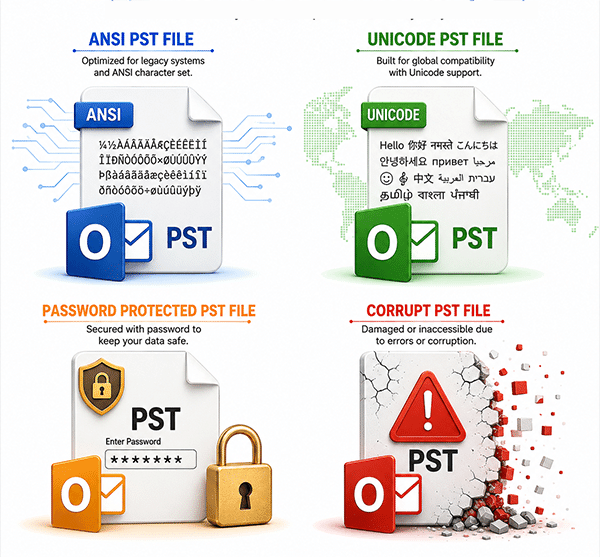
Older Outlook versions generate ANSI PST files whereas newer versions generate Unicode format which leads to compatibility issues while merging them manually. The software solves such complexities by supporting ANSI & Unicode PST files. It will help you to merge old and new PST files without any compatibility issues.
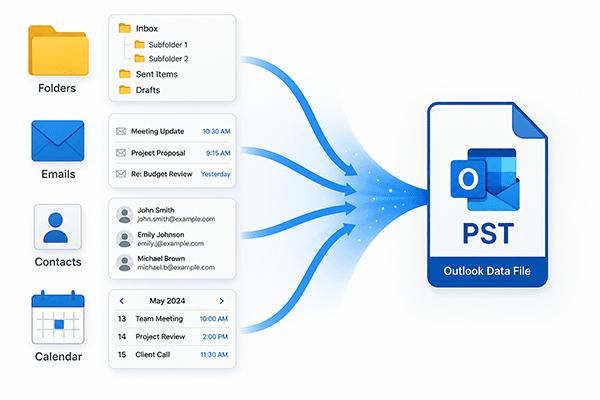
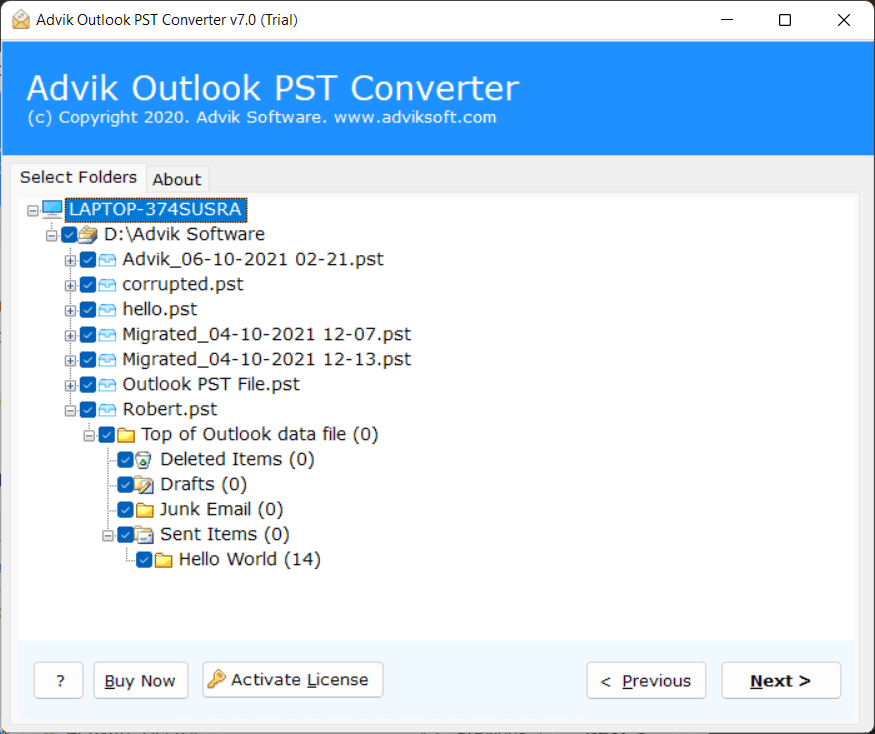
Manually merging contacts or calendar data from multiple PST files requires copying each entry individually, which is very time consuming and error prone. When you add PST files in the software, it displays all the folders and then you can select specific folders like all contact folders from all PST files and merge them into a single PST contact.
SoftwareOne reviewed this tool and shared their experience that it merges PST files well, with no corruption or loss of data. They also praised tool's speed and accuracy that make it a trustworthy choice for Outlook users and IT professionals looking for PST management solution.
SoftwareSuggest says that Advik Outlook PST Merge is a safe and secure tool to merge multiple PST files into one. Beneficial to merge PST files in minimum time and without any loss of data.
SasCounter gave 5 Star Ratings to Advik PST File Merger Tool for it's noteworthy performance in merging Outlook PST Files. The software is good enough to maintain folder hierarchy and ignore duplicate emails with 100% accuracy.
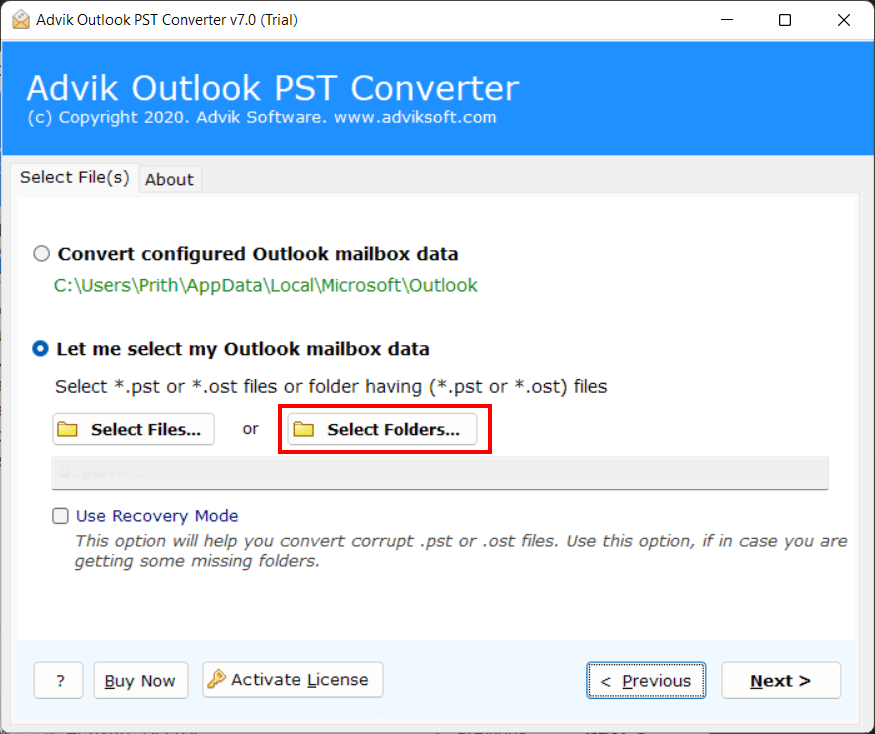
This PST Combiner tool allows you to merge multiple files in a single go instead of adding them one by one, which saves valuable time and effort. Once you run the tool, it offers dual options to add PST files to the software panel.
The software has the ability to detect complete data present within Outlook PST files and merge every folder inside them. It scans all data and ensures complete & accurate combining without any data loss.
Maintains Folder Hierarchy
One of the most remarkable features of the program is that it maintains folder hierarchy of PST files while merging data into a new single PST file. No structure is modified or lost and all folders and subfolders are arranged exactly like in your old pst files. It ensures all these hierarchy so that you can easily navigate through your emails while keeping it's original context.
Advanced Filter Options
With PST merger software, you will get multiple filter options. It allows you to merge only selected items from PST files from the unnecessary ones based on subject, date range, sender and recipient which makes the merging process faster and more efficient. You can also choose to ignore empty folders as well.
No File Size Limitation
One of the greatest benefits of using this tool is that it doesn’t have any file size restrictions. Whether it is 2 GB or 50 GB, the tool merge PST files without any data loss or corruption issues. It allows large files to be processed without facing difficulties. Plus, it maintains full data integrity for every item in the mailbox.
Merge PST Files Without Outlook
It is a standalone application which does not require Microsoft Outlook installation. Simply download it and add .pst files to begin the merging process with no dependence on any external application. The software will do the job automatically and securely no matter if you are merging personal, archive or shared mailboxes.
Facility to Choose Destination Path
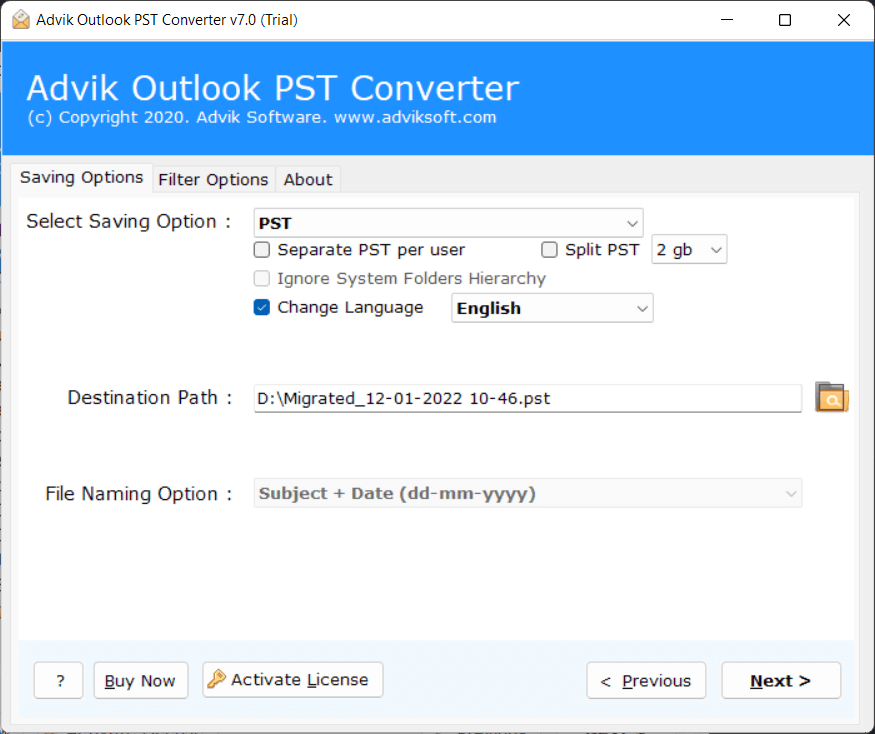
The software allows you to select the destination path as per your choice for easy email access. You have the option to save the output file to the default location or to another external drive. This feature gives you complete control which makes it easy to manage and access the data whenever required in the future.
Avoid System Folder Hierarchy
This feature allows users to exclude system generated folders like Inbox, Sent Items, Deleted Items and Drafts, so that they can focus only on their own custom or user defined folders. It is particularly useful when you need a customized hierarchy. It’s useful when users want to leave only certain information in custom folders and don’t want to clutter the final output.
Preserve and Hold Email Attributes
This tool combines multiple PST files while keeping the email attributes. When the process is completed, you will have your email attributes like to, subject, cc, bcc, from, message body, attachments, inline images, digital signatures and hyperlinks same as the original.
Intuitive Interface
No technical skills are required to merge Outlook PST files using this utility. It is an easy to use application which only requires you to spend few seconds to merge multiple Outlook data files. There is a step-by-step wizard that will take you through the process, from adding PST files to completing the merge.
Widely Supportable
This application can be run on any Windows based system. It supports all versions of Windows operating systems like Win 11/10/8.1/8/7 and all previous versions. It also supports all major versions of Microsoft Outlook such as 2021, 2019, 2016, 2013, 2010 and previous versions for wide supportability.
Generate a Complete Log Report
The software automatically generates a log report that consists date, time, source files and merging status for future reference. It helps users to track the status of their merging process.
Free Trial Available
You can try free trial version of Advik PST Merge Tool and check whether the tool meets your needs or not before buying it. You can merge the first 25 items from each folder free with the demo version.
24/7 Technical Support
The Software provides technical support 24/7 to assist users whenever they need help. If you encounter any installation errors, activation issues or any technical questions, the support team is available through live chat and email.
Software Download
Trial Limitations
Advik PST Merge Tool Trial Version will allow you to merge first 25 items from each folder for free.
System Requirements
License Delivery
Product Guides
License & Version
Choose the right plan for your software
| Features |
Free Demo $0
Try before you buy |
Full Version Starts from $39
One-time payment |
|---|---|---|
| Merge PST File Data | First 25 Items per Folder | Unlimited Items |
| Preview Data Before Merging | ✓ Available | ✓ Available |
| Advanced Filter Options | ✓ Included | ✓ Included |
| Merge Corrupt or Password-Protected PST | ✓ Included | ✓ Included |
| Compatible with All Windows Versions (11 & Below) | ✓ Compatible | ✓ Compatible |
| Technical Support | Basic Support | 24/7 Priority Support |
| Commercial Use License | Personal Use Only | Allowed |
| Free Updates | Not Included | 1 Year Free Updates |
| Free Download | Buy Now |
Note: The PST Merger free demo version allows you to merge 25 items per folder. Upgrade to the full version to unlock unlimited merging and commercial use rights.
See our client's feedback and opinions about this PST Merge Tool.
I have tried many tools to merge Outlook data files. But I was still not satisfied as I was looking for a software that offers both the ease of simplicity as well as the complete package of reliability and efficiency. After deep research, I got this PST Merge Tool, which fulfills all my expectations. Thanks!!
I had experimented with a few tools and was not expecting much. But, Advik PST File Merger has done the job as per my expectation.
Really!! This is the best method to combine PST files in a few minutes. It is an advanced solution to merge PST files without duplicates. The user interface is so easy and simple to use. Thank you so much for your software.
The tool is the only solution that I was looking for for the last six months for merging PST files. A number of merger utilities are available in the market that provide the freedom to combine Outlook files. But this software is one tool that I found really efficient.
I will recommend this software to everyone who wants to successfully merge Outlook .pst files into one. I used this application and impressed by how easily it handled large PST files. This software helps me to know how to merge multiple PST files in Outlook 2016. Thanks to the developer team.
I had multiple PST files that I wanted to merge into one. The software worked fine and the process was easy to follow.
I am amazed after using the Outlook merger tool. The software works incredibly well while combining the Outlook PST files. In fact, along with the merging process, it helps to remove duplicate emails.
As a non-technical user, I needed assistance during the process. The support team of Advik Software made everything easy to understand and guided me properly.
I had 6 PST files from different Outlook versions and was struggling to manage them. I tried manual methods before but they were confusing. This tool made the process simple and saved me a lot of time and effort. Really satisfied with its performance.
I had some confusion while merging PST files but the support team guided me step by step. They were patient and solved my issue quickly. Really helpful experience!
I had around 15 PST files from different backups, and managing them was getting messy. This tool helped me combine everything into one file without any confusion. The process was quite smooth overall.
Manual merging was too slow for me, so I tried this tool. It handled large PST files without crashing, which was my main concern.
The merging process was straightforward. I especially liked that I could select only specific folders instead of merging everything.
I mainly needed to combine employee email archives. The tool worked fine, and I didn’t face any major issues during the process
I used this tool to merge 17 PST files which were of the size of about 48 GB. Less than an hour and all my files were there as they were.
I had several PST files that I needed to merge into one. The software was able to process 48 GB of data without any problems and kept the entire folder structure after the merge.
I had a concern of merging large PST files, but the tool did a great job. It merged 17 PST files in a jiffy and all emails and folders appeared correctly in the final PST file.
I have multiple PST files on my desktop that I want to combine into a single PST file. I tried all possible ways to do it but was unable to do so. Then, one of my colleagues recommended Advik PST Merge Tool, so I decided to give it a try. I must say this is the best option for merging. Thanks to its team.
The best thing I liked about this tool is that it accomplishes all things in a perfect manner. The approach used in this software is by far the best and actually unexpected. I had merged around 10 PST files with this application and all files were exported only in a single file. Thank you team for coming up with such kind of tool!
I needed to manage multiple PST contacts from multiple PST files in a smart way. I combined multiple contacts folders into a single one via this software, which made it easy for me to organize contacts in a better way. Thanks for introducing such an amazing tool.
#1 Best PST Merge Tool —
No MS Outlook Required
Download in seconds. Merge your first file in under a minute. Completely free to try.
Follow the steps below for merging Outlook data files:
Finished! Now the software will merge pst files in no time.
Outlook Data File is Already in Use error usually shows when your Outlook isn't closed properly last time. First of all restart your computer/laptop. After that open MS Outlook, navigate to File > Open & Export > Export to data file.
Yes, you can combine password-protected/encrypted/corrupted or any type of PST files without any issues. Also, no password is required to carry out this function.
Yes, this software is compatible with all PST files exported from any versions of Outlook, including Outlook 2026, 2024, 2019, 2016, 2013, and older versions.
Yes, you can merge PST files without Outlook installation using a third-party PST merger tool.
Yes, the software provides option to merge contacts & calendars by using the merge by date range category option.
Common PST file locations:
Yes, you can merge PST File without using PST Merge Tool. To perform this task without software you need to use outlook's Import/Export feature. Steps for the same are as follows
Both manual method and Software method can combine PST Files. The key diffrences between both of them were in terms of Speed, Reliability and Ease of use. Manual Method is good for basic merging task, whereas software method is best for handling large, damaged and password protected PST files.
Manual Tricks
Pro Software
No, the free version only allows you to combine and save up to 25 items from each folder. To merge all items without limits, you need to upgrade to the full version of the software.
Yes, the software provides a free demo version facility by which you can easily understand the working and functionality.
No, the software does not automatically detect PST files. We manually need to add .pst files.