How to Export Outlook Contacts to HTML Format?
Jenny Lowrence | March 19th, 2026 | Data Backup
If you are looking for a trustworthy solution to export Outlook contacts to HTML format, then this blog is specially for you. . In this post, we will explain the two best methods to convert Outlook contacts to HTML files.
Microsoft Outlook is known as the best personal information manager program that allows you to send and receive emails, manage contacts & address books, calendar events, and other important information. Sometimes, users want to export contacts from Outlook to HTML for better integration of contacts, view contacts in a web browser, and share them easily.
Why Export Outlook Contacts to HTML?
- HTML files can be opened in any web browser, so users don’t need Outlook to view contact details.
- Exporting Outlook contacts to HTML files enables you to easily share them with others.
- HTML displays data in a structured format, making contact lists easier to read.
- HTML files work on all devices and operating systems, including Windows, macOS, and mobile devices.
How to Save Outlook Contacts as HTML Manually?
MS Outlook doesn’t provide a direct option to export its contacts to .html format. First, you need to convert Outlook contacts to CSV and then open this CSV file in Excel and save into HTML format.
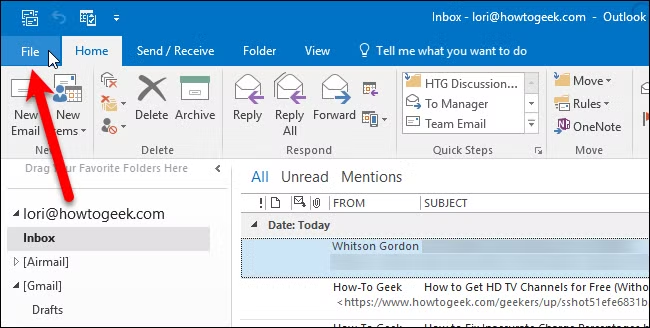
1. Open MS Outlook and go to File tab.
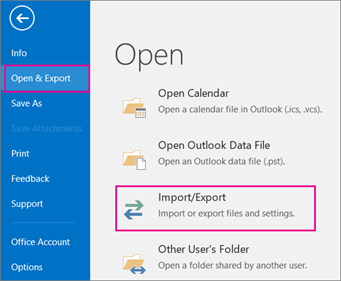
2. Click on Open & Export and choose Import/Export.
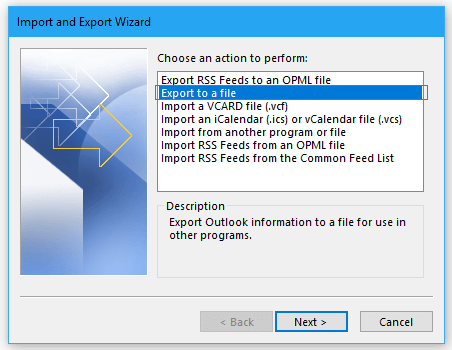
3. Select Export to a File and click Next.
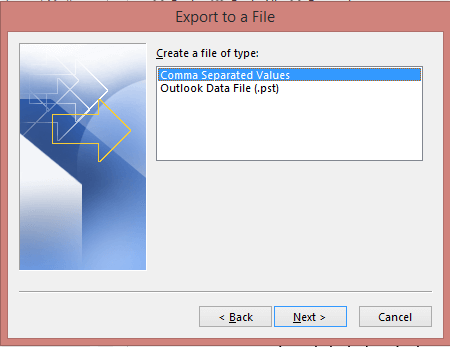
4. Choose Comma-Separated Value (CSV) and press Next.
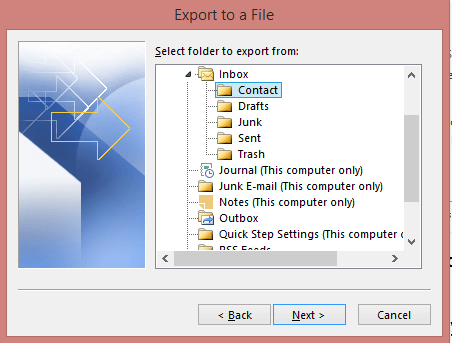
5. Next, select Outlook contact folder to export.
6. Click on Browse to choose destination location and click Finish.
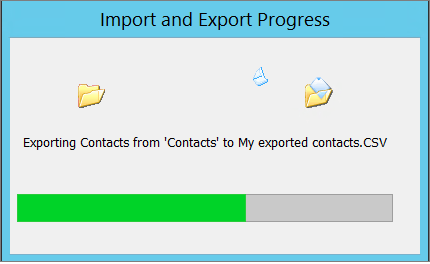
7. After that, open this CSV file in Excel and edit it.
8. Now, click on File tab and choose Save As.
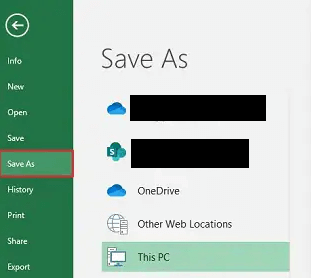
9. Choose the Web Page (.html) and click Save.
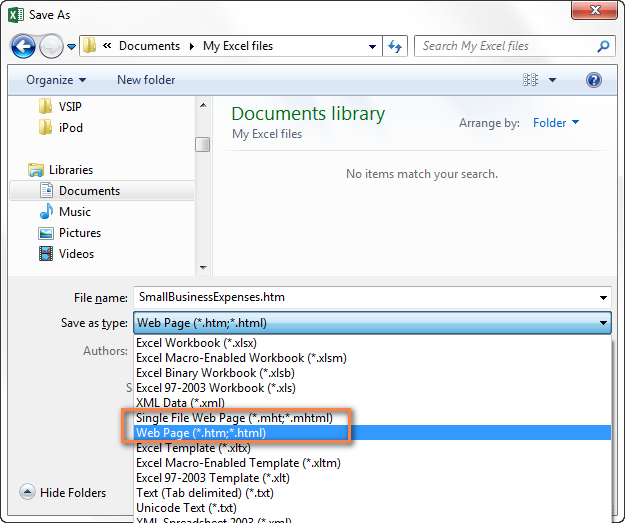
This is how you can export Outlook contacts to HTML format.
How to Convert Outlook Contacts to HTML Automatically?
Download and install the Advik Outlook OST Converter to export Outlook contacts to HTML format. The software can save multiple Outlook contacts to HTML at once. It preserves all contact details during the process. This tool is designed in such a way that any novice user can easily use it without any technical knowledge.
Click on the below link to download it for FREE.


Steps to Export Contacts from Outlook to HTML Format
1. Run the tool and choose your Outlook profile.
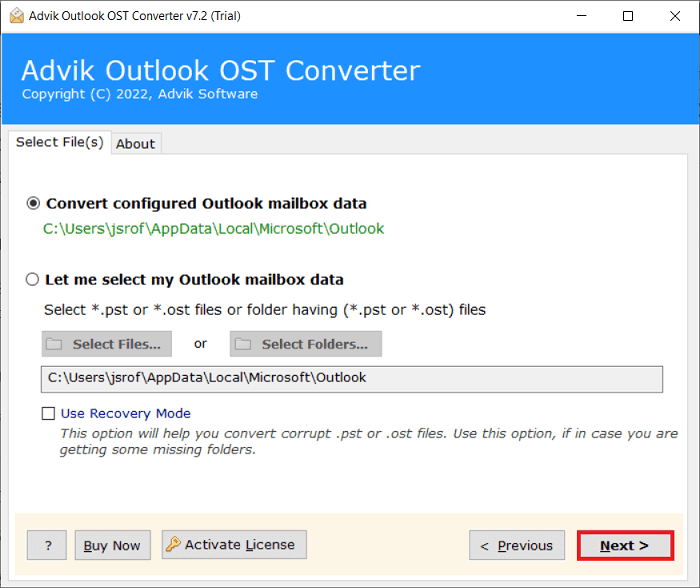
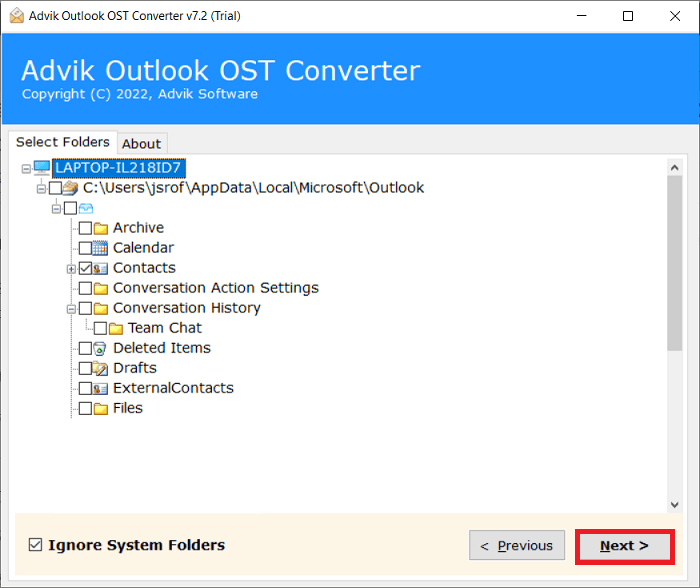
2. Choose the Contacts folders and click Next.
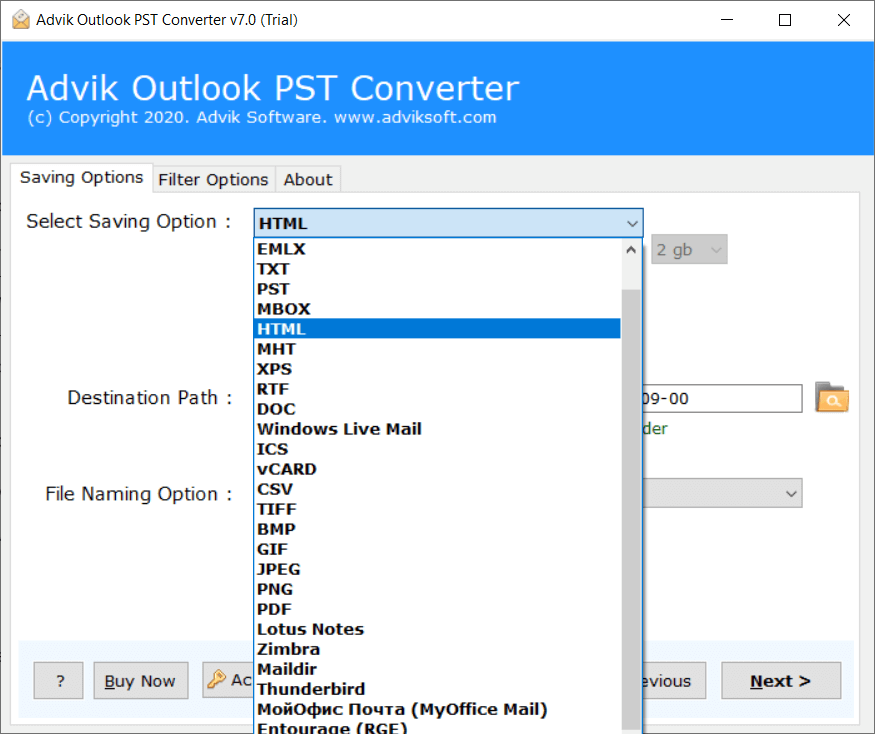
3. Select HTML as a saving option.
4. Browse the target location and click Next.
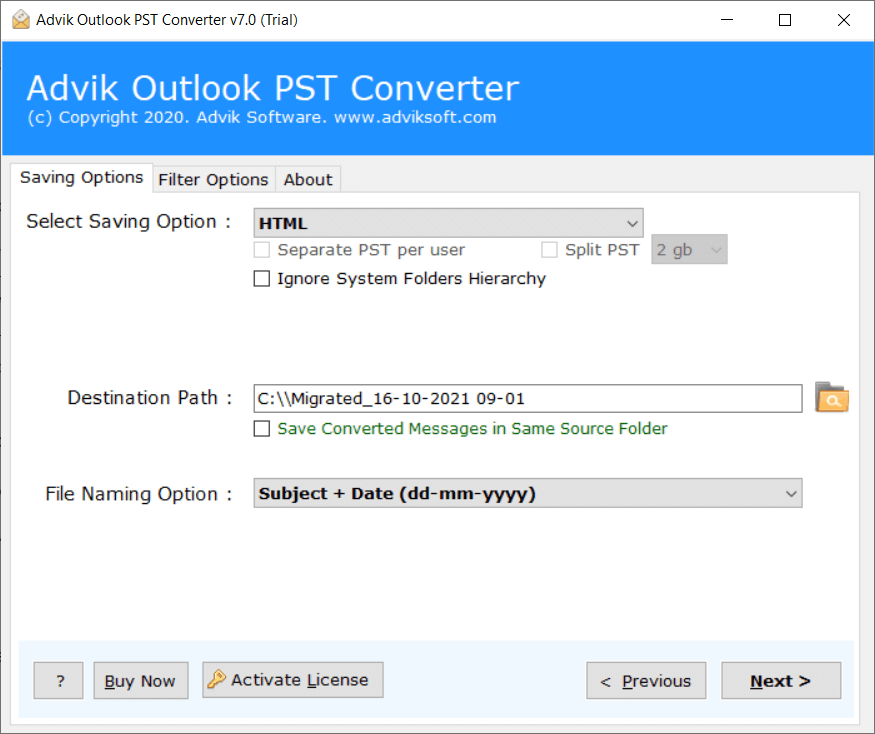
The software will start exporting Outlook contacts to HTML files.
Once completed, it will notify with a pop-up message including the log report.
Benefits of Using an Automated Tool
- The software can export Outlook contacts to HTML without any external help.
- The tool is able to save multiple Outlook contacts in a single attempt.
- It offers multiple saving options to export Outlook contacts to MSG, PDF, etc.
- This utility preserves all contact details during the process.
- The interface of this utility is very simple and easy to use.
- It is compatible with all versions of Outlook and Windows OS.
Final Words
This informative article explained how to export Outlook contacts to HTML files. It provides instructions on both manual and professional solutions to efficiently save Outlook contacts as HTML files. Both methods are 100% workable. So, you can opt for a manual or automated approach as per your preference.