Gmail Archive Converter Free Download – Convert Gmail Archive File
Summary: Get the most advanced Gmail Archive Converter to export emails from Google Takeout. This powerful utility is specially designed to convert Gmail archive messages into PDF, PST, EML, MSG, DOC, HTML, and various other file formats.

Gmail is one of the most popular free email service provider in world. At launch, Gmail had an initial storage capacity offer of one gigabyte per user, a significantly higher amount than competitors offered at the time. Today, the service comes with 15 gigabytes of storage. Users can receive emails up to 50 megabytes in size, including attachments, while they can send emails up to 25 megabytes.
There are hundred thousands of users who create Gmail archive in order to backup Gmail emails. Why is it necessary? Because we might not depend entirely on third party machines to store our personal data. We need to backup at our own personal level. Thus, creating Gmail archive is must for all users on a timeline basis.
However there plenty of users who wants to convert Gmail archive file into suitable format. So that they can read or access emails of archive file. Below is the complete guide to export emails from Gmail archive using Advik Gmail archive Converter.
Steps to Convert Gmail Archive Emails are as follows;
Step 1. Run Advik MBOX Converter in your PC.
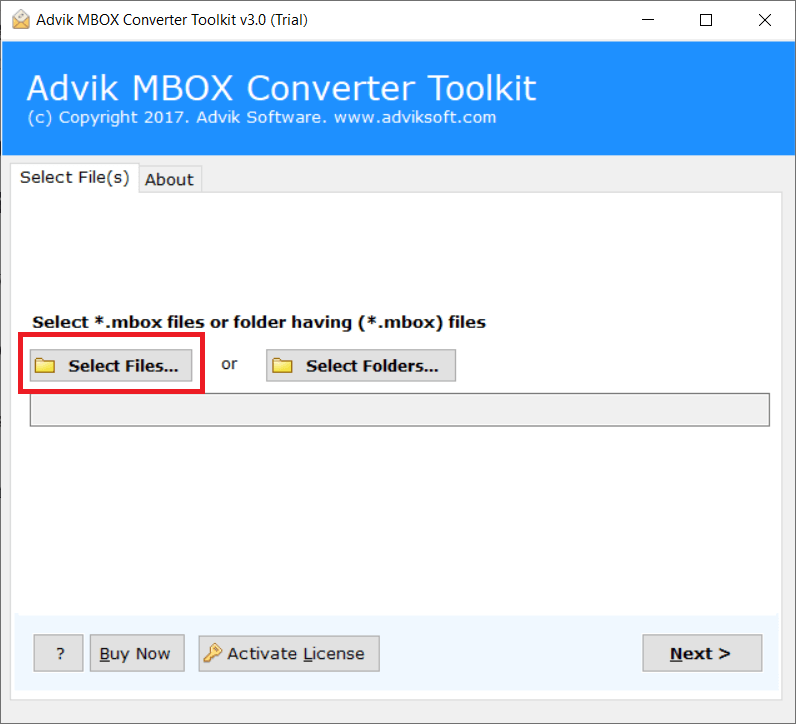
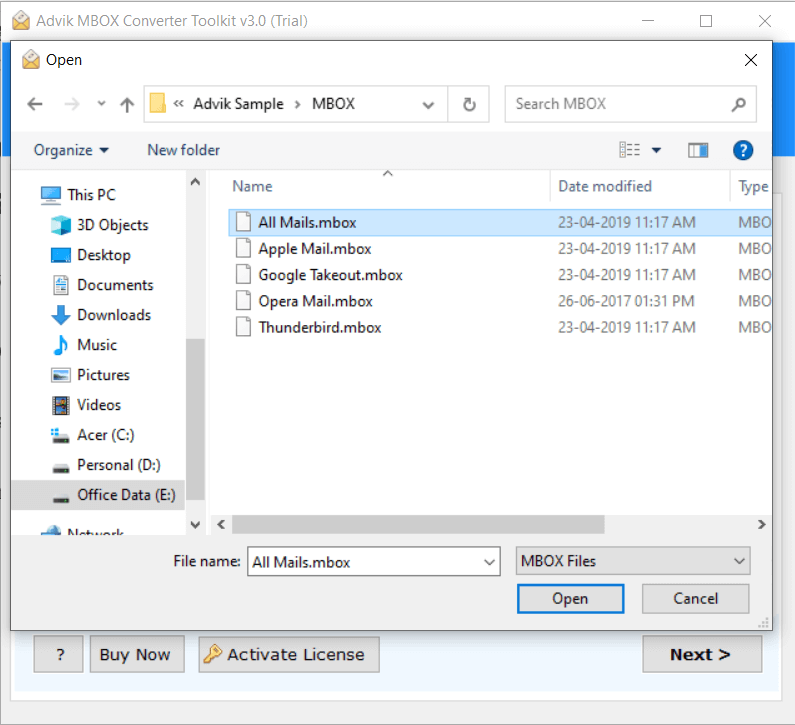
Step 2. Click Add File and locate Gmail archive file (.mbox).
Step 3. Choose saving option from the list to export.
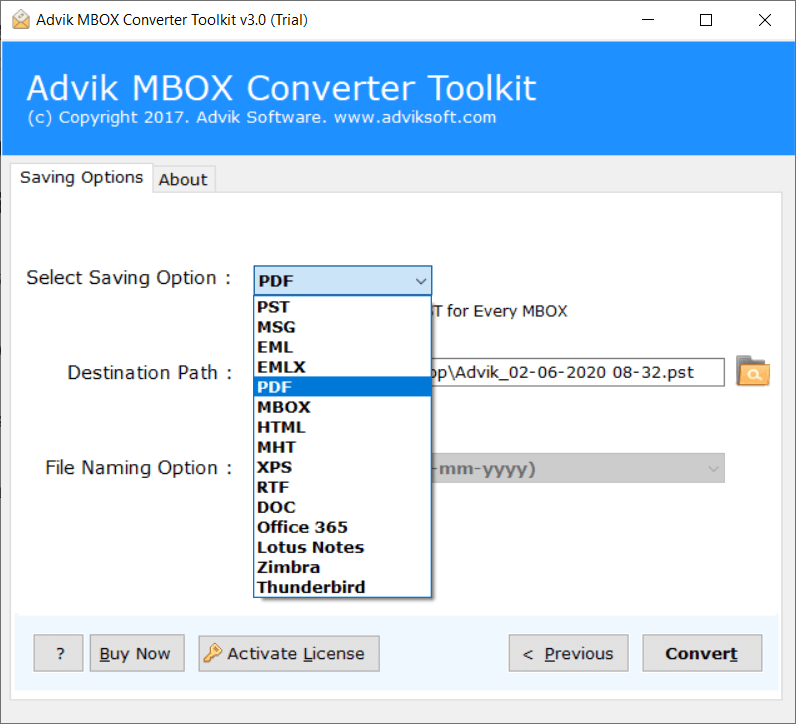
Step 4. Click Convert button and analyse process.
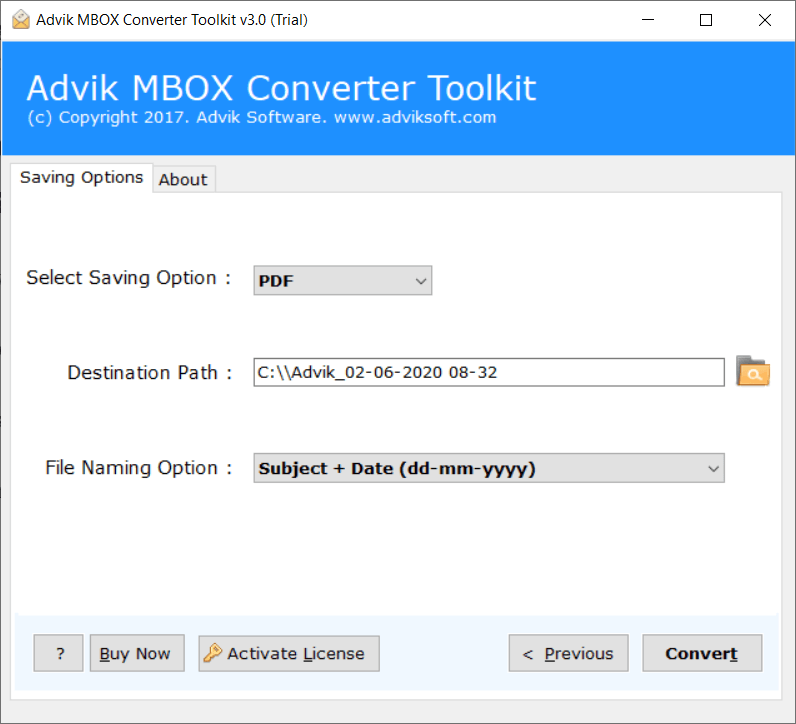
Now sit back and related, the software will convert Google Takeout to PDF files (example). The utility is powerful enough to convert large Gmail archive file without any glitch or error.
Why Choose Advik Gmail Archive Converter?
- Convert MBOX to PST, PDF, EML, MSG, DOC, etc.
- Fast and Accurate Conversion Process
- Unlimited Gmail Archive File Conversion
- Freedom of saving the resultant file
- File Name Convention Option
- Support all Windows OS