How to Import Gmail to Yandex with Complete Mailbox?
Summary: If you are searching for a solution to import Gmail to Yandex, then you are at the right place. In today’s article, you’ll get two different methods to migrate Gmail to Yandex Mail. Read this article till the end and access Gmail mailbox in Yandex using a 100% verified solution.
Yandex.Mail offers a full, rich and usable email experience with powerful web access, mobile apps, POP as well as IMAP access and unlimited storage. Functions such as message templates, reminders, e-cards and keyboard shortcuts help handle mail with efficiency and fun in Yandex.Mail; still, its rules could be more versatile, text snippets would support templates, and Yandex.Mail could function as a full web-based IMAP client.
Reasons to Migrate from Gmail to Yandex Mail
- Better provicay references.
- Faster than Gmail
- Better contact management
- Unlimited storage
- Better aliases management
- Integration with Yandex.MailDisk lets you send bigger files without having emails grow too big.
How to Import Gmail to Yandex for Free?
- Open Gmail and go to Settings.
- Go to Forwarding and POP/IMAP.
- Enable IMAP access and click Save changes.
- Now, log in to Yandex Mail via its login credentials.
- Go to Gear icon and click on All Settings option.
- Now, click on Mail Import option.
- Enter your Gmail credentials.
- Choose the email folders for migration.
- After that, click on Start Import option to begin the importing process.
Done! This is how you can manually import Gmail emails to yandex Mail account.
How to Transfer Gmail Emails to Yandex Securely?
Try the Advik Gmail Migration Tool on your system. The software can import Gmail to Yandex in just a few simple clicks. With this utility, you can move the entire Gmail mailbox including Inbox, Sent Items, Drafts, etc. at once. Also, you can choose specific emails for selective importing. The tool preserves data integrity and mailbox folder hierarchy during the Gmail to Yandex migration.
Download the FREE version to analyze its working procedure.


Steps to Import Emails from Gmail to Yandex Mail
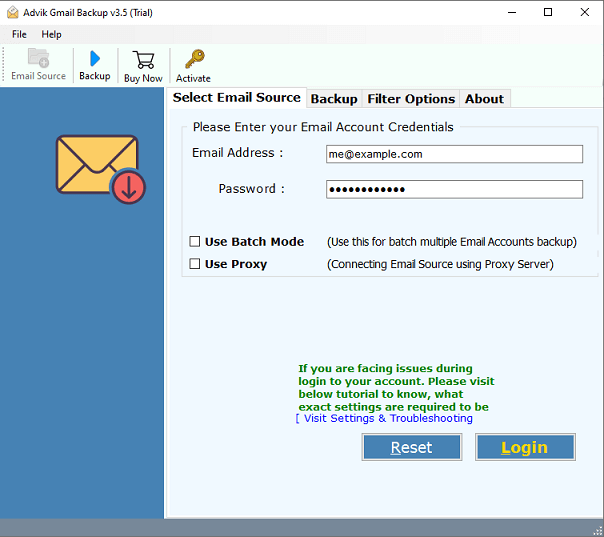
1. Launch Advik Gmail Backup Software and enter your Gmail login Credentials.
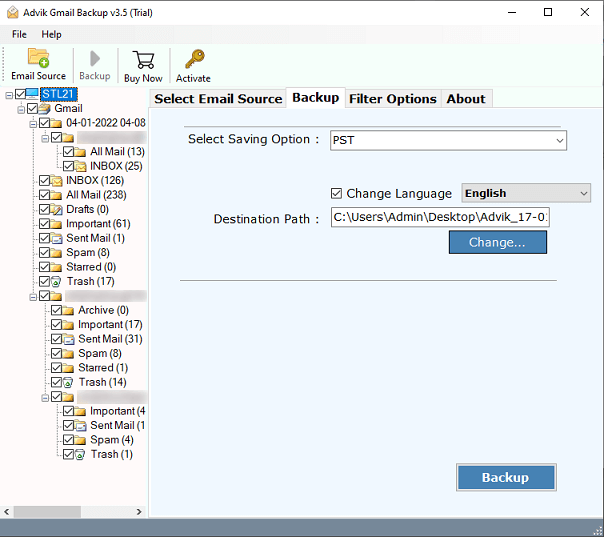
2. Select folders that you want to migrate to Yandex.Mail.
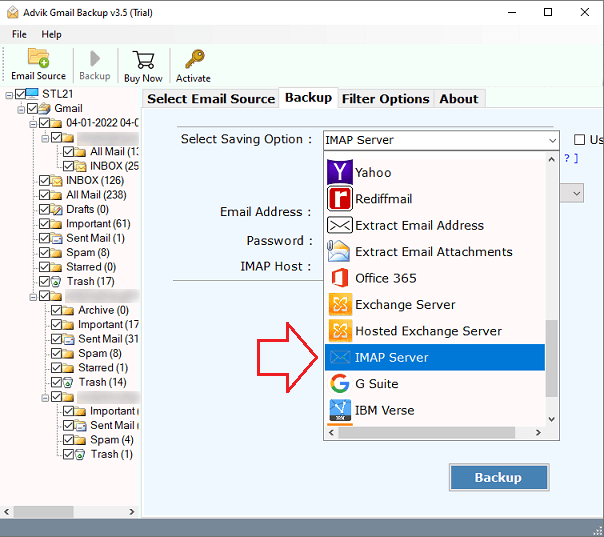
3. Select “IMAP” from saving options.
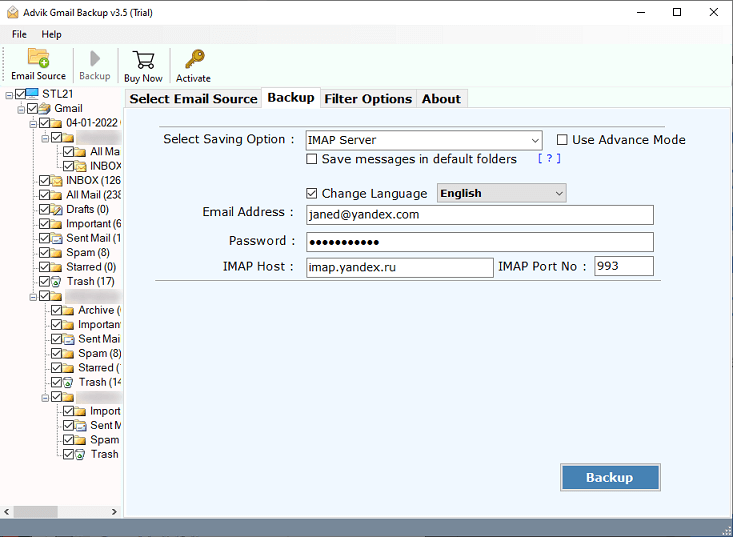
4. Enter your Yandex.Mail login credentials and other details should be filled as shown below.
IMAP HOST: imap.yandex.com
PORT: 993
5. Now click on the “Backup” button to start the process.
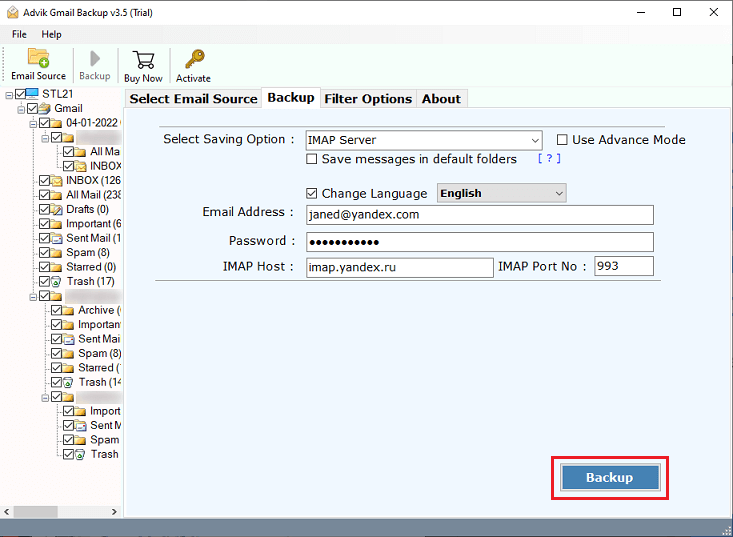
That’s it! Advik Gmail Backup Tool will soon import your Gmail messages to Yandex.Mail without any limitations or drawbacks.
Done! This is how you can import Gmail to Yandex Mail with ease.
Premium Features of the Gmail to Yandex Migration Tool
100 percent safe and secure
This solution guarantees a secure and error-free environment by never storing user data in a software database. The software never retains user account login information in its database to safeguard the privacy of users and their data.
Easy-to-use tool
It’s a dependable and consistent method with a straightforward step-by-step procedure. Without any assistance, both technical and non-technical users can readily comprehend the tool’s use. It gives consumers a lot of extensive data setting possibilities.
Maintain Email Attributes
The integrity of email characteristics is one of the main issues during the Yandex to G Suite transfer. But don’t be concerned. During the migration process, this programme keeps email attributes like email address, time and date, email subject, and so on.
Multiple Yandex Accounts to Gmail Migration
This programme allows you to simultaneously move emails from numerous Yandex accounts to Gmail accounts. All data from several Yandex email accounts can be transferred to a single Gmail account.
Maintain Mailbox Folder Hierarchy
The software maintains the structure of mail folders during the Yandex Mail to Gmail migration process. You will receive an exact copy of emails from Yandex mail folders to the same folder in your Google Mail account.
Wrapping up
In this article, we have discussed how to import Gmail to Yandex Mail manually and professionally. It’s amajor query among users as lot of people hassle while migrating from Gmail to Yandex Mail. You can take a free trial to transfer 25 emails from each folder. The licensed version will help you yo import emails without any limitations.