How to Import EML Files to Office 365 in Batch?
Many users are struggling to import EML to Office 365. If you are also one of them, then this post will help you. Migrating emails from EML files to Office 365 is not a simple process due to format compatibility issues. In this write-up, we are going to explain the two best methods to open EML file in Office 365 account. Read each method carefully, check its pros and cons, and then decide which one is right for you.
Before proceeding further, we understand why we chose Microsoft 365 for importing .eml files.
Why Import EML to Office 365?
There are several benefits of importing EML files into Outlook 365. Some of them are;
- Office 365 is a cloud-based email service that you can easily access anytime, anywhere.
- It also offers a diverse set of business tools to help you manage your work effectively.
- It includes Word, PowerPoint, Excel, Access, SharePoint, Outlook 365, and many more.
- Office 365 gives you more data storage space along with the ability to upgrade or expand.
- The best thing about Office 365 is its security features. It easily protects your data and keeps it safe.
Now, let’s check out workable methods to easily import eml to Office 365 account.
How to Open EML File in Office 365 Free?
- Install & Run Outlook on your computer.
- Go to the folder where you want to keep your EML file.
- Find the EML files you want to move and select them.
- Drag and drop the EML file into Outlook.
- Now, you can see your EML file in Outlook.
- Next, Click on File >> Open & Export and choose Import/Export.
- Select Export to a file and click Next.
- Choose Outlook Data File (.pst) and click Next.
- Select the required folders to export into PST.
- Click Browse to decide where to save the PST file. click Finish.
- Your PST file will be saved in the location you picked.
- Now, click File >> Add Account and configure Office 365 with Outlook.
- Once added, select the email and right-click>> choose Move to >> Office 365 mailbox folder.
Done!! This is how you can manually transfer EML files to Office 365 account.
Note: This is a lengthy and complicated process. Also, it is not suitable for a large number of EML files.
How to Import EML Files into Outlook 365 Securely?
Download and install the Advik EML Converter tool to directly import EML to Office 365 account. This utility enables users to transfer all EML files created by any supported email application to O365. It also allows you to upload multiple EML files to Office 365 in a single attempt. The tool preserves all email attributes and structure during the process.
Tap on the FREE Download button and give it a try now!!


Steps to Import EML to Office 365 Account
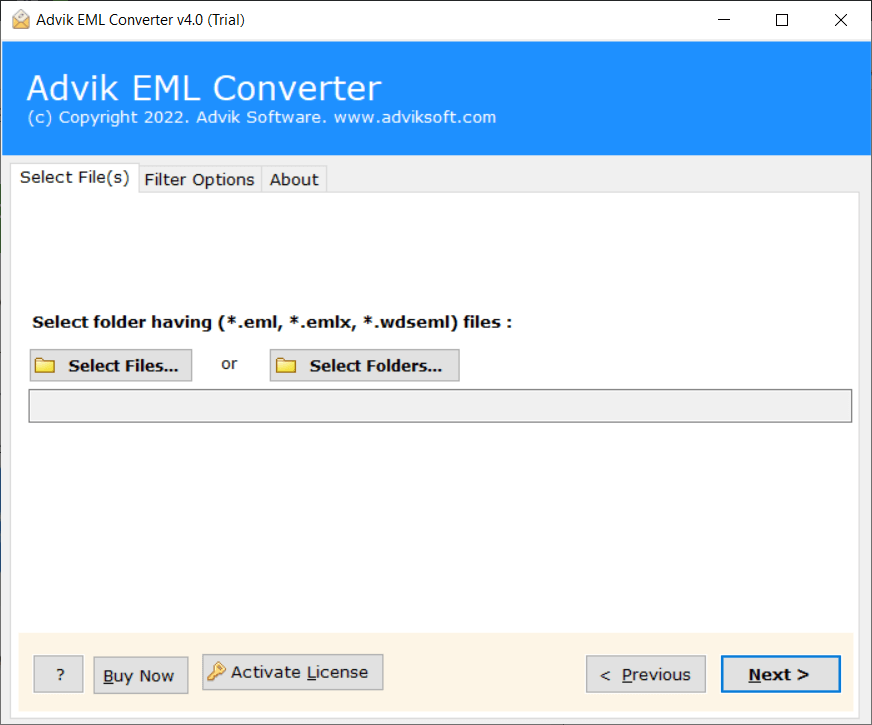
Step 1. Run EML to Office 365 Converter and add EML files or folders.
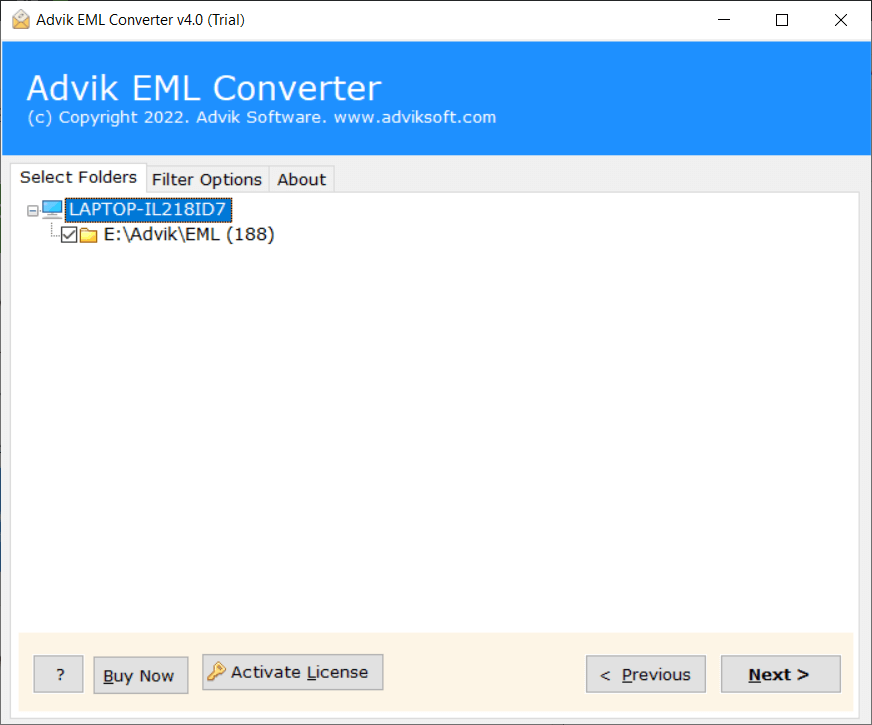
Step 2. Choose the needed EML files and click the Next button.
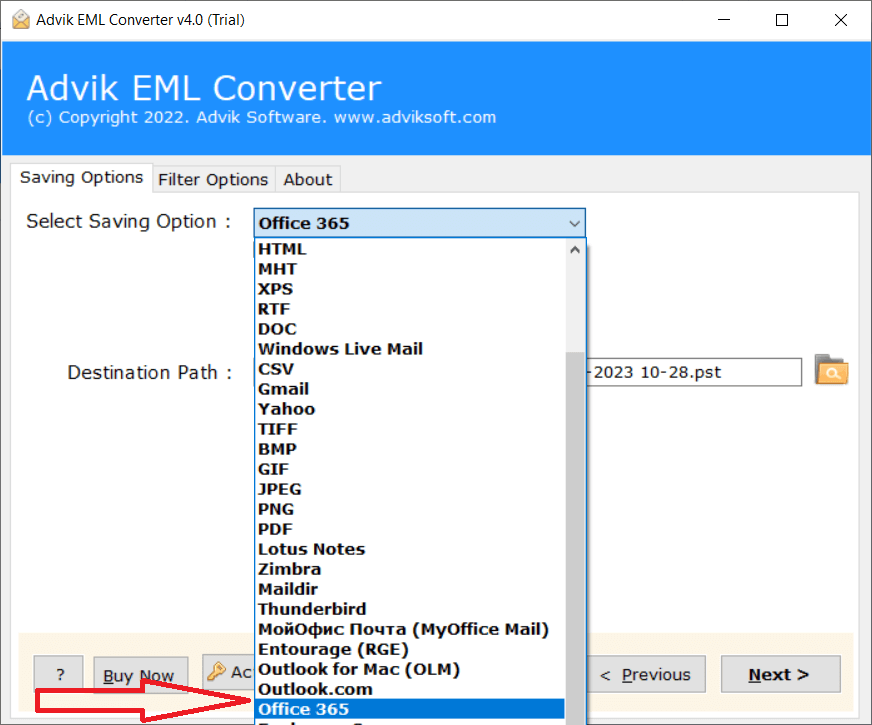
Step 3. Select Office 365 as a saving option from the list.
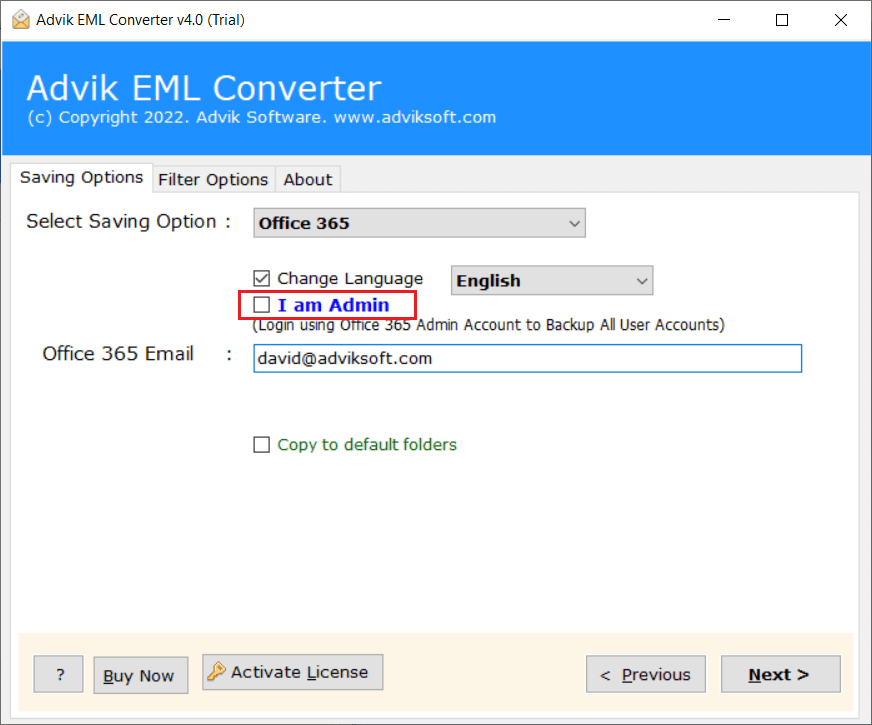
Step 4. Enter your Office 365 email address and click Next.
Step 5. A pop-up Window will appear, enter your password here to Sign in.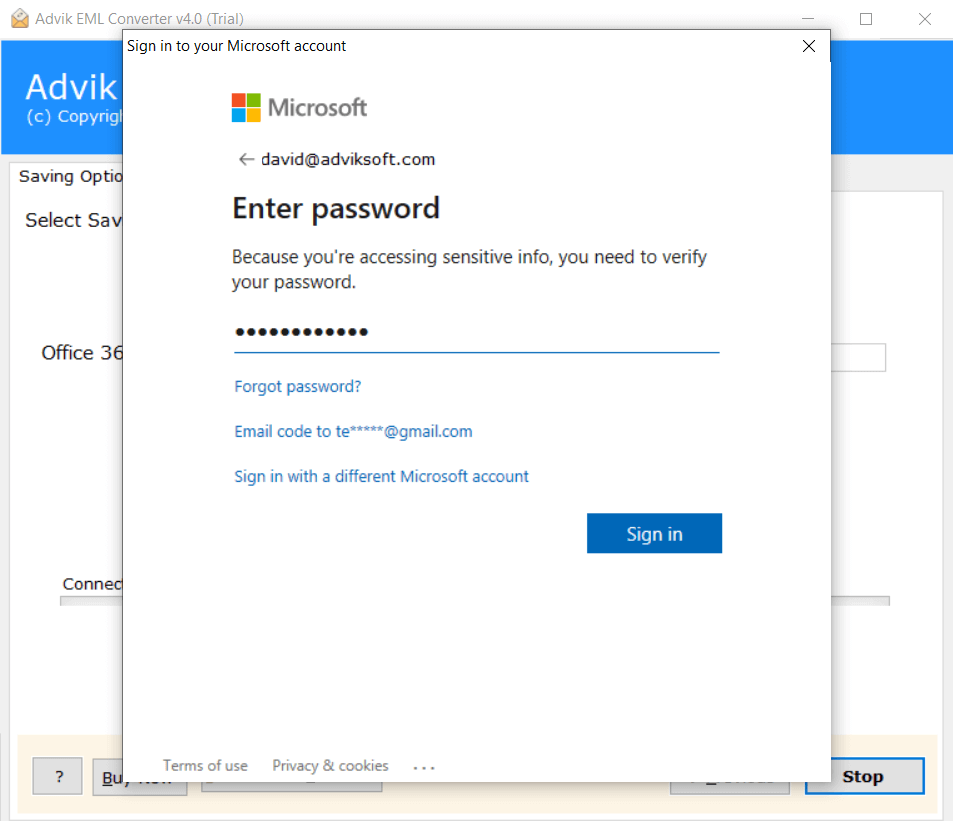
Step 6. Now, the software will start transferring emails from EML file into Outlook 365 admin account.
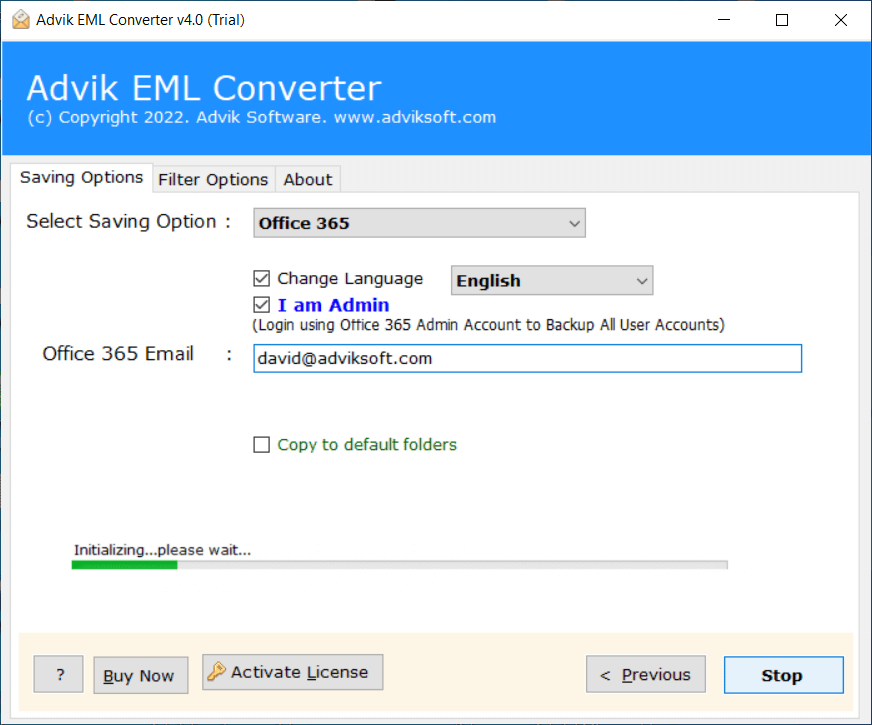
Done! You can view the live progress report in the software window.
After the process is complete, you can sign in to your Office 365 account and review the imported emails.
Apart from the above function, there are various advantages of using this EML to Office 365 migration tool.
- Directly upload EML to Office 365 without any external help.
- Allows importing EML files to Outlook 365 in batch.
- Preserves all email attributes while importing.
- Retain EML folder structure even after the process.
- 30+ saving options to convert EML to PST, PDF, MBOX, etc.
- Simplified user graphical interface for all types of users.
- Compatible with all the latest and old versions of Windows OS.
Watch How to Import EML Files into Office 365
Final Words
Many users want to open EML file in Office 365 for more functionality and security. To help these users, we discussed the manual and automated solutions to import EML to Office 365 account. The manual method is very tedious as it consists of two parts. As per the Expert’s suggestion, EML to Office 365 Converter is a perfect choice. The tool safely import EML files into Outlook 365 account.
Frequently Asked Questions
Answer: If you use a manual solution, then you need it. While the software doesn’t require an .eml-supported client.
Question 2. I have multiple EML files to upload to Office 365 account, but I want to add selective .eml files by finding them. Can I do this?
Answer: Yes, with the tool, you can import only selective files. To find specific EML files, you can use the Filter Option.
Question 3. Does the tool maintain attachments when importing EML files?
Answer. Yes, the EML to Office 365 migration tool keeps all attachments and other email components during the process.
Question 4. Can I set up this software on Windows Server 2022 edition?
Answer. Yes, the software supports all versions of Windows OS including Win Server 2022.