How to Import PST to IMAP Account?
Christopher Plummer | December 22nd, 2025 | Import Emails
Many users need to import PST file to IMAP based email account for various reasons. However, there is no direct method available to convert PST to IMAP Server. Still, there are various workarounds available for importing. In this write-up, we will show you two simple and reliable methods for PST to IMAP migration. So, go through the methods below one by one and choose the one that best suits your needs.
Reasons to Import PST to IMAP Account
There are several reasons to migrate PST file to IMAP account. Some of them are;
- Access Data Anywhere: Importing PST file to IMAP account enables you to access your data from any device with an internet connection.
- Synchronization: IMAP allows synchronization of email across all devices. It also reflects the changes made on one device across all others.
- Cloud Backup: If you store PST files on IMAP server account, you can keep a reliable backup that will protect you against local data loss.
- Better Email Management: IMAP allows users to organize and manage emails into folders.
How to Open PST File in IMAP Account Manually?
Using Outlook, you can manually import PST to IMAP account. Follow these steps:
1. Launch Microsoft Outlook on your computer.
2. Go to the File tab and click on Add Account.
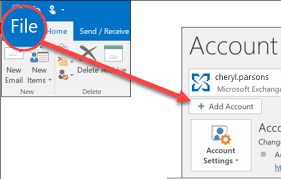
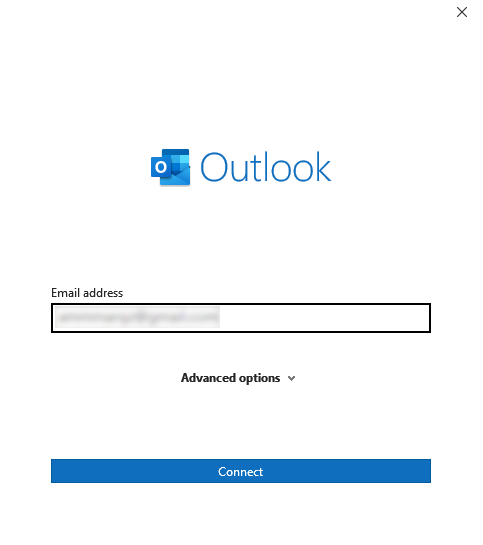
3. Add your IMAP email account to Outlook.
5. Next, click on the File tab in the top-left corner.
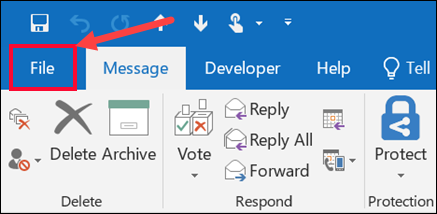
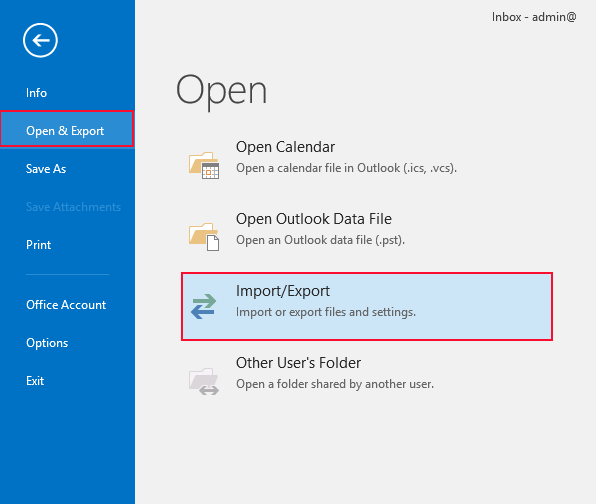
6. Select Open & Export then click on Import/Export.
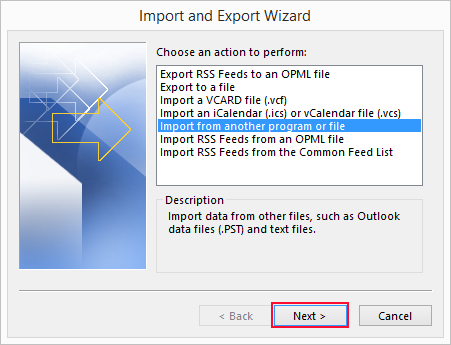
7. Choose Import from another program or file and click Next.
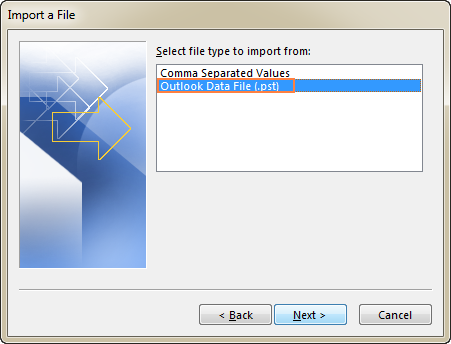
8. Select Outlook Data File (.pst) and click Next.
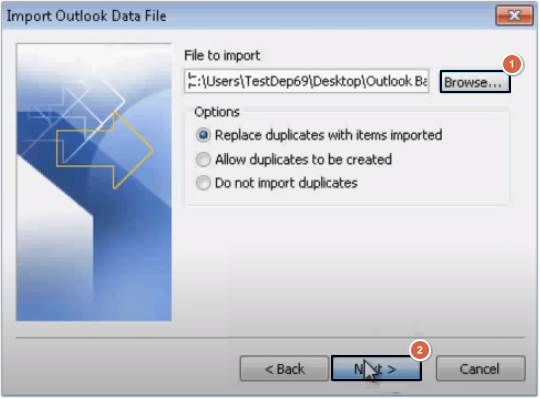
9. Browse and select the PST file you want to import.
10. Select your IMAP email account as the destination for the imported emails.
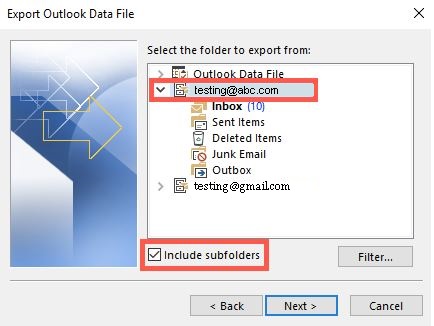
11. Click Finish to start the import process.
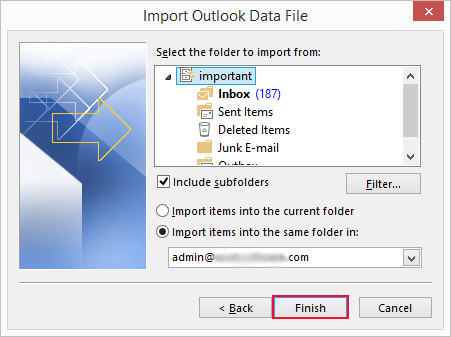
Your emails will be imported into the IMAP account.
That’s it! Your PST file emails are imported into your IMAP account within Outlook.
Note: If you don’t want to use Outlook or found this method lengthy and complex for you, then try out an automated solution instead.
PST to IMAP Migration Tool- Import PST File to IMAP Account in Bulk
Download and install the Advik PST Converter on your system. The software offers a direct way to upload PST to IMAP Server. This tool can migrate multiple PST files into IMAP server account in one go. It preserves data integrity and mailbox folder hierarchy during the process. With the help of this software, you can import PST to IMAP account with attachments as well. It supports PST files from various versions of Microsoft Outlook and can be used on all Windows versions.
Download a FREE trial version of this tool to check its working procedure.


Steps to Import PST to IMAP Server
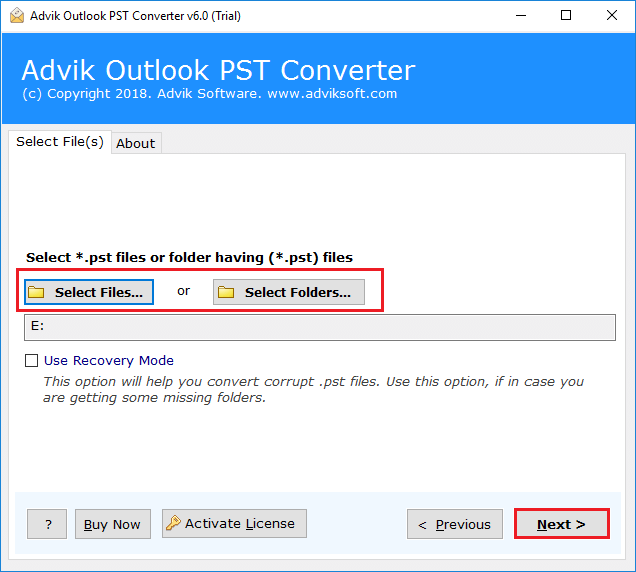
Step 1. Run the software on your PC & add the PST file.
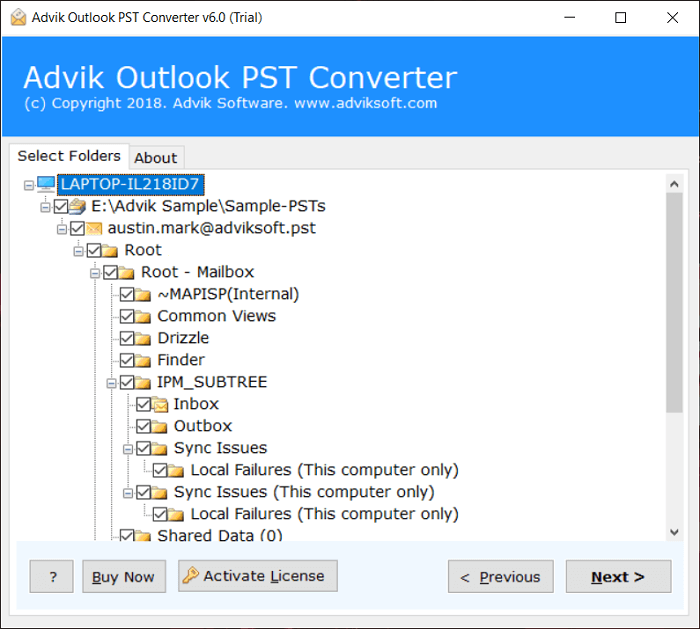
Step 2. Choose mailbox folders and click Next.
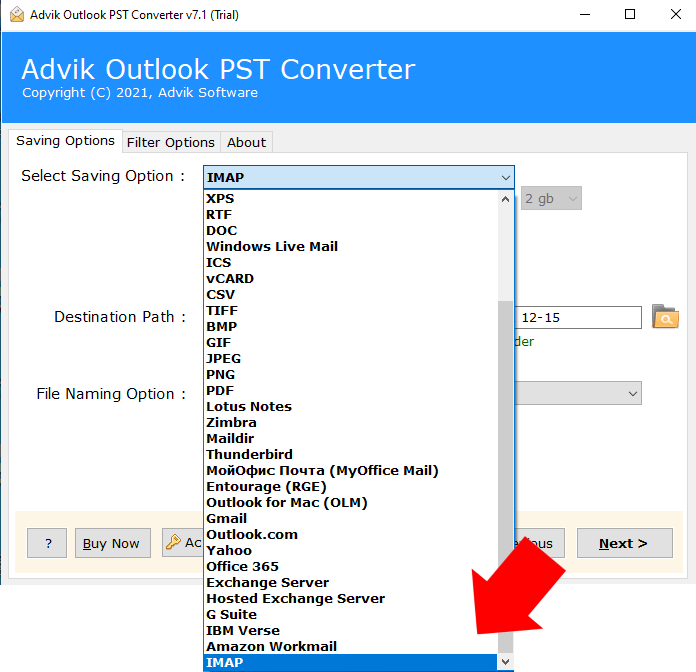
Step 3. Choose IMAP as saving option.
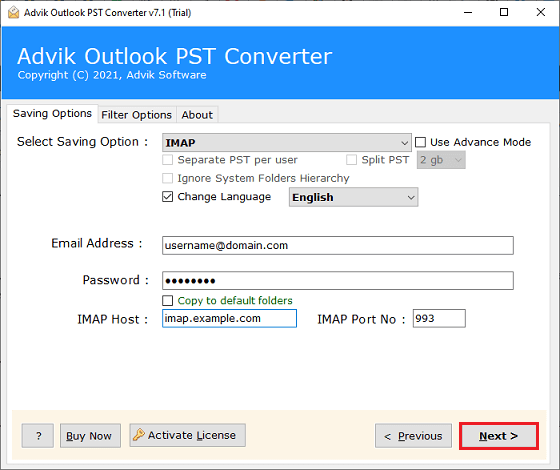
Step 4. Enter your IMAP email account credentials and click Convert.
Once the process is completed, a completion message will pop up on the screen, and tap the “OK” button.
Watch How to Import PST File to IMAP Account
Incredible Features of the Best PST to IMAP Migration Tool
The benefits of the Tool to migrate PST emails to IMAP Account are as follows;
- Stand Alone Utility: This is an independent solution, which means with this tool, you can convert PST to IMAP Server without Outlook and any other application help.
- Maintain Data Integrity: The application keeps the data’s integrity & maintains every file structure during the PST to IMAP migration. It includes cc and bcc addresses, date, subject, time, signature, font styles, and font size.
- Batch Migration of PST files: With this software, users can easily upload multiple PST files to IMAP servers at once. Also, you can easily import unlimited PST items, regardless of the size of PST files.
- Self-explanatory Steps: This software provides an easy-to-use and simple GUI. Users of all skill levels won’t have any difficulties while using this software.
- Import PST to Web-Based Platform: With this software, users can easily transfer emails from PST file to any cloud-based email service. Such as PST to Gmail, Zoho Mail, Yahoo Mail, Outlook.com, and many more.
- Freeware Tool for Evaluation: You can download the free version of this PST to IMAP import tool, which functions identically to the licensed version. The trial version will let you transfer the first 25 items from each folder.
- Windows Compatibility: No matter which Windows version you use, this tool works smoothly on all of them. Including Windows 11, 10, 8, 8.1, or even XP.
Wrapping Up
In this post, we have discussed how to import PST to IMAP Server. Here, we have mentioned both manual and automated solutions. Now, you can decide which of the approaches best suits you. Sometimes, users face difficulty with the manual approach. So, we can conclude that the automated software is the preferred choice of many users who need to upload PST to IMAP account. You can also try its free trial version to check its efficiency and effectiveness.
Frequently Asked Questions
Q 1. How to Convert PST to IMAP?
Ans – There are two different ways to import PST file to IMAP account – By configuring your IMAP account with Outlook and any third-party tool.
Q 2. Can I import PST to IMAP without installing any supported program?
Ans – Yes, you can open PST files in IMAP email account without any external program installation.
Q 3. Does the software allow bulk add PST files to the IMAP account at once?
Ans – Yes, in the preview panel of the software, you can choose some selective PST email files or folders for transfer.
Q 4. I want to use this PST to IMAP migration tool on my Windows 7 device. Is it compatible with this version also?
Ans – Yes, this software is fully compatible with all the latest and previous versions of Windows OS.
Q 5. Can I import PST file exported from Outlook 2021 with this application?
Ans – Yes, the software supports PST file exported from all Outlook versions including 2021.