How to Import PST to AOL Mail Account?
Jackson Strong | March 22nd, 2026 | Outlook
Overview: In this technical write-up, we are going to discuss how to import PST to AOL Mail. Although AOL Mail does not provide any built-in option to import PST file. However, there are alternative ways to accomplish this task. Here, we will explain two simple solutions to open PST file in AOL Mail account.
Let’s take a look at a user query that simply asks for a way to migrate PST file to AOL Mail.
“Is it possible to import PST to AOL Mail? I am using Windows 10 and want to upload Outlook PST file into AOL Mail. I had contacted AOL support I didn’t get any satisfactory solution. Is there any solution available to move PST file into AOL Mail?”
There are a lot of users who are searching for a solution to transfer PST file to AOL Mail. To help those users, we have come up with both manual and automated solutions. However, the manual method often takes time and requires technical setup. While the automated tool can directly move PST file to AOL Mail.
Now move ahead and learn each process in detail.
How to Import PST to AOL Mail for Free?
Follow the below given steps to manually upload PST to AOL Mail using Outlook application.
1. Open the Outlook email client on your system.
2. Go to File tab and click Add Account.
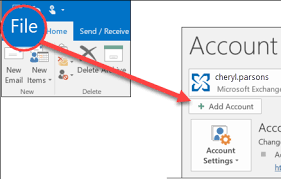
3. Enter AOL Mail account login details to configure it.
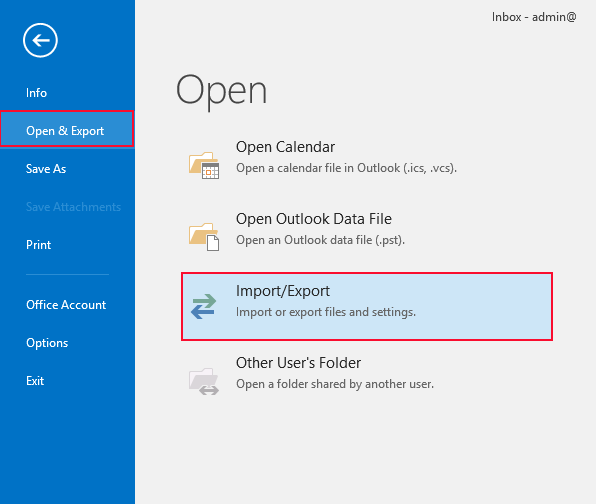
4. After that, click File >> Open & Export >> Import/Export.
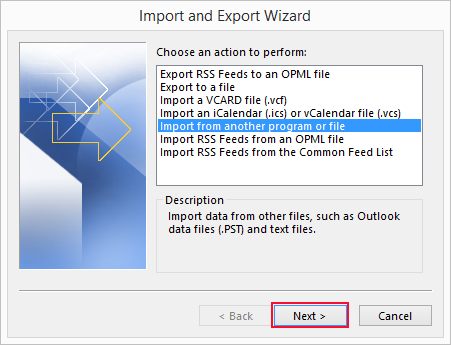
5. Choose Import from another program or file and click Next.
6. Choose Outlook Data File (.pst) and press Next.
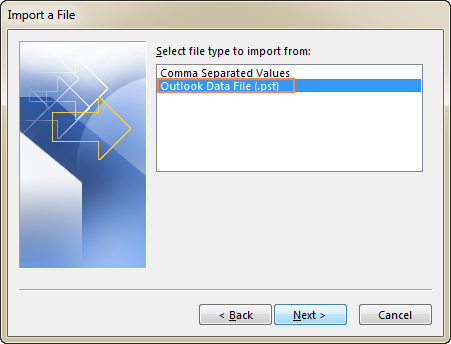
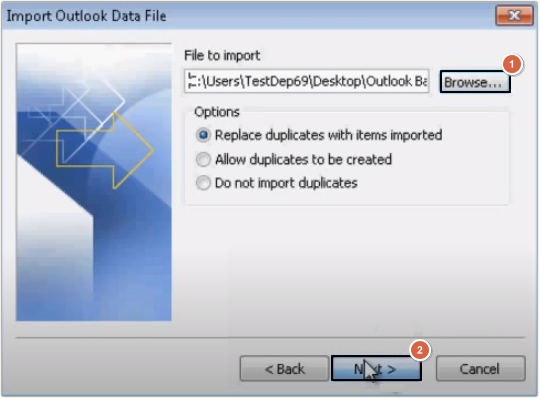
7. Browse and select your PST file and click Next.
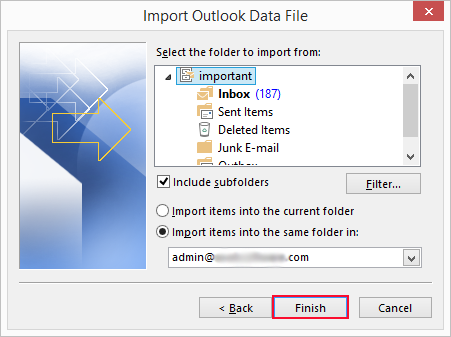
8. Choose AOL Mail folder and click the Finish button.
Done! That’s how you can transfer .pst file to AOL Mail account, but this is a lengthy and complicated process.
How to Open PST File in AOL Mail Automatically?
Check out the Advik PST Converter on your system. The software can directly transfer emails from PST file to AOL Mail. The software can import PST to AOL Mail in bulk. It also offers advanced email filter options to import selective emails. The tool preserves data integrity and mailbox folder hierarchy during the process.
Download the FREE demo version to check its working procedure.

Steps to Import PST to AOL Mail Without Outlook
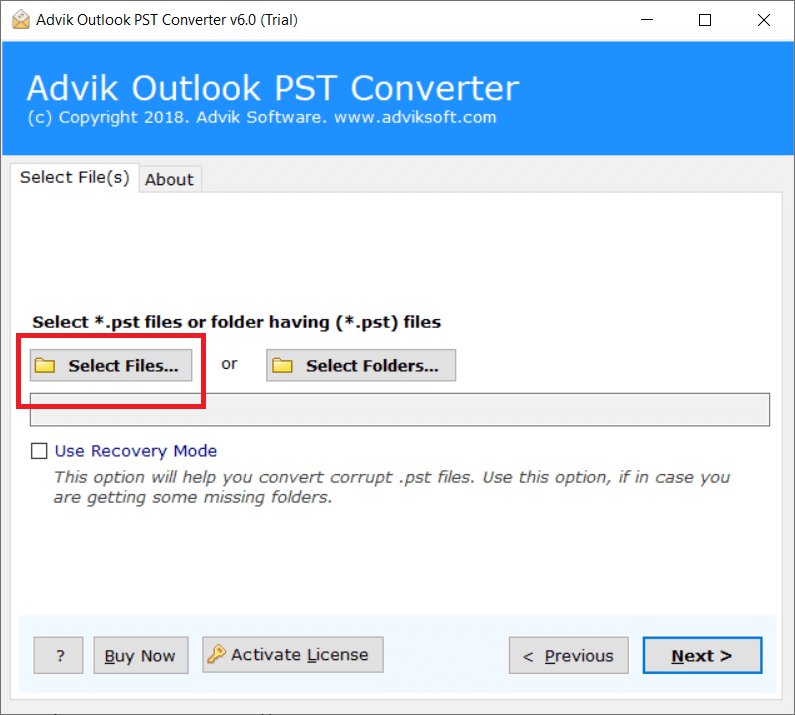
Step 1. Run Advik PST Converter and click Select Files.
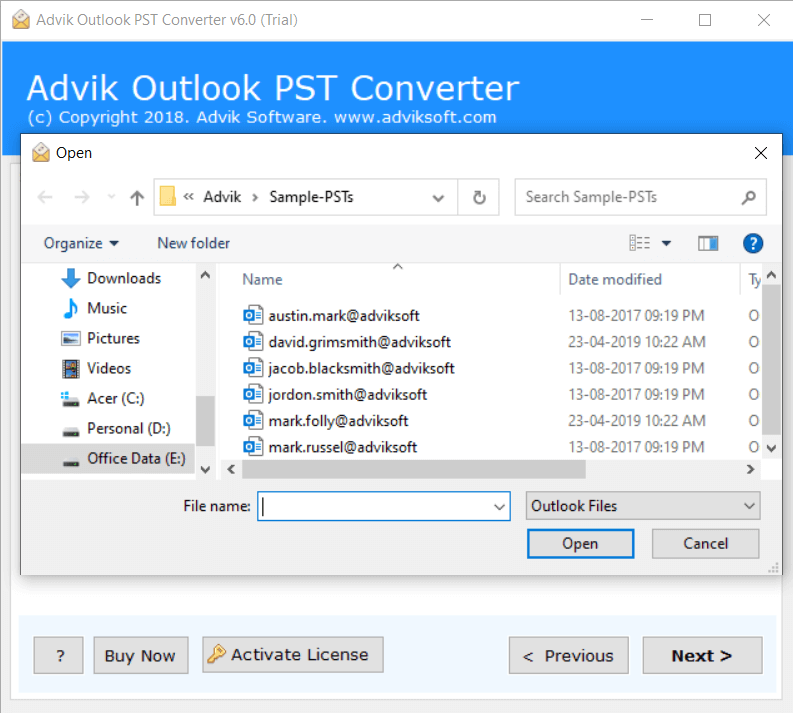
Step 2. Browse and locate Outlook .pst files into software.
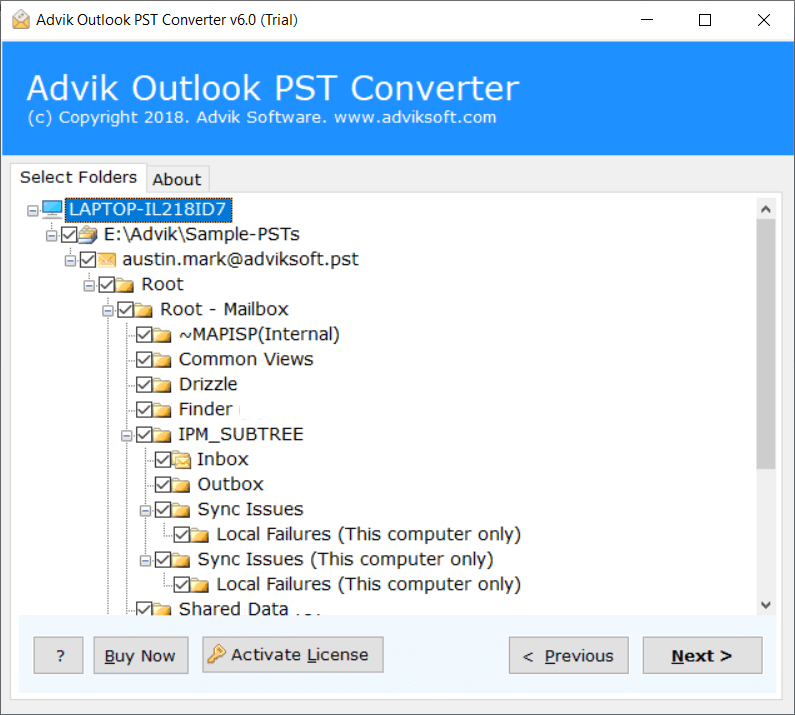
Step 3. Select mailbox folders to import.
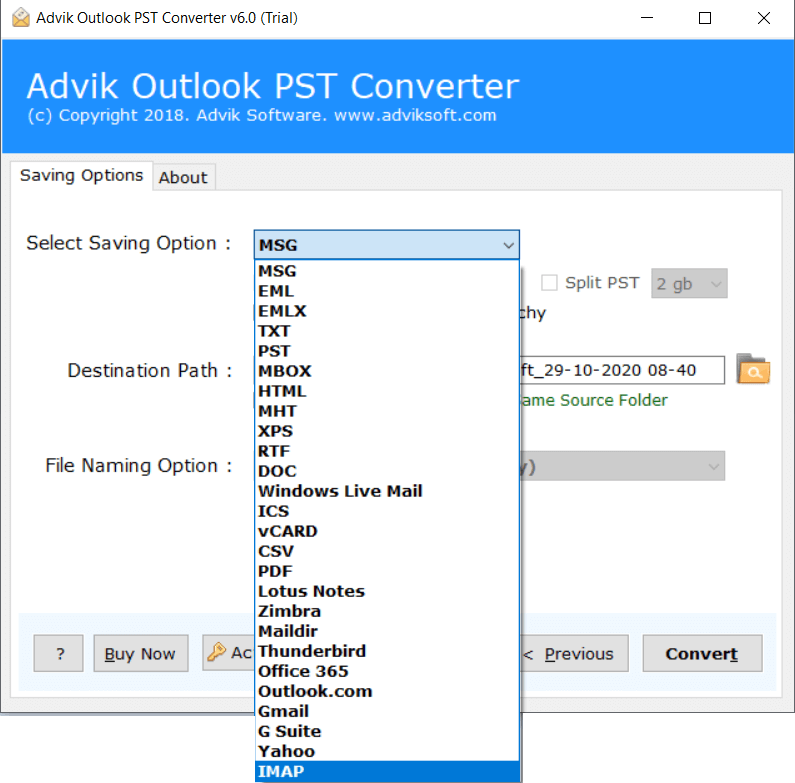
Step 4. Choose IMAP as saving option from the list.
Step 5. Enter AOL Mail login credentials and click Convert.
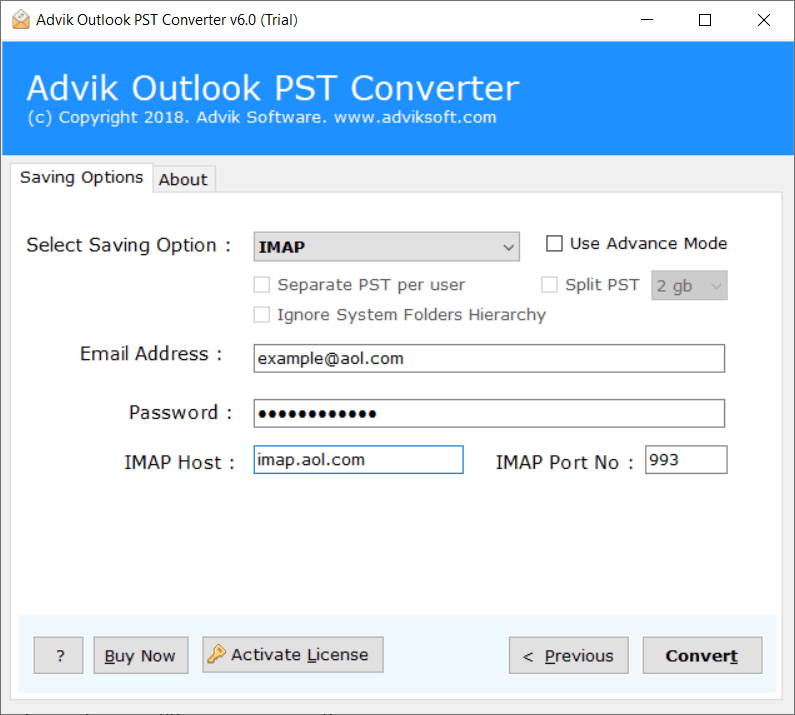
IMAP Details for AOL Mail are;
Host: imap.aol.com
Port: 993
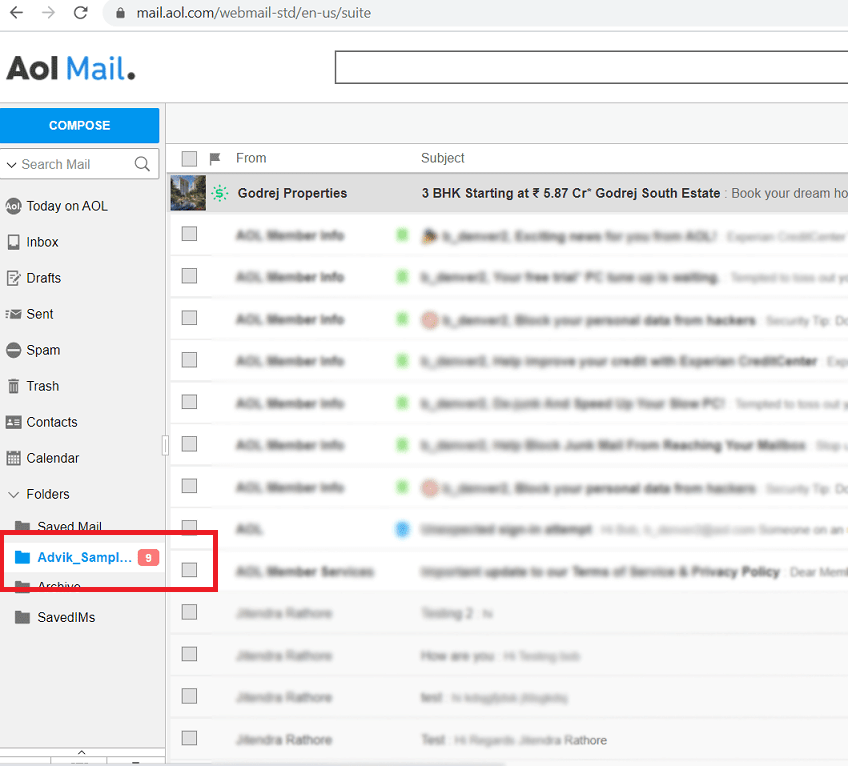
Now, login to your AOL Mail account. A new folder will be created name Advik#####. You can check your emails in this folder.
Why Choose an Automated Tool Instead of Manual Approach?
Here are some additional benefits o using this tool;
- Directly migrate PST file to AOL Mail without Outlook.
- Import PST to AOL Mail account in bulk.
- Retains all key elements while importing.
- Maintains the folder hierarchy of PST file even after the process.
- Upload a large-sized PST file without any size restrictions.
- Simple graphical user interface.
Final Words
In this article, we have discussed two different ways to import PST to AOL Mail account. You can choose any method that is most suitable for you. However, the manual method has some limitations. So, we recommend you use the automated tool to open PST file in AOL Mail account without any hassle. You can also try its demo edition, which allows you to import 25 emails from each folder.
FAQs – Import PST into AOL Mail
Q1. I have 15 GB PST file. Can I import it into AOL Mail?
Ans. The manual method may fail to import large PST files. The professional tool can quickly upload large .pst files without any data loss.
Q2. Can I transfer only selected folders from PST file?
Ans. Yes, the software allows you to choose specific folders for importing.