How to Import Thunderbird Emails to Lotus Notes?
Jenny Lowrence | April 1st, 2026 | Mozilla Thunderbird
Many users want to import Thunderbird emails to Lotus Notes to get more advanced security features to safeguard their data. If you are also one of them and looking for a way to convert Thunderbird to Lotus Notes then stop searching. This write will guide you on how to move emails from Thunderbird to IBM Notes in easy & simple steps. So, keep reading and accomplish this task quickly.
Mozilla Thunderbird is a free and open-source email client. It is widely used by individuals and small businesses for managing emails efficiently. On the other hand, Lotus Notes (IBM Notes/HCL Notes) is one of the best email management platforms. It is designed for large organizations that require secure communication and workflow management.
Why Import Thunderbird to Lotus Notes?
- Enhanced Security: IBM Notes offers encryption, secure access control, and data protection mechanism for handling sensitive information.
- Enterprise -Level Environment: Thunderbird is well-suited for personal and small-scale use, while Lotus Notes is designed for enterprise environments.
- Advanced Collaboration Tools: Lotus Notes provides built-in collaboration features like shared databases, team workflows, calendars, and task management.
- Better Data Management: With IBM Notes, users can manage their data in a structured way. It allows integration with enterprise systems to improve productivity.
How to Convert Thunderbird to Lotus Notes?
Download and install the Advik Thunderbird Converter on your system. With this tool, you can export Thunderbird to NSF files that can import into HCL Notes. It can import the entire mailbox data at once. It keeps the original structure of mailbox folders during the process. The tool is designed in such a way that any novice user can easily use it.
Tap on the below link to download it for FREE.


Steps to Import Thunderbird Emails to IBM Notes
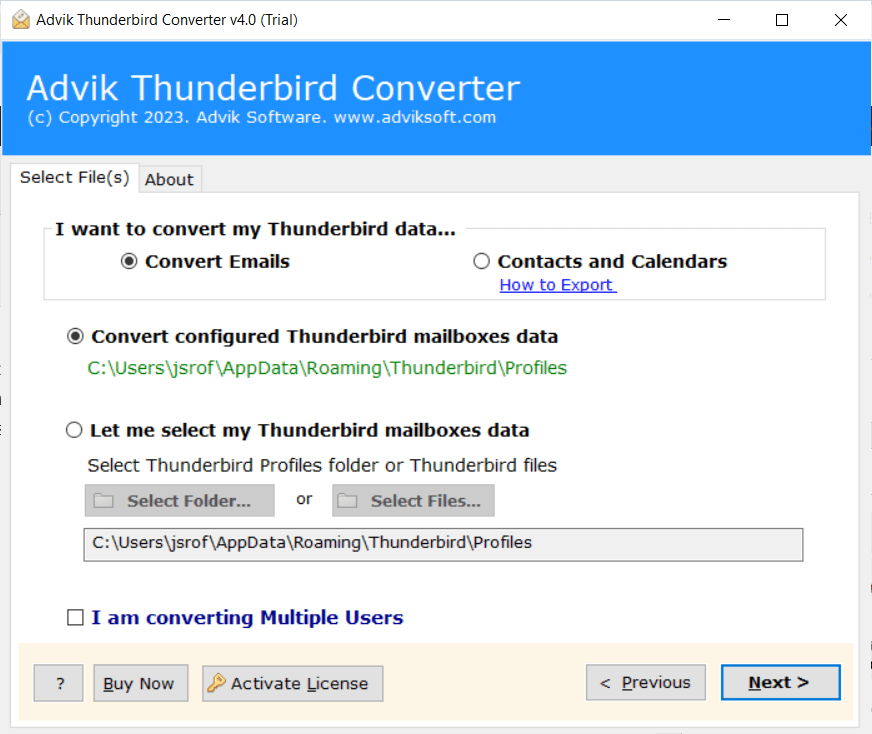
1. Run the tool and choose your Thunderbird profile.
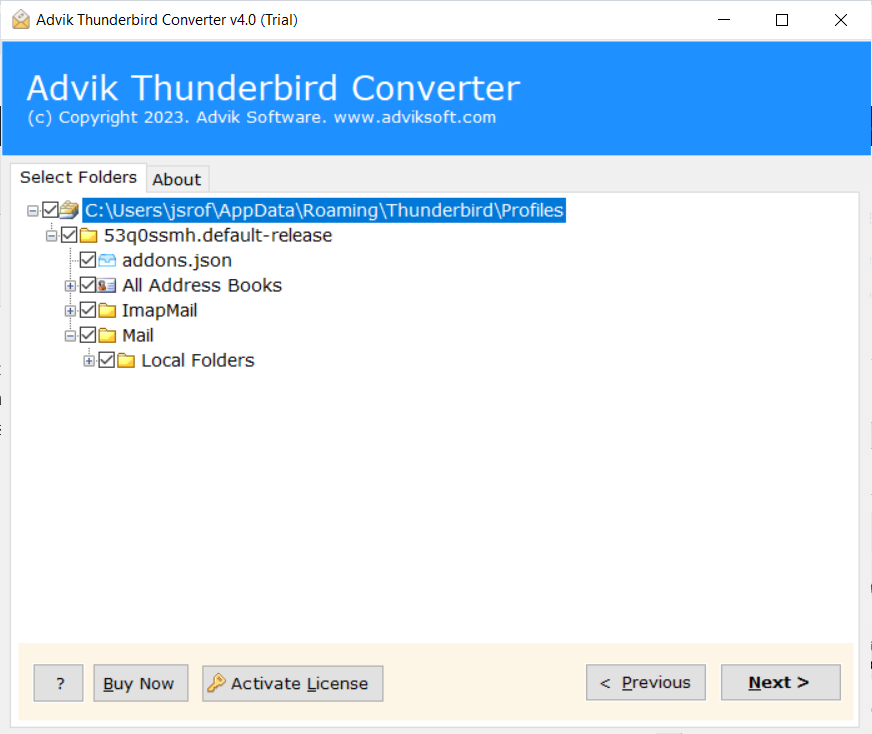
2. Choose the mailbox folders and click Next.
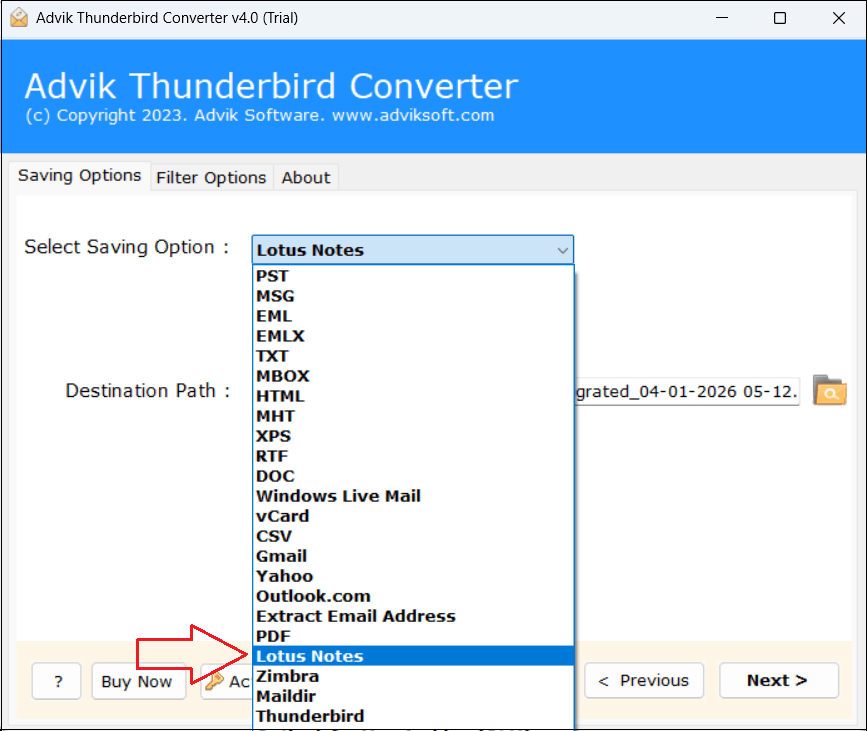
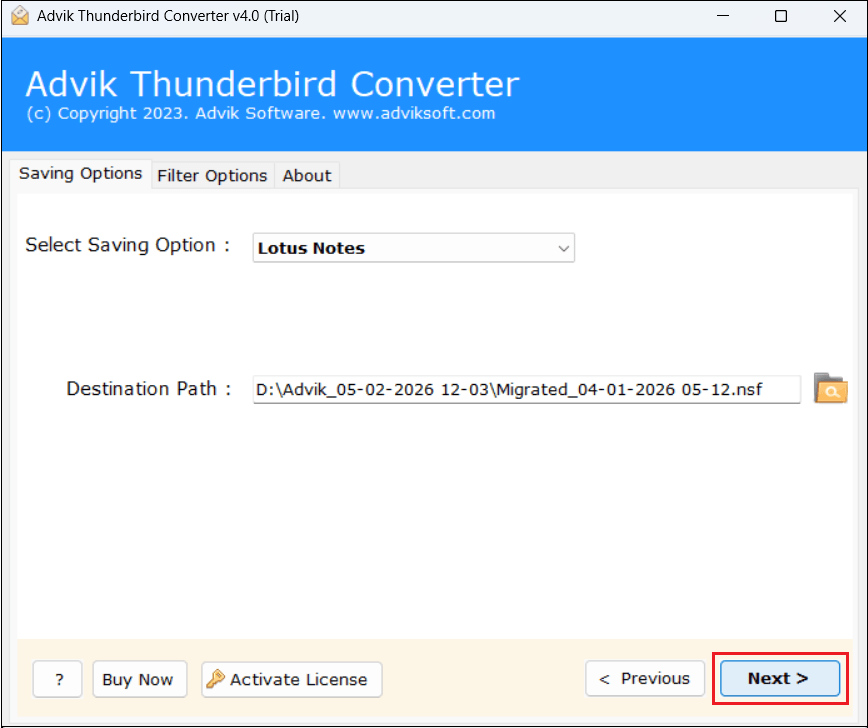
3. Select Lotus Notes as a saving option.
4. Click on the Convert button and analyze the process of conversion.
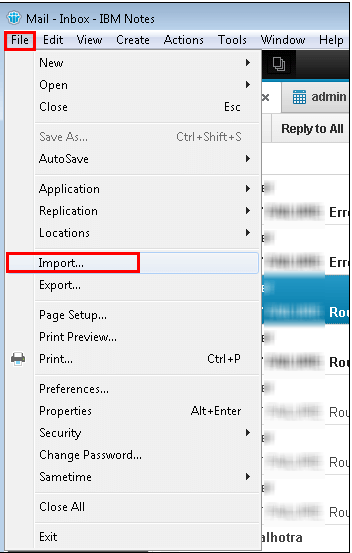
5. Now, open Lotus Notes and go to File >> Import.
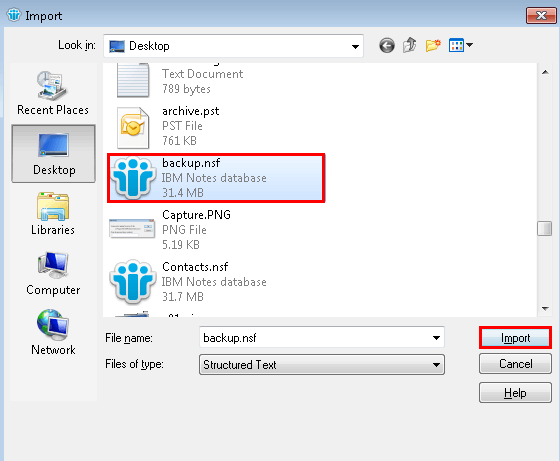
6. Go to the location where .nsf files are saved and click Import.
This is how you can migrate Thunderbird to Lotus Notes.
Prime Features of Thunderbird to Lotus Notes Converter Tool
- The software can migrate all data from Thunderbird to Lotus Notes, including emails, contacts, calendars, etc. at once.
- It offers various advanced email filter options to import selected emails based on date range, to, from, subject, etc.
- The tool will preserve the on-disk folder hierarchy of mailboxes and emails will be transferred to the exact same folder.
- It remains all components of emails like metadata, attachments, sender/receiver info, etc., intact while importing.
- The software is designed with advanced algorithms and a simplified user interface, helpful for all types of users.
- It supports all the latest and old versions of Thunderbird and Windows operating systems.
Conclusion
In this post, we have discussed how to import Thunderbird to Lotus Notes. There is no manual method, so the best option is to take the help of a professional tool to accomplish this task. Using the above-given steps, users can easily convert Thunderbird emails to Lotus Notes without any hassle. You can download its free demo version to check its working procedure.