Come esportare l’e-mail IMAP in formato PST?
Jackson Strong | Febbraio 27th, 2024 | Email
Can I export IMAP emails to a PST file? How can I export emails from IMAP to PST format? Is it possible to export IMAP data to an Outlook PST file? How can I create a PST from an IMAP account? If you’ve landed on this page after searching for these questions, you’re in the right place. In this article, you’ll learn two easy and simple ways to export IMAP emails to PST with and without Outlook.
Many users want to download all their IMAP emails to a PST file. This is one of the most popular searches this month. Many users are looking for an instant solution to export IMAP data to an Outlook data file. Don’t worry! In this post, we’ll walk you through the entire process of exporting your IMAP mailbox to PST format.
There are many other users like you who want to know how to copy IMAP emails to a local folder; we’ve selected a few to show you how common this query is.
Hi, I’m looking for a solution to export my IMAP mailbox to a PST file. I’ve tried setting up my IMAP account in Outlook many times, but I get an error when trying to connect to my IMAP account. Does anyone know how to export IMAP emails to a PST file? Please help!
So, without wasting any time, let’s get started with the procedure to export IMAP to Outlook PST format.
How to export IMAP emails to a PST file?
Here, we’ll explain the manual solution for saving IMAP emails locally, but it comes with some significant drawbacks. So, if you want to save time and effort, skip this manual solution and opt for an automated one.
Step 1. Set up your IMAP account with Outlook
To use this solution, you must have Outlook application installed on your system.
- Download and open the Outlook email client on your Windows operating system.
- Next, set up your IMAP account in Outlook by entering your login credentials details and tap OK .
- So, don’t forget to choose the IMAP option and click the “Finish” button to finish.
- Next, proceed to the rental with your IMAP account login credentials for confirmation.
Wait now!! It will take a few minutes and you will easily connect your IMAP account with the Outlook application.
Step 2. Export IMAP emails to Outlook PST format
- Restart the Outlook application on your system.
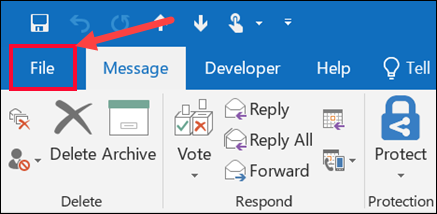
- Then, click on the “File” option in the menu bar.
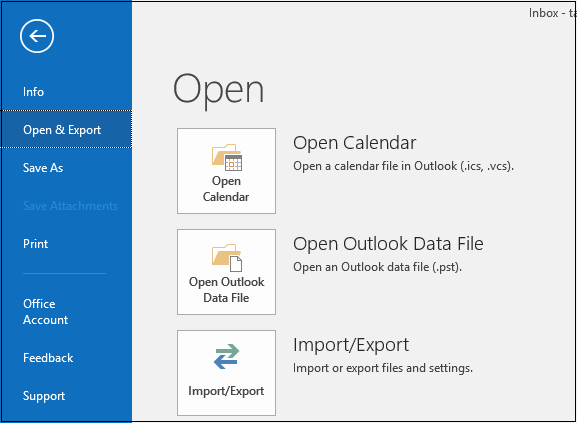
- Next, click on the “Open & Export” option and choose the “Import/Export” function .
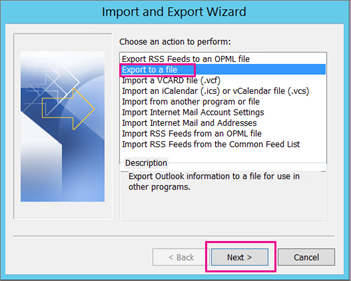
- In the Import Export Wizard , choose the “Export to a file” option from the drop-down list.
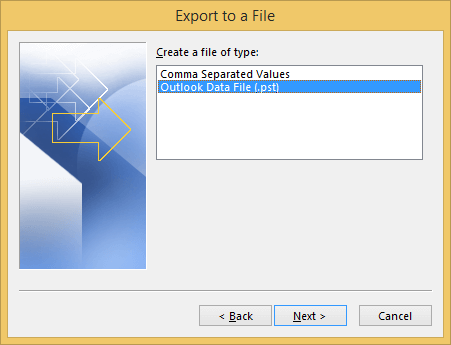
- Next, choose “Outlook Data File (.pst)” as the option to export IMAP emails and tap the “Next” button .
- Now, choose the folders from your IMAP account that you want to export to PST file format.
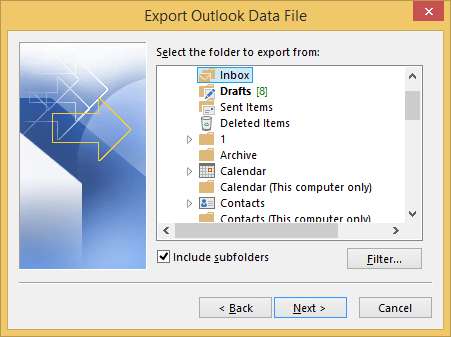
- Next, browse for a location to choose a path to save the exported PST file.
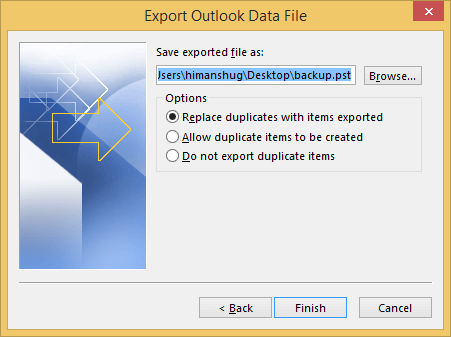
- Finally, tap the “Done” button to complete the process.
Why should you avoid the manual solution?
The manual method undoubtedly seems simple, but it’s not without its limitations. Take a look at the main disadvantages and drawbacks of the manual solution.
- Time-consuming as exporting IMAP emails may take a long time.
- There are also possibilities of errors that can lead to huge data loss.
- You may not follow the same steps with all versions of Outlook.
- Outlook must be installed to perform this method.
- There are no email filter options to choose selective IMAP emails.
How to export emails from IMAP to PST without Outlook?
Advik IMAP Migration Tool allows users to export emails from their IMAP account to PST and other file formats such as PDF, EML, MBOX, HTML, CSV, DOC, and many more. It also lets you back up IMAP emails to your PC with attachments. This tool ensures that the folder hierarchy is maintained throughout the process.
The software interface is extremely user-friendly for both technical and non-technical users. You can easily download and run this tool on your operating system. This software provides access to all the filters to simplify the entire IMAP email backup process. The software can also easily backup IMAP emails in a single attempt.


Steps to export IMAP to PST
Step 1. Download and run this software on your Windows computer.
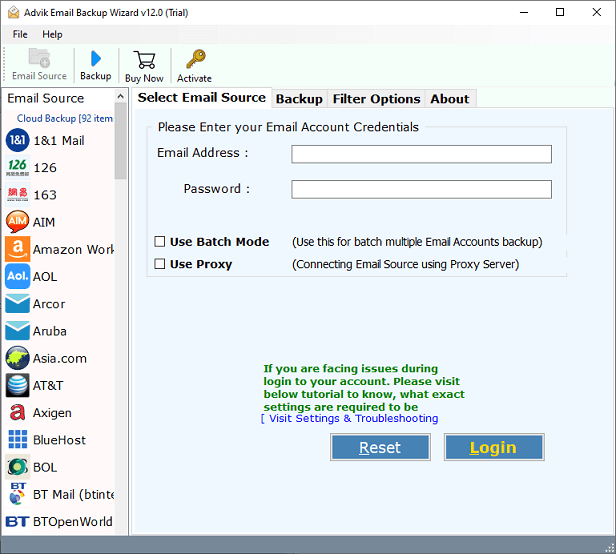
Step 2. Now choose “IMAP” as the save option from the list and enter your IMAP account email address and password. Also specify the IMAP host and port number in the respective fields and then click the “Login” button .
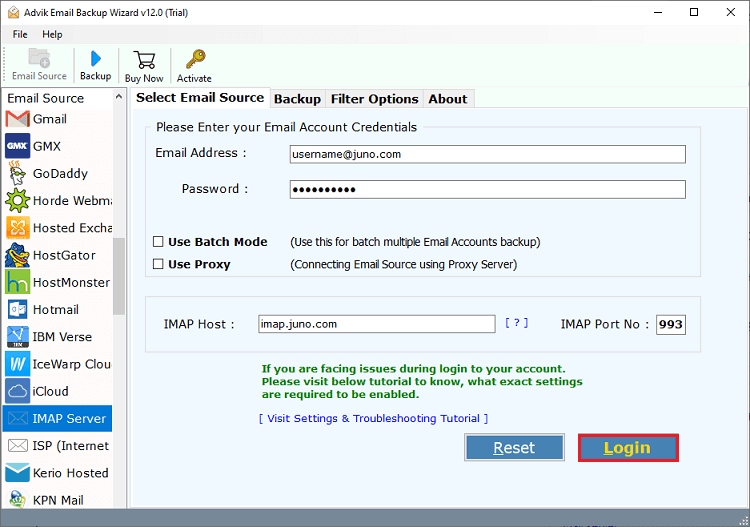
Step 3. Then, choose the required mailboxes that you want to export to PST file with attachments.
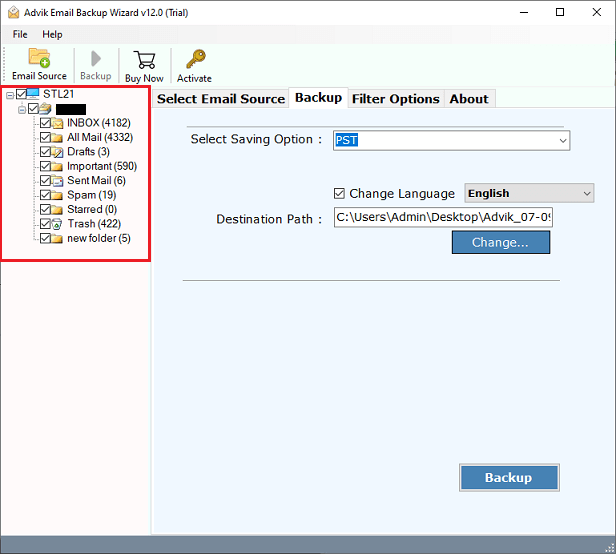
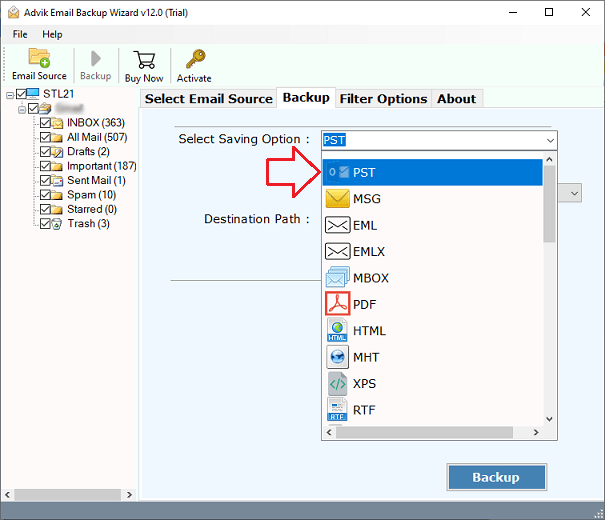
Step 4. Next, choose “PST” as the saving option from the list of multiple file formats.
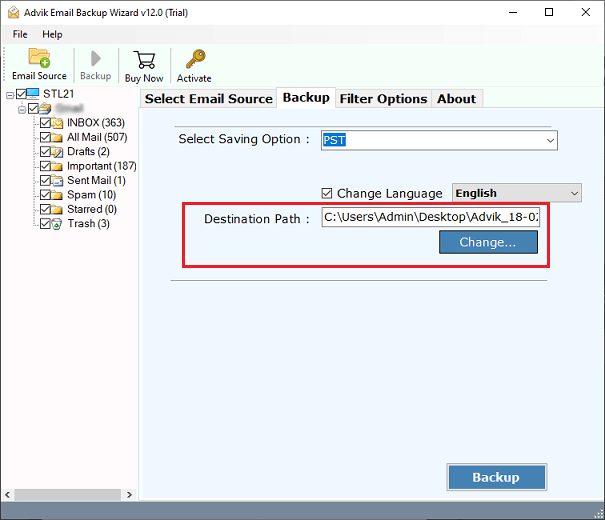
Step 5. Â Also, browse a destination path to save the resulting data file on your PC.
Step 6. Finally, tap the Backup button to start exporting IMAP server emails to PST format.
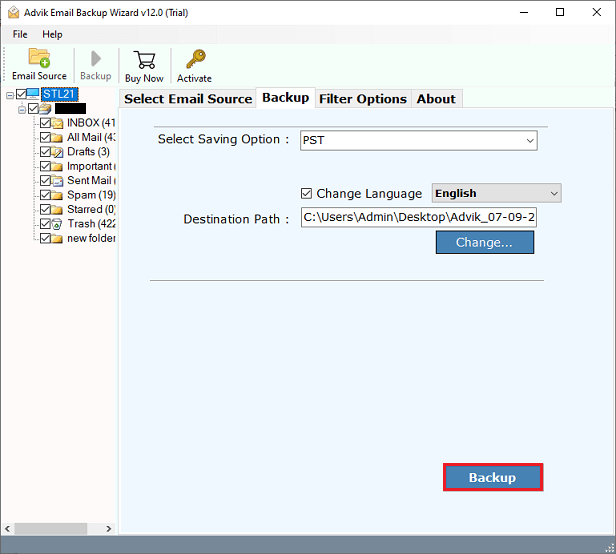
Done!! This way, you can easily export IMAP emails to PST files.
The closure
Now get the best way to export IMAP emails to PST using two simple and easy solutions. The process mentioned in this blog is an error-free solution that will provide you with 100% accurate results. The tool has a self-explanatory interface that anyone can use with ease.
