How to Migrate Outlook to Zoho Mail?
Jenny Lowrence | March 10th, 2026 | Email Migration, Outlook
Summary: Migrating from Outlook to Zoho Mail is becoming increasingly popular among businesses and professionals who want a secure cloud email solution. Zoho Mail provides advanced collaboration features, enhanced security, and integration with other Zoho applications. If you also want to migrate Outlook to Zoho Mail then this post will help you. In this write-up, we are going to discuss manual as well as professional solutions to transfer Outlook emails to Zoho Mail. Both methods will help you to migrate your data in a hassle-free way.
Why Migrate from Outlook to Zoho Mail?
Here are some benefits of transferring Outlook emails to Zoho Mail:
- Zoho Mail is cost effective solution for businesses as compared to Outlook.
- Zoho Mail allows users to access emails anytime from any device.
- Offers strong security and privacy features for data protection.
- Seamless integration with Zoho CRM, Projects, and other apps.
- An ad-free email platform for better productivity.
How to Transfer Emails from Outlook to Zoho Mail for Free?
You can manually migrate Outlook to Zoho Mail via IMAP configuration. Follow these steps;
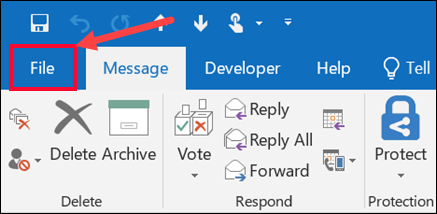
1. Open Outlook and go to File tab.
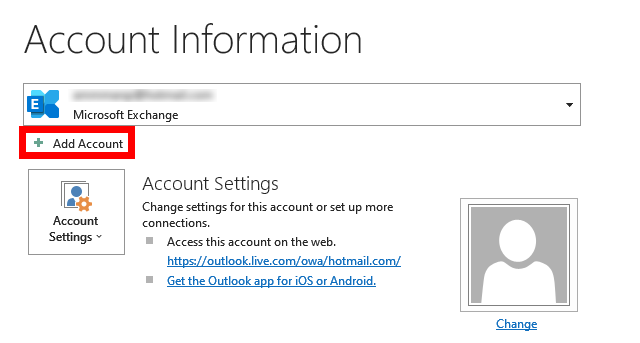
2. Click on Add Account.
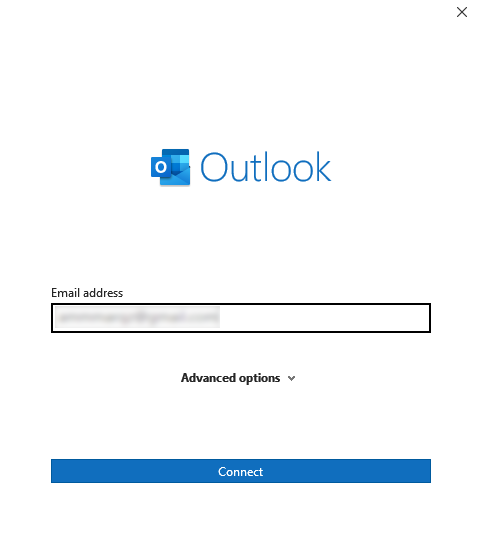
3. Enter your Zoho Mail email address and click Connect.
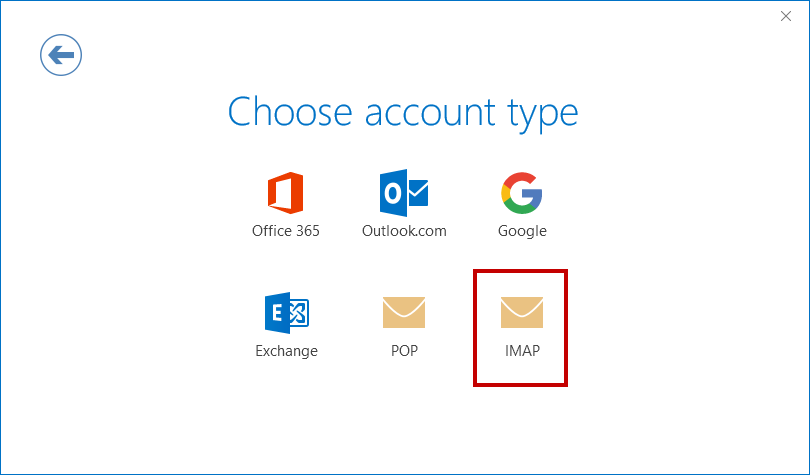
4. Choose IMAP as Account type.
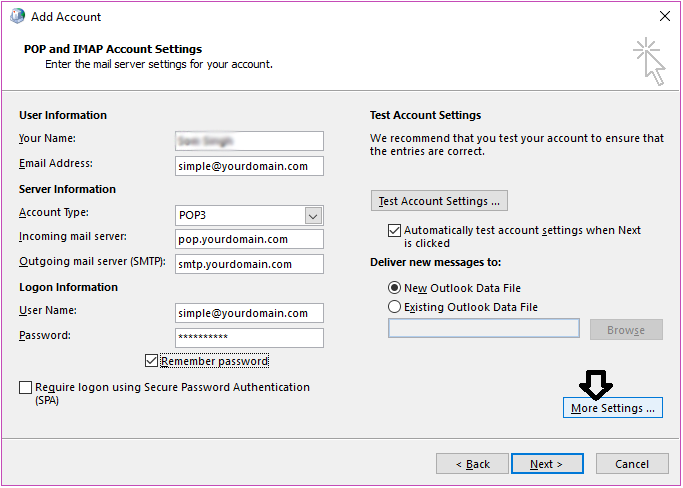
5. Enter IMAP Server details for Zoho Mail.
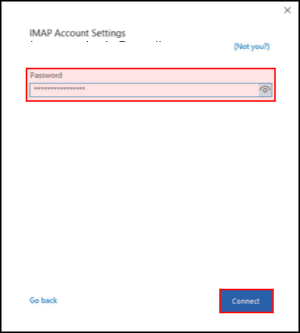
6. Type password of Zoho Mail account and click Connect.
7. Now, Outlook will start verifying the details you have entered. After that, click the Done button to complete the process.
8. After configuration, drag & drop Outlook emails to the Yahoo mailbox folder.
This is how you can manually import Outlook emails to Yahoo Mail.
Note: This is a time-consuming process for a large number of emails. Also, it is complicated for non-technical users.
How to Migrate Outlook Emails to Zoho Mail Automatically?
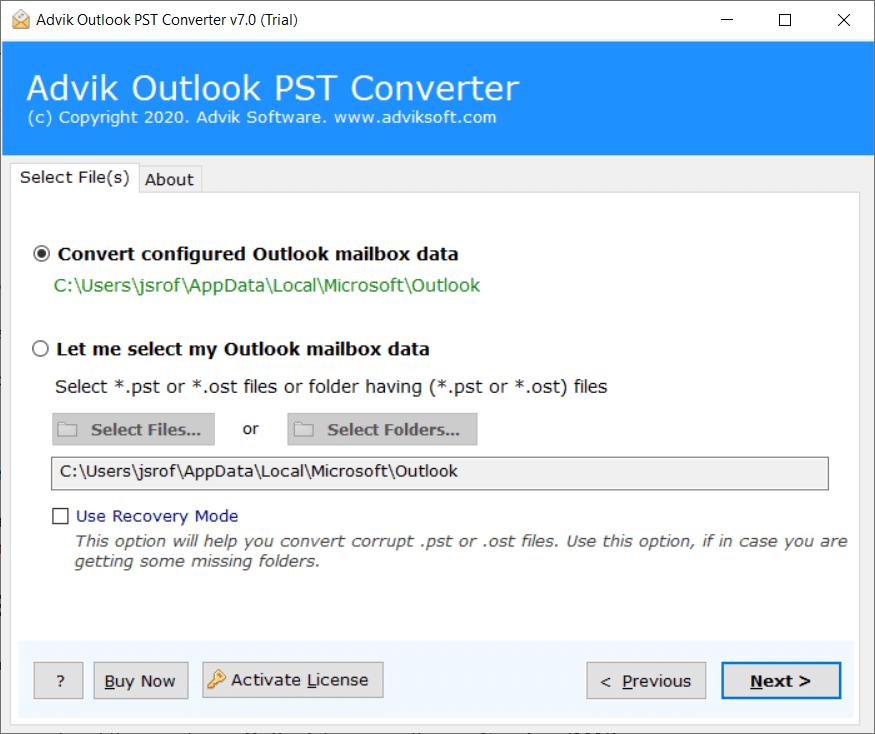
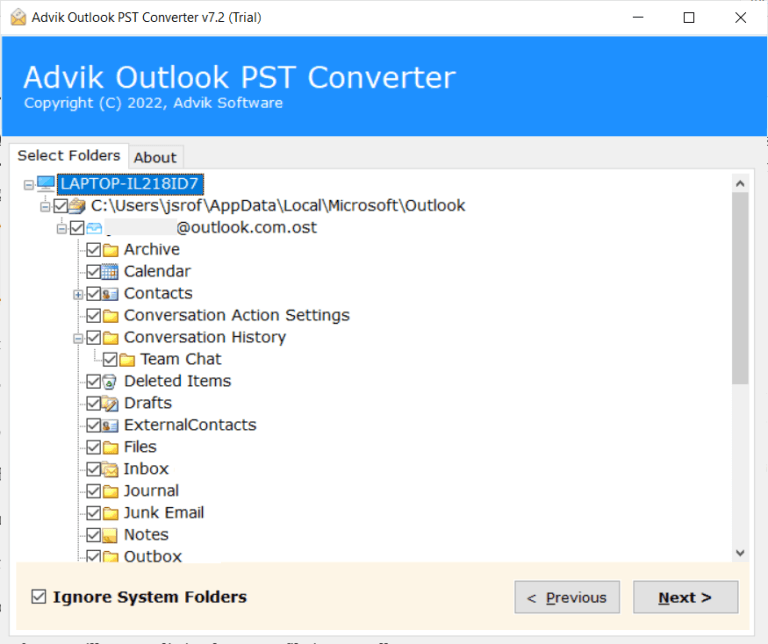
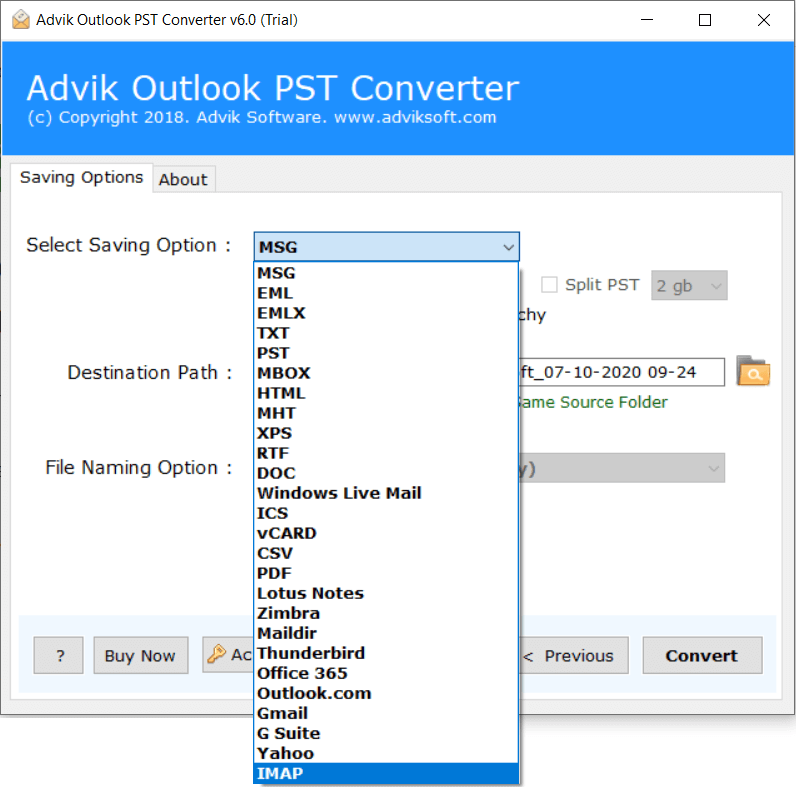
Download and install the Advik Outlook PST Converter. With this tool, you can directly migrate Outlook to Zoho Mail without configuration. Just choose your Outlook profile, select email folders, choose IMAP as saving option, and enter your Zoho account login details to begin the process. It can transfer all mailbox folders in a single attempt. Also, it allows you to choose specific emails or folders to transfer. The tool maintains the original structure of mailbox folders even after the process.
Tap on the below link to download it for FREE.

Steps to Migrate Outlook to Zoho Mail
1. Run the tool and choose your Outlook profile.
2. Choose the mailbox folders that you want to transfer.
3. Next, select IMAP as a saving option.
4. Enter your Zoho Mail account login details and click Convert.
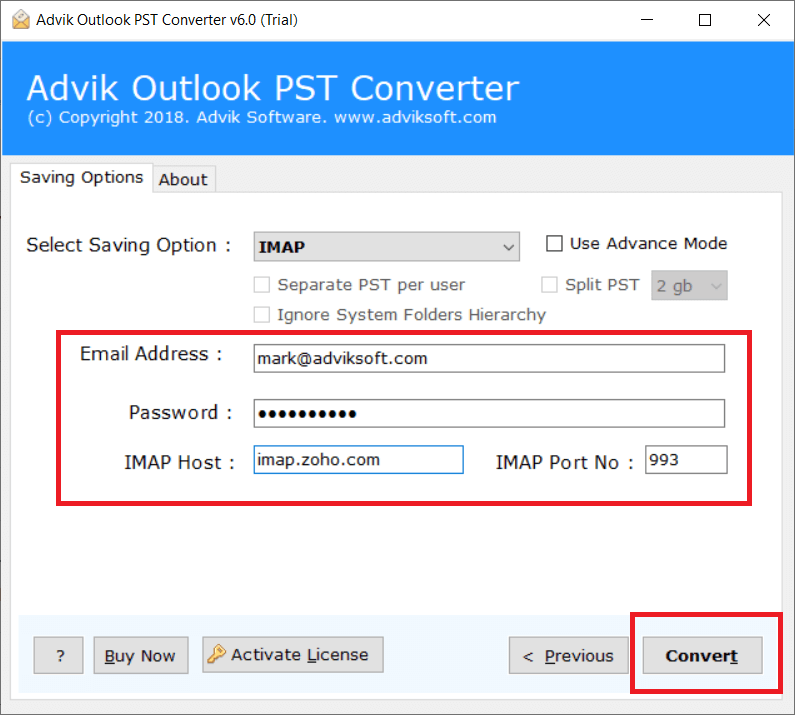
The software will start transferring emails from Outlook to Zoho Mail. Once the process is complete, log in to your Zoho Mail account and check the migrated emails here.
Benefits of Using an Automated Tool
- Directly migrate emails from Outlook to Zoho Mail.
- Move all email folders & subfolders in a single attempt.
- Advanced email filters for selective email migration.
- Also, transfer Outlook to Yahoo, Gmail, Office 365, etc.
- Preserves all email attributes and properties while migrating.
- Retain the mailbox folder hierarchy intact during the process.
- Simple graphical user interface for all types of users.
- Supports all the latest and old versions of Windows OS.
Final Words
In this post, we have discussed how to migrate Outlook to Zoho Mail. Here, we have explained both manual and automated solutions. You can easily complete the Outlook to Zoho migration if you have a technical expert and a limited number of emails. On the other hand, the professional tool can quickly transfer Outlook emails to Zoho Mail in bulk. You can download the free demo version of this utility to check its working procedure before purchasing the licensed version.