How to Migrate Thunderbird to Zoho Mail?
Jenny Lowrence | March 2nd, 2026 | Email Migration
Overview: This write-up will guide you on how to migrate Thunderbird to Zoho Mail using free and professional methods. Continue to read this article and learn the step-by-step procedure to transfer Thunderbird emails to Zoho Mail.
Thunderbird is a popular desktop email client. Many users rely on it for managing emails. However, some users prefer Zoho Mail for its web-based convenience. Zoho Mail helps to access emails anywhere using a web browser. There is no dependency on a local system.
Migrating from Thunderbird to Zoho Mail provides a secure, cloud-based email platform with advanced collaboration features. It ensures data safety and smooth communication continuity. Here, we will discuss both manual and automated solutions to accomplish the migration process.
How to Migrate Thunderbird to Zoho Mail for Free?
Follow the steps below to transfer emails from Thunderbird to Zoho Mail manually;
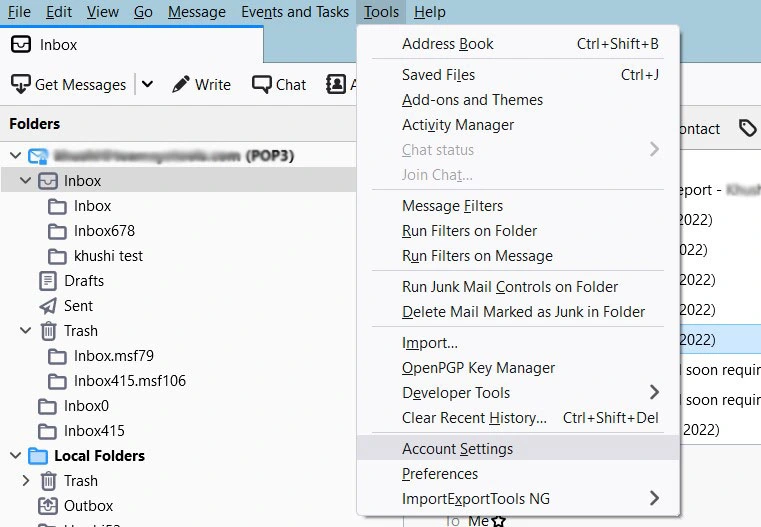
1. Open Thunderbird and go to Tools >> Account Settings.
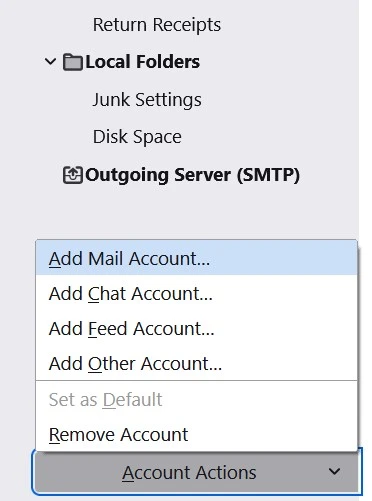
2. Click on Account Actions and select Add a Mail Account.
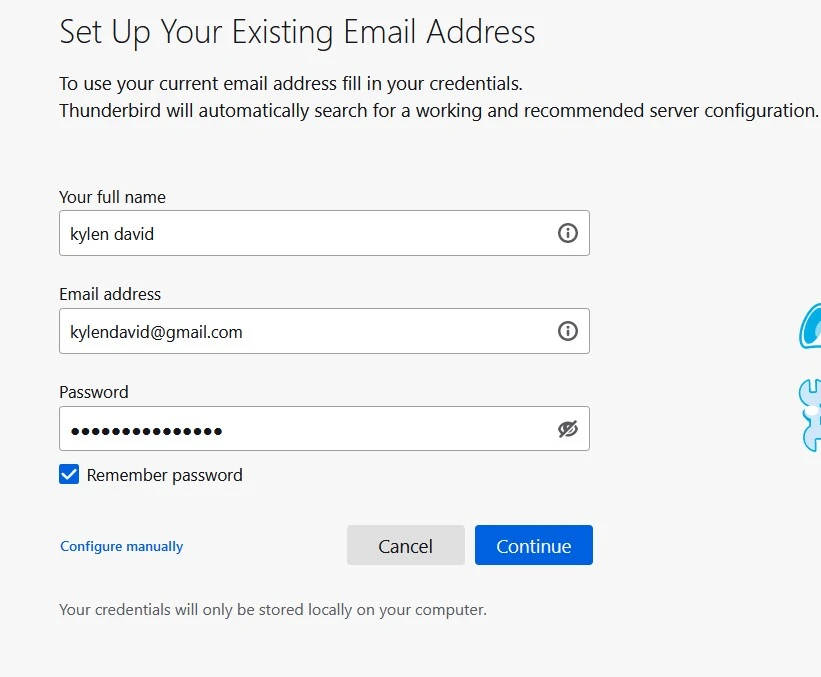
3. Enter your Zoho Mail login details and click Continue.
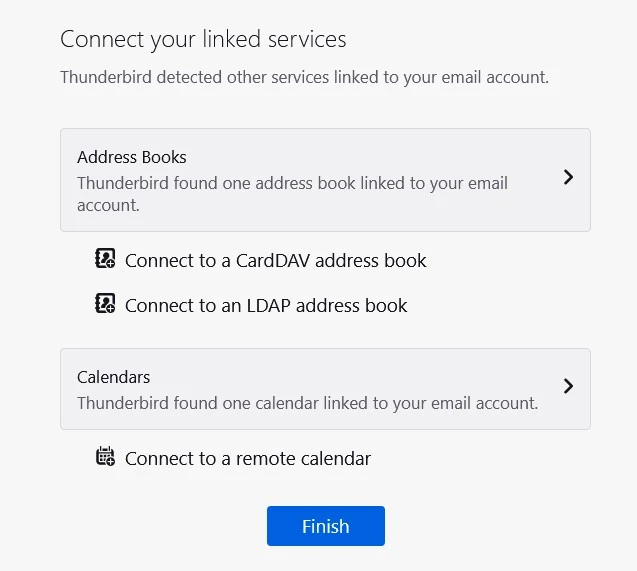
4. Once the configuration is complete, click Finish.
5. Now, your Zoho Mail account is added in Thunderbird. Right-click on the email that you want to migrate to Zoho Mail and choose Copy to >> your emailaddress.zoho.com >> Inbox.
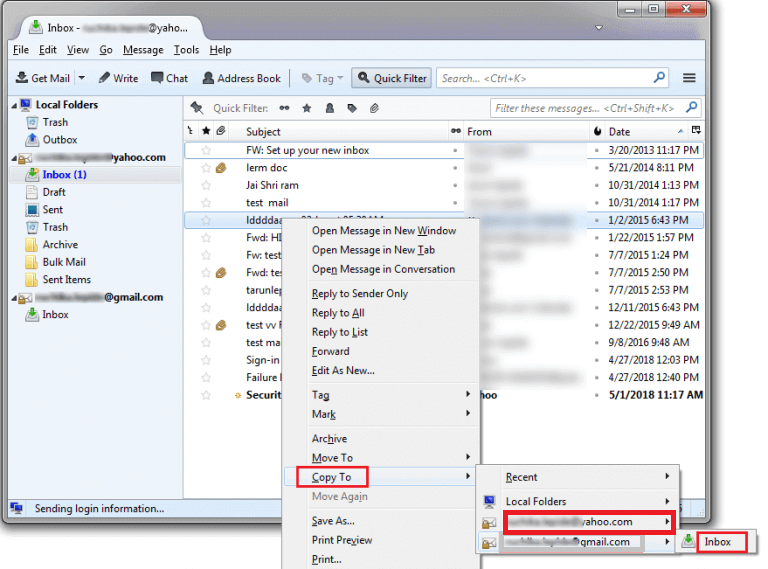
Done! This is how you can import emails from Thunderbird to Zoho Mail.
How to Transfer Emails from Thunderbird to Zoho Automatically?
Download and install the Advik Thunderbird Converter on your system. The software can migrate Thunderbird to Zoho Mail without configuration. It can move all email folders from Thunderbird to Zoho in a single attempt. Also, you can choose selective folders for migration. The tool preserves 100% data integrity and mailbox folder hierarchy during the Thunderbird to Zoho migration.
Click on the below link to download it for Free.


Steps to Migrate Thunderbird Emails to Zoho Mail
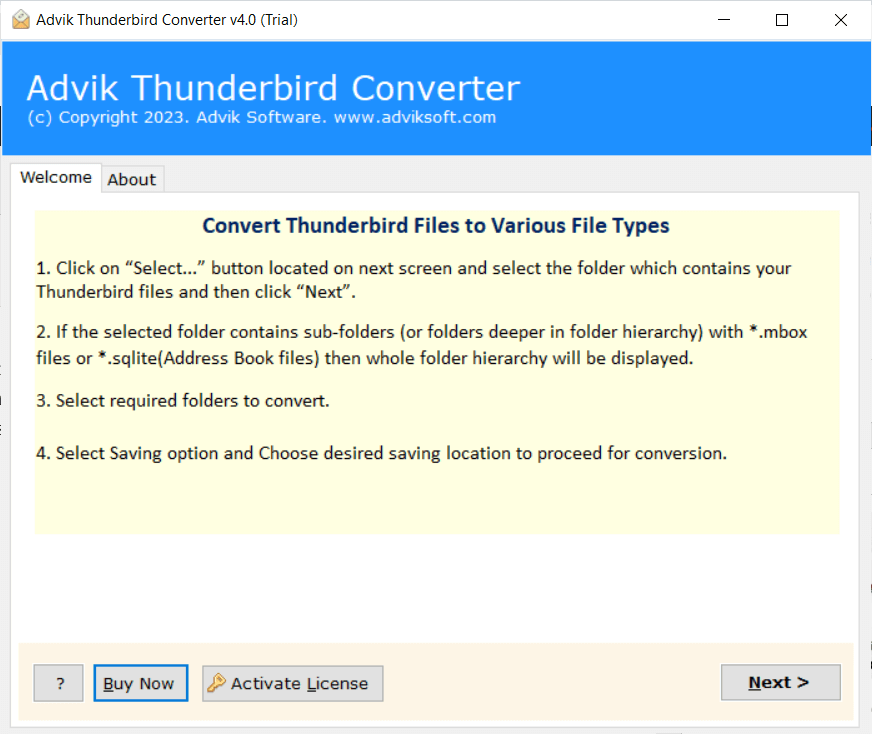
1. Run the tool on your system.
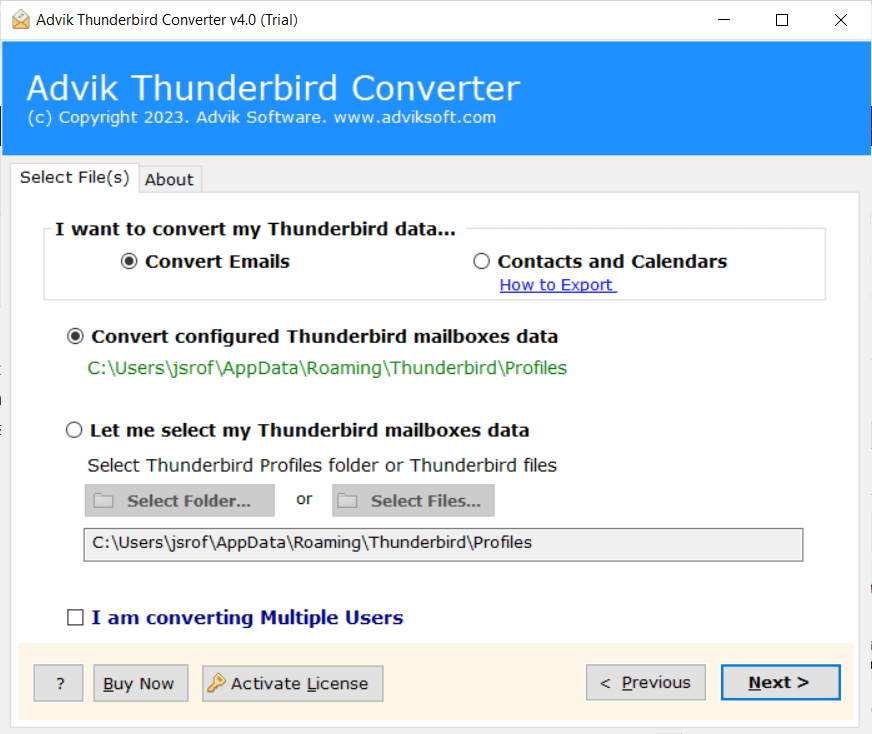
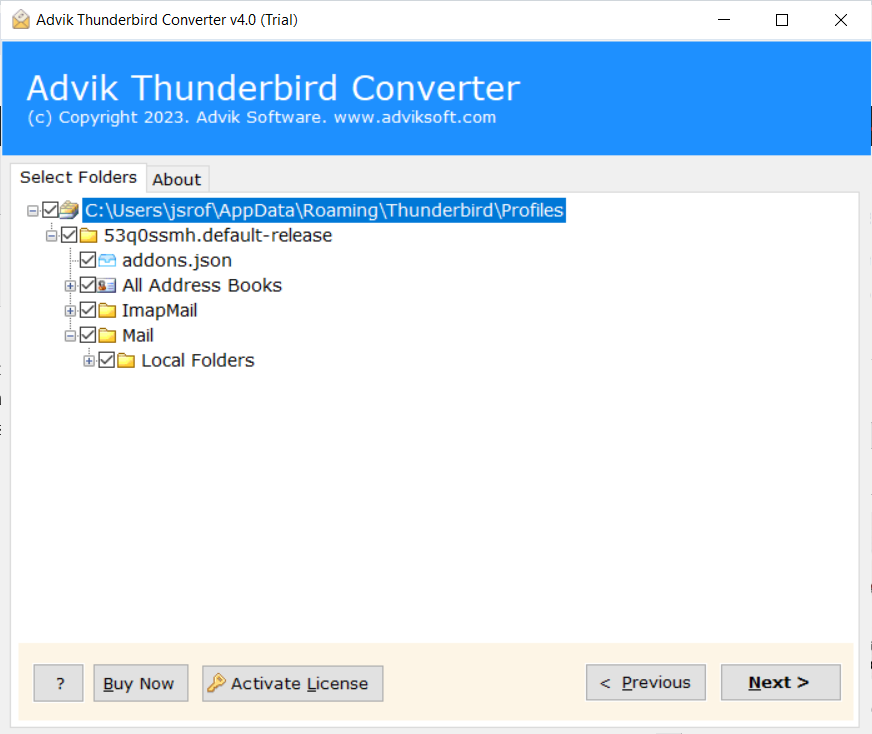
2. Choose your Thunderbird profile and click Next.
3. Now, select the mailbox folders that you want to transfer.
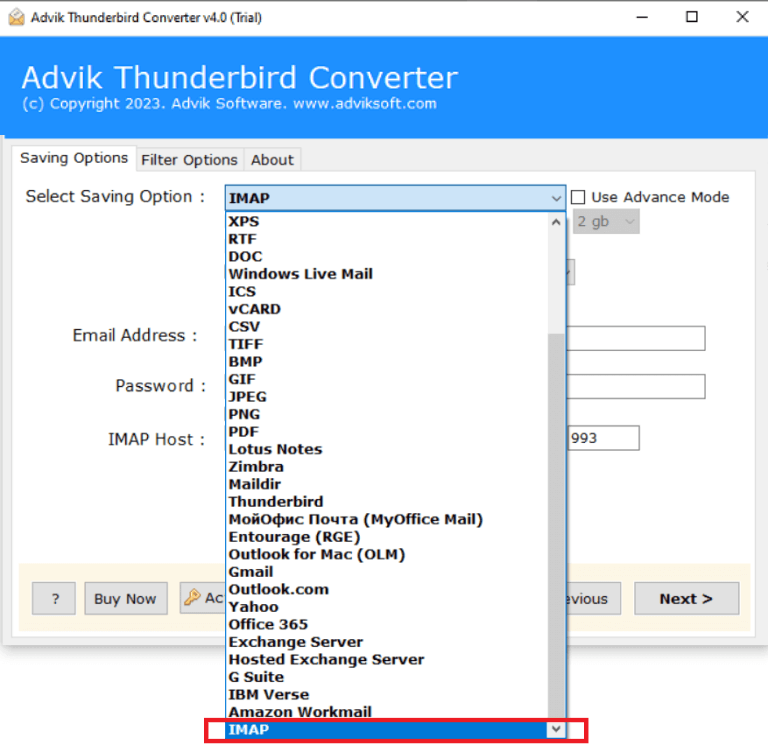
4. Choose IMAP as a saving option.
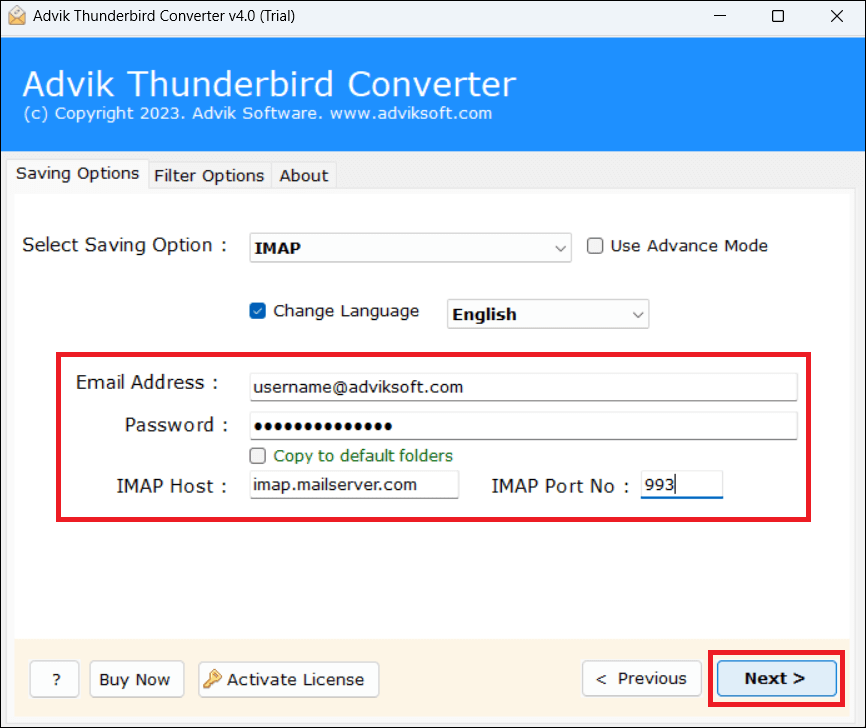
5. Enter your Zoho Mail account login details and click Next.
6. The software will start migrating emails from Thunderbird to Zoho Mail.
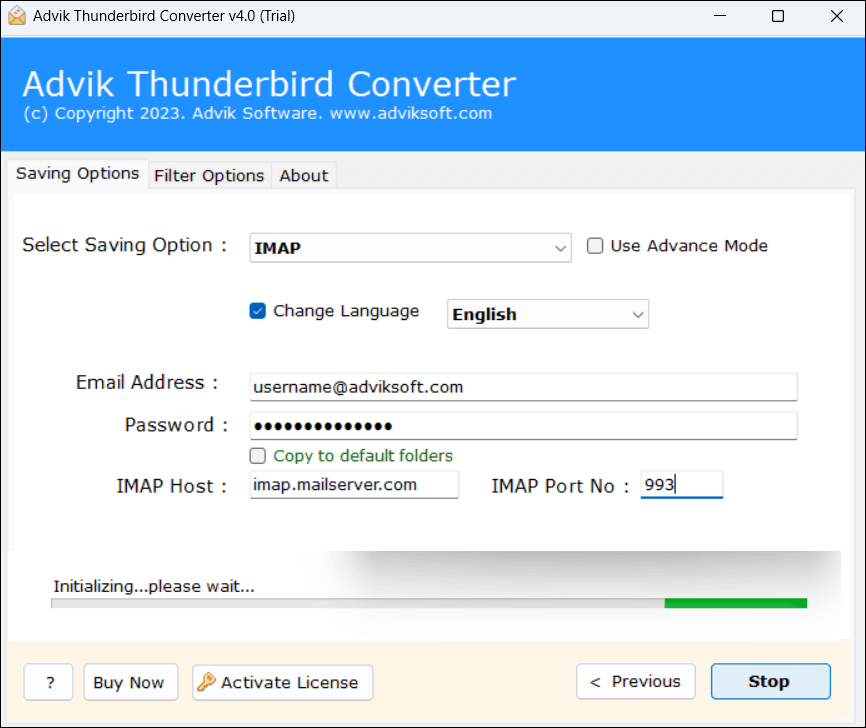
Now sit back and relax! The migration process will be complete in a few seconds.
Benefits of Using Thunderbird to Zoho Migration Tool
- Direct Solution: Move Thunderbird emails to Zoho Mail without configuration.
- Bulk Migration: Transfer all Thunderbird folders to Zoho Mail in a single attempt.
- Filter Options: Advanced email filters to migrate only selected Thunderbird emails.
- Multiple Saving Options: Offers 20+ saving options to export or migrate Thunderbird data.
- Safe & Secure: Preserves all email attributes and properties during the process.
- Retains Folder Structure: Keeps the original structure of mailbox folders as well.
- Easy-to-Use: Simple graphical user interface for both technical or non-technical users.
- Windows Supportive: Compatible with all the latest and old versions of Windows OS.
Final Words
In this post, we have discussed how to migrate Thunderbird to Zoho Mail. Here, we have mentioned both manual and automated solutions for Thunderbird to Zoho Mail migration. You can choose any one that is best suited for you. However, experts recommend using the professional method to transfer emails in bulk.