Fixed “Outlook Crashes When Sending Email” Issue
Jenny Lowrence | March 24th, 2026 | Outlook Errors
MS Outlook is a desktop-based email application that provides multiple advanced features regarding a personal information manager. It is widely used by many people around the world. It’s great for sending emails and getting work done. However, sometimes Outlook crashes when sending email. This situation can be frustrating. To maintain smooth and uninterrupted communication, it’s important to resolve any issues that prevent emails from being sent.
In this article, we are going to explain several ways to fix the Outlook freezes when replying to emails issue. Before proceeding with the solution, let’s understand the reasons behind this issue.
Common Causes of Outlook Crashes When Sending Email
- A damaged Outlook profile can lead to Outlook freezes when sending emails.
- Some third-party add-ins may conflict with Outlook functionality.
- An outdated Outlook version can trigger crashes.
- Corrupted Outlook data files can cause to unexpected crashes.
- An unstable internet connection can lead to Outlook hangs when sending emails.
- Large attachments may cause Outlook freezes when sending email.
- Antivirus software may stop Outlook from responding to emails.
How to Fix Outlook Freezes When Sending Email Issue?
There are several methods that can help you fix the Outlook crashes when sending email. Here, we’ll explore step-by-step solutions that will help you restore normal email functionality quickly.
#1. Check Internet Connection
A poor internet connection may cause Outlook freezes when sending emails. So, check your internet connectivity and ensure it is stable.
#2. Reduce Email Attachment Size
Large attachments can crash Outlook during sending. So, compress the file before attaching to solve the issue.
#3. Update Outlook
Ensure you are using the latest version of Outlook to fix bugs and improve performance.
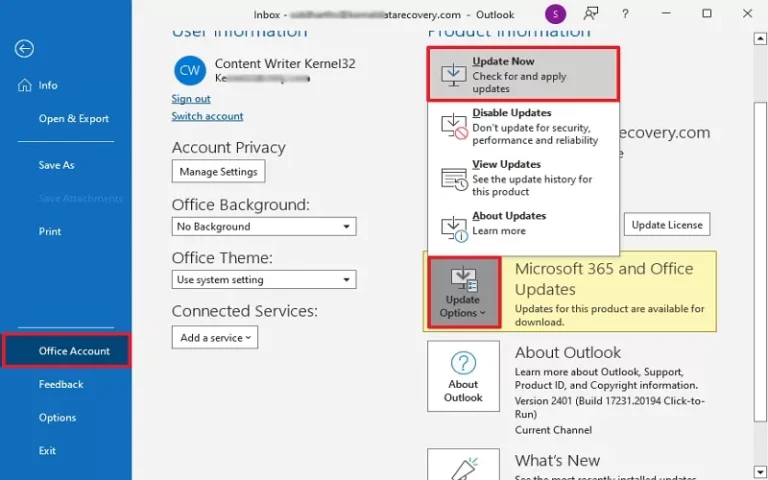
1. Open Outlook and go to File.
2. Click on Office Account.
3. Now, click on Update Options >> Update Now.
#4. Remove Faulty Add-ins
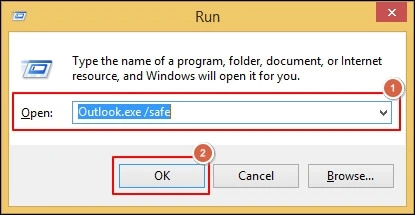
1. Run Outlook in Safe Mode.
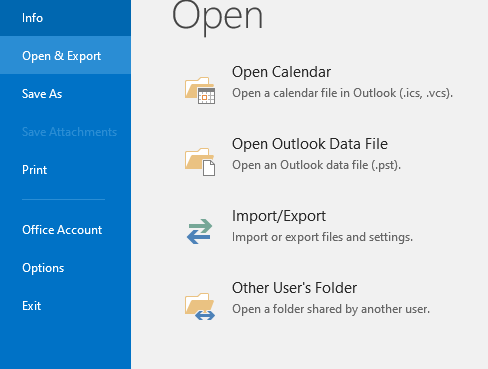
2. Click on File >> Options.
3. Click on Add-ins and choose COM Add-ins and press Go.
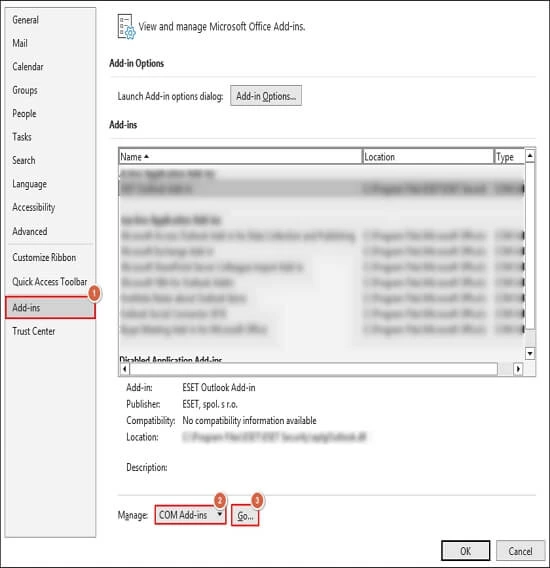
4. Disable all Add-ins and press OK.
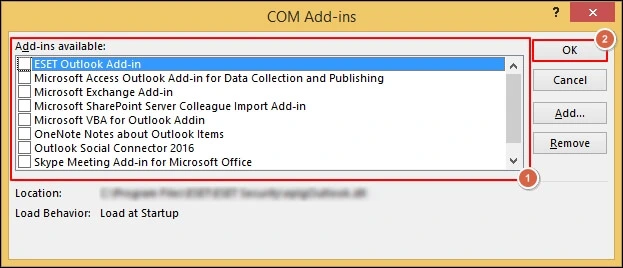
Now, restart Outlook and send email to check issue is solved or not.
#5. Disable Antivirus Software
Configured antivirus software scans all send and received emails. It can lead to Outlook crashes when sending email. Sometimes, disabling the antivirus software can resolve the error.
1. Press Win + R and search for your antivirus.
2. Right-click on it and Disable for some time.
After that, restart Outlook and check error is solved or not.
#6. Create a New Outlook Profile
1. Close Outlook completely.
2. Open the Control Panel and click Mail.
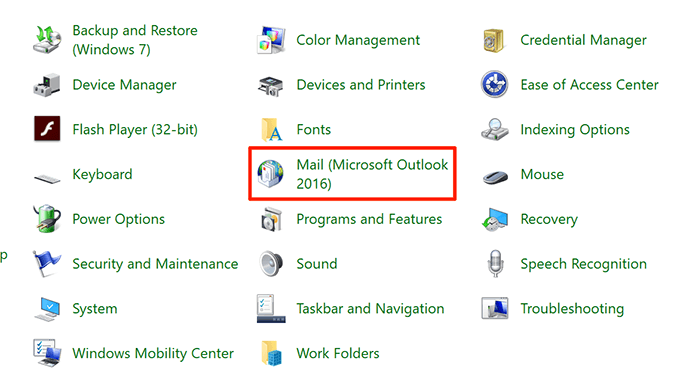
3. Click on Show Profiles.
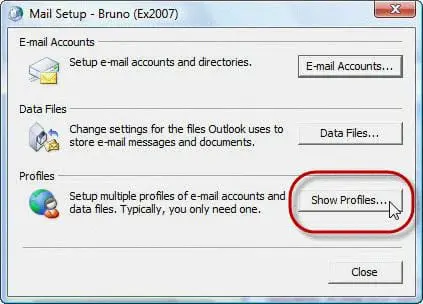
4. Now, click Add to create a new profile. Give it a name and click OK.
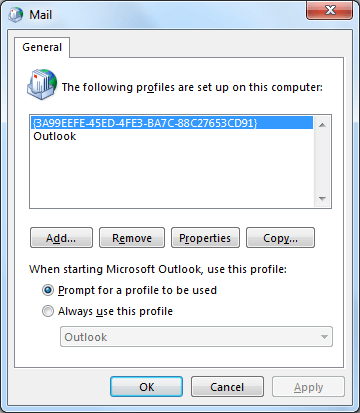
Now, restart Outlook and set its default profile. After that, send email with this profile and check problem is solved or not.
#7. Repair Outlook Data Files
A corrupted Outlook data file can be the cause of Outlook crashes when sending email. Use the Inbox Repair Tool to fix PST file issue.
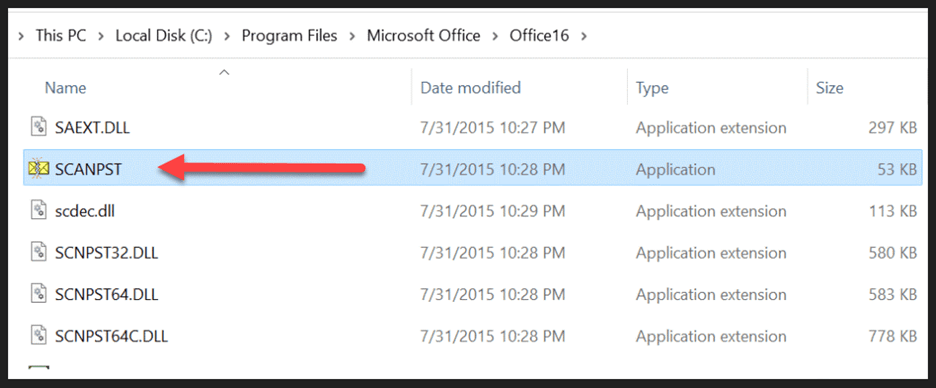
1. Locate ScanPST.exe Tool.
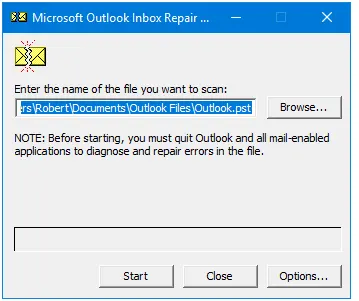
2. Click on Browse and add corrupted PST file.
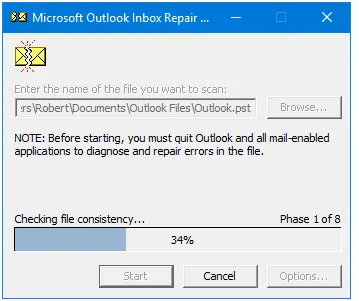
3. Click on Start to begin the scanning process.
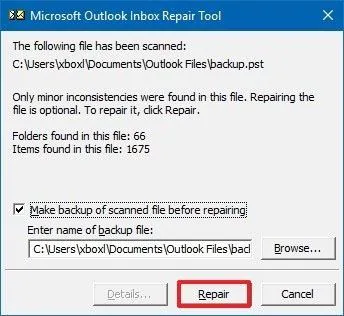
4. If issue is detected then click on Repair button to fix the errors.
If the ScanPST.exe tool is not able to fix issues of your Outlook data file then you can take help from the Advik PST Repair Tool. With this tool, you can recover data from a damaged PST file quickly and create a healthy file. With this tool, you can repair your Outlook data files and quickly fix Outlook freezes when sending email error.

Final Words
In this post, we have discussed methods to fix Outlook crashes when sending email issue. You can easily solve it using the above explained solutions. However, these techniques might not work, if your Outlook files are highly corrupted. For that, you might have to go for a third party recovery tool