How to Fix Outlook Send/Receive Error?
Jenny Lowrence | March 11th, 2026 | Outlook Errors
Microsoft Outlook is one of the most widely used email clients for personal and business communication. It allows users to send, receive, and manage emails. However, sometimes users face the Outlook Send/Receive error, which prevents emails from being sent or receive properly. This error may occur when Outlook fails to connect with the mail server while sending or receiving emails. In this guide, we’ll explain the common reasons behind send/receive error in Outlook and provide some effective methods to fix it.
What Causes Outlook Send/Receive Error?
Here are some common reasons behind send and receive errors in Outlook:
- A weak or unstable internet connection may break the link between Outlook and the mail server.
- Incorrect server settings may cause for send receive error in Outlook.
- A faulty add-in can stop Outlook from syncing emails.
- A corrupted Outlook profile can cause of multiple issues, including Outlook send receive error.
- Damaged PST files often lead to send/receive errors.
- Suspicious emails with harmful attachments may lead to this error.
Methods to Fix Send Receive Error in Outlook
Here are a few troubleshooting ideas to fix the Outlook send/receive error. Let’s check all of them one by one and solve this issue.
Method 1. Check Internet Connection
The first thing you need to check is your internet connectivity. An interrupted internet connection is one of the cause of facing the error. Check your Wi-Fi setings & router and reconnect with it.
Method 2. Check Email account Settings
Ensure your Outlook email settings are correct.
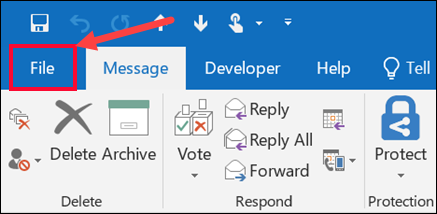
1. Open Outlook and go to the File tab.
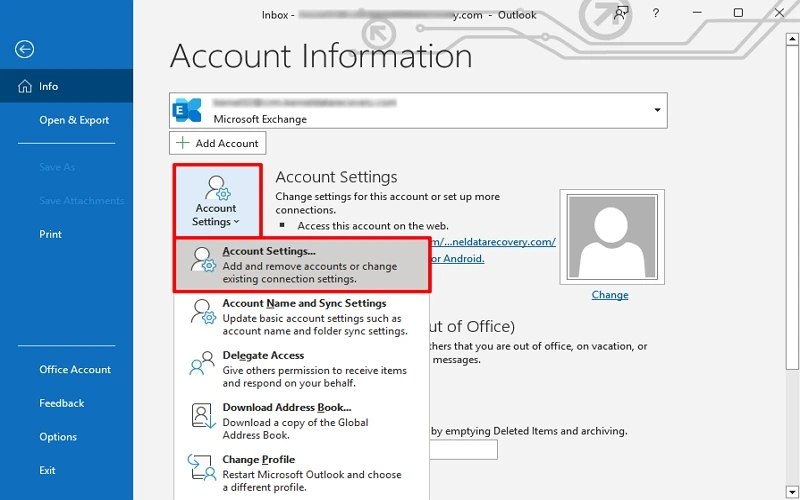
2. Click on Account Settings >> Account Settings.
3. Choose your email profile under the Email tab and click Change.
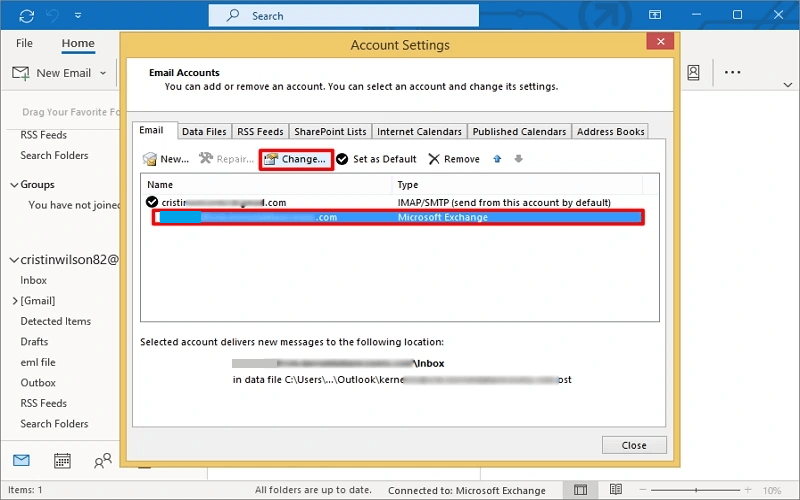
4. Verify incoming and outgoing mail server settings
Method 3. Disable Faulty Add-ins
Sometimes Outlook add-ins may conflict with Outlook functionality.. So, disable add-ins to fix the send/receive error in Outlook.
1. Press Win + R and press Enter to open Outlook in Safe Mode.
2. If Outlook works normally, then the add-ins are causing this error.
3. Now, open Outlook and go to File >> Options>> Add-ins.
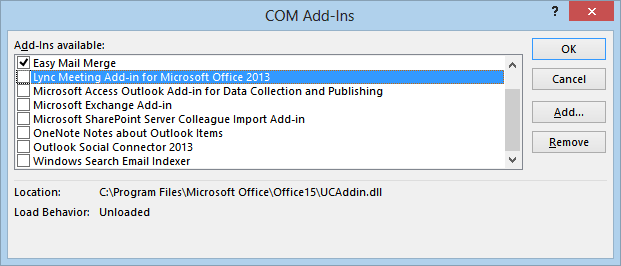
4. Choose COM-Add-ins from Manage menu and click Go.
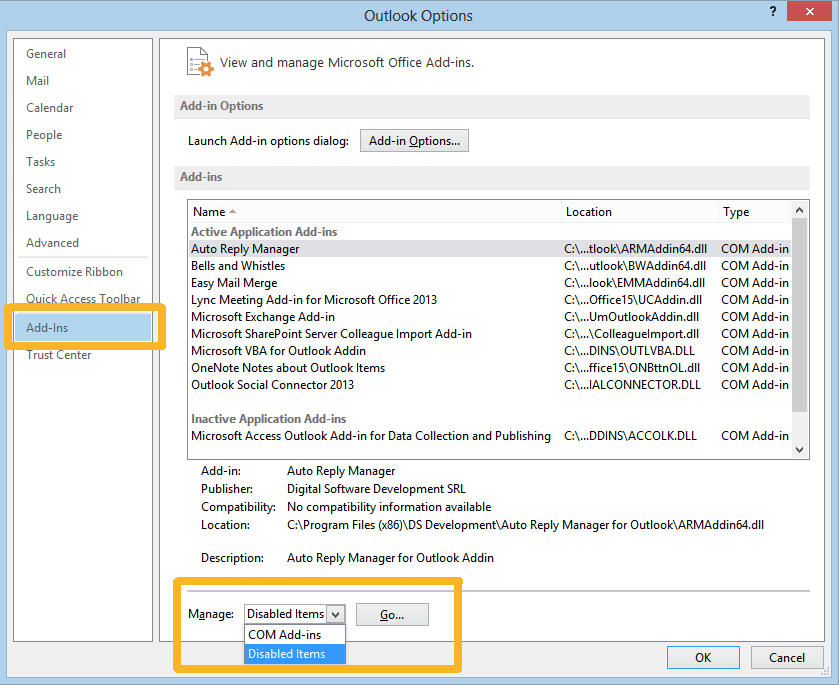
5. Uncheck all add-ins and restart Outlook to solve send receive error.
Method 4. Remove Large or Suspicious Emails
Sometimes emails with large attachments get stuck in the Outbox and it can interrupt the send/receive process.
- Open Outlook on your system.
- Now, open the Outbox folder.
- Delete large emails and try send emails again.
Method 5. Repair Outlook Data File
A corrupted PST file can also cause Outlook send/receive error. Microsoft provides a built-in tool (ScanPST.exe) to repair a damaged Outlook data file.
1. First of all, close Outlook.
2. Launch ScanPST.exe and click on Browse.
3. Add Outlook PST file and click on Start.
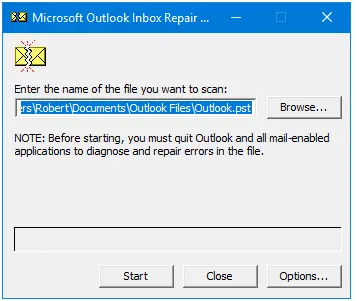
4. It will show detected issues in Outlook data file.
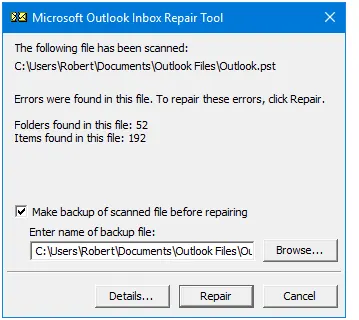
5. Click on Repair to fix issues.
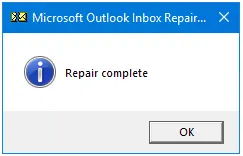
After completing the repairing process, import the repaired PST file into Outlook to check issue is solved or not.
If the Inbox Repair Tool fails to repair the Outlook data file then use the Advik PST Repair Tool and fix the Outlook send/receive error. With this utility, you can repair a highly corrupted Outlook data file easily.
Method 6. Create a New Outlook Profile
If the Outlook profile gets corrupted, then it may stop send and receive emails. Create a new profile and fix send receive error in Outlook.
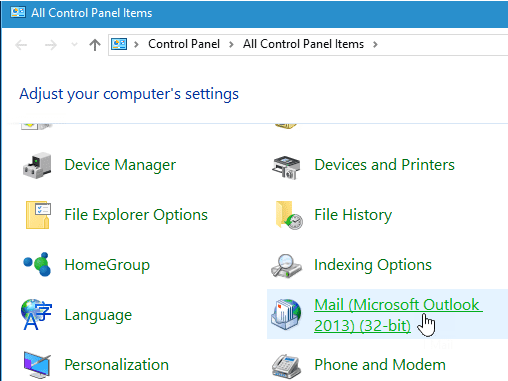
1. Open the Control Panel and click on Mail option.
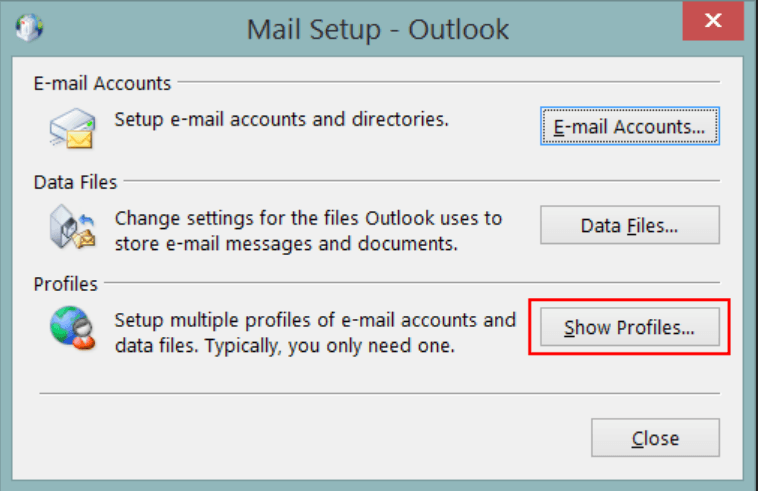
2. Click on Show Profiles.
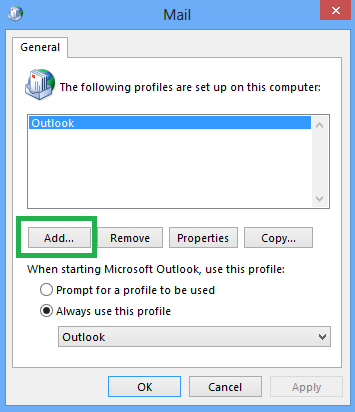
3. Now, click on Add to create a new profile.
4. Follow on screen instructions and click Finish.
5. Set the new profile as the default and press OK.
Conclusion
When Outlook send/receive error occur, it can feel like a major disruption. In this post, we have discussed several workarounds to solve send/receive error in Outlook. These methods will help you to fix this issue. If you still facing send and receive error then contact the Microosft technical support team.