How to Remove Double Spacing in Outlook Email?
Jenny Lowrence | December 23rd, 2025 | Data Backup
Many Outlook users face formatting issues where double spacing appears between lines while replying to emails. If you are also one of them, then do not panic. In this article, we are going to discuss how to remove double spacing in Outlook email. After reading this post, you can easily fix line spacing in Outlook emails. Let’s get started!
What Causes for Outlook Double Spacing Issue?
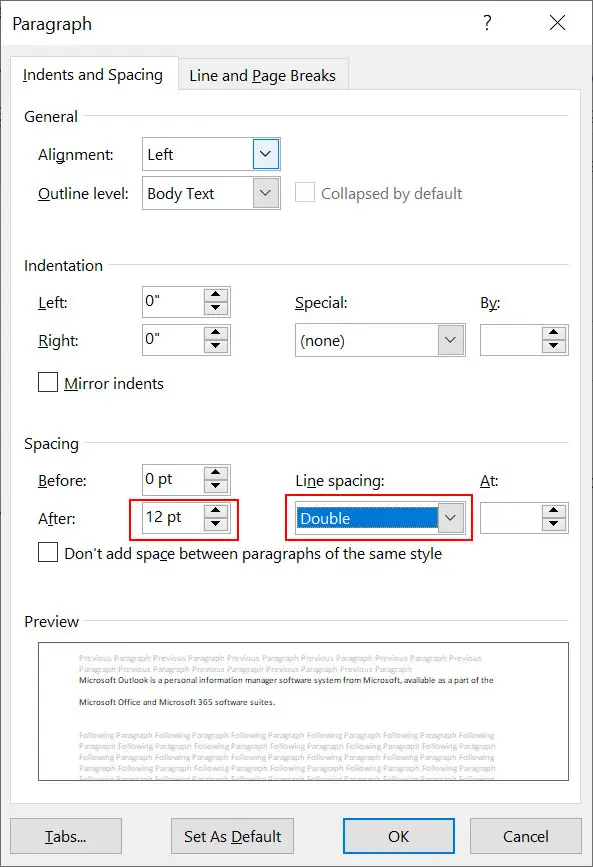
Outlook double line spacing usually occurs due to the default paragraph and formatting settings applied by the email editor. Since Outlook uses Microsoft Word as its editor, paragraph styles such as extra spacing before or after lines may be enabled automatically.
Sometimes double spacing can also appear when users copy and paste content from web pages or word documents. It may also occur if emails contain hidden HTML tags or incorrect paragraph settings.
How to Remove Double Spacing in Outlook Email Temporarily?
1. Open MS Outlook on your system
2. Click on New email and type your email including double line space in the message composing window.
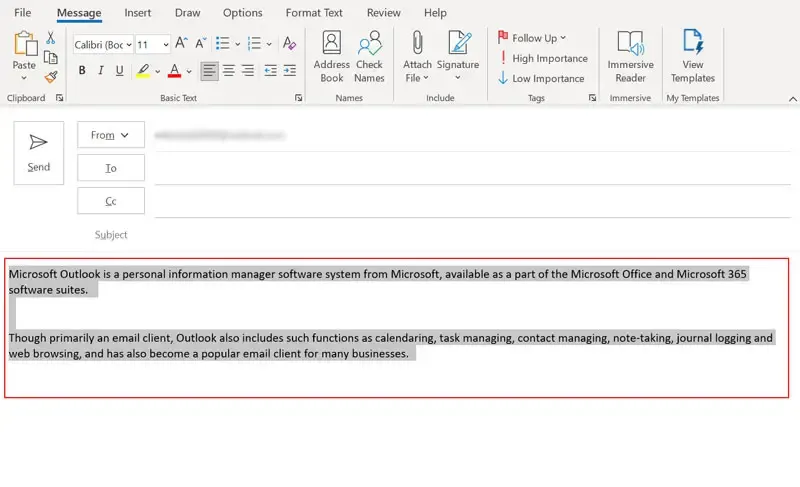
3. Select your email text which has double spaces.
4. Next, click on the Format Text tab and select No Spacing under Styles.
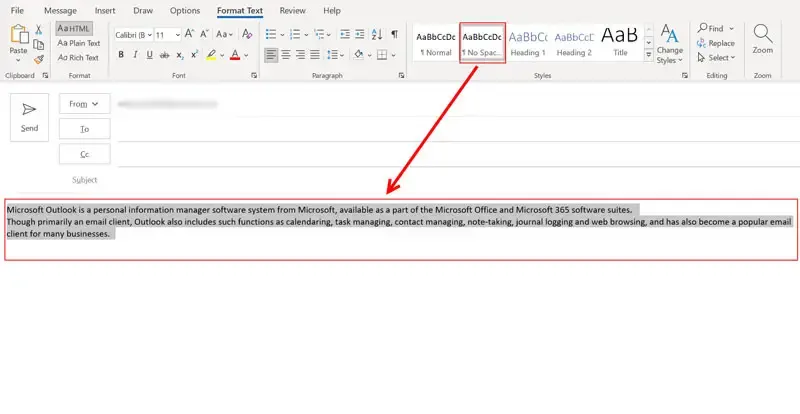
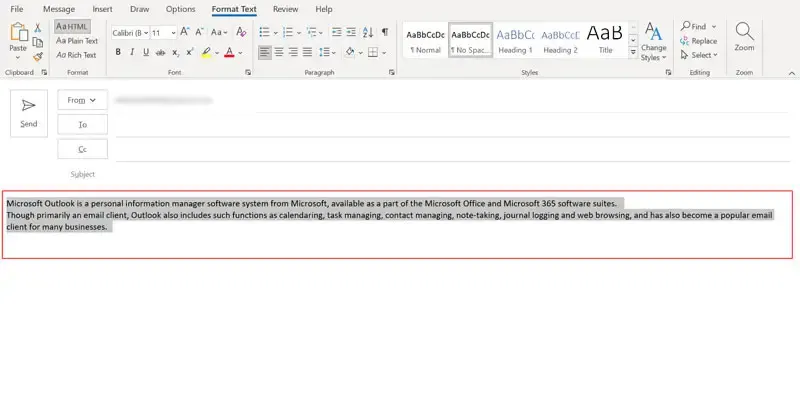
5. Now, you can see the double line space problem is solved in the current email.
How to Fix Double Line Spacing in Outlook Email Permanently?
1. Open MS Outlook on your system.
2. Open the email message composing window.
3. Now, click on Format Text menu and click on Down Arrow icon to open paragraph settings.
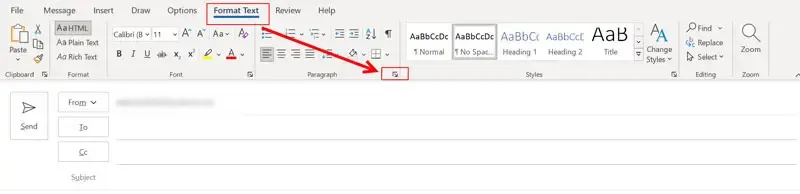
4. Go to Spacing and look for the double line space settings in Paragraph Settings.
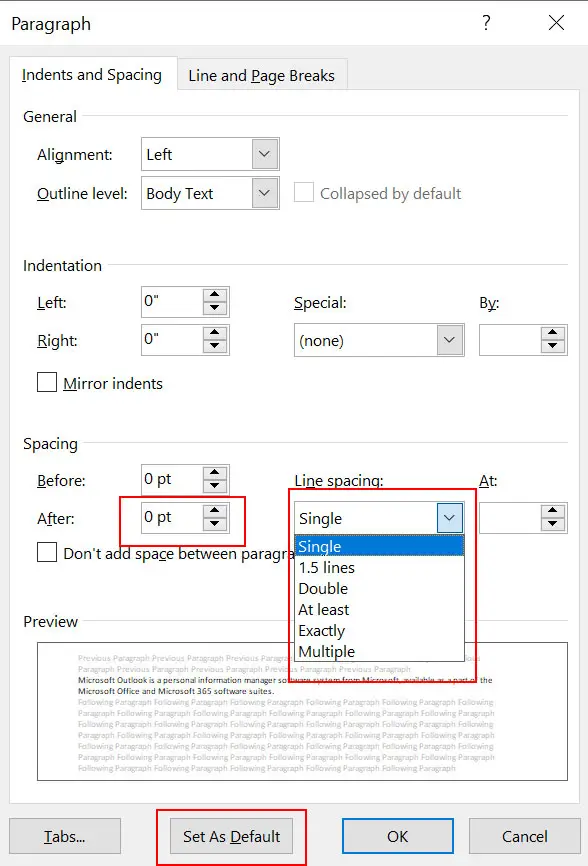
5. Change the After settings to 0 t and line spacing settings to single and then click on Set as Default button.
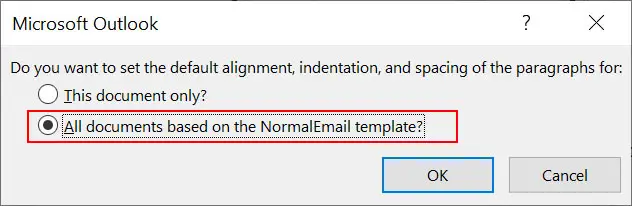
6. Now, you will see a message, where select the All Documents Based on the NormalEmail Template option and click OK button.
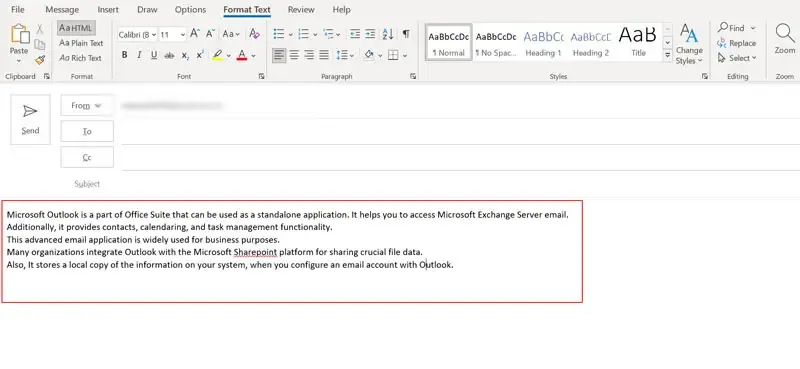
7. Double spacing in Outlook email is fixed successfully.
Final Words
I hope this article is helpful for you. Double spacing in Outlook email is a common formatting issue caused by default paragraph settings or copied content. You can easily remove double line spacing in Outlook email by above-suggested methods.