How to Fix “Thunderbird Not Showing Email Content” Issue?
Jenny Lowrence | March 30th, 2026 | Data Backup
Mozilla Thunderbird is a popular open-source email client used by millions of users to manage emails. However, like other email platforms, Thunderbird also has issues. One such issue is the “Thunderbird not showing email content”. If you’re also dealing with the same problem, do not panic. This write-up will help you understand the causes and provide effective methods to resolve Thunderbird not displaying message content.
Let’s understand all the possible causes of this.
Why Thunderbird Does Not Show Email Content?
Several factors can lead to Thunderbird not showing email content. Here are some common reasons:
- Corrupted mailbox folders can prevent email content from displaying.
- Damaged global database files can affect message content visibility.
- Some add-on extensions may interfere with the display of email content.
- Antivirus software and firewall may block email content to display.
- Using an outdated Thunderbird version may also cause for not showing message content.
How to Fix the “Thunderbird Not Showing Email Content” Issue?
Here, we will explain some troubleshooting steps to resolve the issue. Follow the step-by-step guide to fix Thunderbird not displaying message content.
#1. Repair Thunderbird Folder
- Open Thunderbird and select the folder that you need to repair.
- Right-click on it and choose Properties.
- Click on Repair Folder in the Folder Properties.
- Wait some time to complete the process.
#2. Rebuild Global Indexing File
- First of all, close Thunderbird completely.
- Now, search for the file named “global-messages-db.sqlite” in the Thunderbird profile data saved on your system.
- Permanently delete this file from your system.
- Now, restart Thunderbird.
- It will automatically start the re-indexing process.
- Wait until the process is complete, and then check whether Thunderbird is displaying message content or not.
#3. Disable Add-ons
- Open Thunderbird on your system.
- Go to menu >> Add-ons and Themes.
- Disable all add-ons.
- Next, restart Thunderbird and check issue is fixed or not.
#4. Disable Antivirus Software
Sometimes antivirus and firewall software can stop Thunderbird from showing email content. So, disable the antivirus software and firewall to see if the email contents are appearing or not.
#5. Update Thunderbird
Make sure you are using the latest version of Thunderbird.
- Open Thunderbird on your system.
- Go to Help >> About Thunderbird.
- Click on Restart to update Thunderbird.
Alternative Solution to Fix Thunderbird Not Displaying Message Content
If the manual methods do not work, then you can use a professional tool to fix Thunderbird not showing email content. One such tool is the Advik Thunderbird Converter, which will help you resolve the problem and enable you to access Thunderbird email content. The software can export Thunderbird data into multiple formats like PST, PDF, EML, MBOX, HTML, etc.

Steps to Fix Thunderbird Not Showing Email Content Error
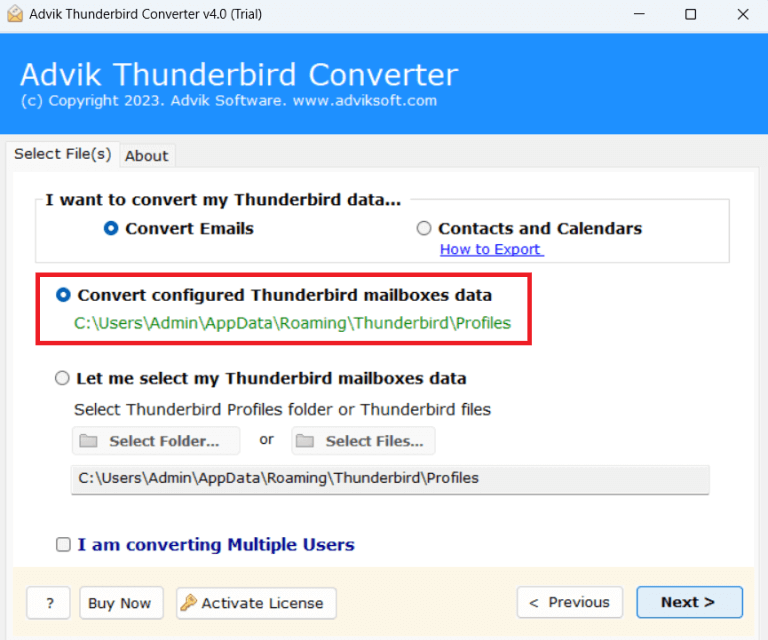
1. Run the tool and choose your Thunderbird profile.
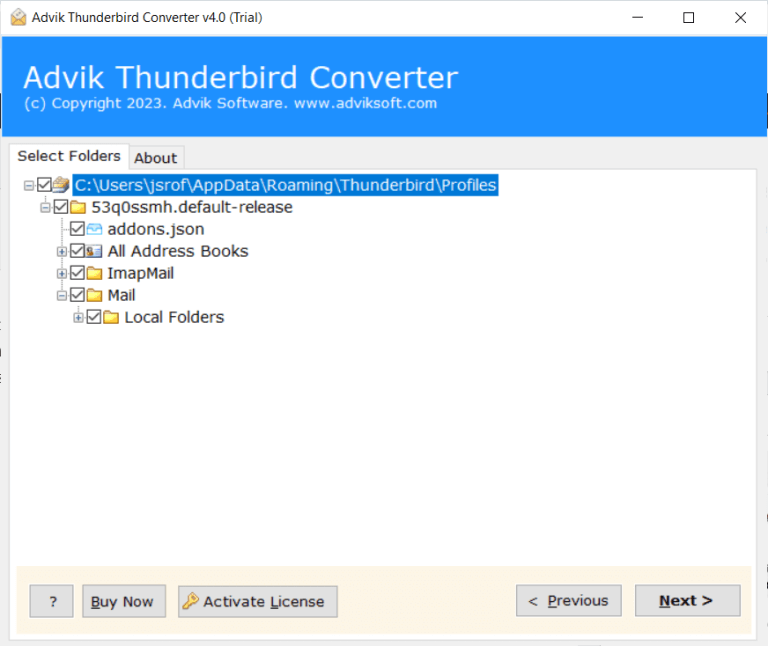
2. Select the email folders & subfolders and click Next.
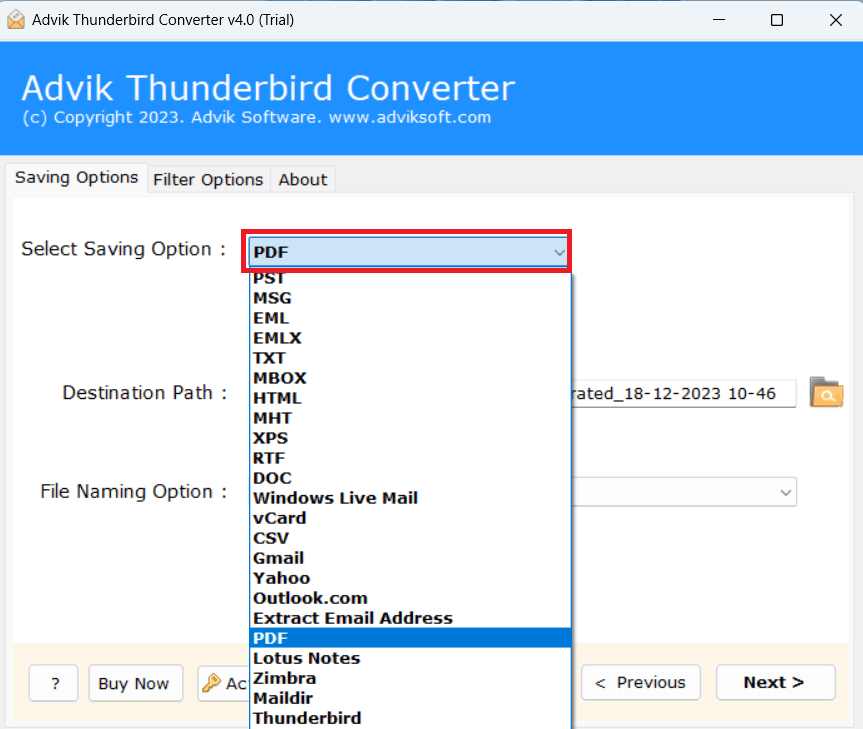
3. Choose a saving option from given list.
4. Browse the destination location and click Convert button.
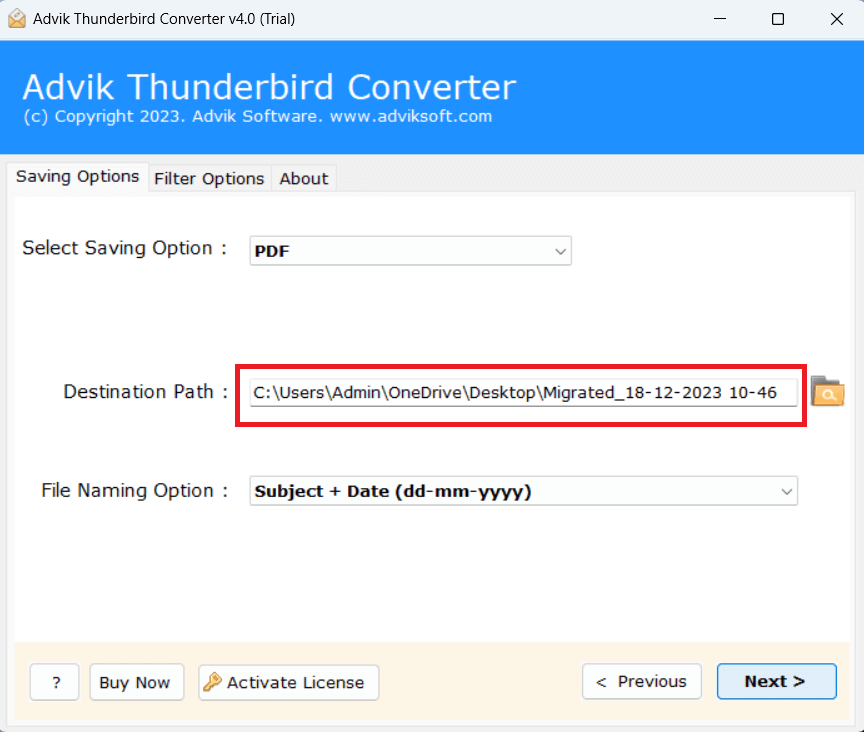
The software will start exporting Thunderbird data in your desired format. Once the process is complete, you can access your email content outside Thunderbird.
Final Words
If Thunderbird does not show email content, it will disrupt your workflow and lead to missing important information. In this post, we have discussed several ways to fix “Thunderbird Not Showing Email Content” issue. By applying these methods, you can easily resolve this problem. However, if any of these methods fail to solve it, then exporting Thunderbird emails is a smart way. Using the above-suggested tool, you can convert Thunderbird data or transfer it to fix the error.