How to Transfer Gmail Account to Someone Else?
Jackson Strong | January 10th, 2026 | Data Backup
This blog will explain two easy solutions to transfer Gmail account to another person. Read this article till the end and migrate Gmail account to someone without any data loss.
Transferring a Gmail account to someone else can be a complicated process, but it is sometimes necessary, especially in business or personal situations where an individual or organization needs to. Whether you are changing ownership of a personal or business Gmail account, it’s important to do it securely. However, many users face difficulty in sending Gmail mailbox folders to another person. Especially when the folder contains hundreds of emails. In this article, we will discuss the two best ways to migrate Gmail account to another person.
Let’s move ahead to know more.
How to Transfer Gmail Account to Another Person Manually?
Follow these steps to move Gmail account to someone else:
1. To begin, open your browser and log in to your Gmail account.
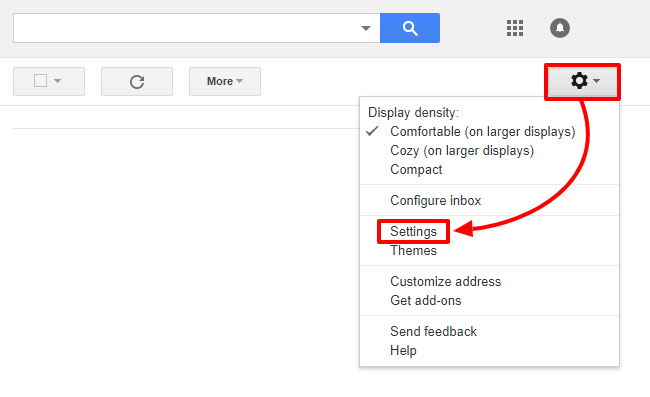
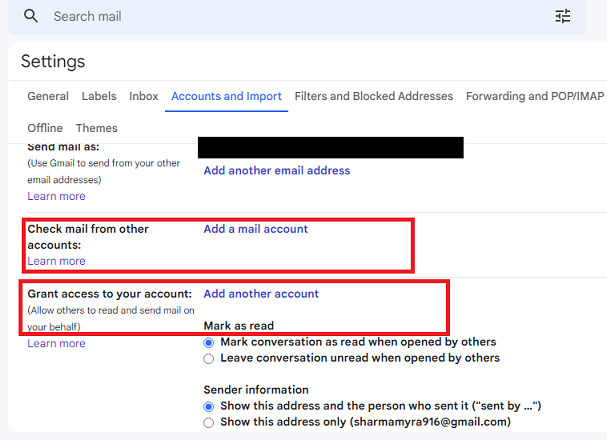
2. Click on the gear icon and select See all settings from the drop-down menu.
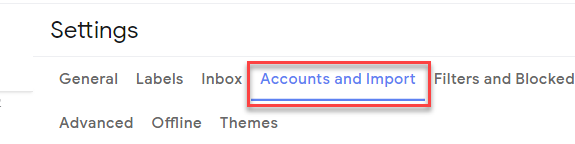
3. Go to the Accounts and Import tab.
4. Click on Grant access to your account and choose Add another account.
5. Enter the email address of another person’s account and click Next.

6. In a few minutes, you will get a confirmation mail.

This is how you can manually transfer a Gmail account to another person. However, this method cannot move the complete data of a Gmail account to someone else. Also, it doesn’t maintain the folder hierarchy during the process.
How to Migrate Gmail Account to Another Person Directly?
If you find the above-mentioned method lengthy and difficult, you can take the help of the Advik Gmail Migration Tool. This program is the most recommended solution if you want to complete this process in a few simple steps. With this software, you can easily transfer multiple Gmail mailbox folders to another person’s account. In addition, it has advanced email filter options that you can choose to transfer Gmail emails based on select Date, Subject, To/from, Bcc, Cc, etc.


Steps to Transfer Gmail Account to Someone Else
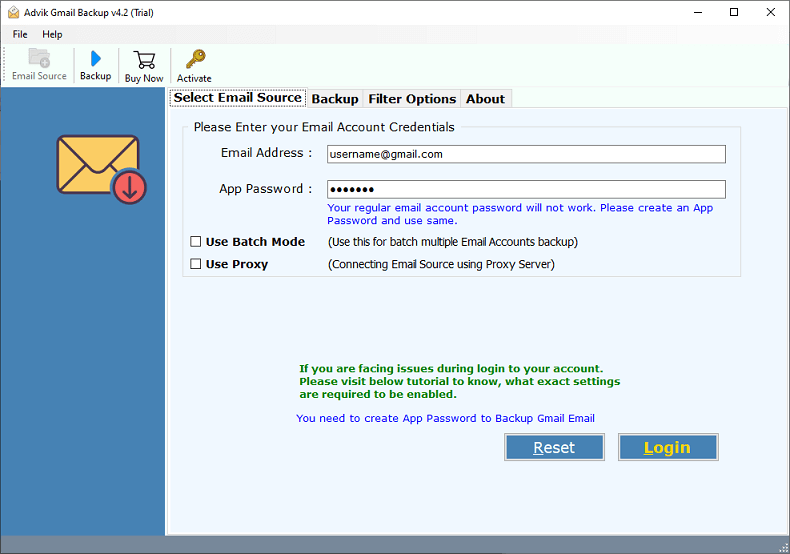
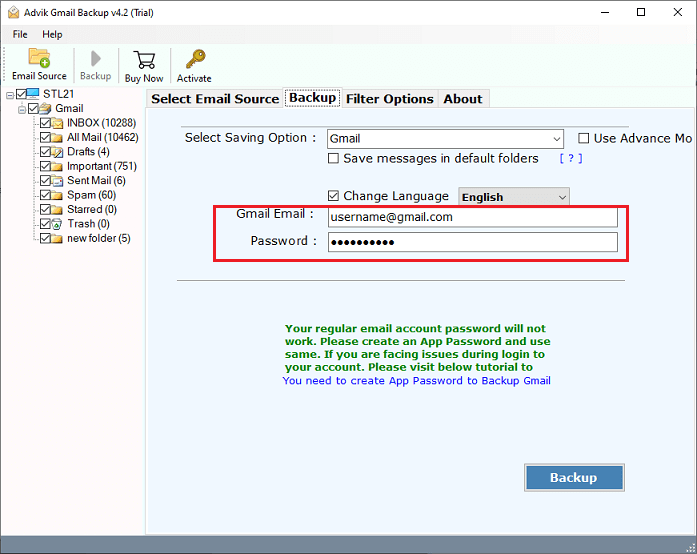
- Run the application on your Windows Machine and enter your Gmail account credentials.
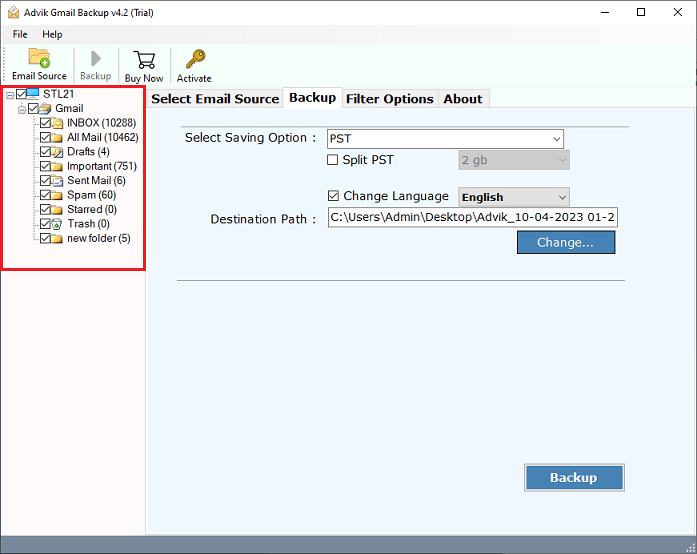
- Thereafter, choose the required Gmail mailbox folders to transfer to another person’s account.
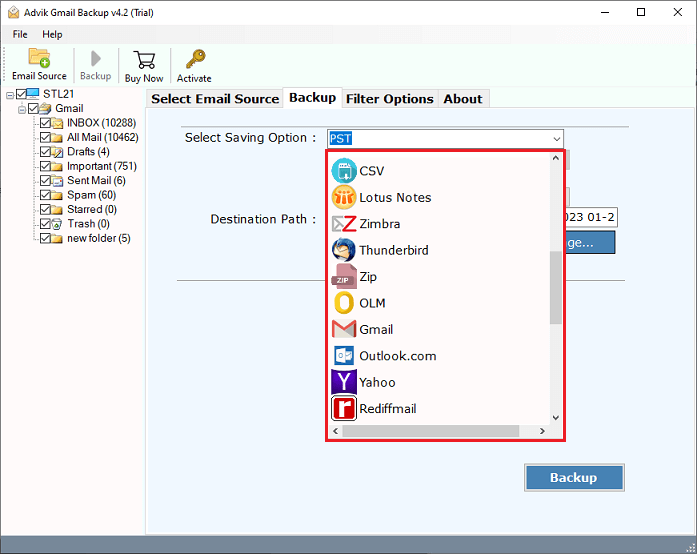
- In saving options, choose your preferred email service from the list.
- Now, enter the credentials of your destination email account.
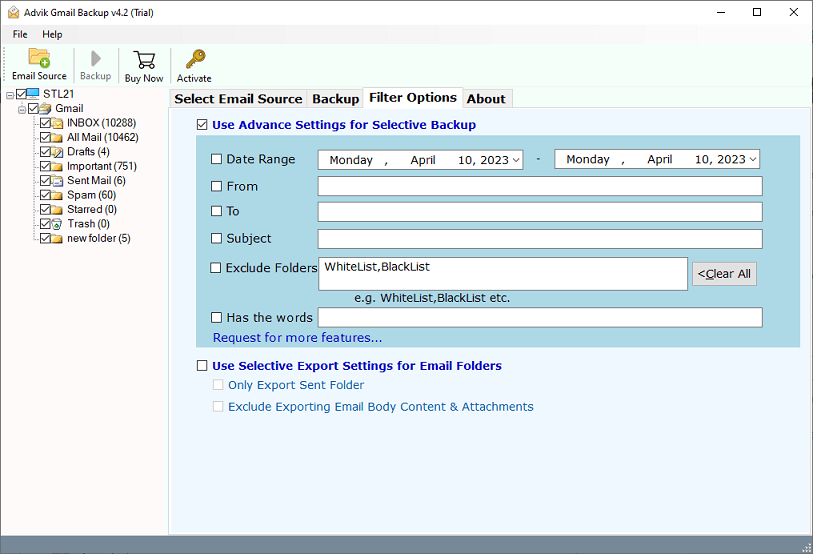
- Also, you can apply various email filters for the selective Gmail account transfer process.
- Lastly, tap on the backup button to start the process.
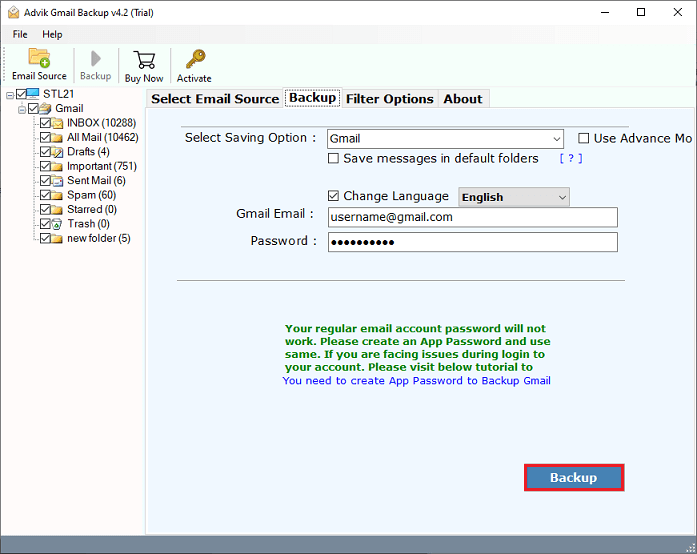
Done!! Once the process is completed, open your destination email account and view all of your transferred Gmail emails.
The software offers various advanced features that will help you to easily complete the process.
- Move Gmail account to another person in batch.
- Transfer Gmail account data to someone else in bulk.
- Advanced email filter options for selective migration.
- Maintains the folder hierarchy while transferring.
- Preserves all key elements and attributes without any loss.
- Simple user graphical interface for all types of users.
Watch How to Transfer a Gmail Account to Another Person
Conclusion
This post will describe the two best ways to migrate Gmail account to another person. You can manually transfer Gmail account to someone else by granting them access, but it comes with some drawbacks. To overcome them, you can use the automated tool that will help you to easily complete the process without any hassle. You can download the free demo version of this utility to check its working procedure.