How to Migrate Yahoo Mail to iCloud Account?
Christopher Plummer | January 14th, 2026 | Email Migration, Yahoo Mail
This article will guide you on how to migrate Yahoo Mail to iCloud account. Here, we’ll show you both manual and automated solutions to transfer emails from Yahoo Mail to iCloud account easily. Stay tuned with us to get step-by-step instructions to achieve seamless migration.
iCloud Mail is Apple’s cloud-based email service designed especially for Apple users. It integrates with iPhones, iPads, Macs, and other Apple services. It offers strong privacy features, synchronization across devices, and a clean, ad-free email experience.
On the other hand, Yahoo Mail is one of the oldest and most widely used email services. It allows users to send and receive emails, mange folders, and use basic filtering options. Despite these features, some users want to import Yahoo Mail to iCloud.
How to Migrate Yahoo Mail to iCloud Free?
Follow the steps to transfer Yahoo Mail to iCloud manually.
1. Run Outlook, and click File >> Add Account.
2. Now, enter your Yahoo email address and tap Connect.
3. Next, enter your Yahoo email account password.
4. You will receive a notification Account added successfully.
5. Repeat the same steps to configure the iCloud account in Outlook.
6. Restart the Outlook application.
7. Now, with the Drag and Drop option to migrate Yahoo emails to iCloud mailbox.
Note: Undoubtedly, this manual technique is competent enough to solve your question. However, the process may take a long time depending on the size of your Yahoo mailbox folders.
How to Transfer Yahoo Mail to iCloud Automatically?
Try the Advik Yahoo Migration Tool that provides a direct option to perform Yahoo Mail to iCloud migration. With this tool, you can easily migrate Yahoo Mail to iCloud in just a few simple clicks. With this utility, you can import the entire mailbox at once. Also, you can transfer emails based on date range, to, from, subject, etc. The tool preserves all email attributes and structure during the process.
Click on the Free Download button and analyze its working procedure at no cost.


Steps to Migrate Yahoo Mail to iCloud Account
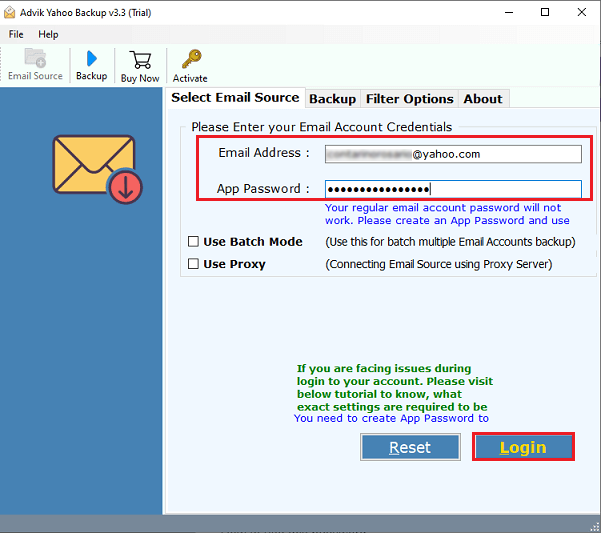
Step 1. Run the software and sign in with your Yahoo Mail credentials.
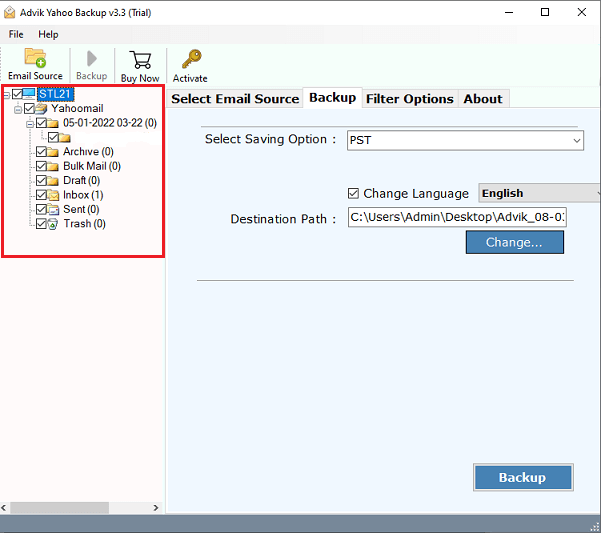
Step 2. Select the required mailbox folders that you want to transfer to iCloud.
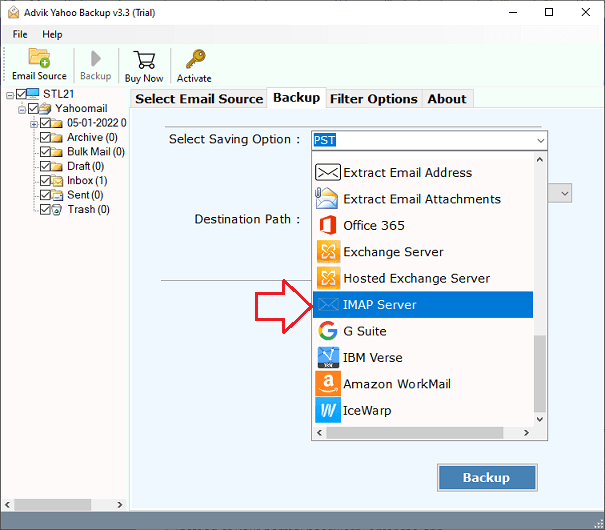
Step 3. Next, select IMAP server as a saving option from the list.
Step 4. Now, enter the iCloud account details & press the Backup.
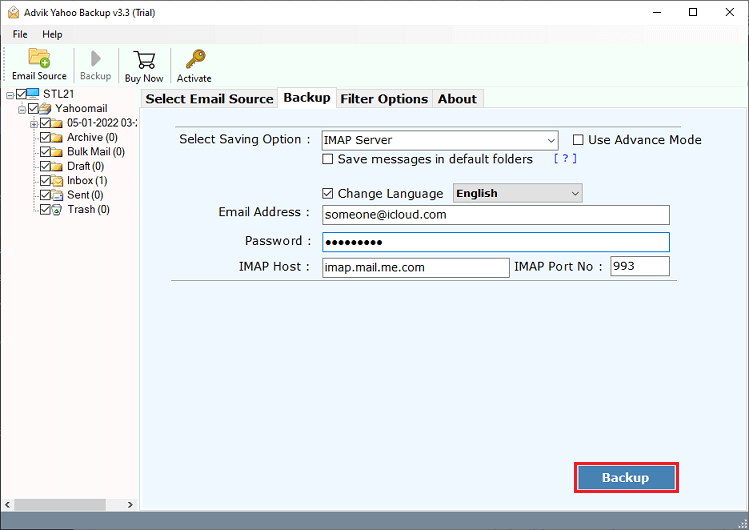
Done!! This is how you can easily transfer Yahoo Mail email to iCloud with attachments in a more proficient way.
Apart from the above functions, this Yahoo to iCloud migration tool has various advantages. Some of them are;
- Allows to migrate all or selected email folders from Yahoo Mail to iCloud.
- Batch mode to transfer emails from multiple Yahoo Mail accounts to iCloud at once.
- Retains the original structure of mailbox folders during the Yahoo to iCloud migration.
- Preserves all email properties such as sender/receiver info, attachments, etc.
- Simple graphical user interface and 24/7 customer support.
Watch How to Perform the Yahoo to iCloud Migration
Conclusion
In the above blog post, we have provided two easy solutions to migrate Yahoo Mail to iCloud account. Users are free to choose any of the above methods. However, one should be careful when using a manual solution. Importing Yahoo Mail to iCloud manually involves multiple steps and also takes a long time. Alternatively, you can use the second solution to avoid such challenges and problems