How to Backup cPanel Emails to Computer?
Christopher Plummer | January 22nd, 2026 | Data Backup
Overview: This write-up is going to mention the best and fastest methods to backup cPanel emails safely. There are several native solutions available on the internet, but finding a perfect one among them is a bit difficult. Here, we outline both manual and automated methods with complete step-by-step instructions after a lot of research.
So, let’s start the discussion and find out the solution you have been looking for.
If you are using cPanel for managing emails, then you should also know that storing emails on your server might not always be useful. A single deletion of emails can lead to the loss of various emails. A backup keeps your data safe and secure and helps to restore it quickly. Also, it helps to move your data to another platform. You can protect it from corruption or any compromised account situation issues. So, backing up your cPanel email accounts is a important step for all users.
Now, let’s get back to the methods to quickly start resolving your query.
How to Backup cPanel Emails with Manual Method?
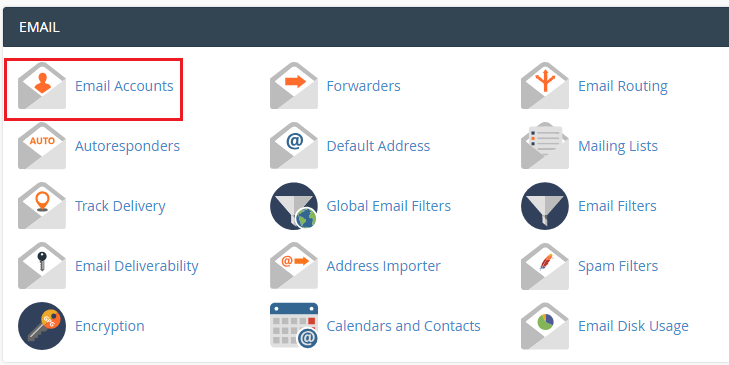
1. Login to your cPanel account and go to Email Accounts.
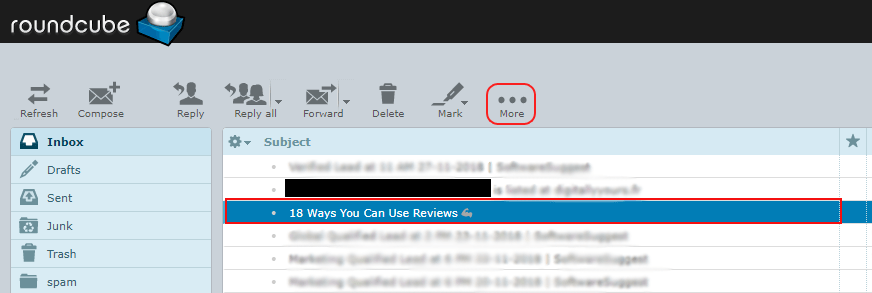
2. Select the required email in the taskbar and click the ‘More’ icon.
3. From the dropdown list, choose ‘Download(.eml)’ and specify a location to save the emails.
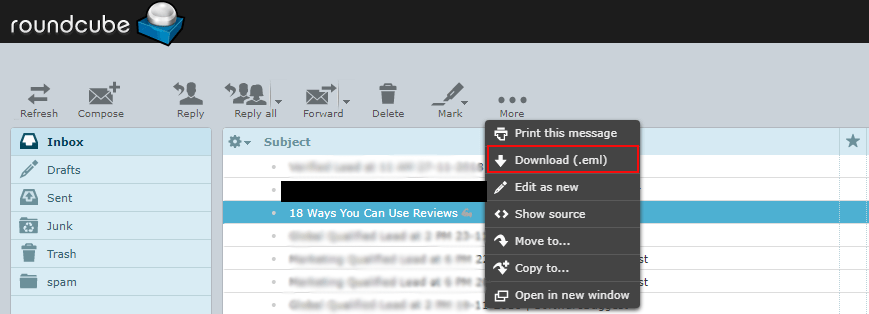
The cPanel email backup procedure is now complete.
Limitations of the Manual Method:
- Large data requires a lengthy procedure.
- Users will not be able to export emails from cPanel in bulk using this method.
How to Download Emails from cPanel to Computer Automatically?
Download and install the Advik Email Backup Wizard to backup cPanel emails with attachments. The software will save all cPanel emails to PC in one single attempt. During cPanel email backup, the tool will maintain the mailbox folder structure as well. Thus, no data loss or data modification will take place. It offers various advanced email filter options for selective email backup.
Download the software to archive folders locally. The trial version will save 25 emails from each folder for free.


Steps to Backup cPanel Emails to PC
Step 1. Run cPanel backup software for emails on your computer.
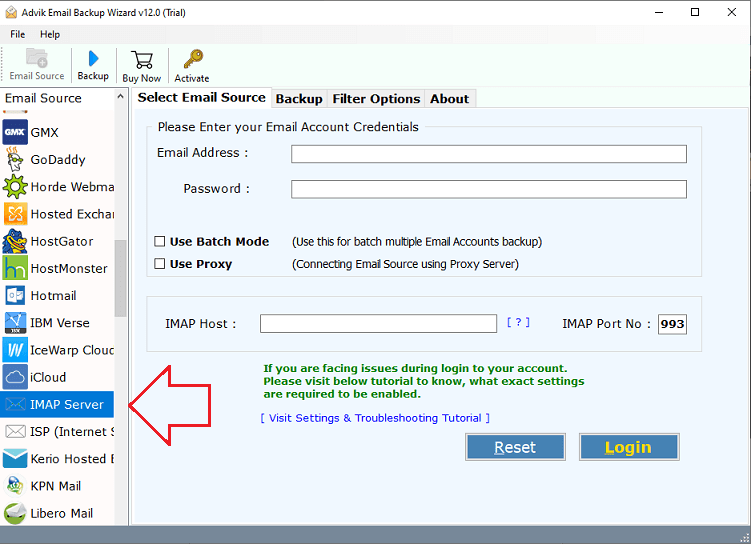
Step 2. Choose cPanel as an email source and sign in.
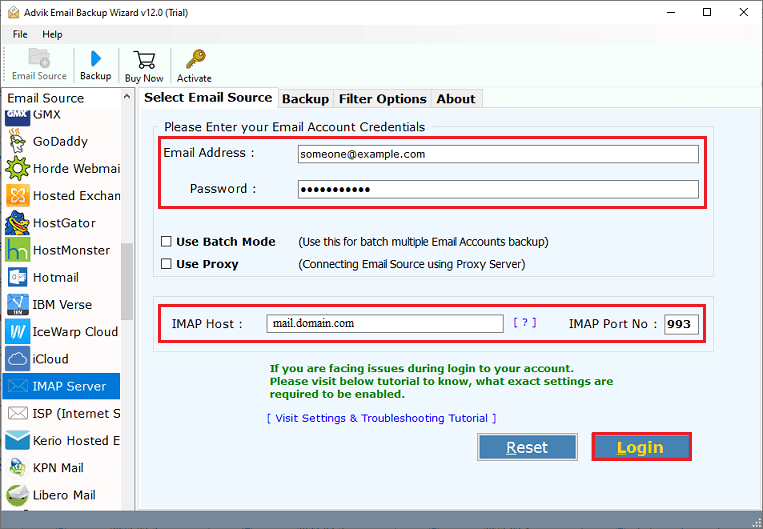
Step 3. Select mailbox folders to download.
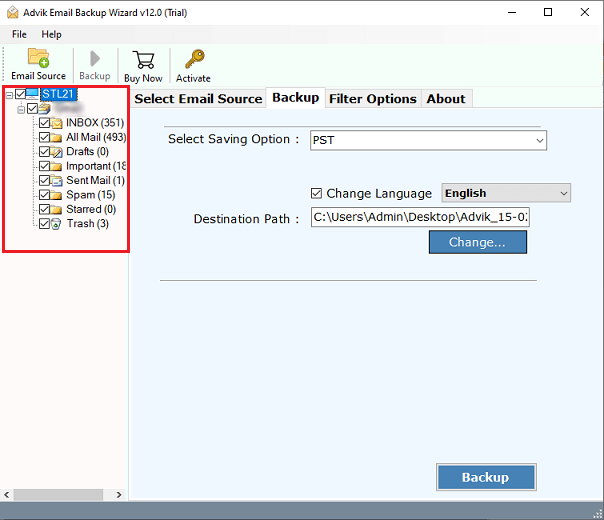
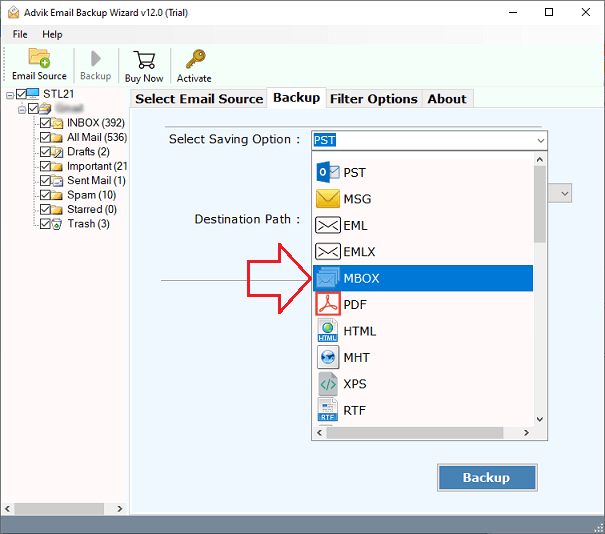
Step 4. Select any file format from the saving option menu.
Step 5. Now, choose a target location & click the Backup button.
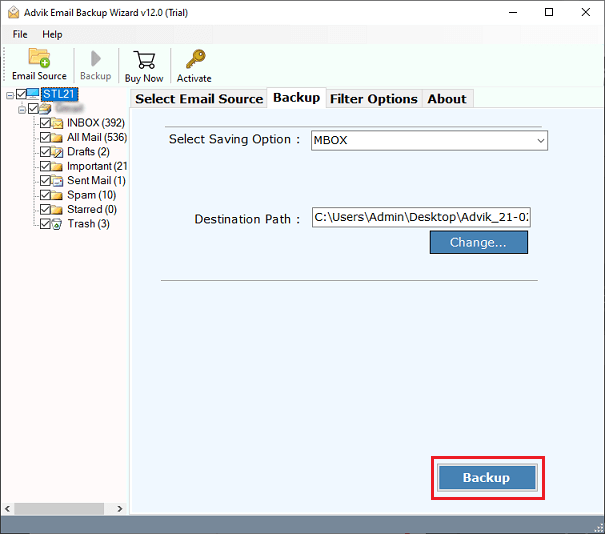
Once you click on the backup button, the software will start exporting your emails from cPanel to the location you have selected.
Then, you will be automatically redirected to where you saved your cPanel emails.
Done!! This is how you can complete the automated email backup process.
Watch How to Take Email Backup from cPanel Account
Advantages of Using cPanel Email Backup Wizard
- Batch Mode: The software has a batch mode feature that enables you to download multiple emails from cPanel account in a single attempt. It saves your time and effort to backup multiple cPanel email accounts.
- Advanced Email Filters: The tool provides various advanced filter options for selective cPanel email backup. With these filters, you can download emails from cPanel based on date range, to, from, subject, etc.
- Backup Entire Mailbox: With this utility, you can save the complete cPanel Mailbox, including your inbox, sent mail, drafts, etc. Additionally, it also allows you to choose specific folders for backup.
- 30+ Saving options: The software offers a variety of saving options to backup emails from cPanel into multiple formats. It can export cPanel email to PST, MBOX, EML, PST, HTML, etc.
- Preserve Data Integrity & Folder Structure: The software maintains the complete email properties of cPanel emails such as to, from, cc, bcc, etc. It also preserves cPanel mailbox folder hierarchy throughout the process.
- Freedom to Choose Destination Path: This program gives an option to choose the desired end location to save the resultant file. That’s how you can easily find out backup file after completing the process.
- FREE Trial Version: The best thing about this utility is that it provides a demo edition to check its efficiency for free first. If you are satisfied with its working procedure, then you can upgrade to its licensed version.
Conclusion
Above, we have described the best and easiest methods to take cPanel email backup to PC. As you can see, there is a distinction between manual and professional methods. Manual methods are the most effective, but only for a few emails. If you want to backup complete or multiple cPanel emails, you should use an automated solution.
Frequently Asked Questions
Q 1. How can I download emails from multiple cPanel email account?
Ans. This is only possible with an automated solution explained above. The batch mode feature of this tool allows you to export multiple cPanel accounts at the same time.
Q 2. Is it possible to backup cPanel emails from the selected date?
Ans. Yes, the tool offers an advanced email filter feature that allows you to choose selective cPanel emails based on selective date ranges, To, from, etc.
Q 3. Can I use this software on a Mac OS-based system?
Ans. Yes, this tool is designed for both Mac and Windows-based systems. So, you can install this tool on any Mac & Windows-supported systems.
Q 4. How do I export all emails from cPanel at once?
Ans. You can export all emails from cPanel in a single attempt using the automated tool.
