How to Backup ProtonMail Emails to PC?
Jackson Strong | January 1st, 2026 | Data Backup
Is your email data safe on the mail server? What happens if your email service goes offline or your account becomes inaccessible? These concerns often lead users to search for reliable ways to backup ProtonMail emails. In this blog, we will explain why ProtonMail backup is important, the available manual methods, and the most reliable alternative to download ProtonMail emails to your computer safely and easily.
ProtonMail is an encrypted email service with a strong focus on privacy and data protection. All emails are protected using an end-to-end encryption method, still users need backup because;
If your emails get lost due to accidental deletion
- If your accounts get locked or compromised for any reason
- Unavailability of Internet Connection
- When looking to move emails to another platform
- Due to low ProtonMail storage issues
How to Backup ProtonMail Emails to Computer Manually?
To manually download Proton Mail emails, you will need to install the Import Export app on your machine. Follow the instructions to complete ProtonMail backup process:
1. Download the Import-Export app on your system.
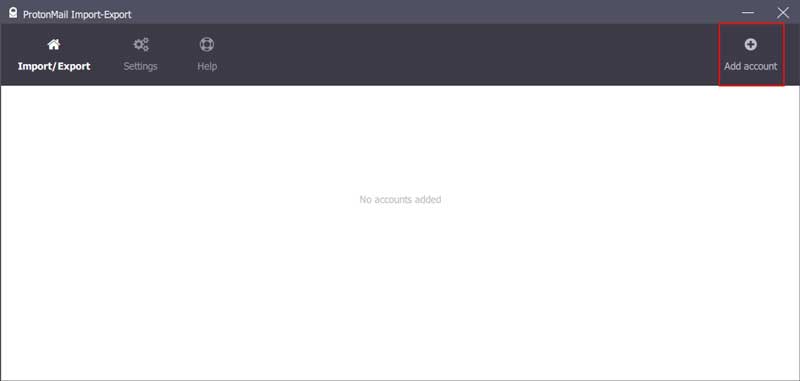
2. Open Import-Export app and click on the Add Account option.
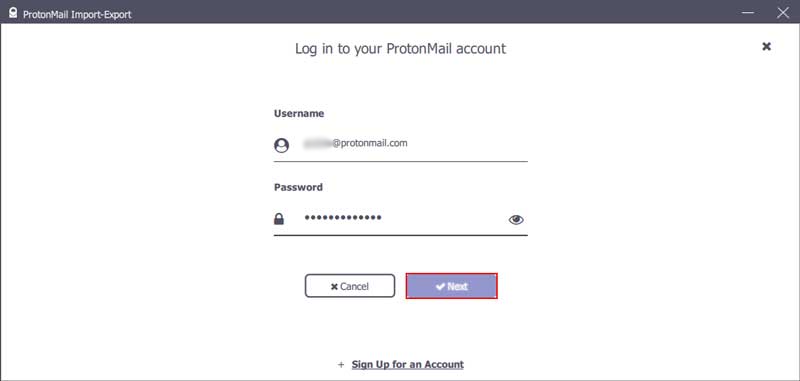
3. Enter your ProtonMail account login details and click Next.
4. In the next Windows, select the folders you want to export.
5. You can also select the time frame (from-to).
6. Then choose in which file format you want to backup your emails and click Export button.
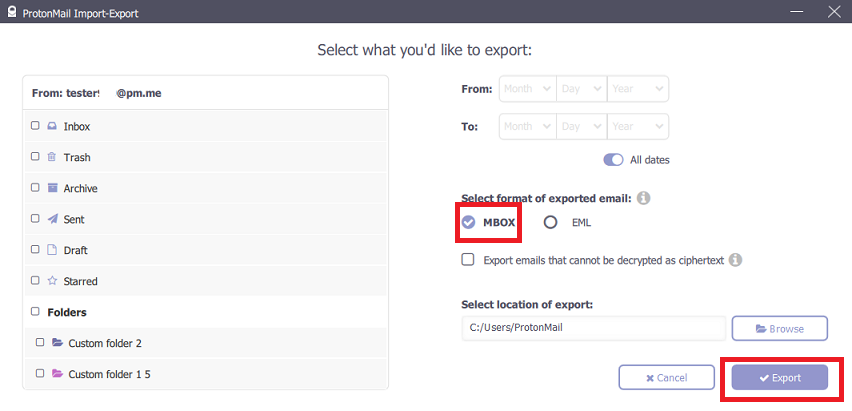
Here, you have exported emails from ProtonMail using the manual free solution.
Wait for a while, you need to know that this method comes with limited automation for large mailboxes.
How to Download All Emails from Proton Mail to PC Automatically?
Try Advik Email Backup Wizard on your Windows and Mac machines. The application will effortlessly backup ProntonMail emails locally without any hassle. This tool will download emails directly from your mailbox to system without affecting data integrity. You can also backup selective emails using advanced email filter options. It offers various saving options to download ProtonMail emails into multiple formats.
Try the demo version of the software and see if it’s working.


Steps to Backup ProtonMail Emails to Computer
1. Run ProtonMail Backup Software on your PC.
2. In the email source, search for the ProtonMail option and enter your login details. (Use App password)
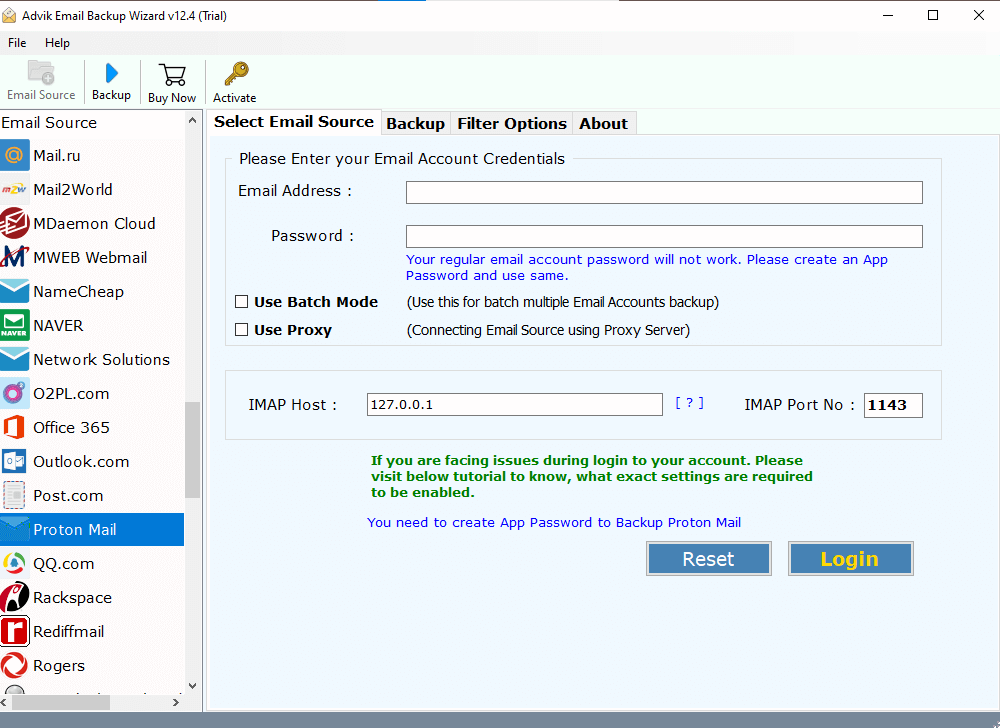
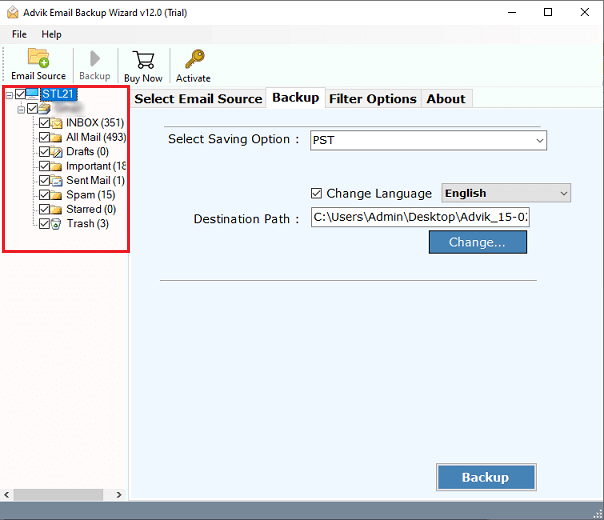
3. Select the email folder you want to export.
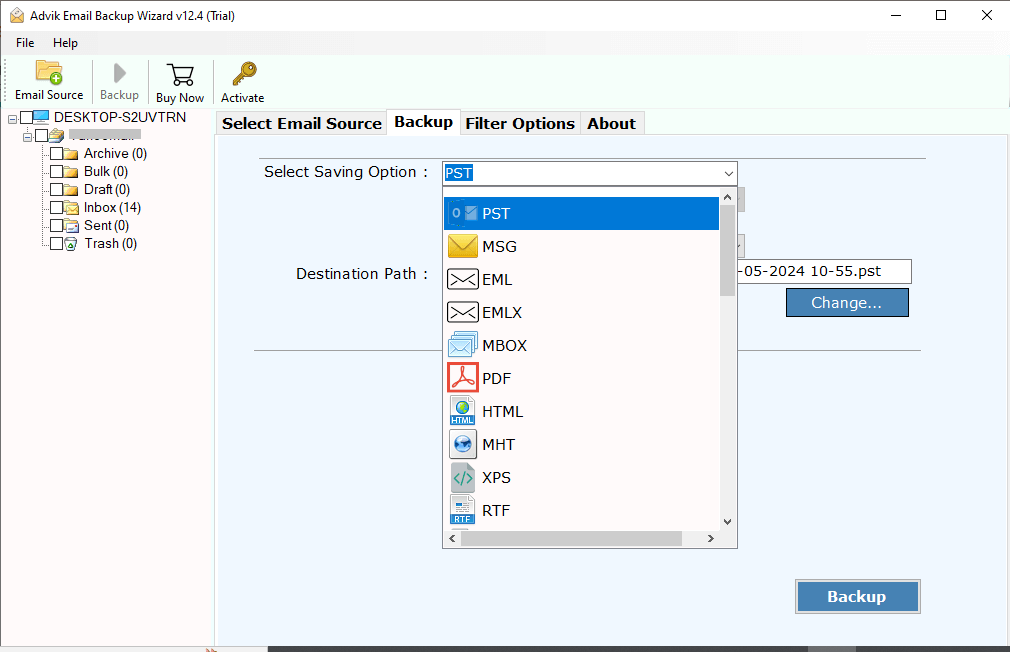
4. Select the saving option from the given list.
5. Browse the targeted location and hit the Backup button.
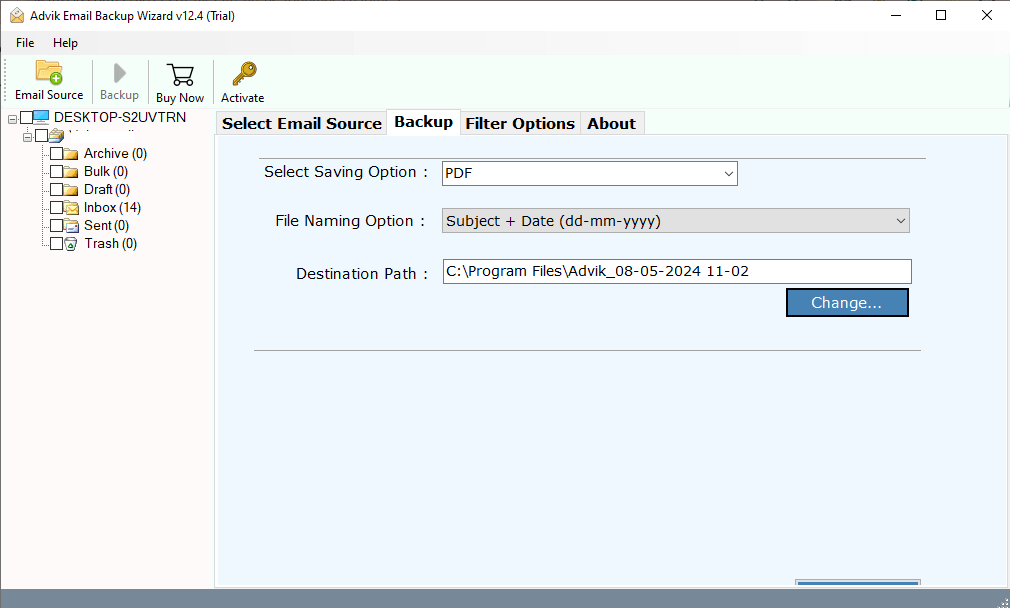
Done! Here starts the Proton Mail backup process, and in a few seconds, you will get the process completion message. Some of the additional features offered by this tool –
- Maintain email folder and hierarchy while backing up your emails.
- Offer batch mode to backup emails from multiple email addresses.
- This ProtonMail Backup Software works on Mac and Windows OS.
- Retain the email folder and sub-folder hierarchy and structure.
- Multiple saving options to export ProtonMail to MBOX, PDF, etc.
- An advanced filter option to download selective emails.
- Simple and user-friendly interface.
Conclusion
The blog has covered a detailed procedure for backing up ProtonMail data. By following the instructions, you can easily execute ProtonMail email backup process. You can follow any method that you think suits your needs and requirements. That’s why we have covered both methods in more detail. However, if you are looking for an approach that reduces the risk of data loss or delivers instant results, we recommend using an automated tool only.
Try out its free demo version first and check its complete working process, then proceed further to upgrade to its premium version.
FAQs
Q1. How do I back up my ProtonMail emails?
A. With the help of the ProtonMail Import Export app or automated tool. Both methods are explained in detail in this article.
Q2. Is Proton Mail Backup Tool compatible with Mac OS?
Ans. Yes, the software supports all the versions of both Mac and Windows OS.
Q3. Can I backup ProtonMail emails to an external hard drive?
A. Yes, first connect the external hard drive to your PC and then set it as the destination path.
