How to Backup SpaceMail Emails to Computer?
Jenny Lowrence | April 6th, 2026 | Data Backup
If you are wondering how to take Spacemail email backup to computer, you will find this guide to be of great help. Here we will provide the 2 best techniques to download emails from Spacemail to your system. So, read this article till the end to learn the step-by-step procedure to backup SpaceMail emails to PC.
SpaceMail is an email hosting platform that allows users to send, receive, and manage emails using webmail. It typically supports IMAP/POP protocols, making it compatible with various desktop applications. Many users use SpaceMail for their business or personal needs.
Benefits of Downloading SpaceMail Emails
- Offline Access: Once you save Spacemail emails to your system, you can access them even without the internet.
- Security: Keeping emails on local drives introduces an enhanced security step that makes them firewalled from online hazards.
- Easy Migration: It also helps in the easy and quick migration of Spacemail data to another email platform.
- Free Up Storage Space: SpaceMail backup to PC also helps in emptying the exceeded storage space.
- Compliance: Backing up emails can be done to fulfill the law or regulatory mechanisms that demand archives of data.
Let’s get started!
How to Backup Spacemail Email to PC Manually?
- Log in to your Spacemail account.
- Open the email to backup.
- Click on More and choose Download.
- Select the destination folder and click Save.
This is how you can save Spacemail email to your system in .eml format.
Limitations of Manual Method
- Save only one email at a time
- Time-consuming process for a large number of emails
- Do not support saving attachments
- Does not maintain folder hierarchy
How to Download SpaceMail Emails to Computer Automatically?
Fo quick and efficient backup, check out the Advik Email Backup Wizard. The software can easily backup Spacemail emails along with attachments. It offers 30+ saving options to save SpaceMail emails into multiple formats. With this utility, you can download all emails from Spacemail mailbox at once. Also, it provides advanced email filter options to save emails based on date range, to, from, subject, etc. This is a secure solution that preserves all email attributes and folder structure throughout the process. Thus, no data loss will take place at any step.
Download the FREE version of this utility to analyze its working procedure.


Steps to Backup SpaceMail Emails to Hard Drive
1. Run the software on your system.
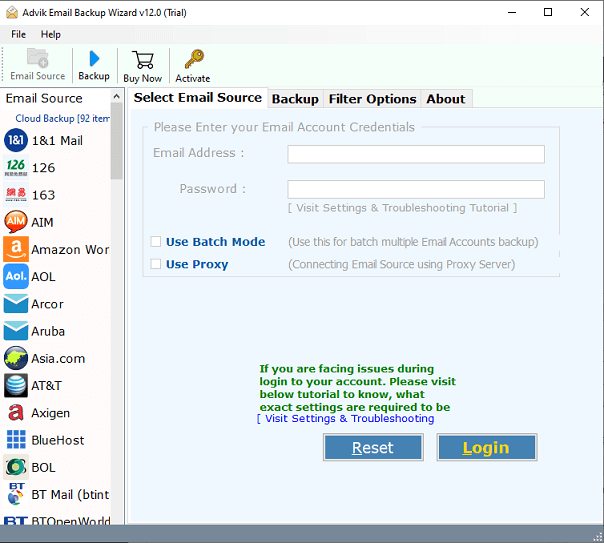
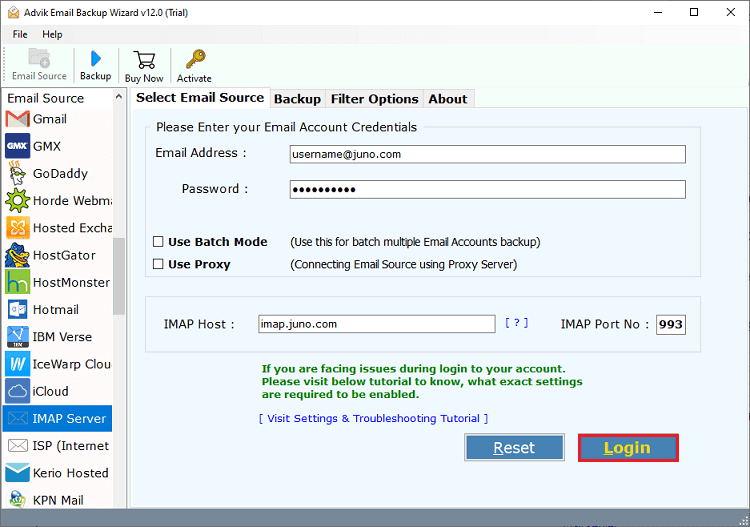
2. Choose IMAP Server from the email source and enter SpaceMail account login details to sign in.
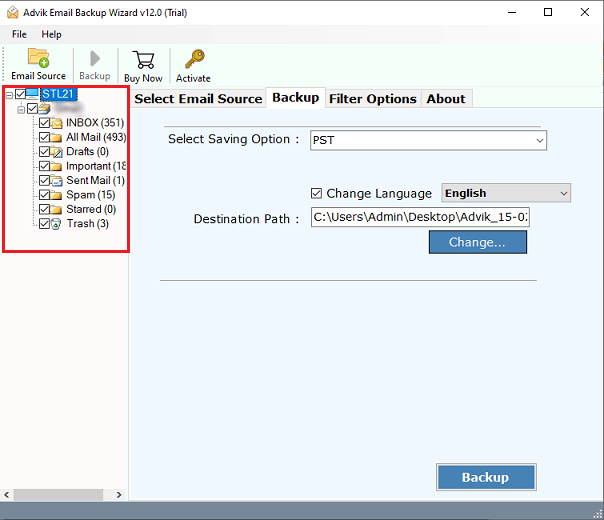
3. Select the required mailbox folders to download.
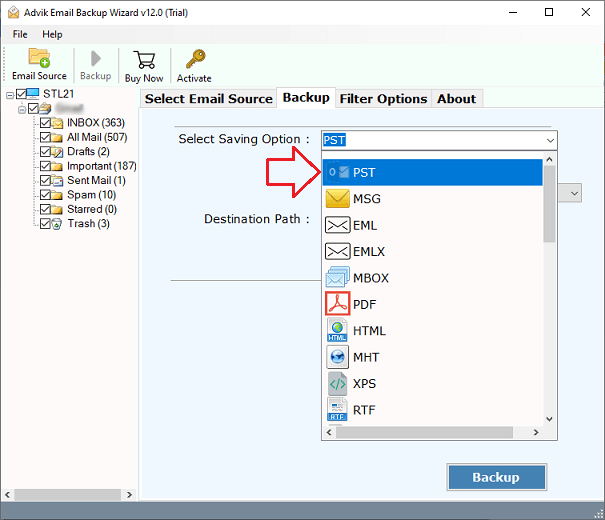
4. Next, choose a saving option from the given list.
5. Browse target location and click Backup button.
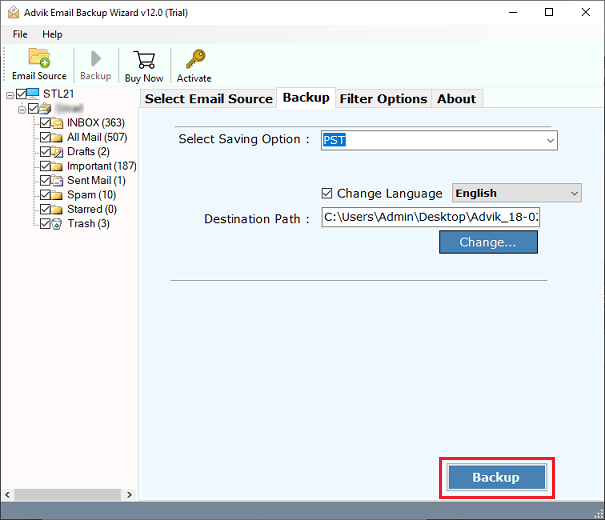
The software will start downloading emails from SpaceMail to your system in your desired format. Once the process is complete, you will get a pop-up message with a complete log report.
Prime Features of Spacemail Backup Tool
- Save Emails in Bulk: Download all SpaceMail emails in a single attempt.
- Batch Mode: Able to back up multiple Spacemail accounts in one go.
- Selective Backup: Advanced email filter options to save some specific emails.
- Preserves Data Integrity: Keeps attachments, sender/receiver info, hyperlinks, etc.
- Retains Folder Structure: Maintains the original structure of mailbox folders.
- 30+ Saving Options: Offers various saving options to export SpaceMail emails.
- Easy-to-Use: A simple GUI for both technical and non-technical users.
- Wide Compatibility: Supports both Mac and Windows operating systems.
Conclusion
Taking backup of Spacemail emails is essential for protecting valuable information. While the manual method is free and easy to use, it is suitable for small-scale downloads. For large mailboxex choosing the professional tool is the best option. The above-suggested tool provides a safe and reliable way to easily backup Spacemail emails to computer.
