How to Backup Telenet Webmail Emails to Computer?
Christopher Plummer | November 11th, 2025 | Data Backup
Telenet is a network that offers a communication facility using a virtual connection. Along with this, it is a cloud-based email service that allows managing email messages. However, there are times when users need to backup Telnet Webmail emails to computer/pc/hard drive. Backing up Telenet Webmail emails is crucial to keep important messages safe from accidental deletion, hacking, server crashes, or account closure.
However, Telenet does not provide a direct option to export emails to PC, so users often struggle to find a reliable backup solution. In this guide, we will cover an expert-recommended and trusted method to download emails from Telenet directly to the local system.
Before proceeding with solution, we understand the reasons to save Telenet emails to hard drive.
Why Should You Backup Telenet Webmail Emails?
- To safeguard the Telenet database from any uncertain loss or breach.
- Downloading Telnet emails to PC allows offline access to the data.
- A backup copy also helps in easy migration to another platform.
- Saving Telnet emails locally frees up storage space.
How to Download Emails from Telenet Webmail to PC?
Download and install the Advik Email Backup Wizard to backup Telenet Webmail emails with attachments. The software is capable enough to save emails from multiple Telenet Mail accounts to your local system using the “Batch Mode” Feature. It offers various saving options to download Telenet emails into multiple file formats. The tool preserves data integrity and folder hierarchy during the Telenet Webmail backup process.
Just download the FREE Trial version of this software and check out its efficiency and effectiveness.


Steps to Backup Telenet Emails With Attachments
Step 1. Firstly, download and run the Advik Email Backup Wizard on your local system.
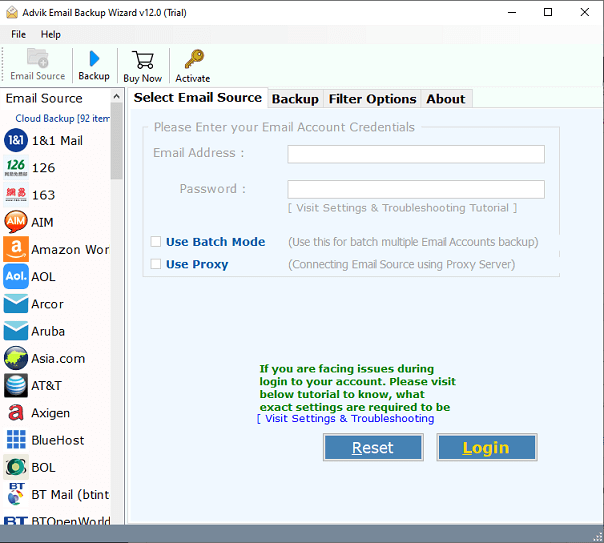
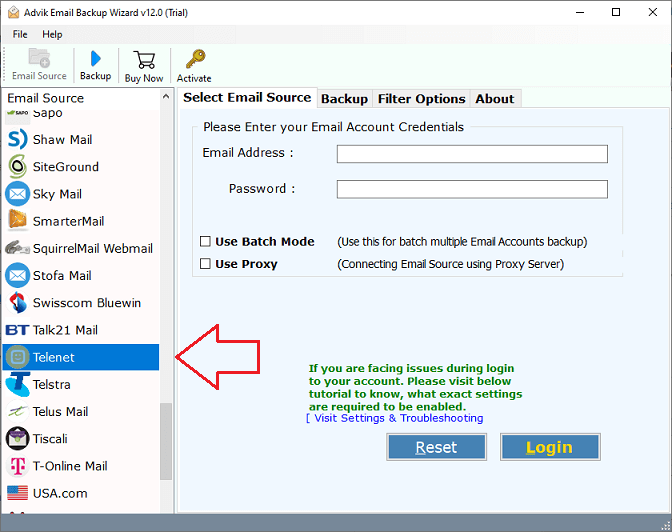
Step 2. Secondly, choose “Telenet” as an email source from the list of 90+ saving options.
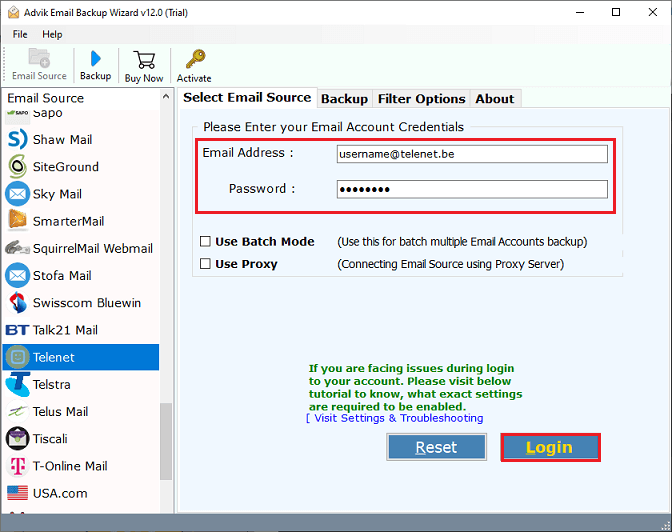
Step 3. Enter your Telenet account credentials and press the “Login” button. (Use the Batch Mode option to download emails from multiple Telenet accounts)
Step 4. Choose the required folder that you want to take a backup of your Telenet Account.
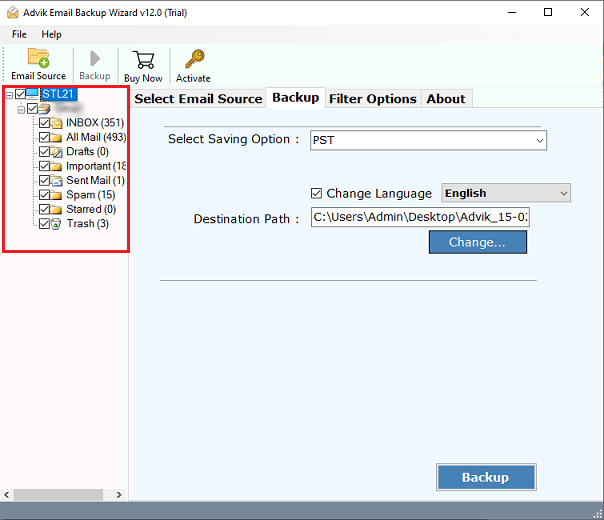
Step 5. Now, choose a saving option from given list.
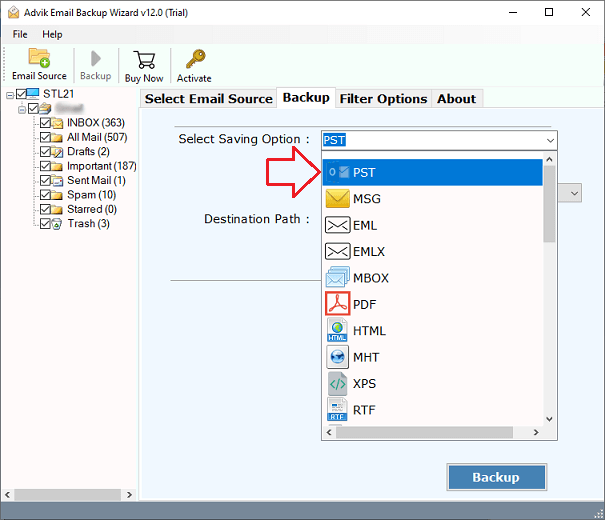
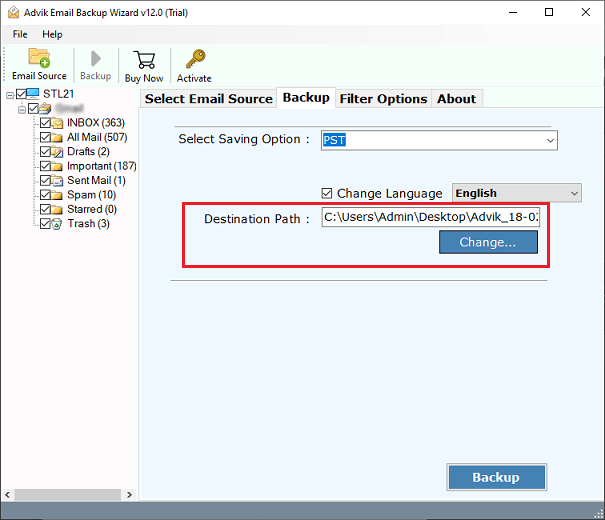
Step 6. Select the desired location to save the backup folder of Telenet emails on your local PC.
Step 7. Finally, tap on the “Backup” button to start downloading emails from your Telenet account.
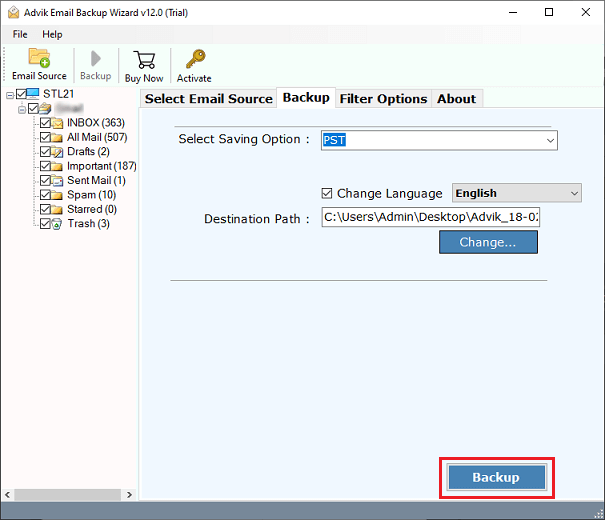
Done!! The software will show you a pop-up message when the backup process gets completed.
Key Features of the Telenet Webmail Backup Tool
- Backup of 90+ Email Services: With the use of this tool, anyone can easily take a backup of any variety of email services available in the world. These include Amazon WorkMail, Bluehost, Outlook.com, Email.com, Exchange Server, Gmail, GoDaddy, Hotmail, IBM Verse, IceWarp, iCloud, IMAP Server, Rogers, Rackspace, Roundcube Webmail, and many more.
- Multiple File Formats: Advik Email Backup Wizard 0ffers users to backup Telenet and other webmail services into 30+ different file formats like PST, MSG, MBOX, EML, PDF, DOC, HTML, MHT, XPS, RTF, DOC, etc. You can also migrate Telenet emails to various Cloud-based email services such as iCloud, Gmail, Yahoo Mail, Outlook.com, etc.
- Original Folder Hierarchy: The software performs well in maintaining the folder hierarchy of the Telenet mailbox folders. This feature is important because, after completion of the backup process, users can easily identify or recognize the required files in the correct order.
- Advanced Email Filters: This tool comes with various amazing features, one of which is email filters. Using Advanced Email Filters, users can easily select emails from mailbox folders on the basis of date, Range, from, to, subject, and many more. This will help you to perform a selective Telenet email backup process.
- Multiple Account Backups: This backup tool is authorized to export unlimited emails from multiple Telenet mail accounts. If you have a list of multiple Telenet Mail accounts, then upload a CSV file that contains the users’ email id & password information. Also, if you want to backup only selective email accounts and also you can select some specific Telenet Mail accounts. There are no restrictions on uploading a fixed number of CSV Files.
Final Words
In this post, we have discussed how to backup Telenet Webmail emails to PC. Due to lack of a manual method, here, we have mentioned a professional solution that will help you to save Telenet emails locally in bulk. The tool offers 30+ saving options to download Telenet Webmail emails into several formats. You can download its free demo version, which allows you to download 25 emails from each folder without any cost. If you are satisfied with its functionality, then you can purchase its licensed version.
