How to Convert MBOX to Maildir Format?
If you are struggling in finding a reliable way to convert MBOX to Maildir format? Then, stop your search now. It’s a common query occurs when users migrate from desktop email clients to Linus server or other mail storage system. Since both the file formats are entirely different so users faces difficulty in finding a right solution that maintains data security and safety both.
In this how-to guide, you will learn free manual way to export your MBOX emails in Maildir plus a supportive professional solution incase, you don’t find manual way a reliable one for you. Also, we will help you to tackle with the issues that may occur while completing the whole process.
So, read the complete blog to choose the right method as per your need.
Why Users Convert MBOX to Maildir?
People search for MBOX to Maildir conversion typically with the purpose of some personal & professional needs. Let’s look them to understand why users choose Maildir format over MBOX file format.
- Linux Mail Migration: Since this OS is different from Windows OS, so it also supports file format different from which Windows OS supports such as Maildir over MBOX file. Many Linus based mail servers such a Dovecot, Postfix works better than Maildir format. So, anyone looking to switch to Linux based system will surely choose Maildir.
- Less Mailbox Corruption: As, MBOX is a single mailbox file that consists multiple emails. And if that file becomes corrupted then you won’t access the entire mailbox. On the other hand, Maildir stores each message separately that will save your from corruption risk.
- Better Performance: Large mailbox file are often prone to various issues such as slow syncing, backup etc. While, Maildir performs better for large mailbox storage without any issues. It’s because it’s emails are distributed in separate files.
- Easy Email Backup: Many users prefer Maildir because individual files are easy to store, backup and share. While, MBOX files are generally large due to it’s mailbox size which often creates issues when sharing and storing.
Real Life Use Case of MBOX to Maildir Conversion
A web hosting owner needed to migrate it’s old Thunderbird mailbox data to Linux OS which consists Dovecot mail server. But, it’s mailbox data was stored in multiple large MBOX files.
Then the user tried manually changing Thunderbird storage settings to Maildir. However, this method only affected new emails and did not properly converted the old mailbox data.
Some mailbox folders were also becoming slow because the MBOX files were too large.
To avoid this data loss and losing access to thousands of emails, the user used a professional MBOX to Maildir conversion tool, This solution converted all mailbox folders into proper Maildir file by securing it’s complete data.
After this conversion, he easily switched to Linux Mail server.
How to Export MBOX to Maildir for Free?
As, Mozilla Thunderbird provides an option to store it’s new emails in Maildir format so you can use this email client to change your MBOX files into Maildir.
However, it’s important to know before using this method is that it not automatically convert existing MBOX emails but only future email data. Also, it will be helpful only for small mailbox data.
Let’s see how to do it.
- Open Thunderbird and click on the Menu button.
- Select Account Settings and choose the email account.
- Click on Server Settings in the left panel.
- Under Message Storage, select Maildir (each message as a separate file) instead of MBOX.
- Restart Thunderbird and create a new profile.
- Lastly, manually move emails from the old profile (MBOX) to the new Maildir profile.
Done! This is how you can easily transfer emails from MBOX file to Maildir in a few easy steps.
Limitations of the Manual Method
Before choosing this method you should know its limitations.
- Thunderbird changes future email storage only. Existing MBOX files still require manual migration.
- Large mailbox folders may take more time.
Note: If you need to batch convert existing MBOX files directly into Maildir format without manual work, using a professional MBOX to Maildir converter tool is the safest and fastest option.
How to Export Emails from MBOX to Maildir Professionally?
After trying the manual method for your conversion need, try Advik MBOX Converter also. If you are not satisfied with the manual solution then give a try to this solution also. it’s process is comparatively easy with just few simple things. You just need to add all your MBOX files, choose the destination folder and the tool quickly changes them into the correct Maildir format. It keeps your original email folders, attachments and email properties safe during the process. Even if you have hundreds of MBOX files you can convert them all in one go without any technical skills needed.
Download the free version and see how it works for you.


Steps to Convert MBOX to Maildir Format
- Run the MBOX to Maildir Converter on your Windows PC.
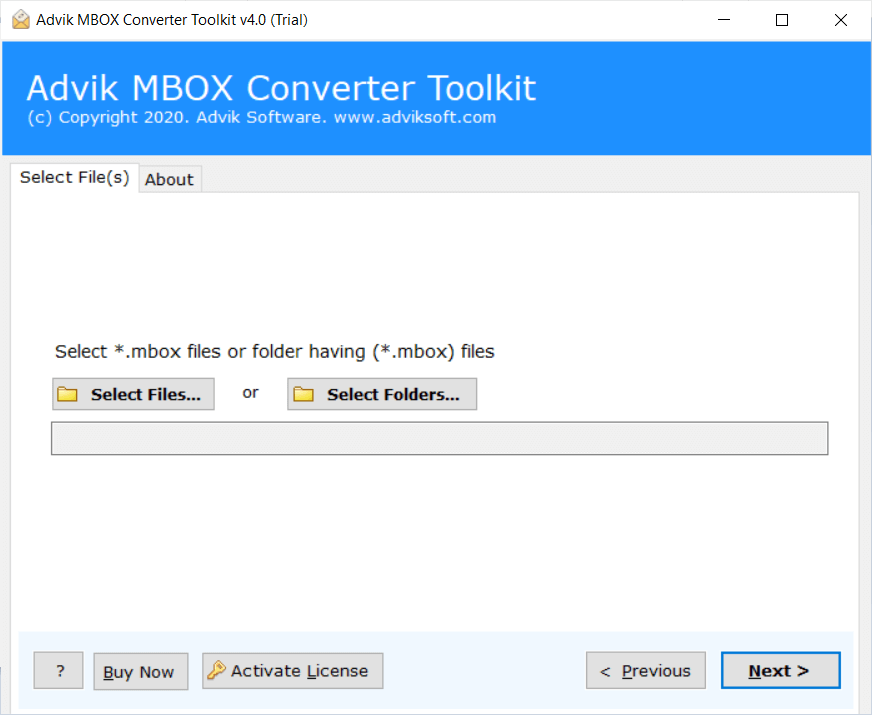
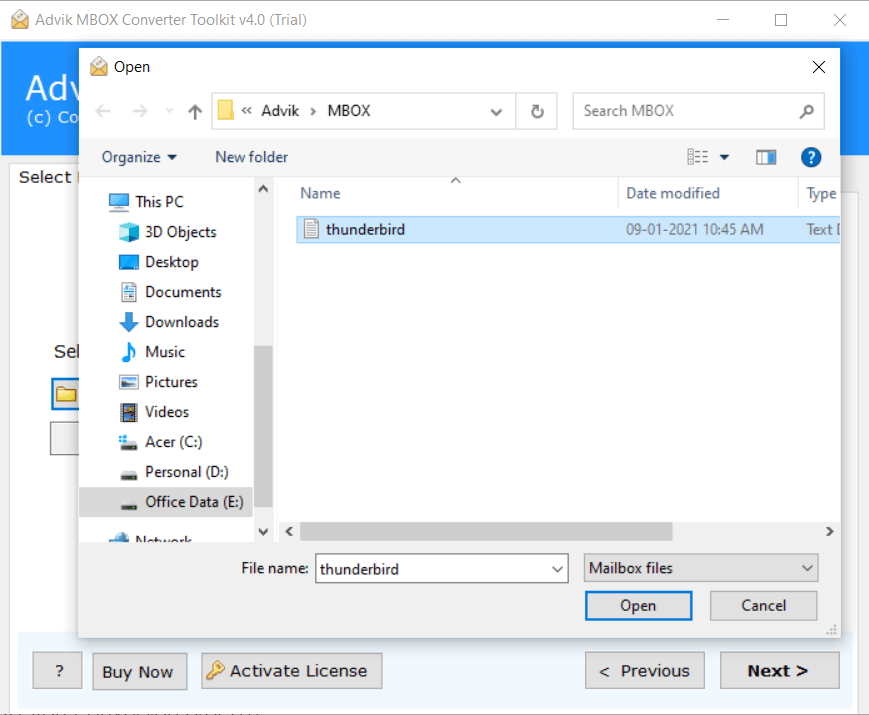
- Click Add File and locate the .mbox file into the software.
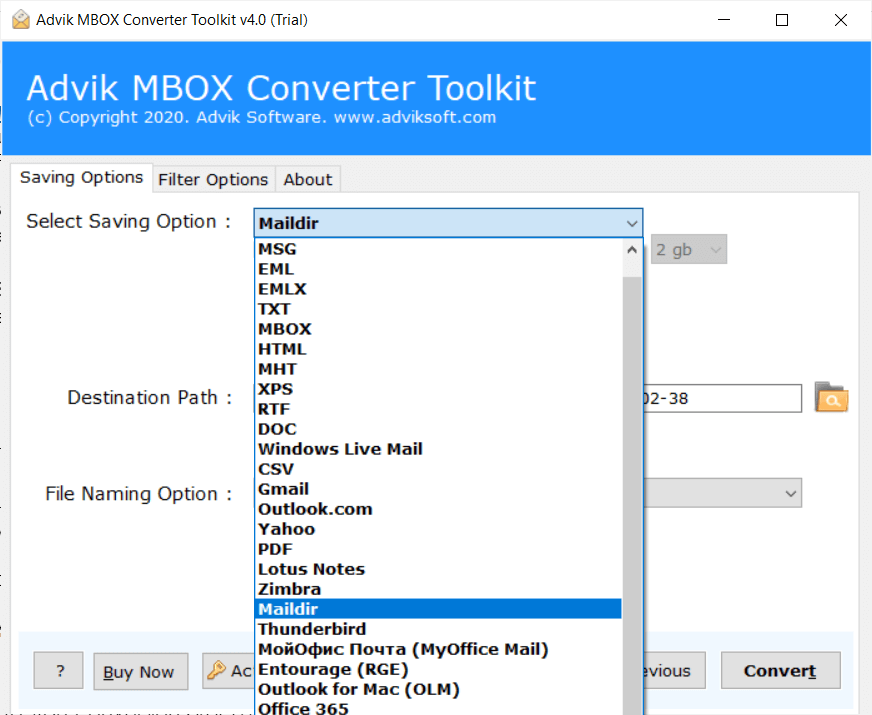
- Choose Maildir as a saving option from the list.
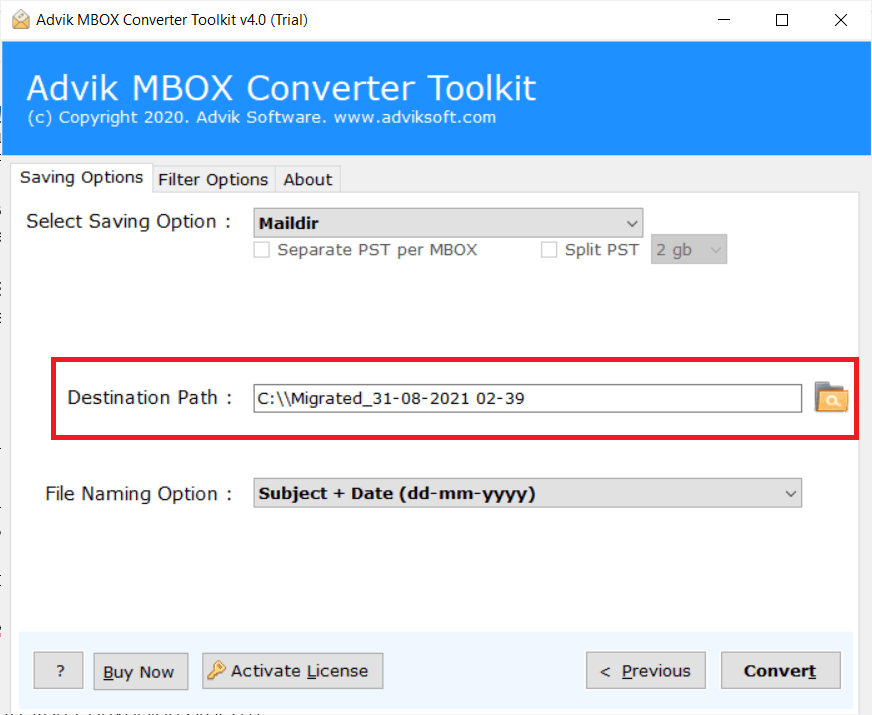
- Select the destination location to save the resultant file.
- Click the Convert button to start the conversion process.
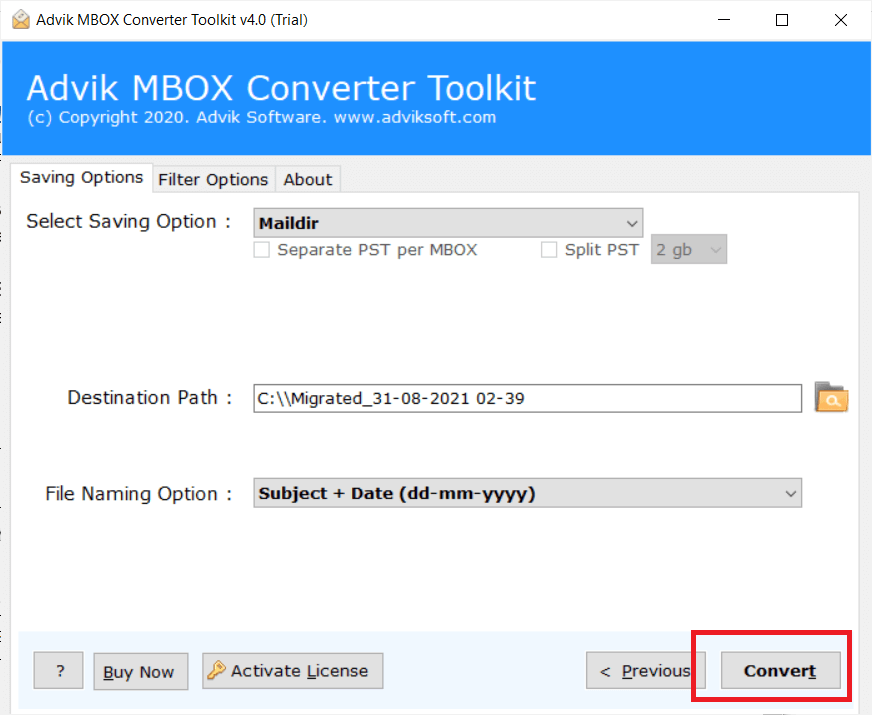
It has started converting MBOX files into Maildir format. Once the process is completed, you will be automatically redirected to your chosen location.
Now, access your mailbox data in Maildir format.
Watch How to Export MBOX to Maildir File
Why Opt for an Automated Solution Instead of Manual Methods?
This professional solution is designed with advanced and user-friendly features to handle the conversion of multiple MBOX files to Maildir easily. See, why it is considered over manual solutions.
- User-Friendly Interface: The tool is designed with a user-friendly interface to favor both technical and non-technical users. So, that anyone with or without technical skills can easily operate this with it’s self explanatory instructions.
- Batch Conversion: It allows the conversion of multiple files or folders of MBOX to maildir at once. Just add, multiple MBOX files or folders and complete the conversion quickly.
- Preserve Key Elements: The tool supports to convert MBOX files while maintaining attachments and other email properties. It secure it’s data integrity to avoid any data loss.
- Multiple Saving Options: Apart from exporting MBOX to Maildir, it also convert MBOX to MSG, EML, HTML, etc and many email or document file formats. It provides wide access with a single application.
- Repair MBOX File: In case, you got your MBOX file corrupted with any reason then this tool has also a solution for this. This tool works efficiently to repair MBOX file and recover emails safely with a few simple clicks.
- Dual Loading Options: Users can load MBOX files using either the ‘Select Files’ or ‘Select Folders’ options. This helps you to add your MBOX file as per your convenience.
- Data Accuracy: The tool ensures complete data accuracy, preserve email file structure throughout the process. It works consistently to preserve your data with various advanced features such a OAUTH and digitally verified options.
- Retention of Email Attributes: It retains all email file attributes, including Message Header, Signature, Hyperlinks, Images, etc in their original format.
- Windows OS Compatibility: The tool supports conversion of MBOX to Maildir on various Windows OS versions, including Windows 11, Windows 10, Windows 8, Windows 7, Windows XP, Windows Vista, and many more. So, install and use this application in your preferred OS without any issue.
Conclusion
Now that you know how to convert MBOX to Maildir, you won’t need to worry about it anymore. The best approach depends on your needs. While manual methods that we explained in this article are suitable for new emails, they don’t work for existing MBOX files. To handle large conversions without any issue, a professional solution is the best solution. It provides complete solution with helpful features and also lets you try the solution for free.
Frequently Asked Questions (FAQs)
Q1. What should I do if my MBOX file is corrupted?
Ans. If your MBOX file is corrupted, you can only use a professional tool that also offers a repair feature before converting it to Maildir. Many professional tools like Advik can recover emails safely.
Q2. Can I convert multiple MBOX files to Maildir at the same time?
Ans. Yes, with the right software you can select a folder that contains many MBOX files and convert all of them to Maildir format in one go.
Q3. Is there any command-line method to convert MBOX to Maildir?
Ans. Yes, on Linux systems you can use tools like mb2md in the terminal. But these methods require technical knowledge and are not recommended to use for beginners.
Q4. Why should I switch from MBOX to Maildir?
Ans. Maildir is better for email servers which works on Linux based systems. It stores emails separately which reduces the chances of file corruption. So, if you are using Linux OS, Maildir is the best file format for you for your email storage needs.
Q5. What happens if I convert emails but choose the wrong folder to save them?
Ans. If you choose the wrong folder, your emails might get mixed up or harder to find. Always double-check the destination path before starting the conversion.

Related Articles