How to Convert Webmail Email to HTML Format?
Jenny Lowrence | February 6th, 2026 | Data Backup
Summary: This post will guide you on how to convert Webmail email to HTML format. Here, we’ll explain both manual and automated solutions to export Webmail emails to HTML files without losing any crucial information. Let’s continue reading it till the end.
Webmail is an email service that allows users tosend and receive information from any computer in the world with an internet connection. Millions of people manage their daily communication through Webmail. Users can access emails from anywhere through any web browser and device. Sometimes, users need to save their Webmail emails as HTML format for various reasons.
Exporting Webmail emails to HTML allows you to open emails using any browser. An HTML file contains original email formatting and can be edited using various web development tools if needed.
Let’s move ahead without any further delay!
How to Convert Webmail Email to HTML One by One?
Although Webmail doesn’t offer any option to save email as HTML. To do it, you need to configure your Webmail account with an email client. Follow the below given steps to export Webmail to HTML via Outlook.
1. Launch Outlook and go to File >> Add Account.
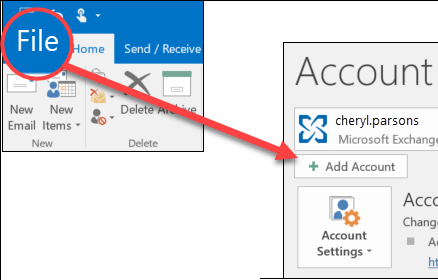
2. Enter your Webmail account credentials to set up with Outlook.
3. After configuration, open your Webmail email that you want to convert.
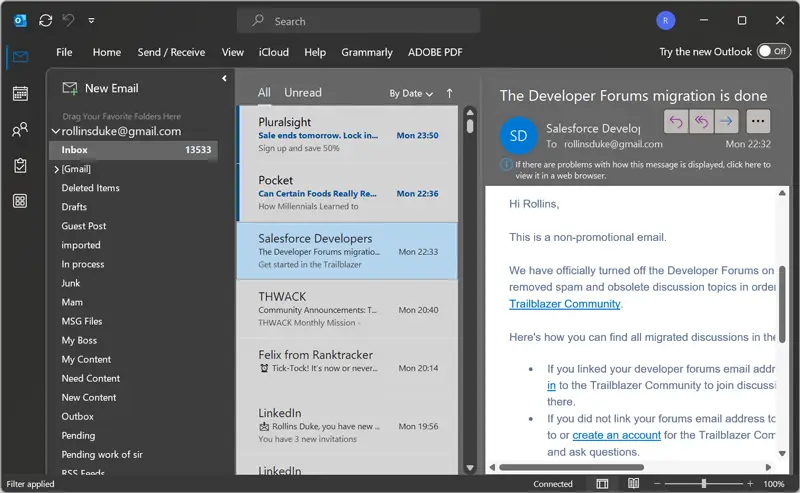
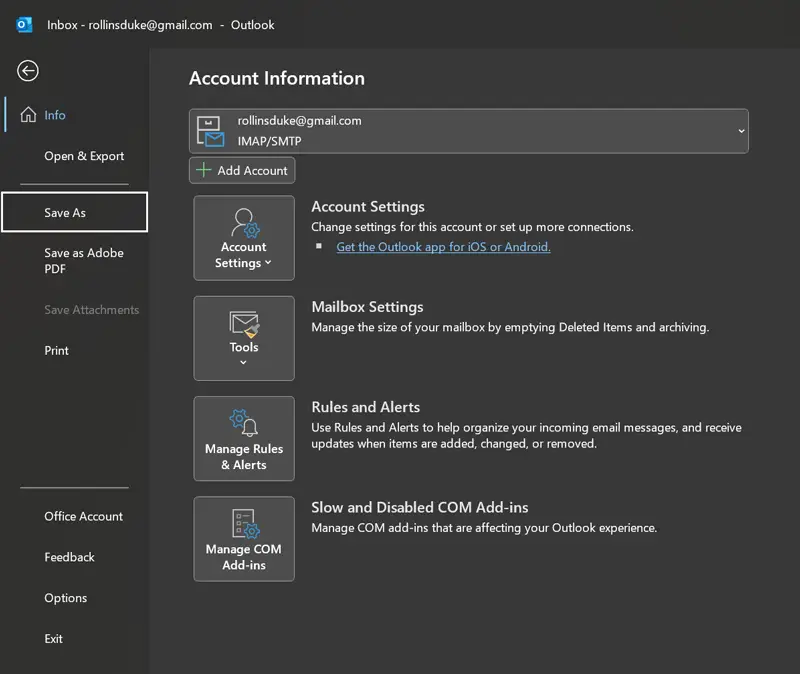
4. Click on the File tab and choose the Save As option.
5. Choose HTML from Save as type drop-down menu.
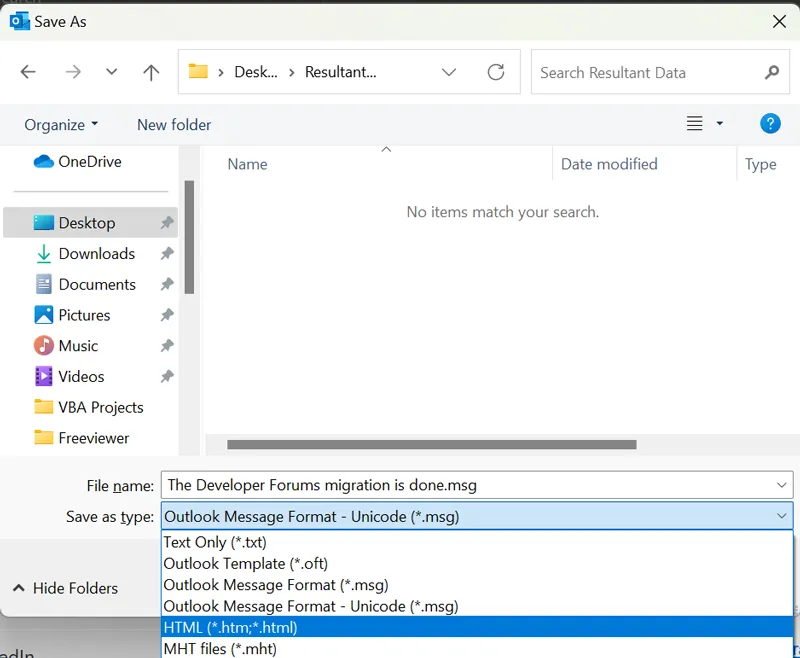
6. Click the Save button to save Webmail email as HTML.
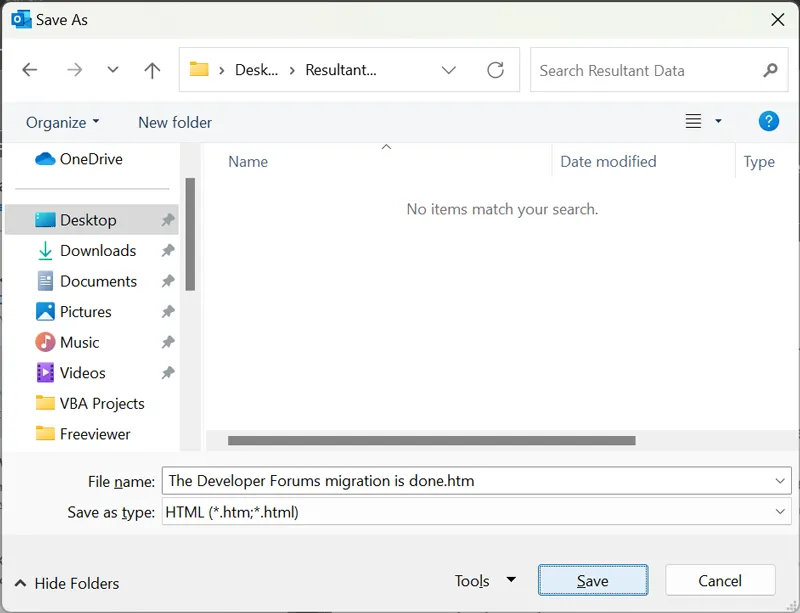
Done! Repeat the process to export other emails.
How to Export Webmail Emails to HTML Files in Bulk?
Download and install the Advik Email Backup Wizard on your system. The software can directly convert Webmail to HTML without any external help. With this tool, you can export multiple emails in a single attempt. Additionally, it offers various advanced filter options to save emails based on date range, to, from, subject, etc. The tool preserves all email properties and structure while exporting.
Tap on the below link and try it for FREE.


Steps to Convert Webmail to HTML
1. Run the tool on your system.
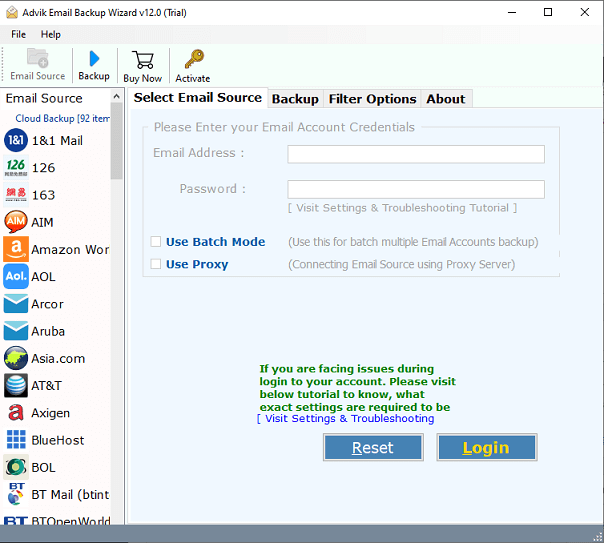
2. Enter your Webmail account credentials and press Login to sign in.
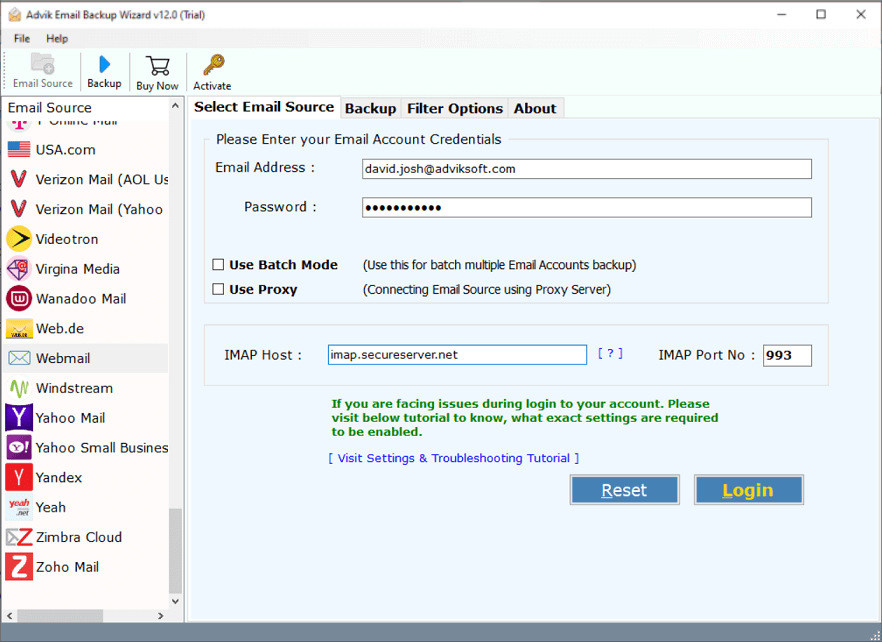
3. Choose the required mailbox folders to export.
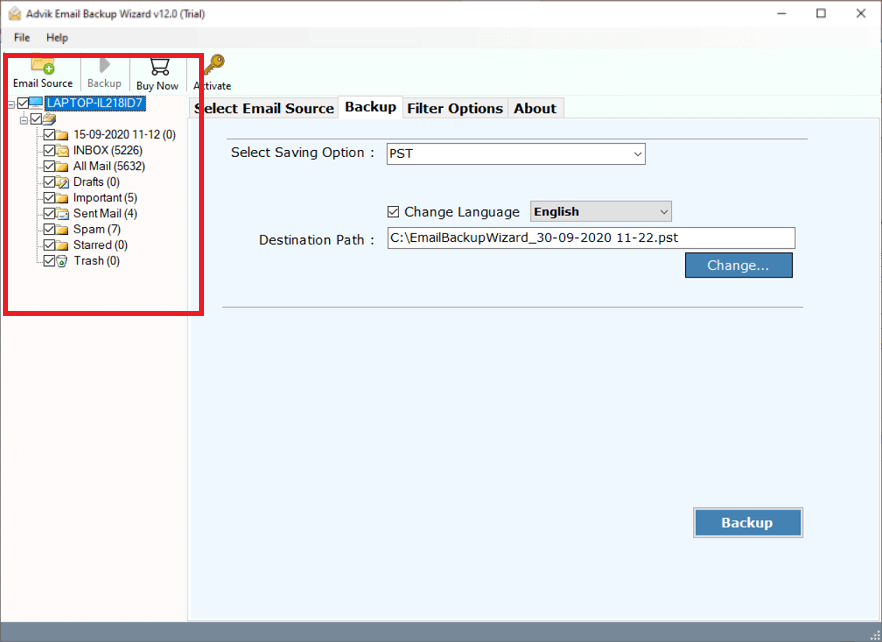
4. Next, select HTML as a saving option.
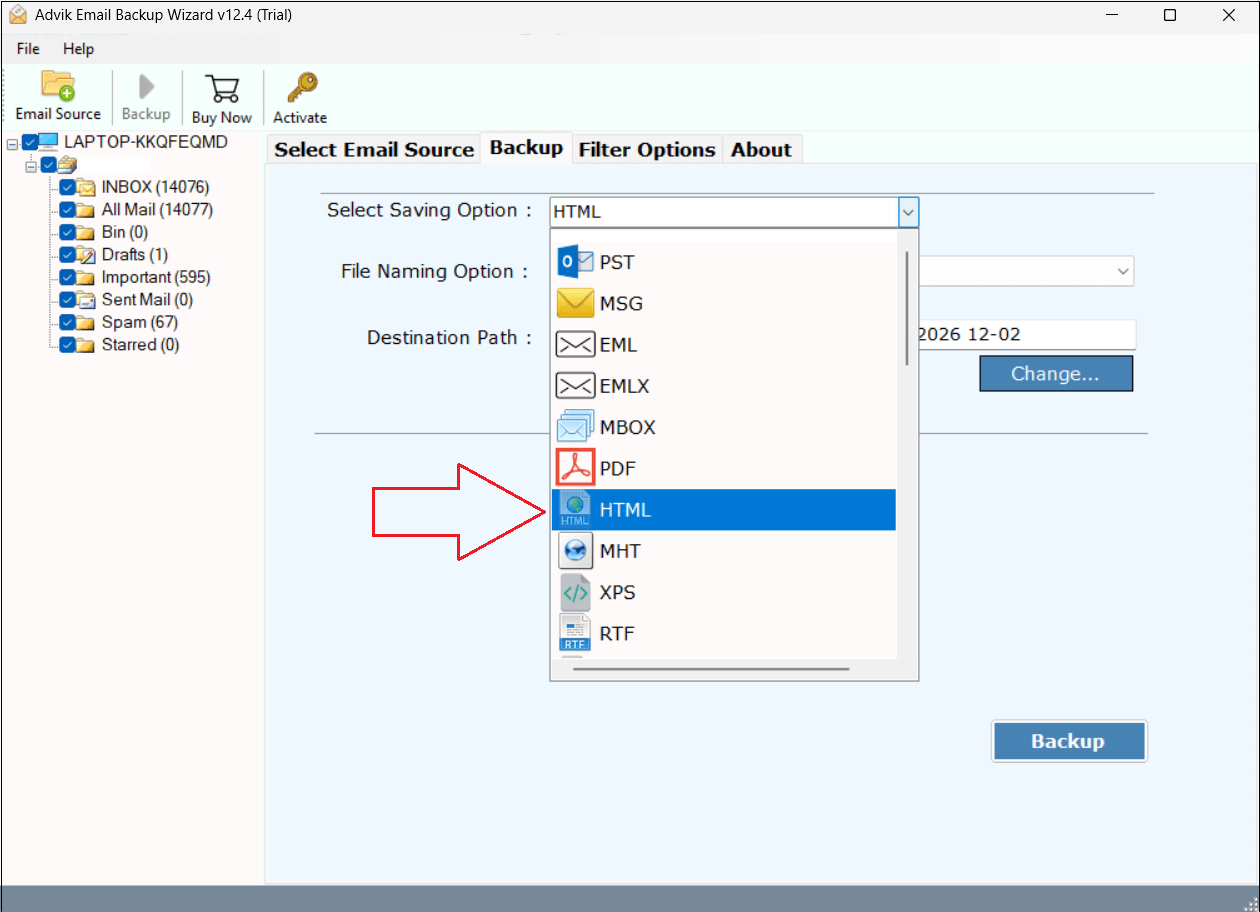
5. Choose the destination location and click the Backup button.
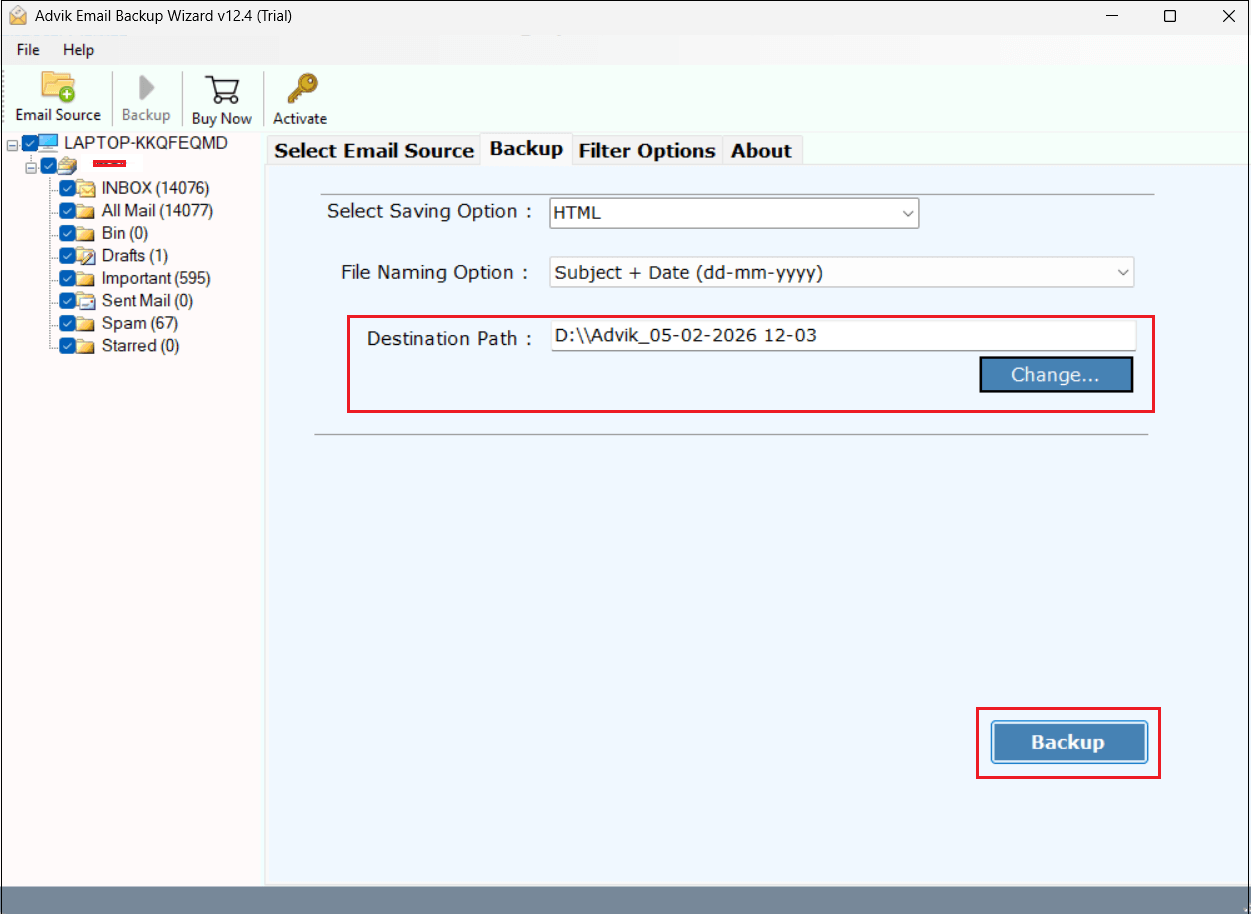
The software will start converting Webmail emails into HTML files. Once the process is complete, you will get a pop-up message with a complete log report.
Benefits of Using Automated Tool
- Direct Solution: The software can directly export emails from Webmail to HTML.
- Bulk Conversion: The tool can convert multiple emails at once, saving time & effort.
- Batch Mode: Also, it can export emails from multiple Webmail accounts at once.
- Advanced Filter: The tool offers various advanced filter options for selective email conversion.
- Preserves Data Integrity: This is a secure solution that preserves all email properties while exporting.
- Retain Folder Structure: It maintains the original structure of mailbox folders during the process.
- Easy-to-Use: The software is designed with a simple graphical user interface useful for all types of users.
- Windows & Mac Supportive: This utility is compatible with all versions of both Mac and Winsows OS.
Final Words
In this post, we have discussed how to convert Webmail to HTML using two different methods. Both methods are 100% workable. However, the manual method is suitable if you have a limited number of emails for conversion. For large mailboxes, we recommend that you use the automated tool that can save Webmail emails as HTML files in bulk.
