How to Delete Yahoo Email Account Permanently?
Jackson Strong | April 1st, 2026 | Data Backup, Yahoo Mail
If you’re here because you want to know how to delete Yahoo email account permanently or maybe you’re just trying to get it off, it might sound like a complicated process, but it’s actually pretty straightforward once you know where to go.
Unless, of course, that Yahoo account is connected to a bunch of services you still use. Then yeah… things can get a little tricky.
Whether you’re ready to completely close your Yahoo account or just want to remove it from a device, this guide will walk you through everything step by step.
You’ll learn how to permanently delete your Yahoo account and, if that’s not what you meant to do, how to simply remove it from your phone without losing access.
Table of Contents
- Important Things to Consider Before Deletion
- How to Delete Yahoo Email Account on Desktop
- How to Delete Yahoo Account on Mobile
- What Happens After Deleting Your Yahoo Account?
- Common Issues While Deleting Yahoo Account
- FAQs About Deleting Yahoo Email Account
Let’s start with permanently deleting your Yahoo account. This means your email address, messages, contacts, and all associated data will be erased.
Important Things to Consider Before Deletion
Deleting a Yahoo account is permanent, so it’s important to prepare before taking action.
Here are a few things you should know:
- It’s permanent: Once your Yahoo account is deleted, all emails, contacts, and data are gone forever.
- Access to services will be lost: You’ll lose access to Yahoo Mail, Flickr, and any other services linked to your account.
- Recovery window: Yahoo usually provides a short recovery period (around 30 days), but after that, your account is permanently deleted.
- Download your data: If you have important emails or files, make sure to back them up beforehand.
- Check linked accounts: If you’ve used Yahoo email to sign in to other apps or websites, update those accounts first.
Once you’re ready, follow the steps below.
How to Delete Yahoo Email Account on Desktop?
Here, you will understand the complete steps to delete your Yahoo email account on your desktop application.
- Go to the Yahoo Account Termination page.
- Sign in with your Yahoo email ID and password.
- Carefully read the account deletion information provided.
- Click on Continue to delete my account.
- Enter your email address again to confirm.
- Click Yes, terminate this account.
That’s it. Your Yahoo account will be scheduled for deletion.
How to Delete Yahoo Account on Mobile?
Deleting your Yahoo account on mobile is similar to desktop. Follow the steps below to do so;
- Open your browser and go to the Yahoo account termination page.
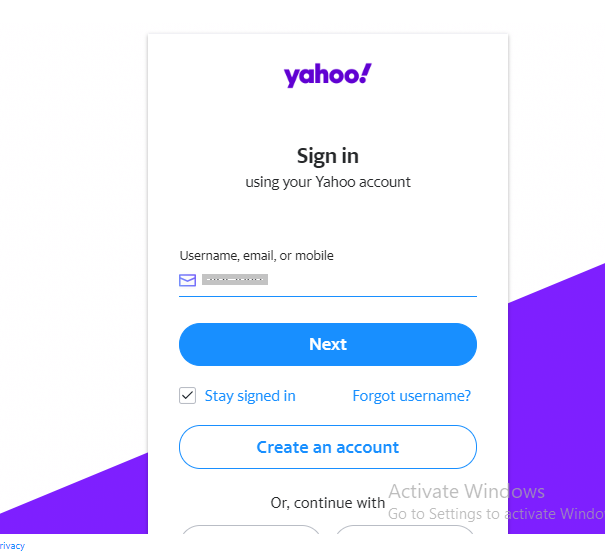
- Log in to your account.
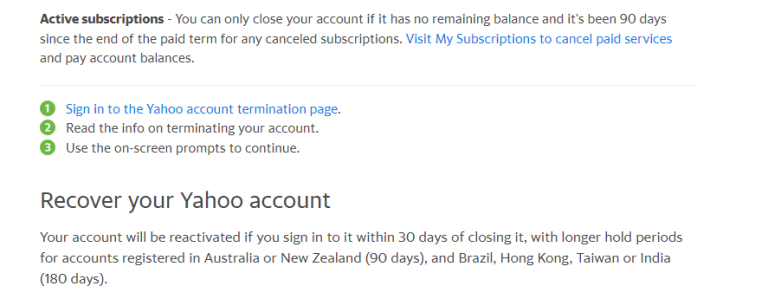
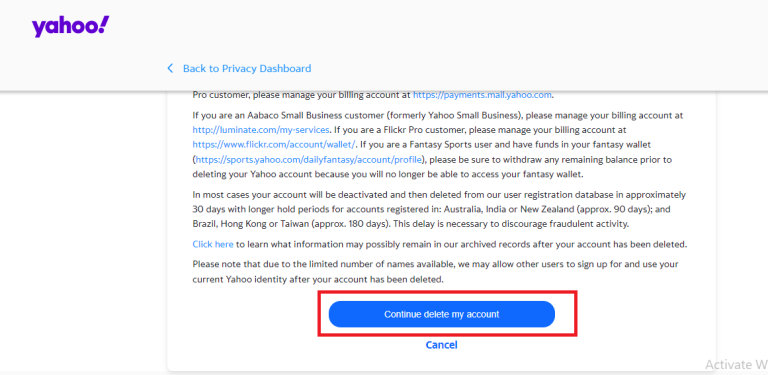
- Tap on Continue to delete my account.
- Re-enter your email address for confirmation.
- Tap Yes, terminate this account.
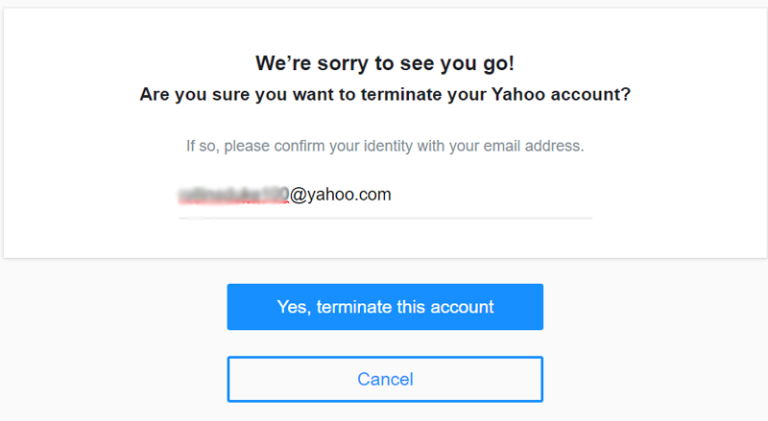
Your request will be submitted, and the account will be deactivated.
Note: Yahoo holds your data for 90 days before permanently deleting it, so you can recover a deleted folder in Yahoo Mail within this time period. Additionally, it’s important to note that once the deletion is confirmed, you won’t be able to recover the account or any of its contents after the completion of that time period.
What Happens After Deleting Your Yahoo Account?
Once you delete your Yahoo account, all your data is permanently removed after a short deactivation period. This includes your emails, contacts, attachments, and account settings. You won’t be able to send or receive emails using that address anymore, and anyone trying to contact you will get a delivery failure message.
Your access to other Yahoo services linked with the same account (like Yahoo Mail, Yahoo Finance, or Flickr) will also be lost. In some cases, your username may become available again after a certain period, which means someone else could potentially use your old email address in the future.
Common Issues While Deleting Yahoo Email Account
Many users face problems while trying to delete their Yahoo account. One common issue is forgetting the account password, which stops the deletion process. In such cases, you need to recover your password first before proceeding.
Another issue is related to active subscriptions or services linked to your Yahoo account. Yahoo may not allow deletion until those subscriptions are canceled. Some users also experience confusion between “removing account from device” and “permanently deleting account,” which are completely different actions.
Lastly, login or verification errors (like OTP not received) can delay the process. In such situations, it’s best to retry after some time or ensure your recovery details are correct.
Frequently Asked Questions
Q1. What happens when I delete my Yahoo account?
Ans. All your emails, contacts, and account data will be permanently deleted. You won’t be able to access that email address again.
Q2. Can I recover my Yahoo account after deletion?
Ans. Yes, but only within a limited time (usually up to 30 days). After that, recovery is not possible.
Q3. Will deleting Yahoo affect other accounts?
Ans. If you used your Yahoo email to sign up for other services, you may lose access unless you update those accounts first.
Q4. How do I back up my Yahoo emails?
Ans. You can forward important emails to another account or download them using Yahoo email backup tools before deletion.
Q5. Why do people delete Yahoo accounts?
Ans. Common reasons include switching to another email provider, reducing unused accounts, privacy concerns, or cleaning up old data.
Final Words
Deleting your Yahoo account doesn’t have to be stressful. Just make sure you back up anything important, check connected services, and follow the steps carefully. Once done, you’ll have one less account to worry about.