How to Export Workmail to PST File?
Jackson Strong | November 3rd, 2025 | Data Backup
Overview: This blog will walk you through the simplest and most efficient methods to export AWS Workmail to PST file. Here, we will discuss both manual and automated solutions to convert Amazon Workmail emails to PST file. So, stay tuned with us to discover the entire process of saving emails from AWS Workmail to PST file.
AWS Workmail is a cloud-based email service which comes with the facility to send and receive email messages, including contacts and calendars. On the other hand, PST is a file format supported by Microsoft Outlook used by both individuals and businesses. It consists of data items such as emails, calendars, tasks, contacts, keeping a journal, and even browsing the web.
Many people like to export emails from AWS Workmail to PST as it is Outlook’s data file format. In the upcoming sections, we’ll show you the easiest ways to do this with just a few clicks.
Let’s begin with an overview that will give you all the necessary information and step-by-step instructions.
How to Export AWS Workmail to PST Manually?
- Open Outlook on your computer.
- Click on the File >> Add Account.
- Type in your full AWS Workmail email address and choose Let me set up my account manually.
- Pick either IMAP or POP, depending on what you need.
- Next, enter the password for your AWS Workmail email and click Connect.
- If everything is correct, a message will appear, Account successfully added.
- Then, click File >> Open & Export.
- Next, select the Import/Export option.
- Choose Export to a file and click Next.
- Select Outlook Data File (.pst) and click Next.
- Pick the folder where you want to save the emails and their subfolders, then click Next.
- Finally, click the Finish button to save your AWS Workmail emails in PST format.
Done!! Following the above steps you can easily export emails from Amazon Workmail to Outlook PST file.
However, check out the method below if you need a quick and direct solution.
How to Convert AWS Workmail Emails to PST File Automatically?
Download and install the Advik Amazon Workmail Backup Tool and easily save its emails to PST file format. With this tool, users can bulk export multiple Amazon Workmail emails to Outlook data file (.pst). Also, it maintains a complete folder hierarchy of the Amazon Workmail mailbox while converting it into PST file.
So, what are you waiting for, just tap on the below download button and analyze its working process for FREE.

Steps to Export Amazon Workmail Emails to PST File
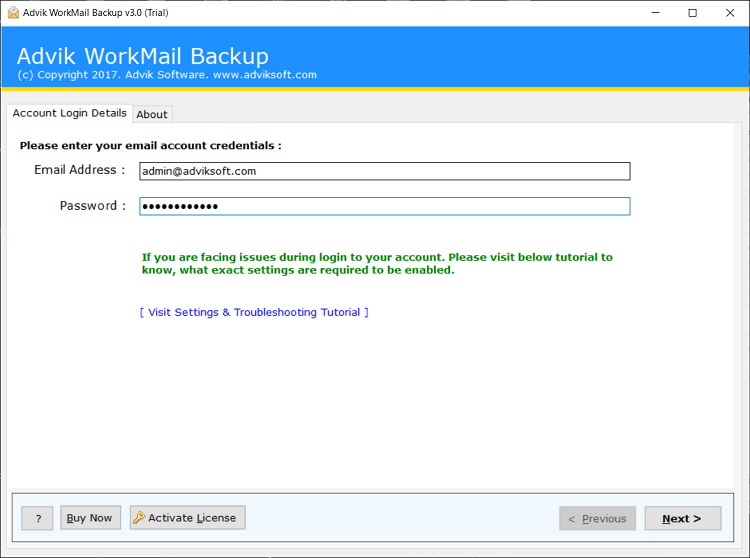
Step 1. Run the software on your PC and sign in.
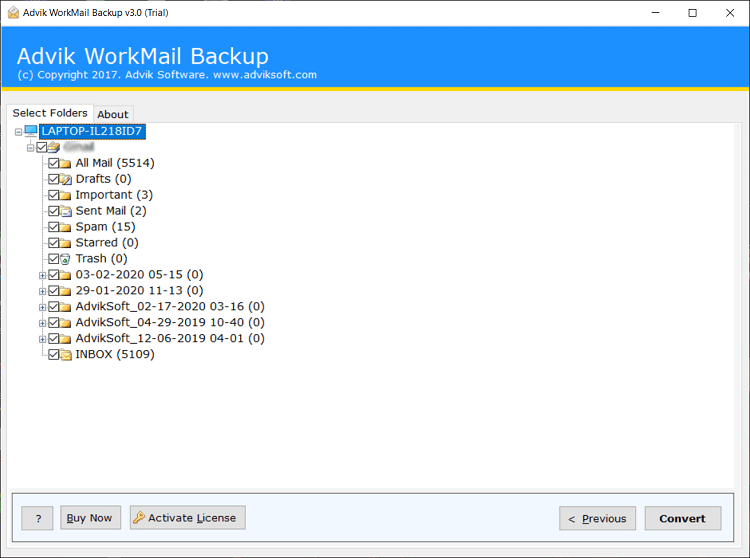
Step 2. Choose mailbox folders to download.
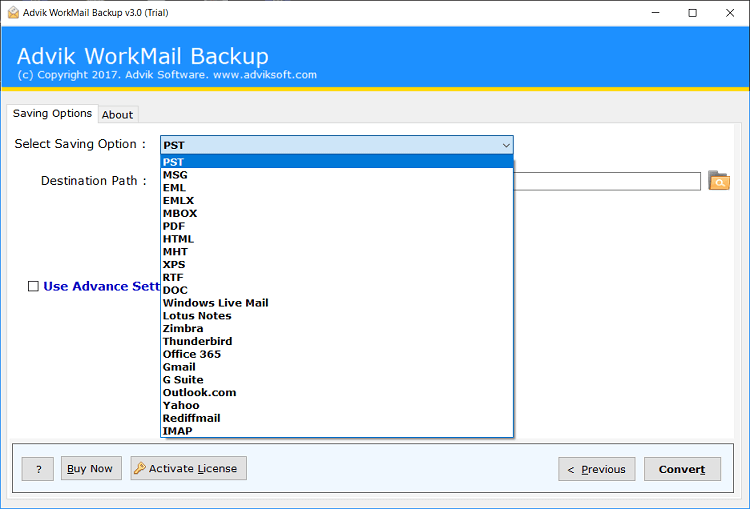
Step 3. Select the PST as a saving option.
Step 4. Choose the target location and click the Convert button.
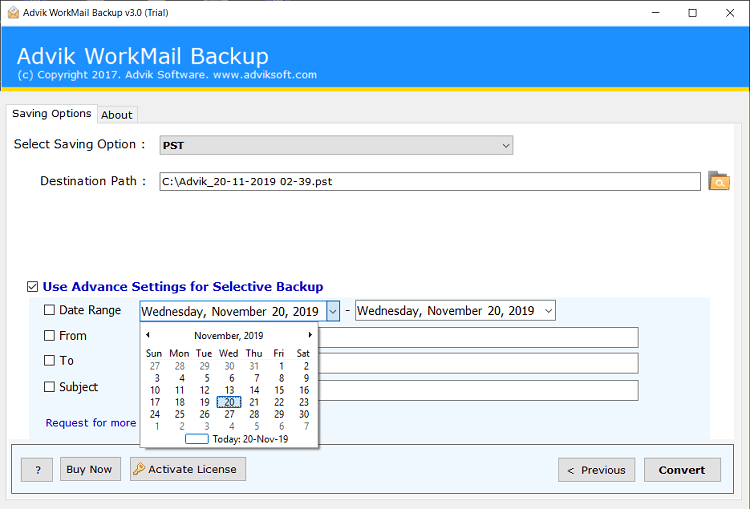
Now, the tool will start exporting email folders from Amazon Workmail to PST file.
You will notified with a log report and redirected to the destination path automatically.
Why Choose Automated Tool Over Manual Solution?
There are several advantages of using Amazon Workmail to PST converter. Some of them are:
- Directly export AWS Workmail to PST without Outlook.
- Save the entire Amazon Workmail mailbox at once.
- Advanced email filter options for selective conversion.
- Also, export Amazon Workmail to Thunderbird, Gmail, etc.
- Preserves all key elements and properties during the process.
- Retains the original folder structure even after the process.
- Simple user graphical user interface for all types of users.
- Compatible with all versions of Windows operating systems.
Conclusion
In this blog, we have explained two easy ways to export AWS Workmail to PST file format. You can check and try out both methods to see which works best for you. Both manual and automated solutions are workable to convert Amazon mailboxes to Outlook PST file.
However, if you want to choose any one among them, then I would suggest trying an automated solution. The reason behind this is that it can export emails from multiple AWS Workmail accounts at once. And, it also offers a FREE trial version to check its functionality.
