How to Export cPanel Emails to HTML Files?
Jenny Lowrence | February 5th, 2026 | Data Backup
This post defines the most reliable methods to export cPanel emails to HTML files. If you are in search of a solution to convert cPanel emails to HTML then read this guide and learn how to do it. Here, you will get a step-by-step procedure to export emails from cPanel to .html format easily.
Exporting cPanel emails to HTML offers several advantages for users who want easy access, long-term storage, and better accessibility of their email data. HTML files can be easily opened in any web browser. It preserves the original email layout, formatting, and content exactly.
Let’s move ahead and learn the exporting process.
How to Export cPanel Emails to HTML Manually?
cPanel does not offer any option to save emails as HTML. However, you can do it using email client like Thunderbird.
Follow these steps to convert cPanel to HTML:
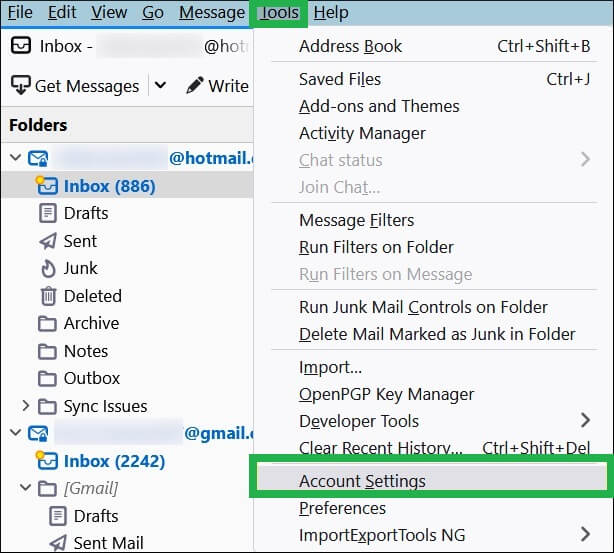
1. Open Thunderbird and go to Tools >> Account Settings.
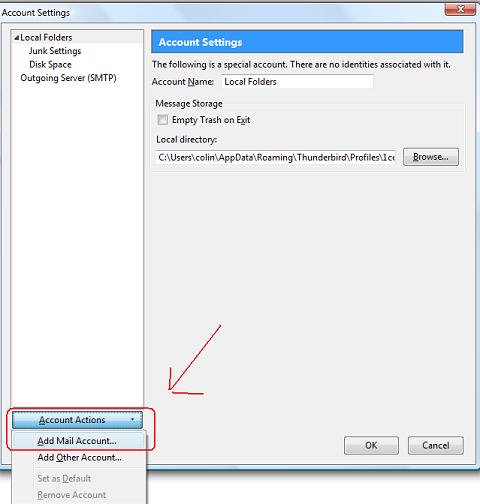
2. Click on Account Action and choose Add a mail account.
3. Set up your cPanel email account with Thunderbird.
4. Wait for Thunderbird to sync emails.
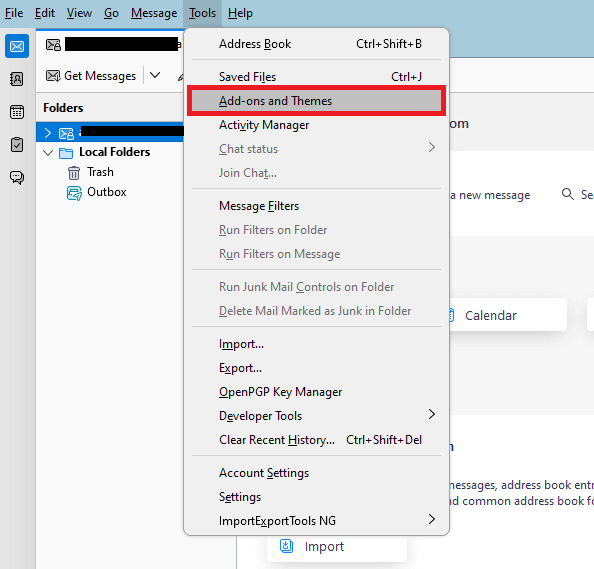
5. After that, click on Add-Ons and Themes option.
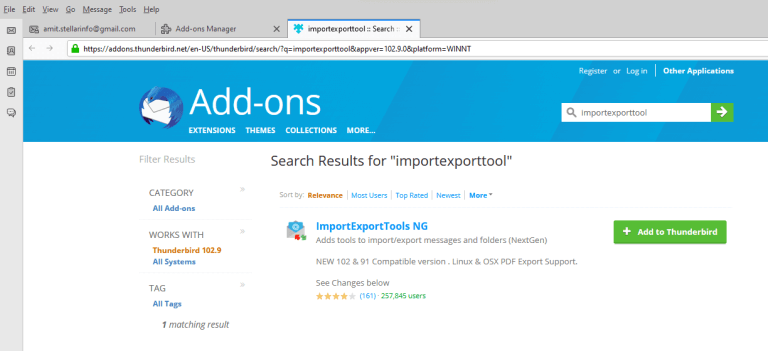
6. Install ImportExportTools NG in Thunderbird.
7. After installing it, restart Thunderbird.
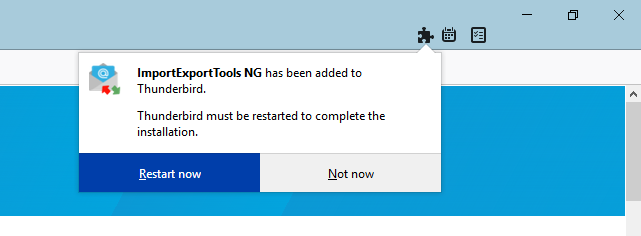
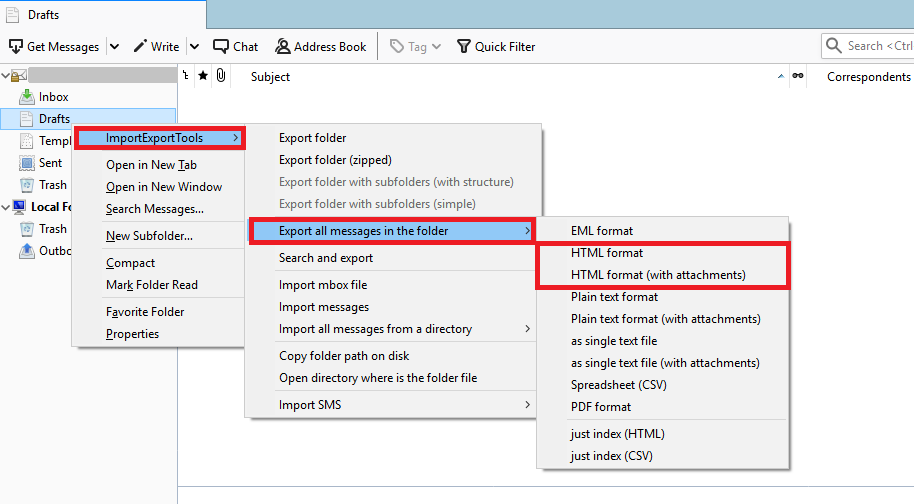
8. Next, right-click on cPanel email folder that you want to export into .html format.
9. Click ImportExportTools NG >> Export all messages in the folder >> HTML format.
10. Browse the destination folder and press Select Folder.
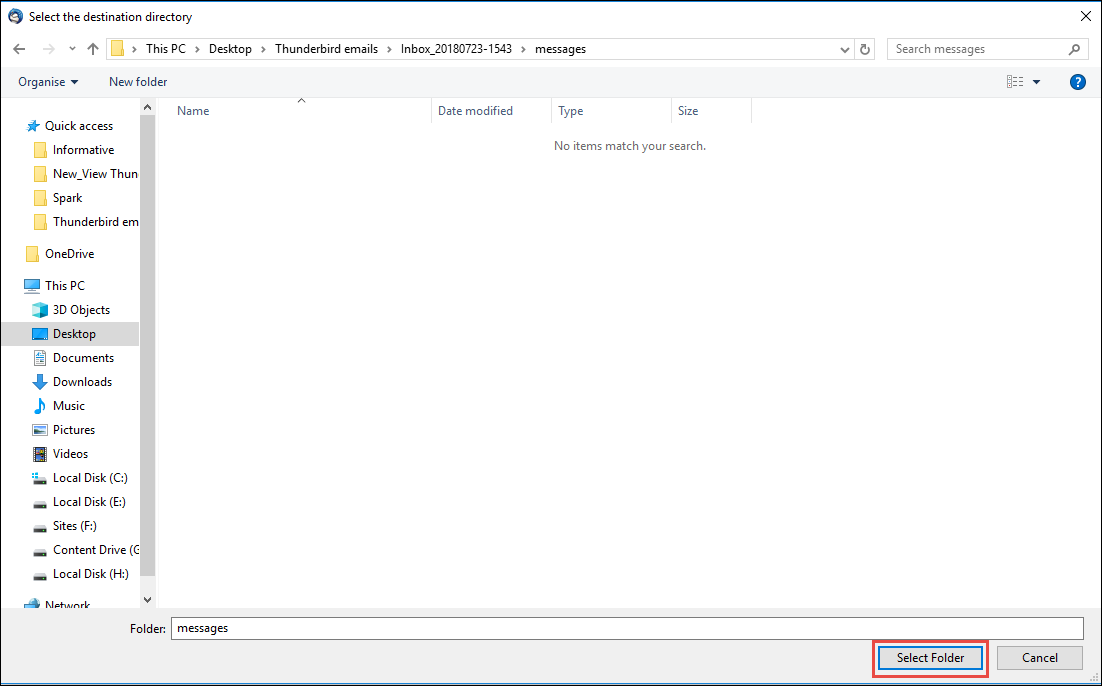
Done! That’s how you can manually export cPanel messages to HTML file format. However, it takes a lot of time to complete the process.
How to Convert cPanel Emails to HTML Automatically?
If you want a simple and direct solution, then try the Advik Email Backup Wizard. This is a perfect solution to export emails from cPanel to HTML, including complete email items and components. It provides a bulk mode conversion facility that enables you to export cPanel to HTML in batches. The tool offers several useful features to ease your task in converting cPanel to HTML. It eliminates manual efforts and provides instant results.
Click on the below link and try it for FREE.


Note: This demo version is only capable to export 25 emails from each folder. If you want the limitless conversion, then please buy the licensed edition of the software.
Steps to Export cPanel to HTML
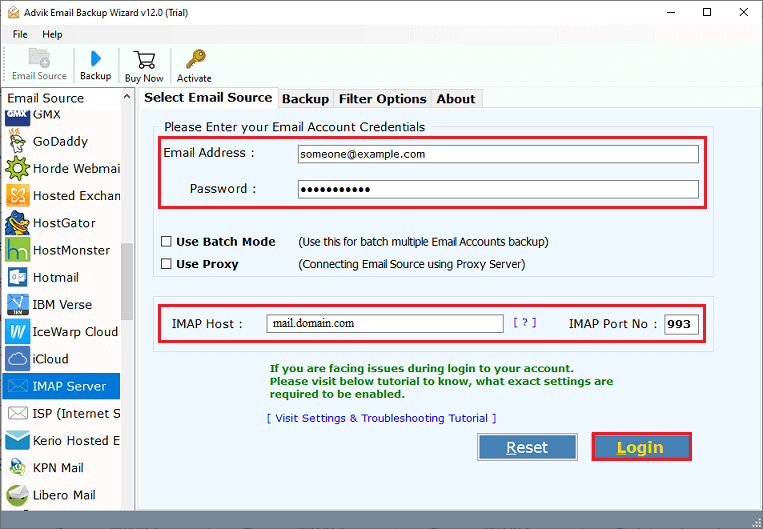
1. Run the tool and choose IMAP Server as email source.
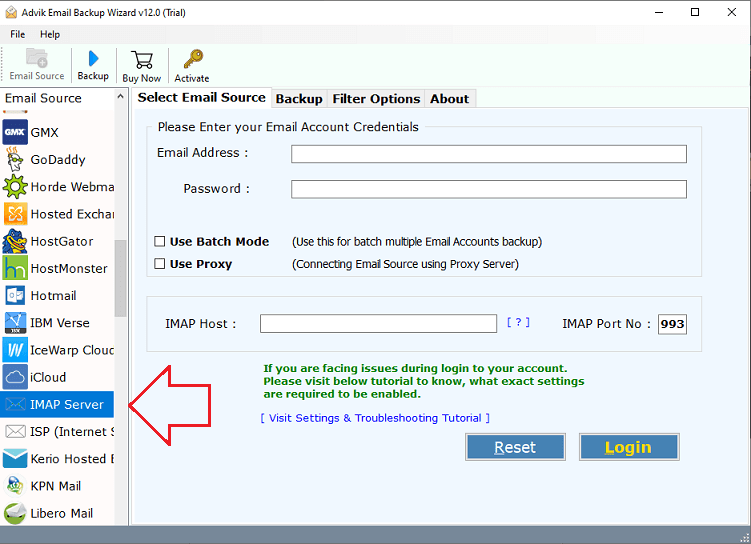
2. Enter cPanel account login details to sign in.
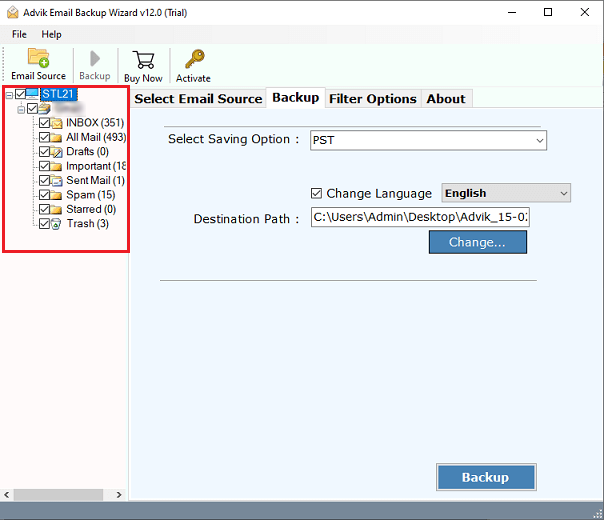
3. Choose the mailbox folders to export.
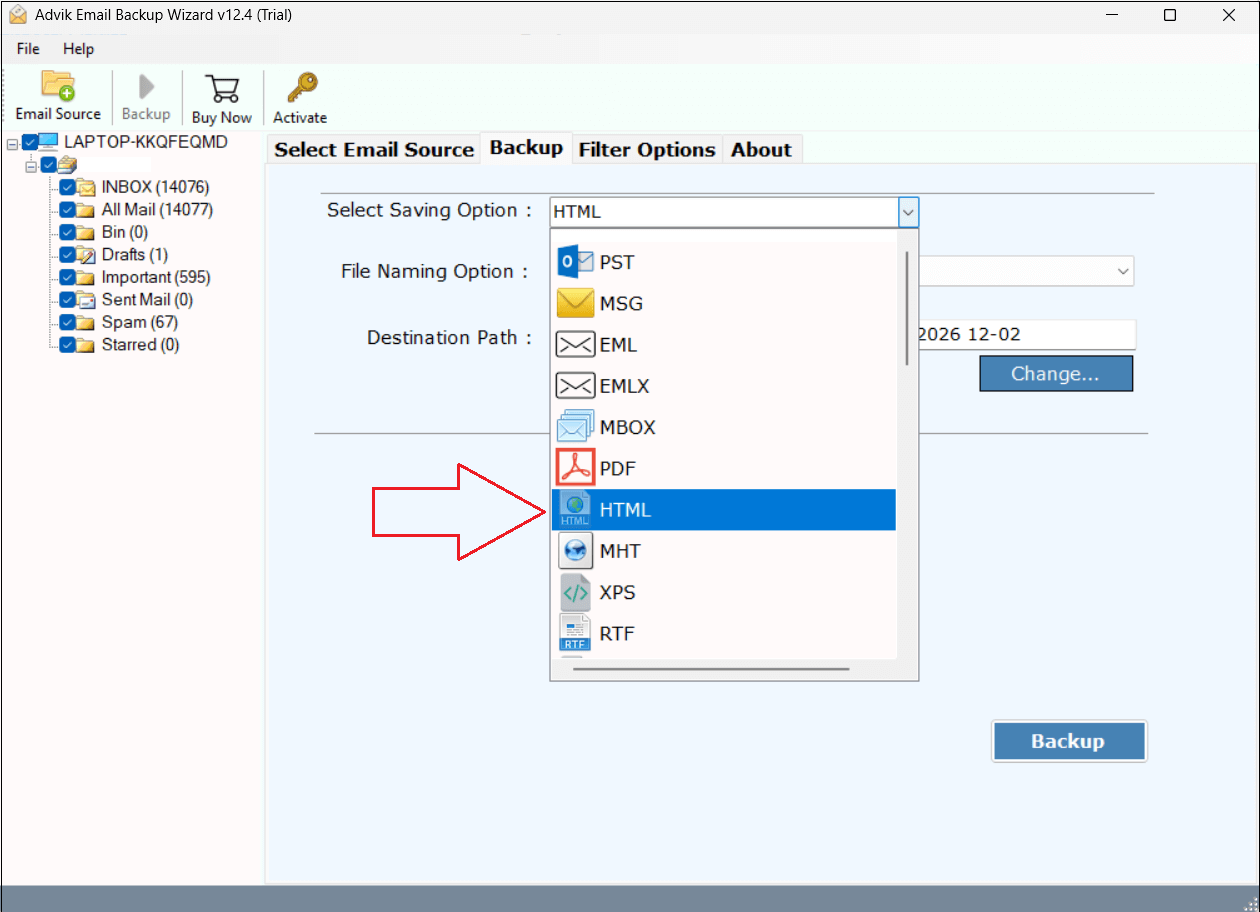
4. Now, select HTML as a saving option.
5. Choose the destination location and click Backup.
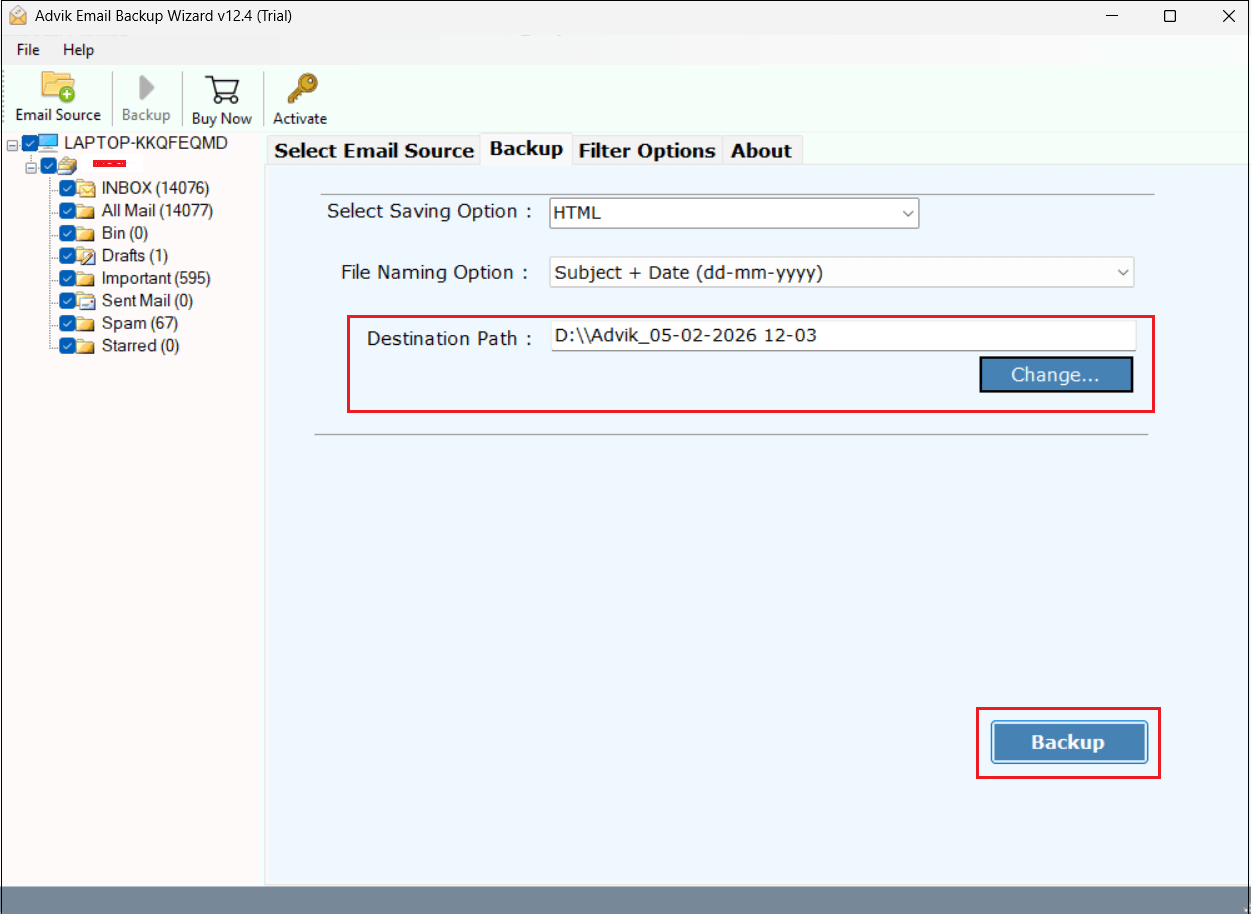
The software will start converting cPanel emails to HTML format. It will complete the process in a few seconds.
cPanel to HTML Converter Features
- Able to export emails from multiple cPanel accounts to HTML at once.
- Allows you to choose specific cPanel folders and export emails into HTMl file extension.
- Freedom to choose the destination path to store the resultant data according to your choice.
- Offers multiple saving options to export cPanel emails to MBOX, PST, EML, MSG, etc.
- Provides various email filter options to convert only selected cPanel emails to HTML.
- Preserves all email components and formatting during the completion of the task.
- Comes up with a self-explanatory interface by which any novice user can easily use it.
- Display a progressive conversion live report while exporting cPanel emails into HTML.
- Successfully operable with every edition of Windows and Mac Operating Systems.
Conclusion
I hope that after reading this post, anyone can easily export cPanel emails to HTML files. Here, we have discussed the two most effective and trustworthy solutions to save cPanel email as HTML format. The manual method works perfectly for converting cPanel to HTML, despite its time-consuming nature. With the help of the above-suggested tool, users can directly export emails in batch.
