How to Export cPanel Emails to Word Document Files?
Jenny Lowrence | February 9th, 2026 | Data Backup
As technology advances, many users are choosing to export cPanel emails to Word document for easier sharing, editing, and record-keeping. Converting cPanel emails to DOC helps users to organize messages in a clean, professional, and well-organized way. This article will walk you through the step-by-step procedure of both manual and automated solutions to convert cPanel to Word. Let’s get started!
Why Export cPanel to Word Document?
Here are some reasons why users want to convert their cPanel emails into DOC files:
- Word files can be easily opened on almost every device.
- No internet connectivity is required to open DOC files; users can double-click on reading MS Word documents.
- Word documents are easily editable using Microsoft Word ot any compatible program.
How to Convert cPanel Email to Word Document?
Follow the steps below to export cPanel to Word document:
- Log in to your cPanel email account.
- Open the email that you want to export.
- Press Ctrl + A to select all text of email.
- Next, press Ctrl+C to copy the text.
- After that, open a new Word Document and press Ctrl + V to paste the content of email.
Now, your cPanel email will be saved in Word Document format. This is a very simple process, but it is not suitable if you have multiple emails for conversion.
How to Export cPanel Emails to Word Document Automatically?
Download and install the Advik Email Backup Wizard on your system. The software can convert cPanel emails to DOC in bulk. Also, it allows you to save specific emails based on date range, to, from, subject, etc., while preserving email attributes and formatting. With this tool, you can export emails from multiple cPanel email accounts to Word Documents at once.
Try its free version and export 25 emails from each folder without any cost.


Steps to Export cPanel to DOC
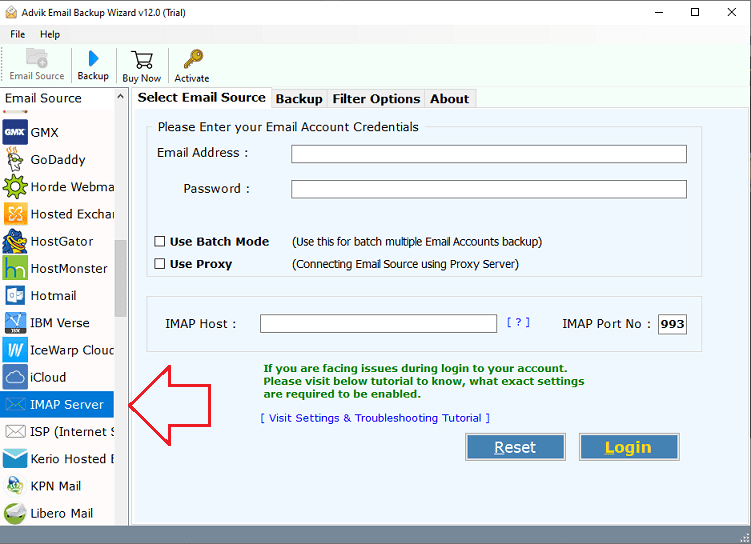
1. Run the tool and choose IMAP Server as email source.
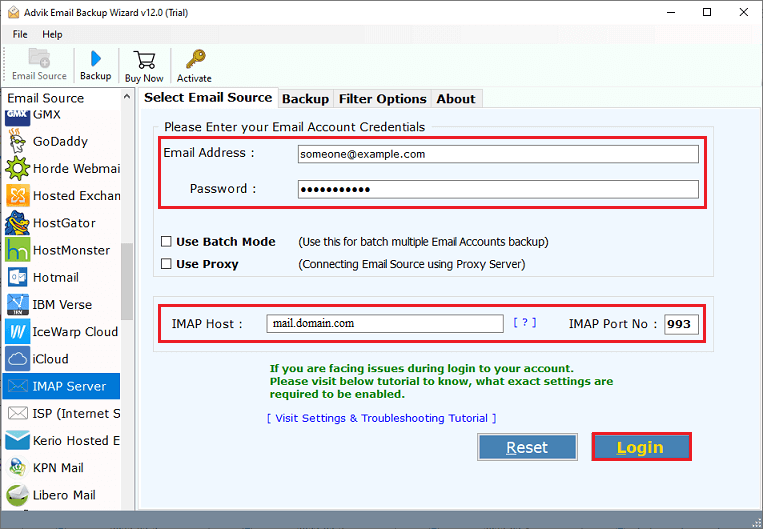
2. Enter your cPanel account credentials and press Login.
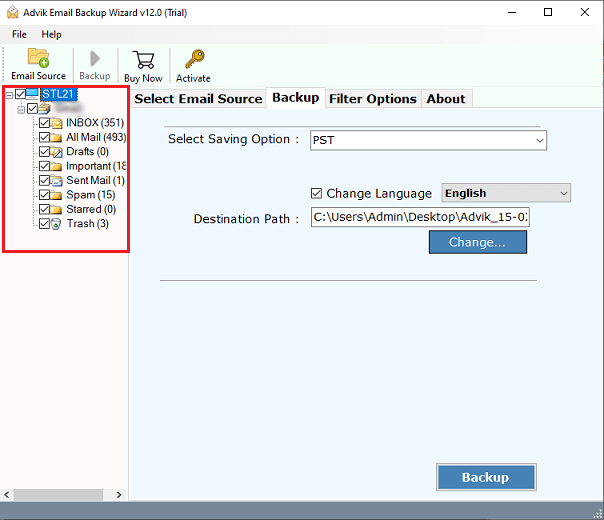
3. Choose the mailbox folders to export.
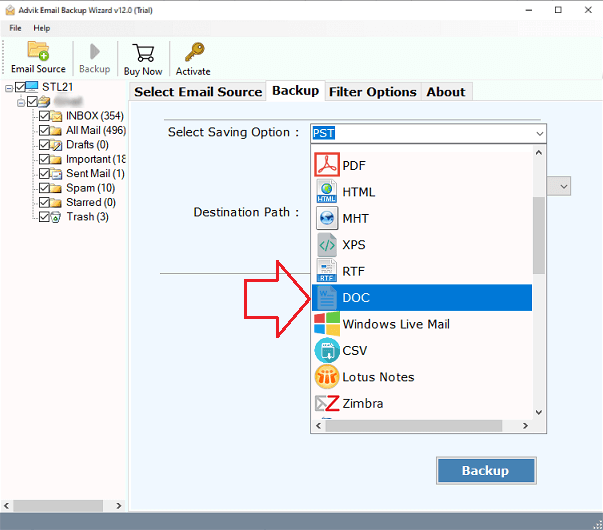
4. Next, select DOC as a saving option.
5. Choose the destination location and click Backup.
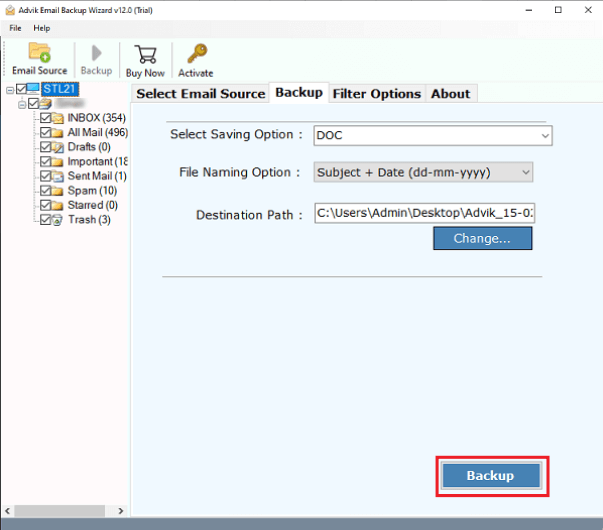
The software will start converting cPanel emails into Word Document files. Once the process is complete, you will get a pop-up message with a complete log report.
Benefits of Using Automated Tool
- The software can export multiple cPanel emails to Word document at once, saving an ample amount of time and effort.
- It has advanced filter options to convert cPanel email to Word by date range, email address, subject, and other criteria.
- The tool preserves email properties like attachments, subject, hyperlinks, etc. while converting emails.
- It comes with various file naming options for maintaining the resultant database.
- All types of users can convert their emails without requiring much technical knowledge.
- Compatible with all versions of both Mac and Windows operating systems, including the latest and older editions.
- It shows a live migration progressive report during the conversion, and after completion, it automatically creates a log report too.
Conclusion
In this post, we have discussed how to export cPanel emails to Word document files. While the manual method is useful for saving cPanel email in Word document. However, this is not considered when it comes to handling hundreds or thousands of emails for conversion. On the other hand, with the help of an expert-recommended software, you can easily convert multiple emails in batch.
