How to Export Hotmail to Excel CSV File?
Jackson Strong | January 16th, 2026 | Data Backup, Email Migration, Outlook
In this digital era, several businesses and other IT professionals handle leads, online purchase orders, and many other bills and statistics. However, managing them all within email communications can be challenging in Hotmail. Excel is the best platform to store or manage your emails in a systematic format. Therefore, many of them tend to export Hotmail to Excel CSV file. Saving emails from Hotmail to Excel can be very helpful. The following are some of the benefits:
- Emails saved in rows and columns let you easily categorize information like sender, subject, date, attachments, etc.
- Excel will help you sort or filter through email data quickly.
- You can even track how many emails are received per day/week/month.
- Most importantly, it’s the best way to back up emails.
How to Export Hotmail to Excel CSV Manually?
- Launch the Thunderbird application on your system.
- Go to Tools >> Account Settings.
- Click on Account Actions and select Add a Mail account.
- Set up your Hotmail account in Thunderbird.
- After configuration, go to three horizontal lines and select Add-ons and themes.
- Install ImportExportTools NG in Thunderbird.
- Click on Hotmail email folder in Thunderbird that you want to export.
- Right click on it >> ImportExportTools NG >> Export All Messages in Folder >> CSV.
- Browse the target location and click on the Save button.
Done! In this way, you can export emails from Hotmail to Excel Sheet.
Note: This is a lengthy and time-consuming process. No bulk conversion of email folder or need to install an email client to complete the exporting process.
How to Export Hotmail Emails to Excel Sheet Securely?
Download and install Advik Email Backup Tool in your system. This software is specially designed to export Hotmail emails to CSV, EML, DOC, PDF, PST, XPS, RTF, and various file formats. With the Email Filter Feature, you can even choose single or multiple mailboxes to convert entire emails into CSV format. In addition, you can transfer Hotmail emails to Gmail, Yahoo Mail, Office 365, G Suite, Rediffmail, etc accounts directly.
Click below to try the software for free.


Steps to Export Emails from Hotmail to Excel CSV
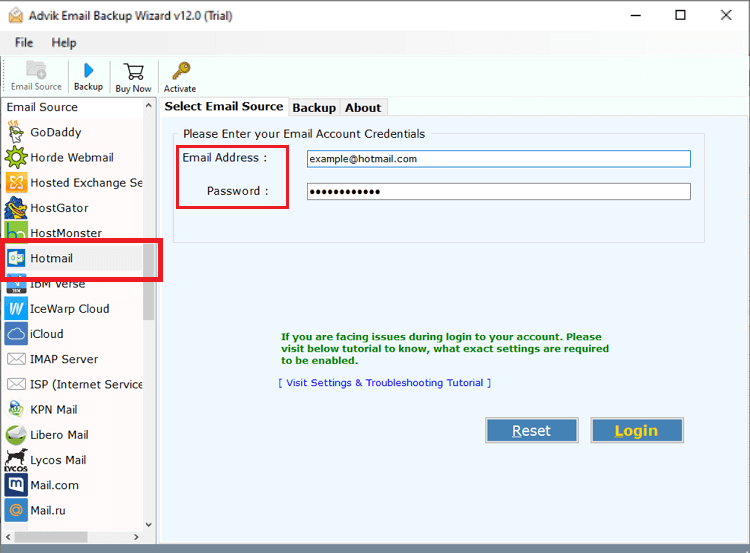
- Run the Advik Email Backup Tool and sign in.
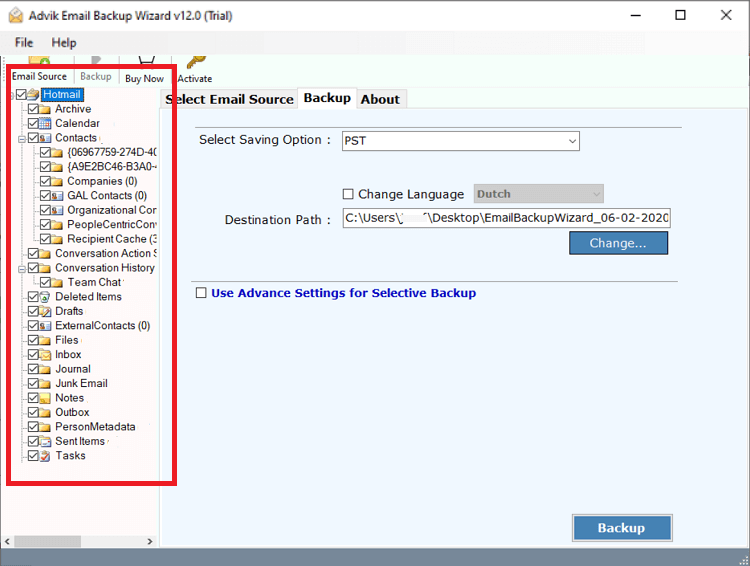
- Select mailbox folders to export.
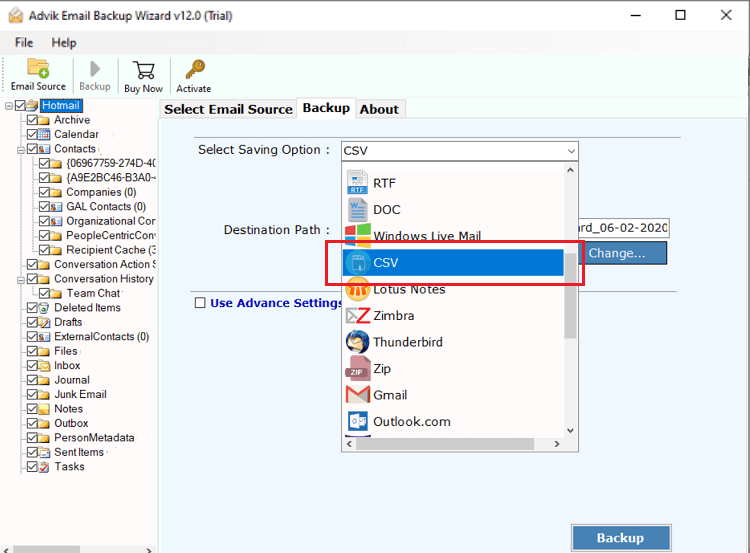
- Choose CSV as a saving option from the list.
- Apply Email filters if required (Optional).
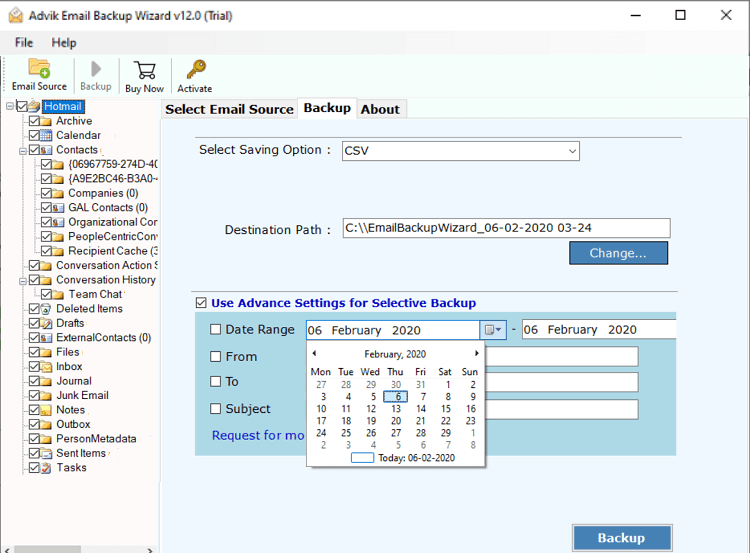
- Choose the target location and click Backup.
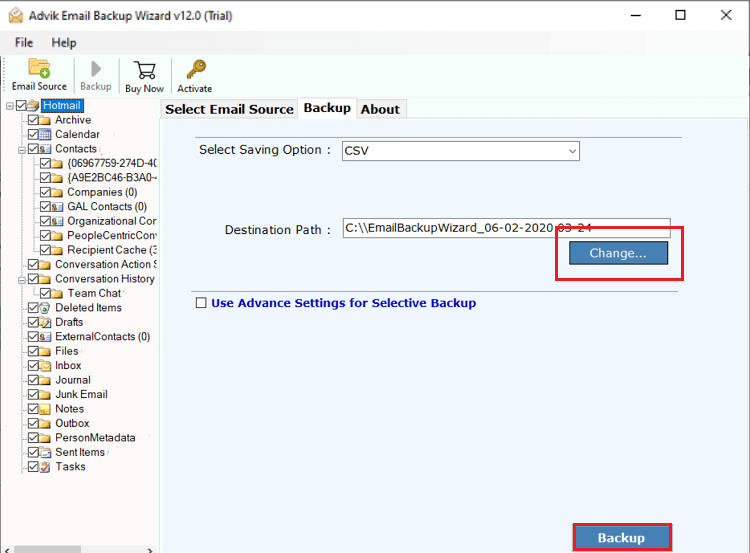
Now, sit back and relax! The software will start exporting emails from Hotmail to Excel CSV file.
Watch How to Export Hotmail Emails to Excel CSV
Why Choose Hotmail to CSV Converter Solution?
Despite having a self-explanatory user interface, the software is loaded with plenty of useful features.
- Maintain Folder Hierarchy
- 25+ Saving options available
- Hold Attachment Files
- Preserve Key Elements of Emails
- Cloud-to-Cloud Email Migration
- Backup more than 50+ Email Service Providers
Final Words
We are hoping that now you have got a clear idea about how to export Hotmail to Excel CSV file format. Here, we have mentioned a complete guide. You can easily export Hotmail to Excel Sheet for bulk mailboxs, especially with the professional tool, as compared to the free manual method.