How to Export Frontier Emails to PST File?
Jim Backus | November 16th, 2025 | Data Backup
Frontier Mail is an email service provided by Frontier Communications, a telecommunications company offering a variety of services in the United States. It provides a relaible and secure platform for sending, receiving, and managing their emails. Many users want to export Frontier emails to PST format, so they can easily access and read them anytime in Outlook.
This article will step-by-step guide you to convert Frontier emails to PST file format. Here, we’ll cover both manual and automated solutions to accomplish this task.
Go through both methods carefully and then choose the one that fits your needs. Let’s get started!
How to Export Frontier Emails to PST With Outlook?
Follow the below given steps to export emails from Frontier to PST:
1. Launch the Outlook application on your system.
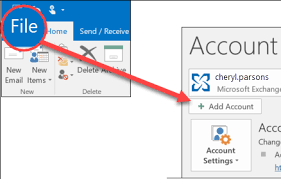
2. Click on File tab and choose Add Account option.
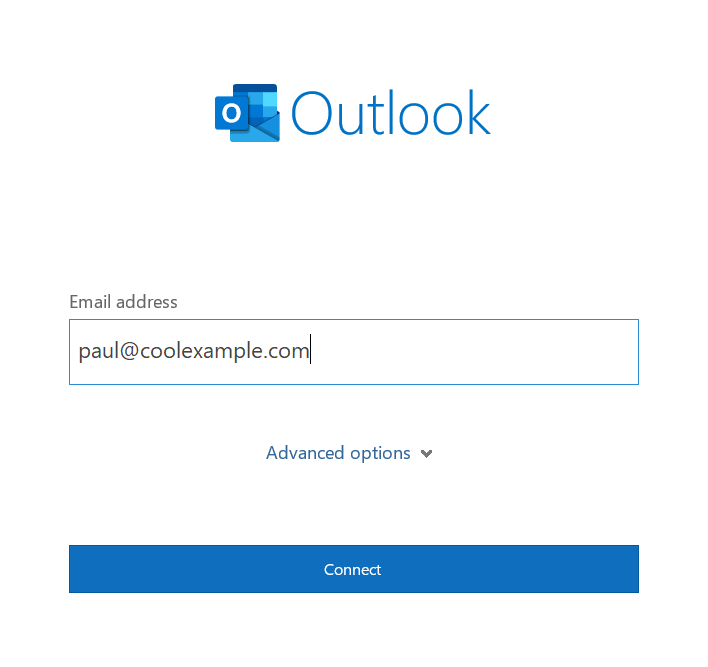
3. Enter Frontier email address and click Connect.
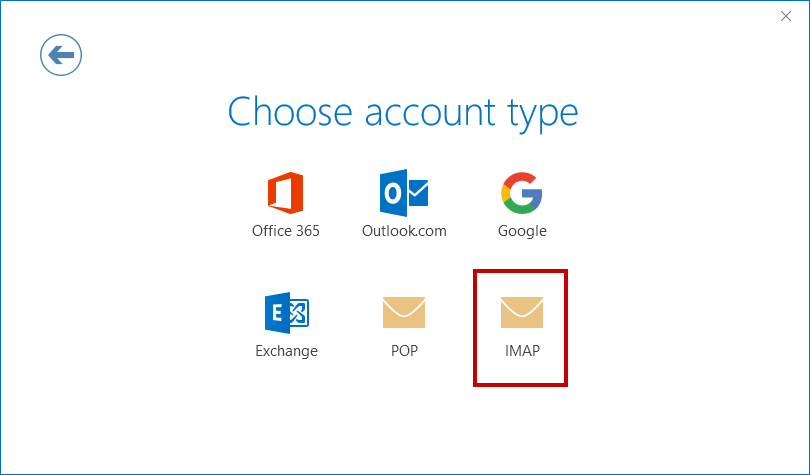
4. Choose IMAP as account type.
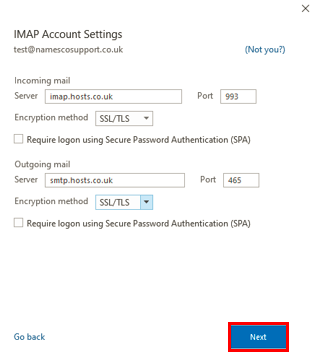
5. Now, enter Frontier email account IMAP settings and click Next.
6. Type password of Frontier account and click Connect to complete the configuration process.
7. After that, navigate to File >> Open & Export >> Import/Export.
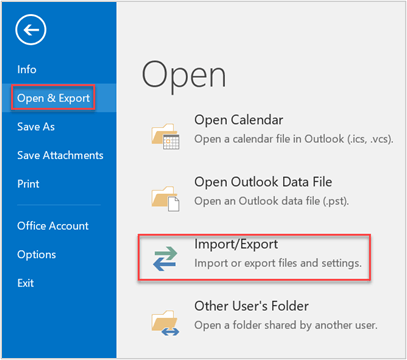
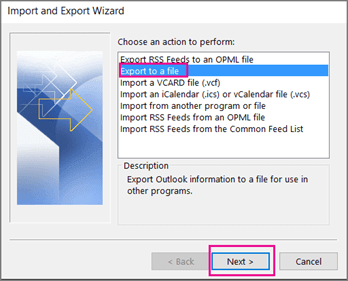
8. Choose Export to a File and click Next button.
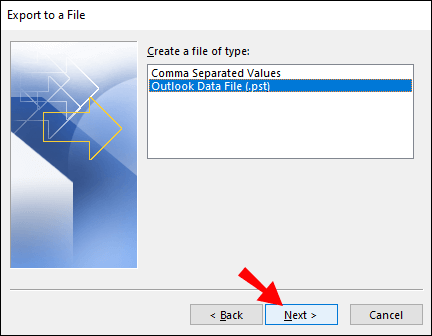
9. Select Outlook Data File (.pst) and press Next.
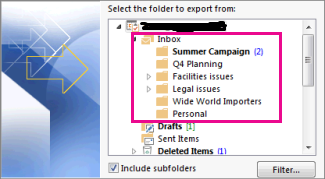
10. Choose Frontier email folders and hit on Next.
11. Browse target location and click Finish button.
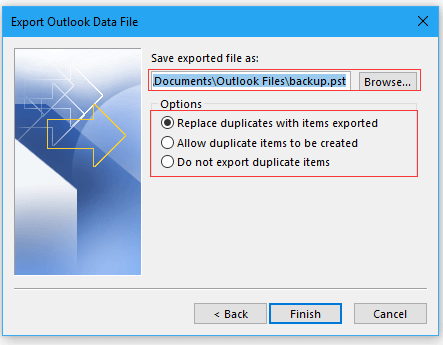
Done! That’s how you can manually export Frontier mailbox to PST format.
Limitations of Manual Approach
- Lengthy and time-consuming process.
- No email filter option.
- Outlook must be installed.
How to Convert Frontier Emails to PST Automatically?
To overcome all the limitations of the manual method, try Advik Email Backup Wizard on your system. The software is designed to make the exporting process simple and fast. With this utility, you can export Frontier emails to PST with attachments. It keeps the original structure of Frontier mailbox folders without any single change. The tool provides various advanced filter options to export emails based on date range, to, from, subject, etc.
Click on the below link to download it for FREE.


Steps to Export Frontier to PST
1. Launch the mentioned software on your Windows/Mac system.
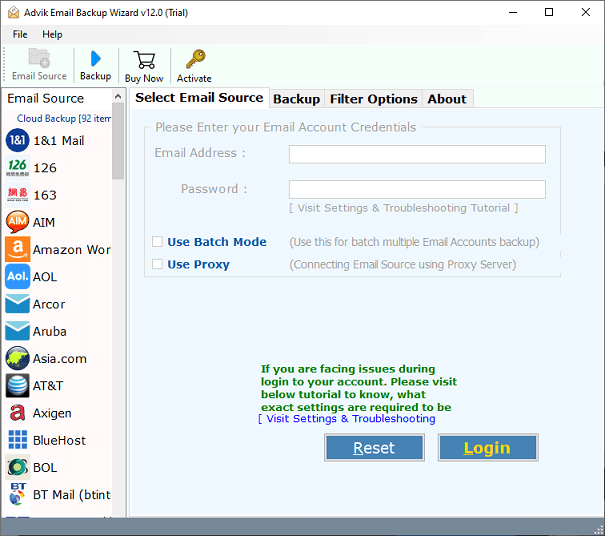
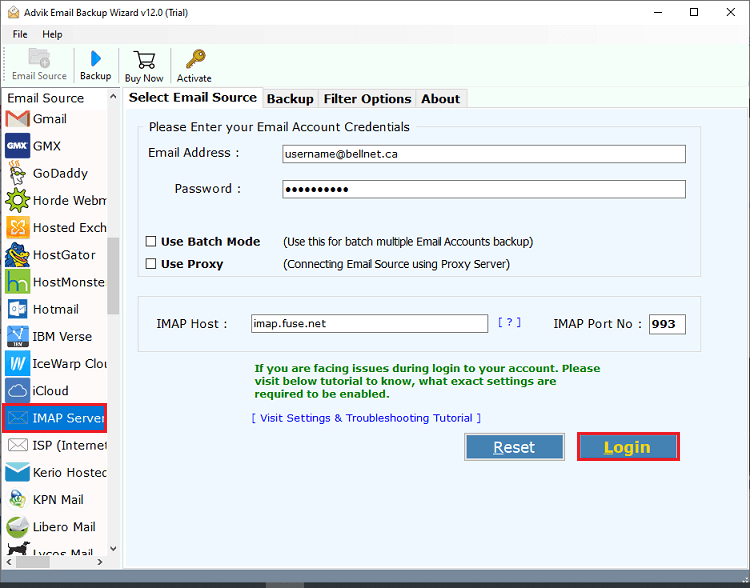
2. Choose IMAP Server and enter your Frontier account login credentials to sign in.
3. Choose the required mailbox folders to export.
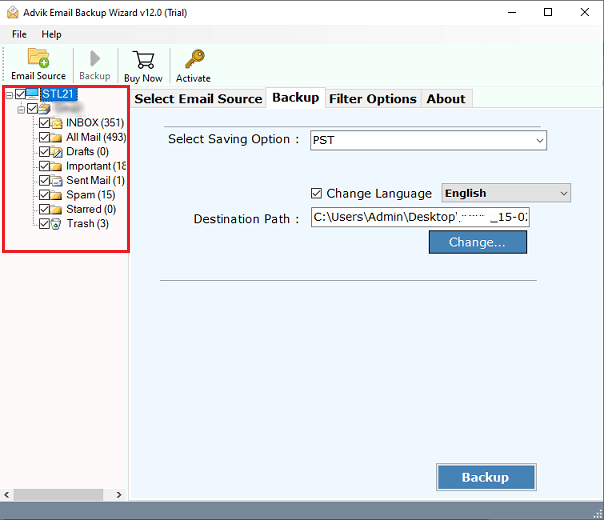
4. Select PST file format from Select saving option.
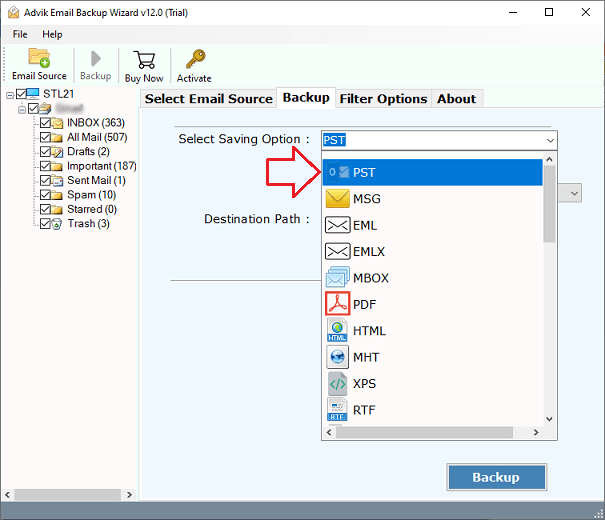
5. Choose the destination location and Click Backup button to begin the process.
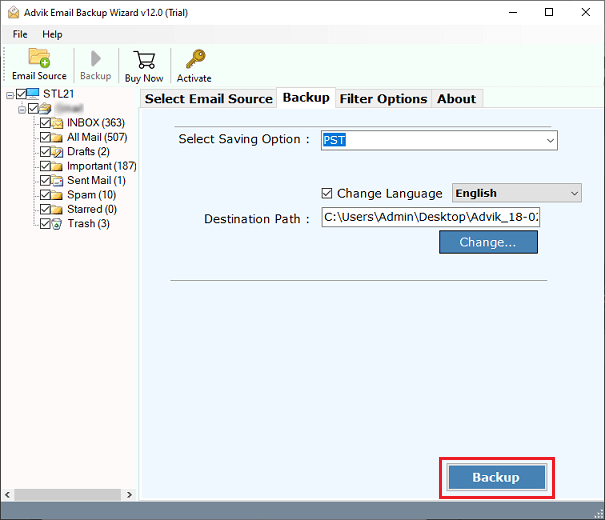
By following the above steps, you can easily export Frontier emails into PST format.
Prominent Features of Frontier to PST Converter Tool
- Direct and Error-Free Solution: The whole process of exporting Frontier emails to PST is easy with this utility. It is direct and gives 100% error-free results.
- Batch Conversion: The software has a batch mode feature that enables you to export emails from multiple Frontier accounts to PST at once. Just add a CSV file that contains the email addresses and passwords of multiple accounts.
- Preserves the Integrity of Data: There will be no harm to the email data during the process. The software maintains the folder hierarchy as well as the email attributes throughout the processing.
- Multiple Saving Options: Apart from exporting Frontier to PST, the software can convert emails into several file formats. Also, it can transfer Frontier to Gmail, Office 365, Yahoo, and many more.
- No Size Limitation: With this software, you can do limitless data conversion of email from Frontier to PST file without any restrictions.
- No Supportive Apps Required: This is a stand-alone utility. It can directly export emails from Frontier to PST without any configuration.
- Wide Compatibility: This tool is compatible with all editions of Windows and Mac OS. So, one can install or operate it on any Windows and Mac platform.
Final Words
In the above write-up, we have explained how to export Frontier to PST manually and automatically. These solutions provide 100% precise results and enable you to convert Frontier emails to PST format. However, the manual method comes with some limitations, so software is highly recommended. You can download its free demo version to check its working procedure.
Frequently Asked Questions
Q 1. Is it possible to export all emails from Frontier to PST at once?
Ans. Yes, the software can export the entire mailbox in a single attempt.
Q 2. Does this tool impose any size limitations while exporting Frontier emails?
Ans. No, this tool doesn’t contain any size limitations during the process.
