How to Export Hotmail to EML Files in Batch?
Jackson Strong | January 15th, 2026 | Data Backup
Summary: Looking for a way to export Hotmail to EML files? If yes, then this post is for you. Here, we will discuss the manual and automated ways to convert Hotmail emails to EML files. Read the complete article to get different methods for single as well as batch emails.
Hotmail was the most popular and widely used email service at its time. However, now most of the users left it and opted for other services. Still, many users use the Hotmail account. Sometimes those users look for a secure and efficient way to export Hotmail emails to EML files. There can be various reasons for exporting, such as backup, offline access, migration, and more, depending on the need. Here in this blog, we will simplify the export process for you.
Let’s begin by knowing the complete Hotmail to EML conversion process.
How to Export Hotmail to EML One by One?
You can manually save your Hotmail emails as EML files.
1. Login to your Hotmail account.
2. Now, open the email you want to export.
3. Click on the three dots at the top of the email.
4. Select Save As, the email will be saved as an EML file.
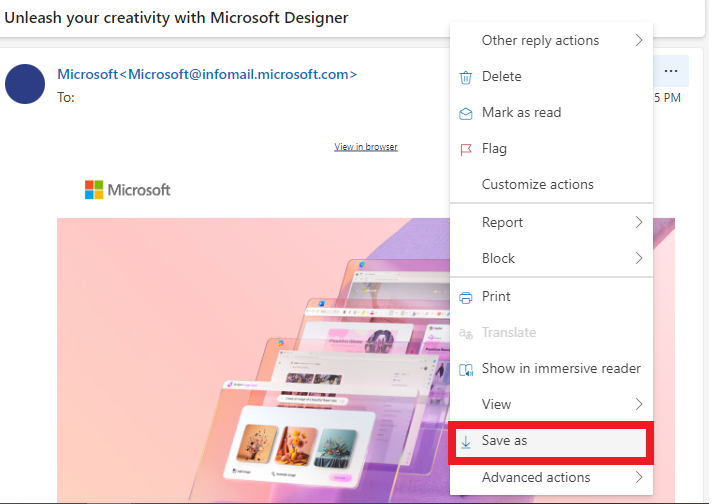
Repeat the same process for all the emails you want to export.
However, in this process, you will be able to export a single email at a time. If you have thousands of emails to export, then you need to repeat the given process for all the emails. Thus, to avoid this limitation, you can use the automated approach.
How to Convert Hotmail Emails to EML in Bulk?
Try out the Advik Outlook.com Backup Tool on your machines. The software will effortlessly export Hotmail to EML files without data loss. It can export all emails in a single attempt. It will maintain email key elements and attributes while exporting emails. With its simple interface, it is easy to operate. With batch mode, you can export emails from multiple Hotmail accounts to EML files at once.
With the help of a demo version, you can analyse its working. The trial version will export 25 emails from each folder.


Steps to Export Hotmail Emails to EML Files
1. Run the software on your system.
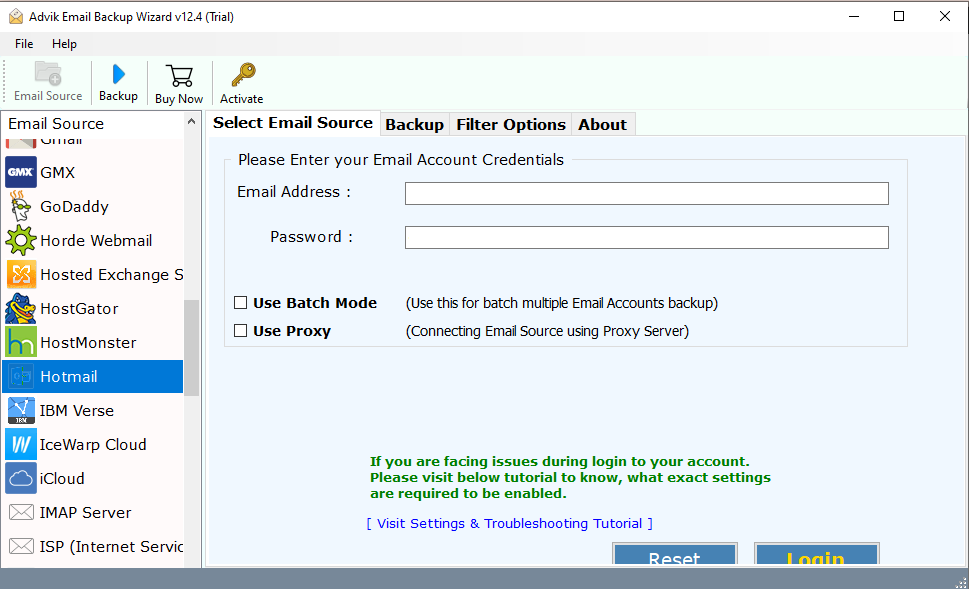
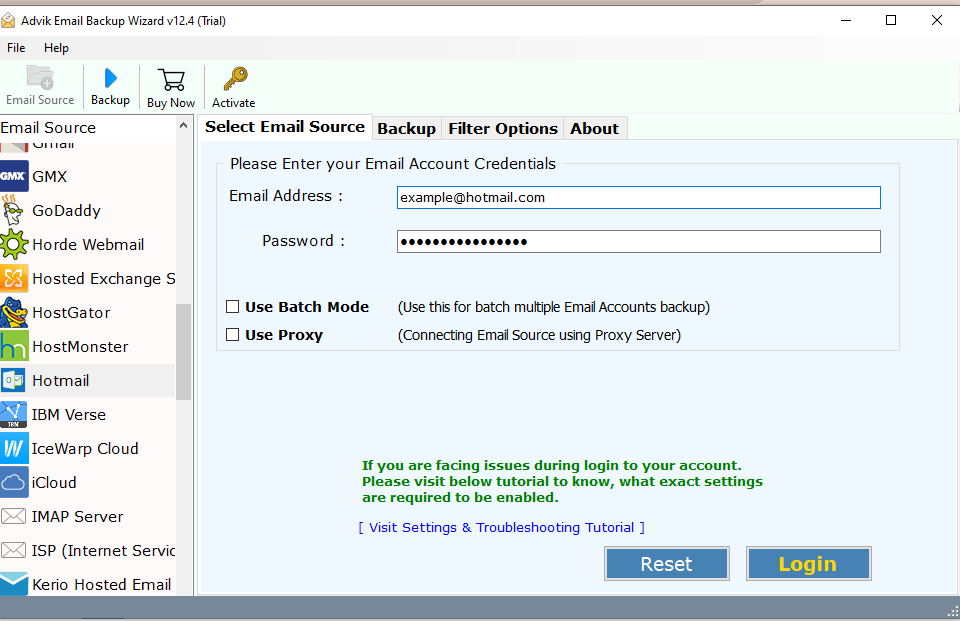
2. Select Hotmail and enter your login details.
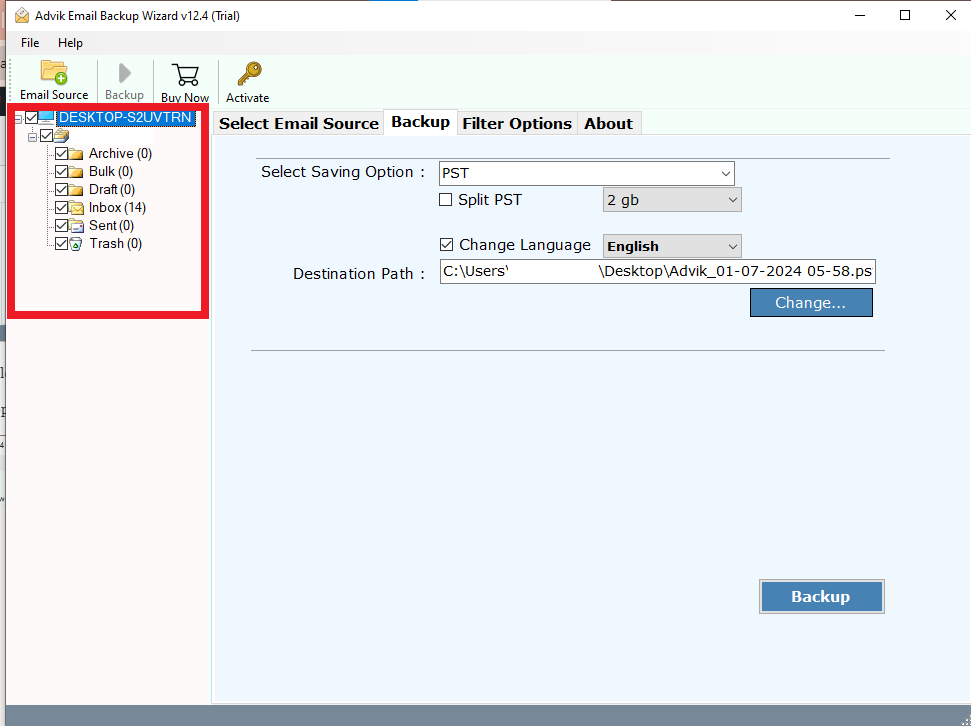
3. Choose the email folders you want to export.
4. Choose the EML option for the given list.
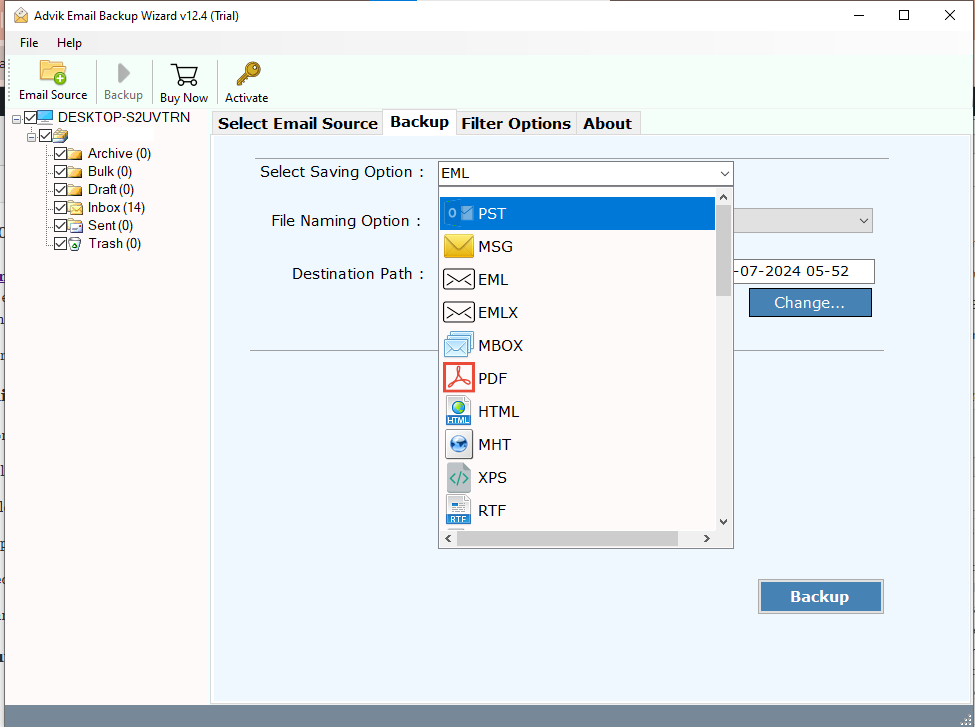
5. Browse the targeted location and hit the Backup button.
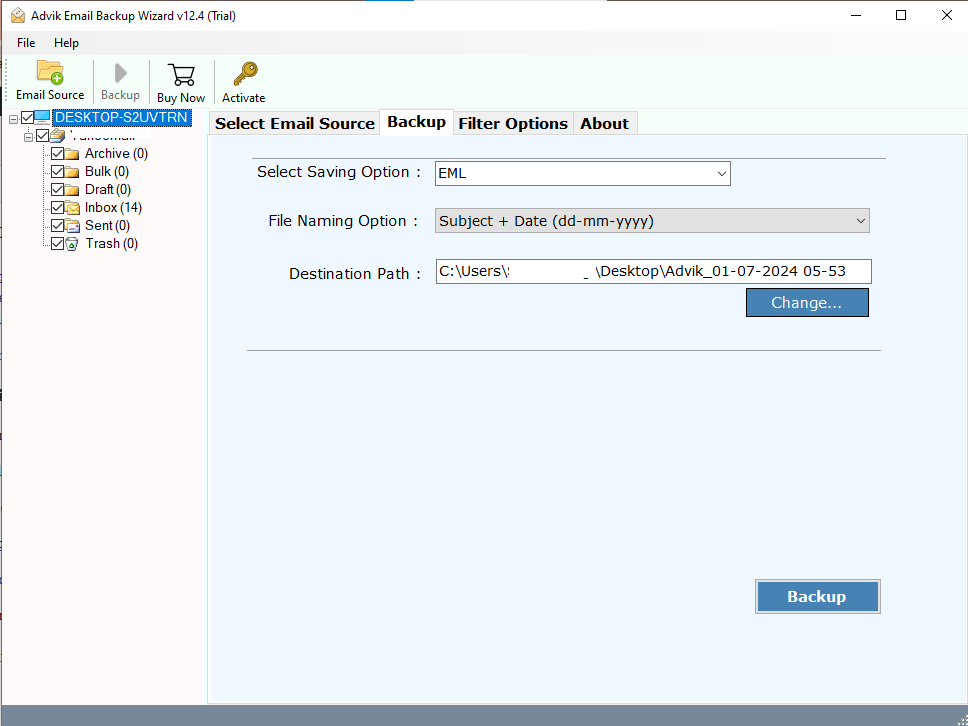
Done! Here is the start of the process. Now the software will export your Hotmail emails into EML files.
Why Choose an Automated Tool?
With this tool, there are various prominent features, some of which include –
- Advanced Filters: The software offers advanced filter options, allowing you to export emails from specific dates. You can also filter emails by – to, from, subject, and exclude certain folders.
- Windows & Mac Support: This utility works seamlessly on both Windows and Mac machines. Simply download the software to export Hotmail emails to EML files.
- Multiple Saving Options: The tool provides various saving options, enabling you to export your Hotmail emails into multiple file formats or to different email servers. It will export Hotmail to Text and many other formats.
- Batch Mode: The batch mode allows you to export emails from multiple Hotmail accounts simultaneously. After entering your login details, select the batch mode, add all Hotmail accounts and app passwords in a .csv file, and upload it. The tool will then export emails from all accounts at once.
- Email Hierarchy: The software maintains the original email folder hierarchy and structure. It will make sure there will be no changes to your mailbox structure.
- Preserve Data Integrity: This tool ensures your email data remains intact while exporting. Preserving all key elements, attributes, and sender/receiver information without any data loss or modification.
Conclusion
In this post, we have discussed how to export Hotmail to EML files manually and automatically. However, using a manual approach, you can export a single email at a time. However, to complete the batch export, you can use the automated tool mentioned in this post. For that, you can use the trial version.
Frequently Asked Questions
Q1. Can I export Hotmail emails in bulk as EML files instead of doing one by one?
Ans. Yes, you can save Hotmail email as EML in bulk by using the professional solution.
Q2. Can I test the tool before purchasing it?
Ans. Yes, you can download the free demo version of this utility which permits you to convert the first 25 items from each folder.
