How to Export Orange Mail to PST File?
Jenny Lowrence | March 13th, 2026 | Data Backup
This informative write-up will guide you on how to export Orange Mail to PST file. If you are also searching for a solution to the same query, then keep continuing. Here, we will explain two effective methods to convert Orange Mail to Outlook PST format. Read this article till the end to know more.
Orange Mail is an email service used by Orange internet subscribers for sending and receiving emails. It provides a secure and simple interface to manage emails, contacts, and other data items. However, keeping emails only on the server is not always safe. You can lose your important data by hacking your account, accidental deletion, and many other ways.
Exporting Orange Mail emails into PST is the best option to keep your emails safe. PST format allows easy access to emails in Microsoft Outlook and helps users create a secure offline backup. You can save your entire Orange Mail data in a single PST file.
Although Orange Mail does not offer any option to export its data into PST format. Therefore, users search for alternative ways to accomplish this task.
There are two main ways to convert Orange Mail emails to PST:
- Manual method using Microsoft Outlook
- Automated Solution using a professional email backup tool
Let’s understand both methods step by step.
How to Export Orange Mail Emails to PST for Free?
1. Open Outlook and go to File >> Add Account.
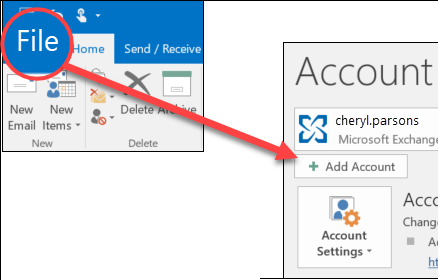
2. Enter Orange Mail email account login details to configure it.
3. After adding, Orange Mail mailbox folders are visible in Outlook.
4. Now, click File >> Open & Export >> Import/Export.
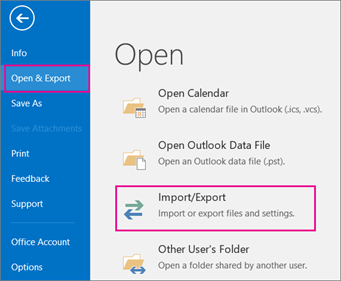
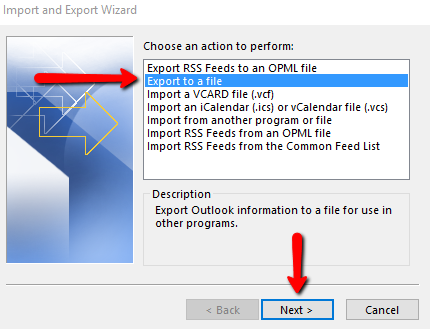
5. Choose Export to a File and click Next button.
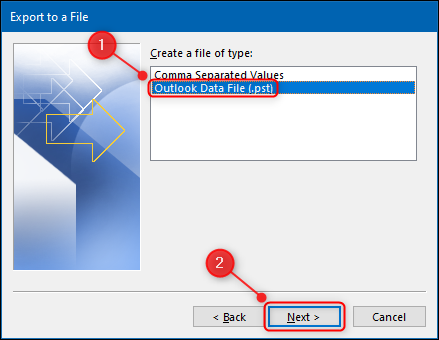
6. Select Outlook Data File (.pst) and press Next.
7. Choose Orange mailbox folders and hit Next.
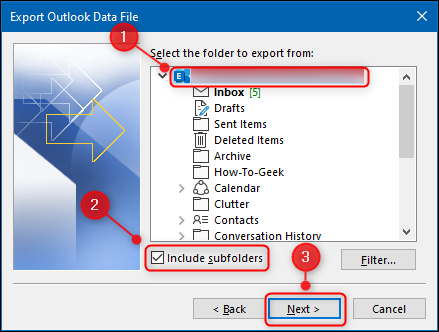
8. Browse target location and click on Finish button.
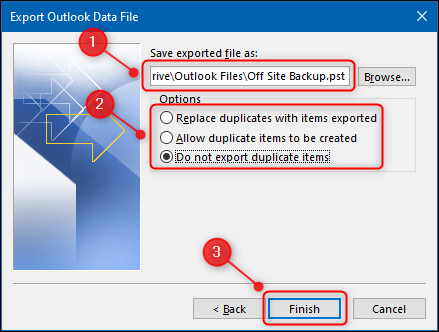
Once the process is complete, you will get a PST file containing all your emails. However, this is a lengthy and time-consuming process.
How to Convert Orange Mail Emails to PST Automatically?
If you are searching for a simple and secure way to export Orange Mail to PST, using a professional tool is the best solution. Advik Email Backup Wizard is a reliable tool that can easily export emails from Orange Mail to PST format without complicated configuration. The software can save the entire mailbox into PST at once. Also, it offers advanced filter options to export only the required emails. The tool keeps the original email formatting and folder structure intact during the process.
Tap on the below link to download it for FREE.


Steps to Export Orange Mail to PST
1. Run this software on your Windows/Mac PC.
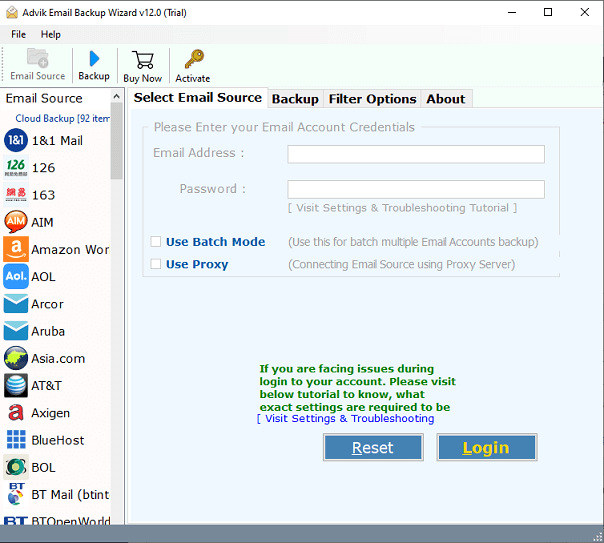
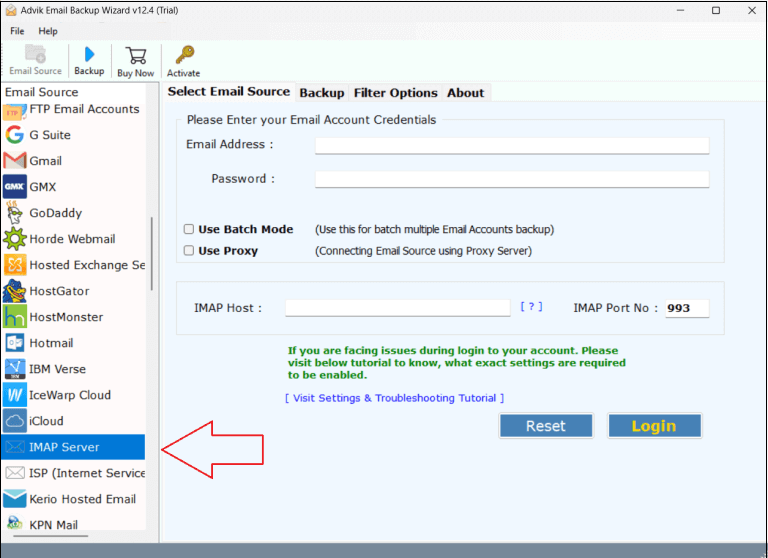
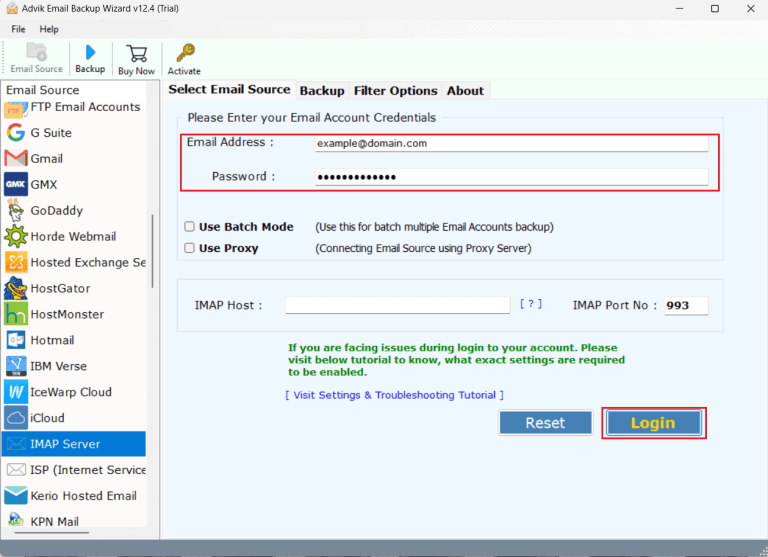
2. Choose IMAP Server from the Email source list.
3. Enter Orange Mail account login details to sign in.
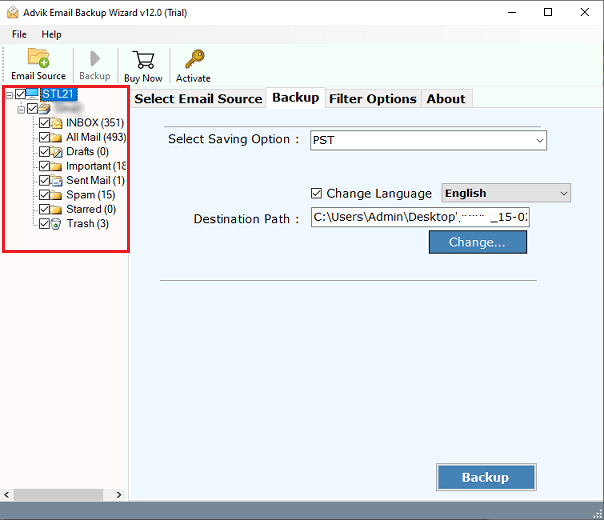
4. Select the required mailbox folders.
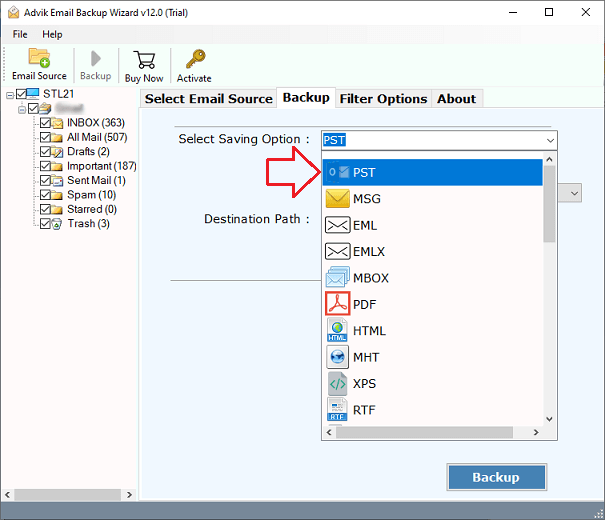
5. Choose PST as a saving option from the given list.
6. Click on Browse to select destination path and press Backup button.
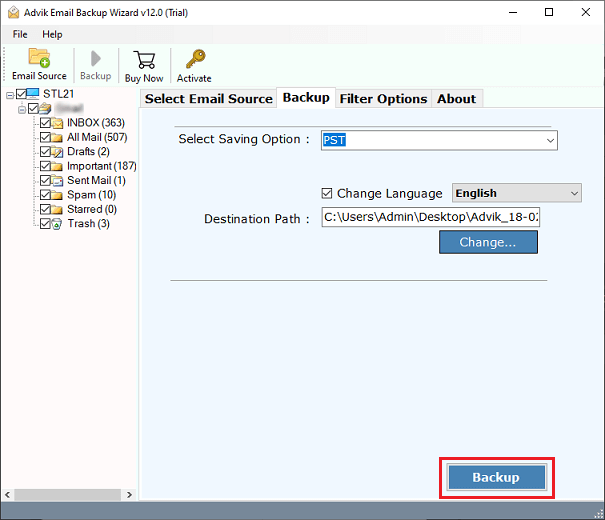
The software will start exporting emails from Orange Mail to Outlook PST format. Once the process is complete, you will automatically be redirected to the destination location.
Benefits of using Autoamted Tool
The Orange Mail to PST Export Tool offers various advantages:
- The software can export the complete mailbox in one go without size restrictions.
- It provides filter options to export emails based on date, subject, to, from, etc.
- The tool offers 30+ saving options to backup Orange Mail emails into multiple formats.
- This application keeps attachments and email properties intact while exporting.
- It maintains the original folder hierarchy and structure throughout the process.
- With this utility, no need to install MS Outlook to complete the process.
- It allows you to choose any location on your system to save the exported files.
- A simple and easy-to-use interface is helpful for all types of users.
- Compatible with both Mac and Windows operating systems.
- 24/7 customer support is available for assistance.
Conclusion
Many users want to export emails from Orange Mail to PST for backup or to access them in Outlook. In this blog, we have explained both manual and automated solutions to export Orange Mail to PST file. Both methods are workable. Go through each method to understand the complete process and then decide which method best suits your needs.
