How to Export Outlook Calendar to Word Document?
Jenny Lowrence | March 12th, 2026 | Data Backup, Outlook
This blog post explains step-by-step process to export Outlook calendar to Word document using several free and paid techniques. If you are also looking for a solution to convert Outlook calendar to Word document then this blog post is for you.
Outlook is the most popular desktop-based email application provided by Microsoft. Many working professionals use Outlook’s calendar utility, which allows them to create and schedule events, organize meetings, and other crucial things. Hence, they often look for ways to export their calendars in a more portable format. That’s why they want to save calendar from Outlook to Word Document. In this guide, we will explain some effective methods to export Outlook calendar and save it as a Word document.
How to Export Outlook Calendar to Word Document Manually?
In this section, we will discuss multiple ways to save Outlook Calendar in Word files. Let’s look at them:
#1. Export Calendar via Screenshot
1. Open the Calendar in Outlook.
2. Select the Monthly Calendar view from the Calendar window.
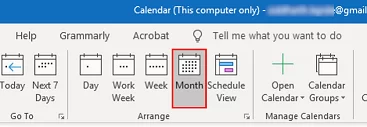
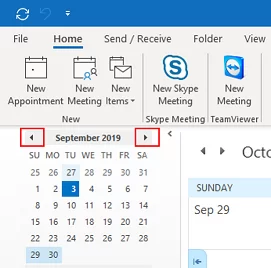
3. Now, scroll and select the month that you want to export.
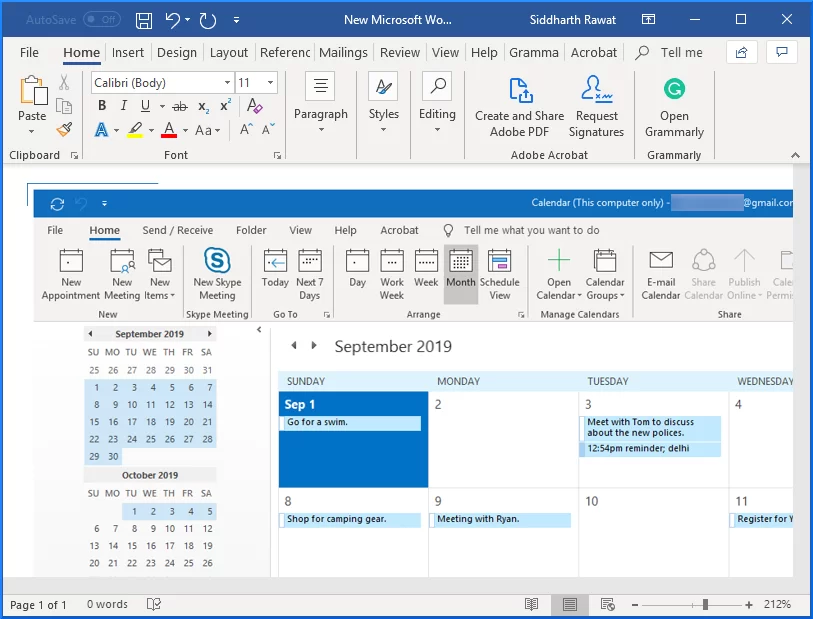
4. Press the PrtSC key to take a screenshot of Calendar.
5. Next, open a new Word document and press Ctrl + V to paste the screenshot.
6. Repeat the process to convert Outlook calendar data for more months.
#2. Copy Calendar from Email Body
1. Open the Calendar in Outlook.
2. Click on the E-mail Calendar button.
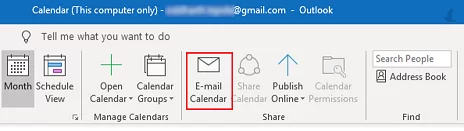
3. A new email message will pop up. Specify the required date range of the calendar and press OK.
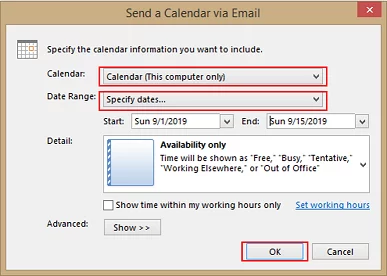
4. Add all the Calendar details in the email body.
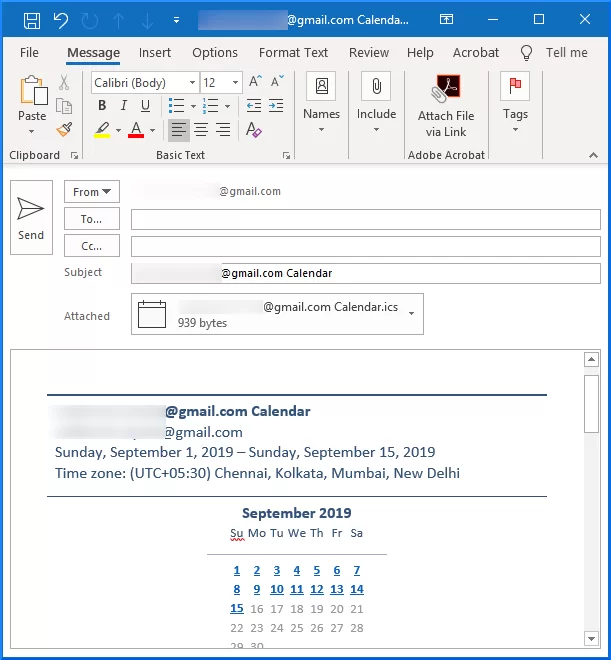
5. Copy all the calendar data from the Outlook email.
6. Now, open a new Word Document and press Ctrl + V.
7. Repeat the process to export other Calendar data.
#3. Save Calendar through OneNote
1. Open the Calendar in Outlook.
2. Go to File tab and click on Print.
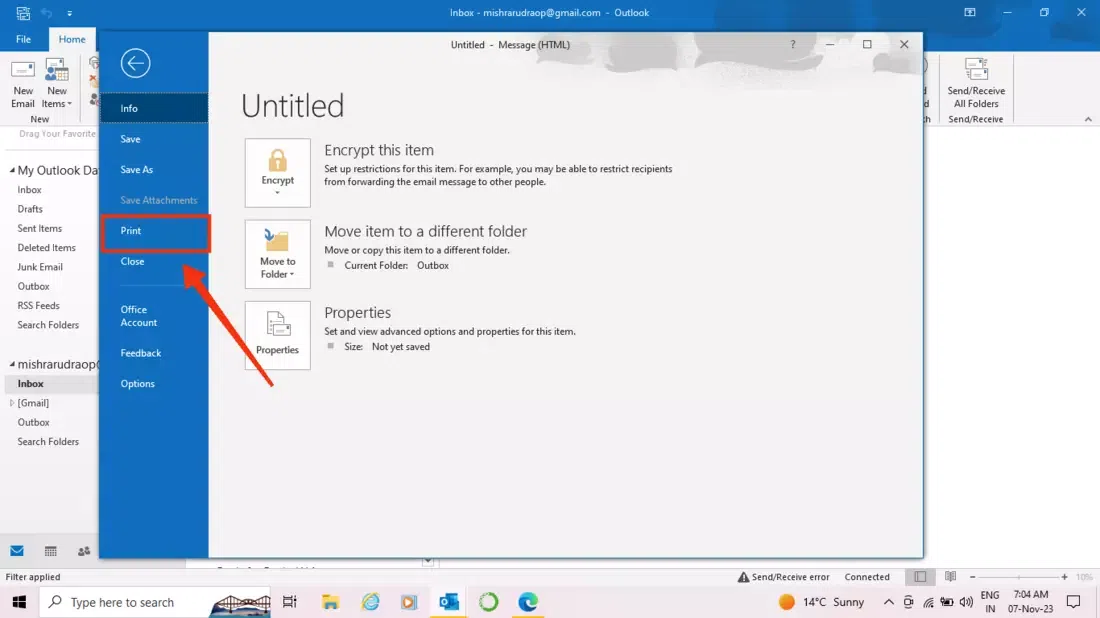
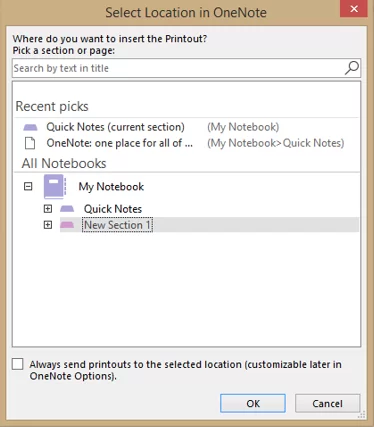
3. Select Monthly Style from Settings. Click Send to OneNote >> Print.
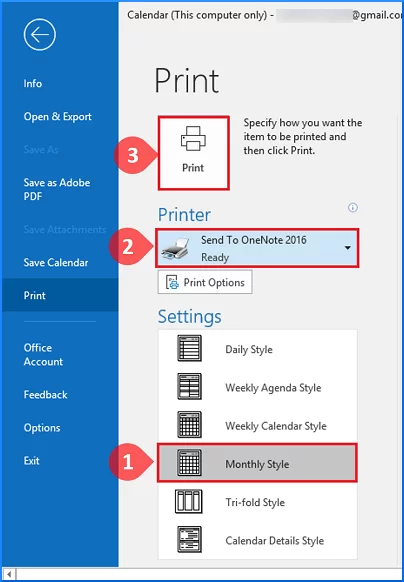
4. Now, MS OneNote will open with the calendar.
5. Click the File tab and choose Export.
6. Select Word Document Format and click on Export.
7. Enter a name for Word document and choose the destination folder.
8. Click on the Save button.
How to Convert Outlook Calendar to Word Document Automatically?
Download and install the Advik Outlook PST Converter on your system. The software can export Outlook calendar to Word document in just a few simple clicks. With this tool, you can export all calendar data in a single attempt. This is 100% secure and authentic program that keeps all calendar entries during the process.
Click on the below link to download it for FREE.


Steps to Export Calendar from Outlook to Word Document
1. Run the tool on your system.
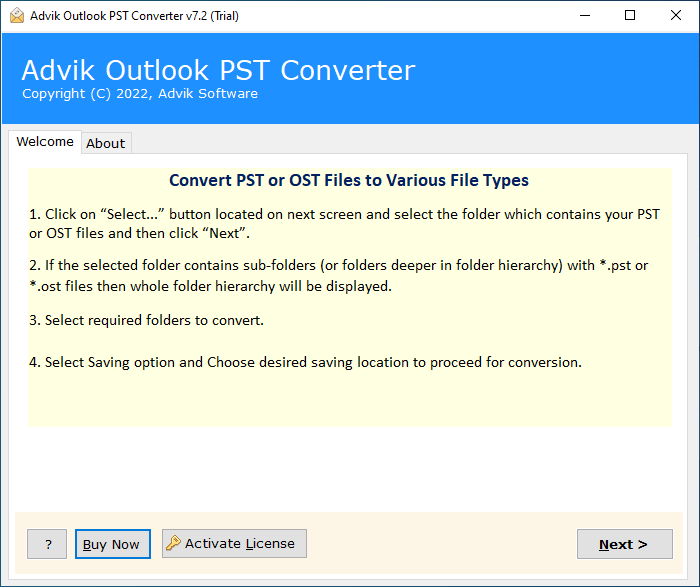
2. Choose your Outlook profile and click Next.
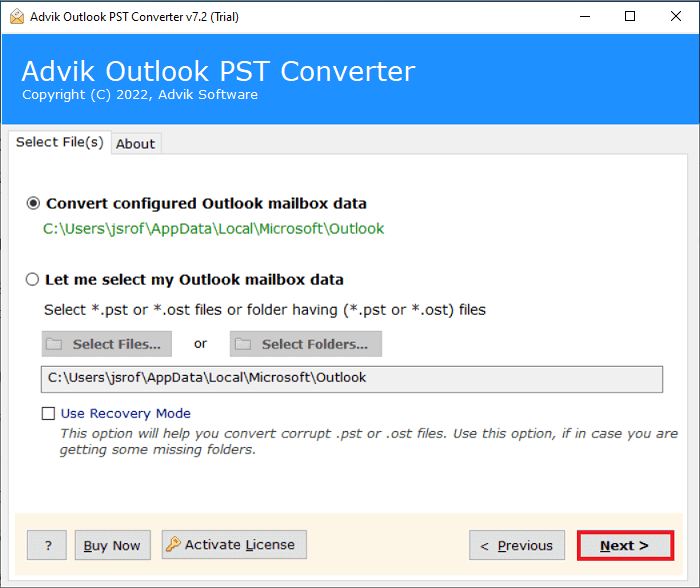
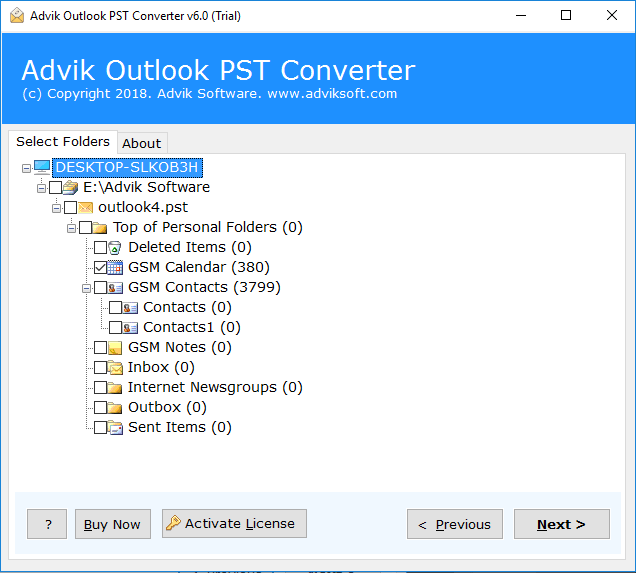
3. Select Calendar folders and press Next.
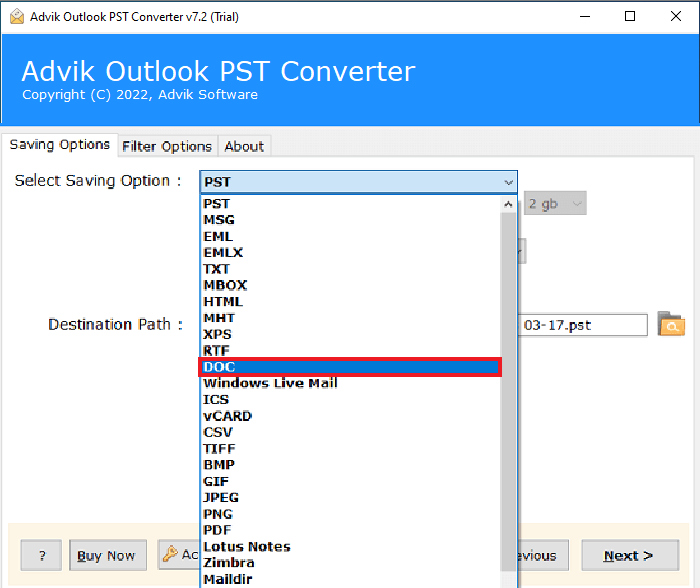
4. Choose DOC as a saving option.
5. Browse target location and click Next button.
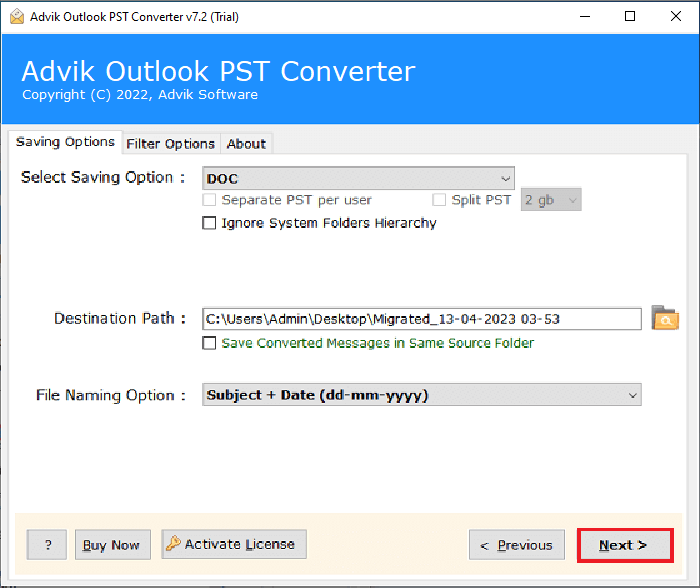
The software will start exporting Outlook Calendar to Word files.
Benefits of Using Automated Tool
- Export multiple Outlook calendar events in a single attempt.
- Maintains the original formatting of calendar events during the process.
- Advanced filters to export calendar entries based on date, category, etc.
- Multiple saving options to export Outlook calendar to PDF, Excel, and many more.
- Designed with a simple graphical user interface for all types of users.
- Compatible with all versions of Outlook and Windows operating systems.
Conclusion
In this post, we have discussed how to export Outlook calendar to Word document. Here, we have explained manual and automated solutions to convert Outlook calendar to Word document. You can manually save Outlook calendar data in Word files but there are some limitations with these methods. So, if you want a simple and quick solution, then choosing the automated tool is the best option. You can download its free demo version to check its working procedure.