How to Export Roundcube Emails to HTML Files?
Jenny Lowrence | February 13th, 2026 | Data Backup, Export Emails
Summary: Do you want to export Roundcube emails to HTML files? You’re not alone! Many users want to convert Roundcube email to HTML so that they can preserve formatting and hyperlinks without any data loss. In this write-up, we will provide a proper step-by-step procedure for a quick and secure conversion through manual and professional techniques
Roundcube is a popular open-source webmail interface commonly used to access email accounts. It provides a user-friendly interface with multiple advanced features.
HTML stands for Hypertext Markup Language. It is used to build online apps and websites. HTML files can be easily opened in any web browser. It contains text, images, links, and other multimedia data content.
Now, let’s take a look at the best ways to export Roundcube to HTML.
How to Convert Roundcube Email to HTML Format Manually?
Roundcube doesn’t directly save email as HTML. However, you can export Roundcube emails to HTML files by configuring your account with Outlook.
1. Launch the Outlook application on your system.
2. Click on File tab and choose Add Account option.
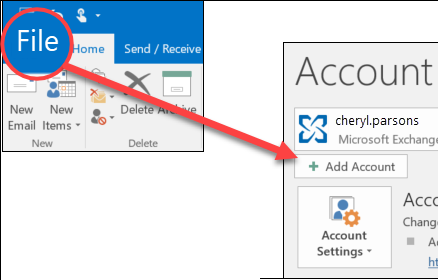
3. Set up your Roundcube account with Outlook.
4. After configuration, your Roundcube mailbox folders are visible in Outlook.
5. Now, open the Roundcube email that you want to convert into HTML file format.
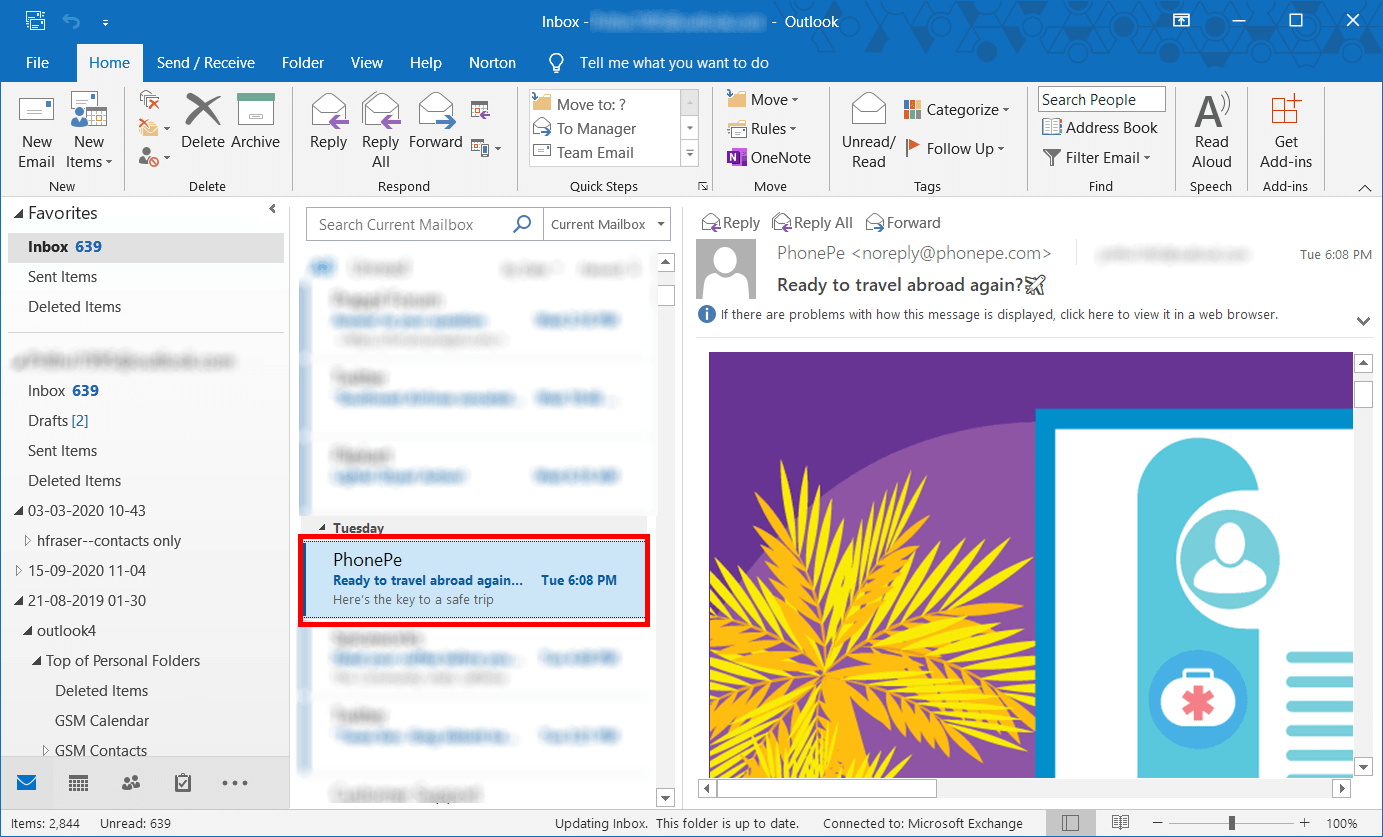
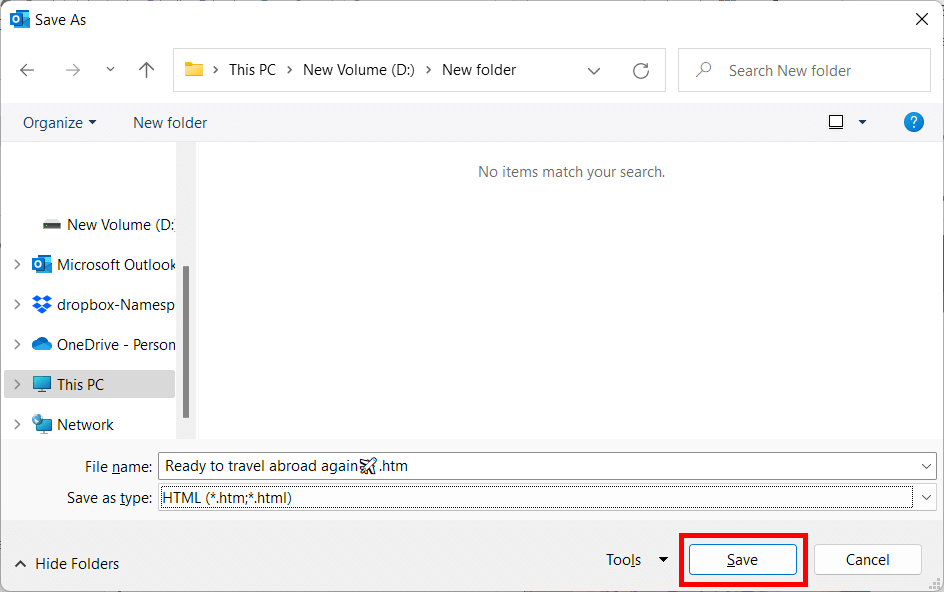
6. Go to File menu and choose Save As option.
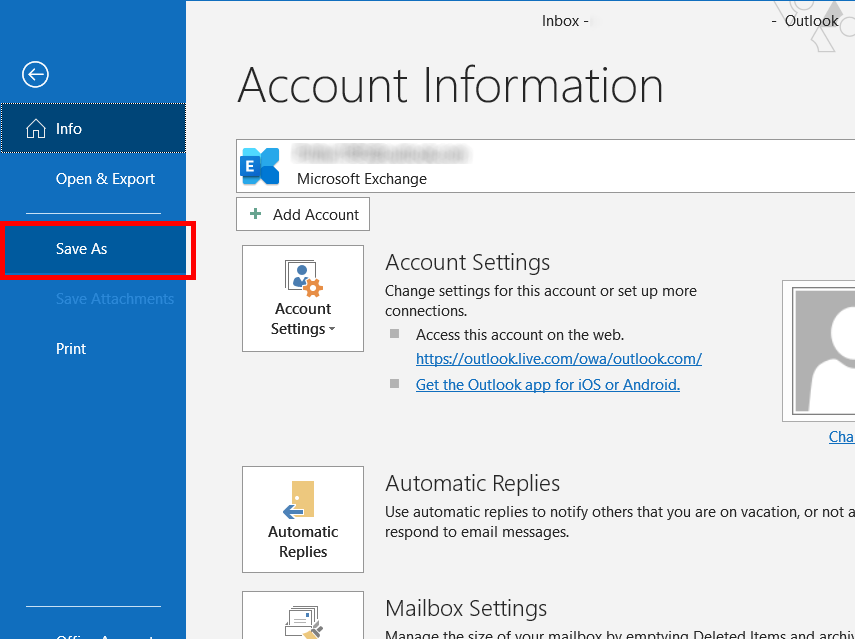
7. Choose the folder where you want to save the exported file.
8. Enter the file name and select HTML as Save as type.
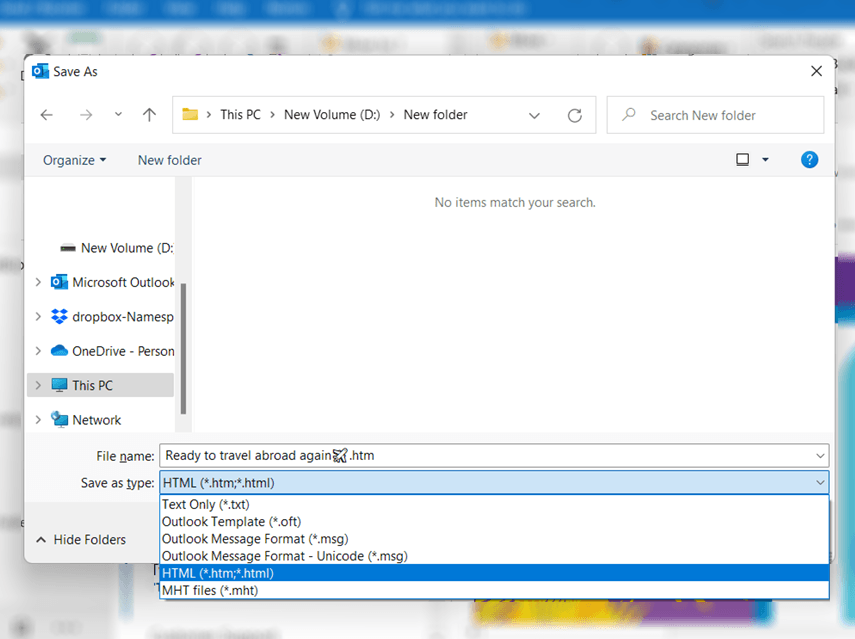
8. After that, click on the Save button.
The process is complete! Repeat the steps to export other emails.
How to Export Roundcube Emails to HTML Files Directly?
Download and install the Advik Roundcube Backup Tool on your system. This is an all-in-one solution to convert Roundcube emails to HTML easily. The software can export multiple emails in one go. Also, it offers various advanced filter options to export selected emails. With this utility, you can export emails from multiple Roundcube accounts to HTML at once.
Tap on the below link and try it for FREE.


Steps to Export Roundcube to HTML
1. Run the tool on your system.
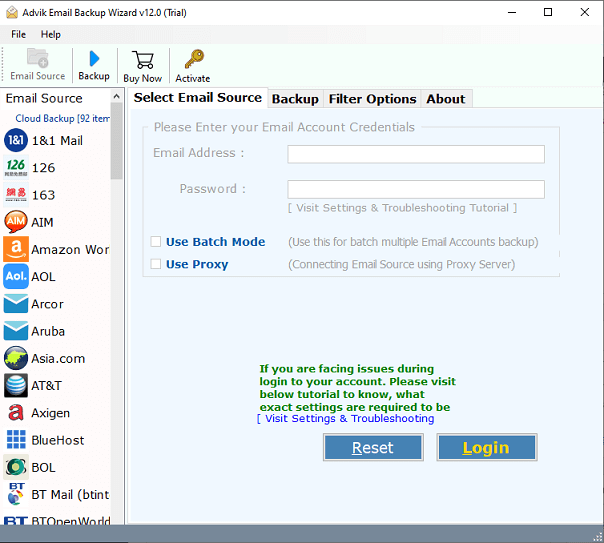
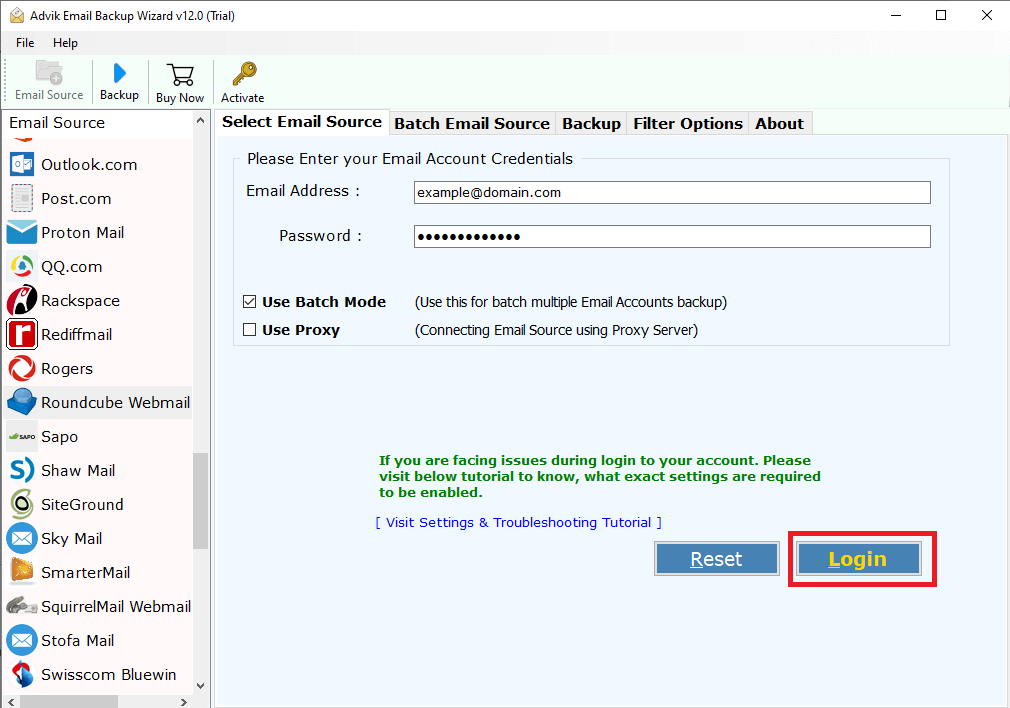
2. Enter Roundcube Webmail account credentials and press Login to sign in.
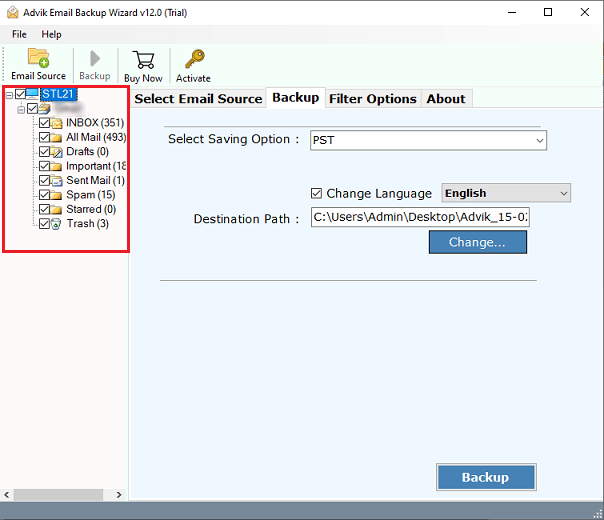
3. Choose the mailbox folders & subfolders to export.
4. Next, select HTML as a saving option.
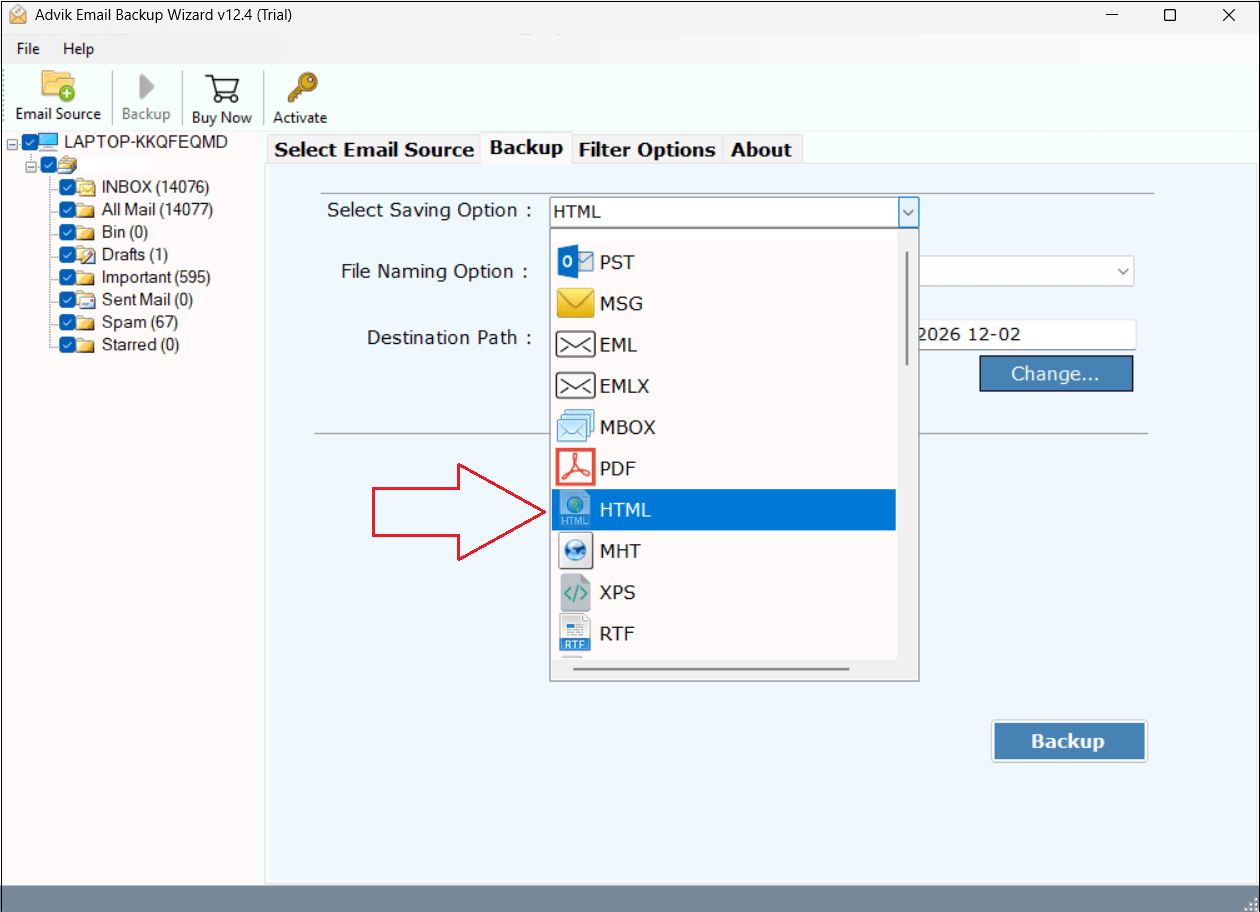
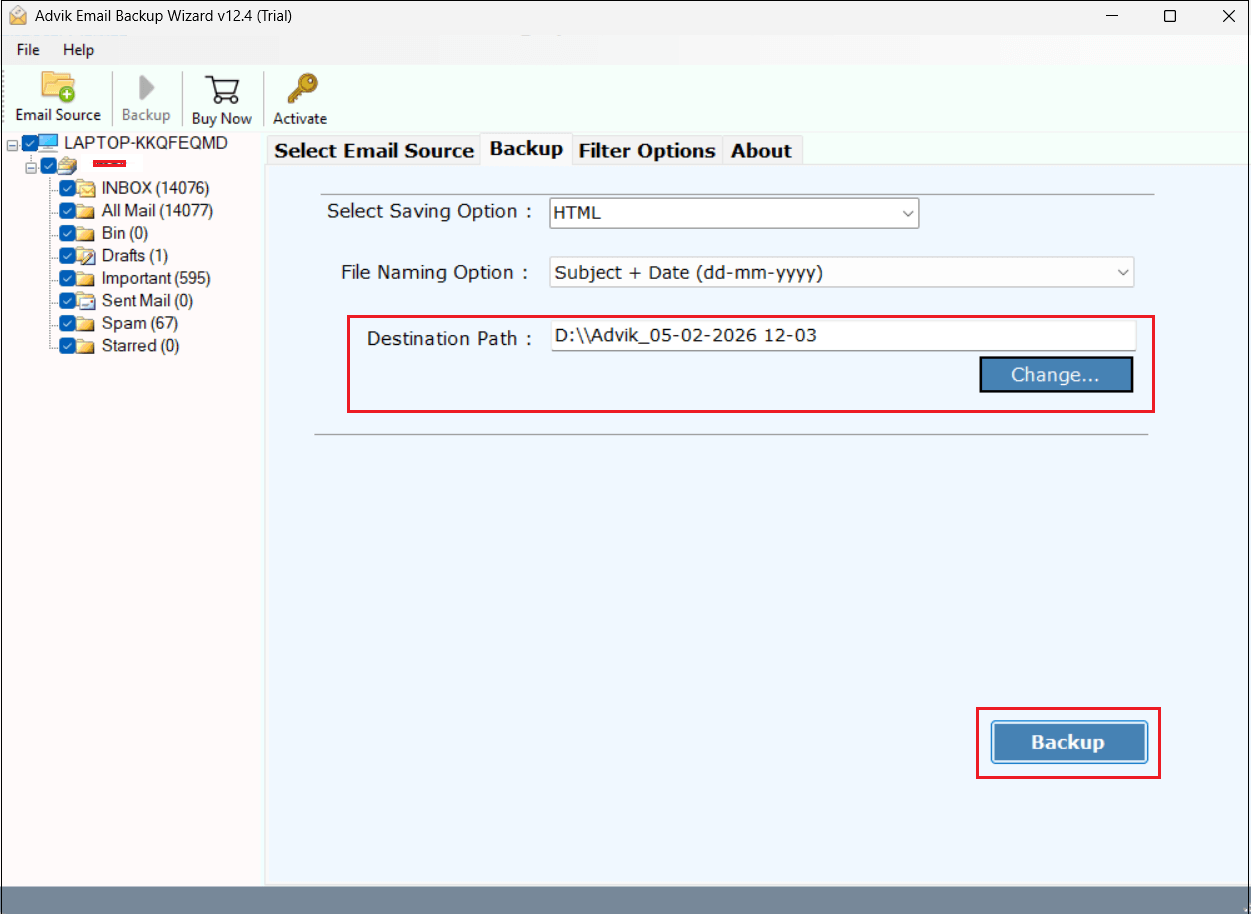
5. Choose the destination location and click the Backup button.
Top Benefits of Roundcube to HTML Converter
- Easy and Intuitive Interface: This application is simple and comes with an easy-to-understand GUI. Anyone can use this tool without taking any technical assistance.
- Batch Conversion: The software is able to export multiple emails from Roundcube to TML files at once. You do not need to repeat the steps to export each email folderone by one.
- Selective Email Exporting: This Roundcube to HTML Converter offers various advanced filter options. Using these filters, you can convert Roundcube emails based on date range, to, from, subject, etc.
- Keep Intact Email Properties: The tool preserves the email properties during the process. It maintains the sender and receiver details, email attachments, subject, hyperlinks, images, formatting, etc.
- Supports Windows and Mac OS: You can run this application on both Mac and windows based system. This software is compatible with all old and latest versions of Mac and windows Operating System.
Conclusion
In the above article, we have explained the 2 best tried and tested methods to export RoundCube to HTML. You can easily convert Roundcube emails to HTML files with the manual approach, but this is suitable if you have a limited number of emails. Thus, it is best to work with an automated solution. The above suggested tool will help you export emails in bulk. If you still have any queries regarding this, our technical support team is available for you to 24X7.
