How to Export Roundcube to MSG Files?
Jenny Lowrence | February 16th, 2026 | Data Backup
Overview: This article will guide you on how to export Roundcube to MSG format. Here, we are going to share both manual and automated solutions to convert Roundcube emails to MSG format. Let’s get started with this blog post and see which method turns out to be the best fit for you.
Roundcube is a popular webmail service used by many hosting providers for managing emails. Many users want to export Roundcube emails to MSG files for easy access and management. MSG files are supported by MS Outlook. It saves each email with complete email metadata like attachments, subject, and sender details. This write-up will show you the complete procedure simply and effectively.
How to Export Roundcube to MSG Manually?
Although Roundcube doesn’t save Roundcube email as MSG file. To manually do it, you need to add your Roundcube Webmail account to Outlook. Follow these steps;
1. Launch Outlook and go to File >> Add Account.
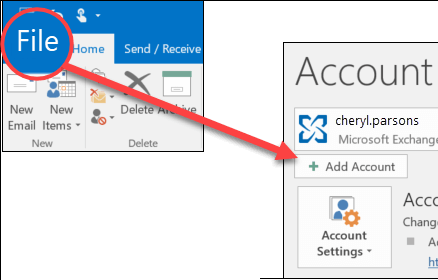
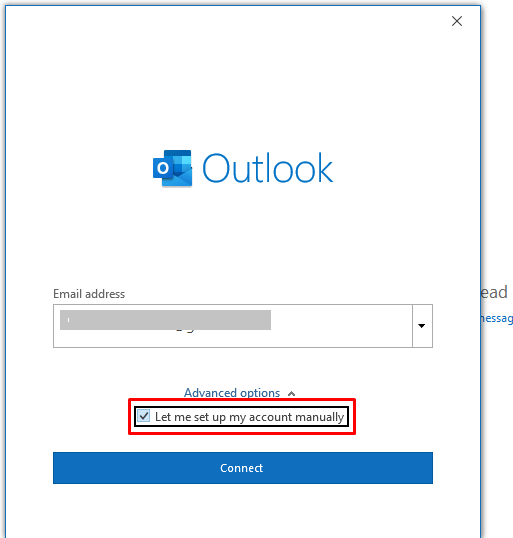
2. Enter the Roundcube email address and click Connect.
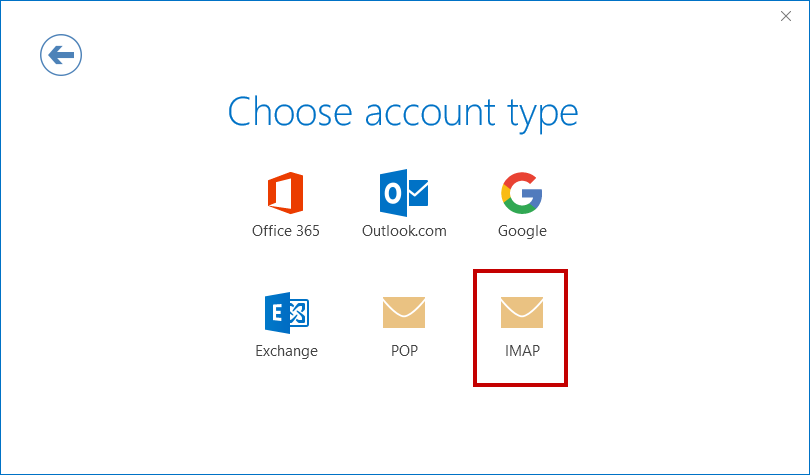
3. Choose IMAP as Account type.
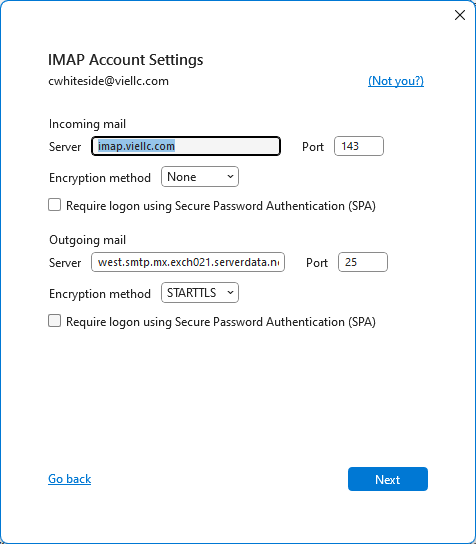
4. Type IMAP details of Roundcube account.
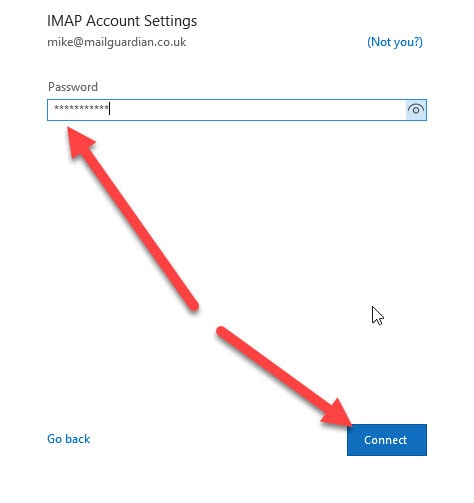
5. Next, enter the password of Roundcube account and complete the setup process.
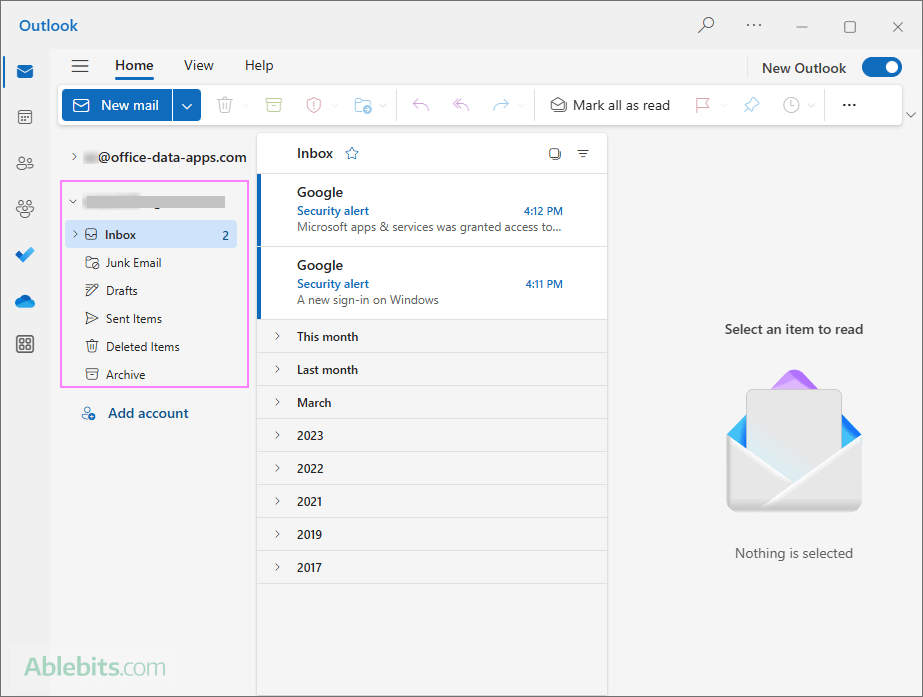
6. After configuration, all Roundcube emails will appear in Outlook.
7. Now, drag and drop the Roundcube email to your desktop.
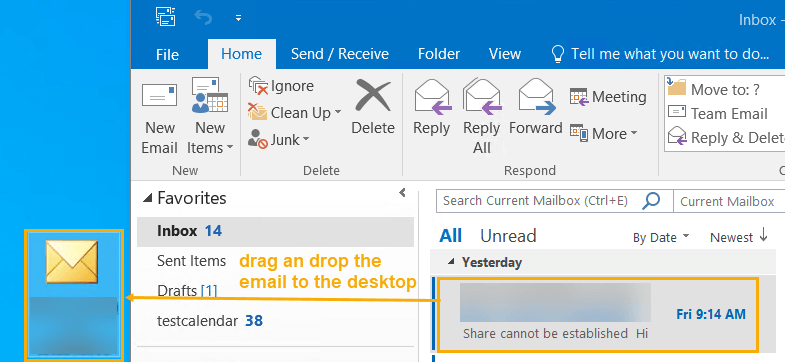
The email will be saved in .msg format. Repeat the process to export other emails.
Note: This method is fine to export a few emails. Repeating steps may be frustrating if you have thousands of messages.
How to Convert Roundcube Emails to MSG Files Automatically?
To export Roundcube emails to MSG in bulk, try the Advik Roundcube Backup Tool. The software can save multiple emails at once with full accuracy. This is 100% secure and authentic program that keeps all email attributes and structure during the conversion. With this utility, you can also export emails based on date range, to, from, subject, etc.
Download the FREE demo version to analyze its working procedure.


Steps to Export Roundcube Emails to MSG
1. Run the tool on your system.
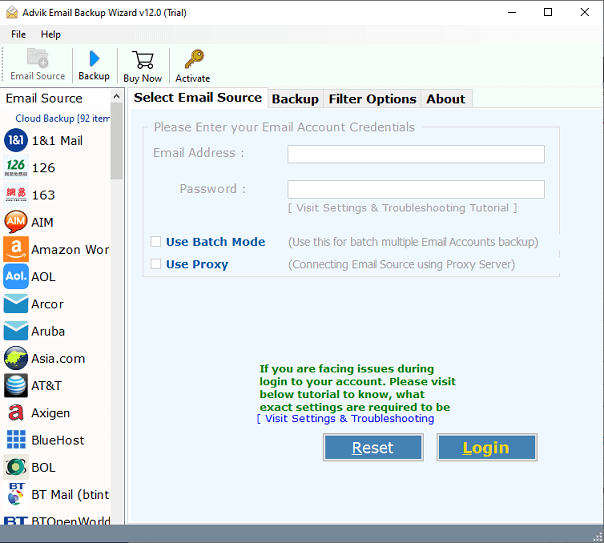
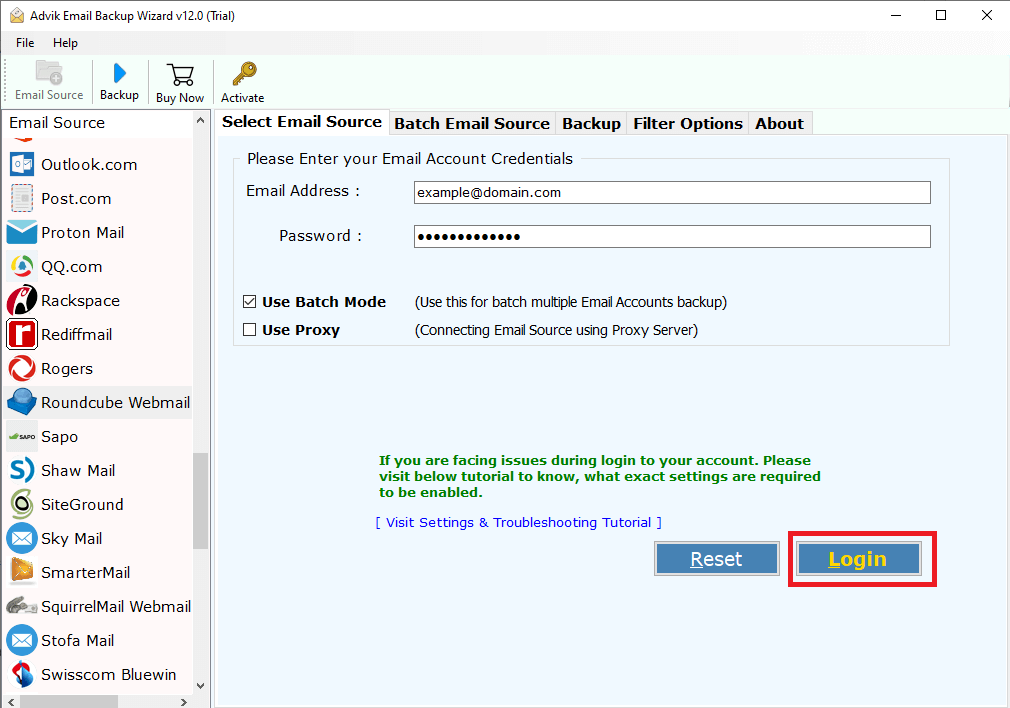
2. Enter the Roundcube account login details to sign in.
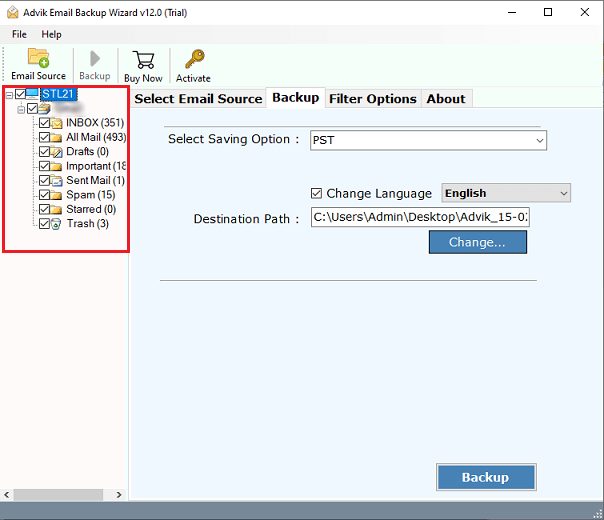
3. Choose the mailbox folders from which you want to export emails.
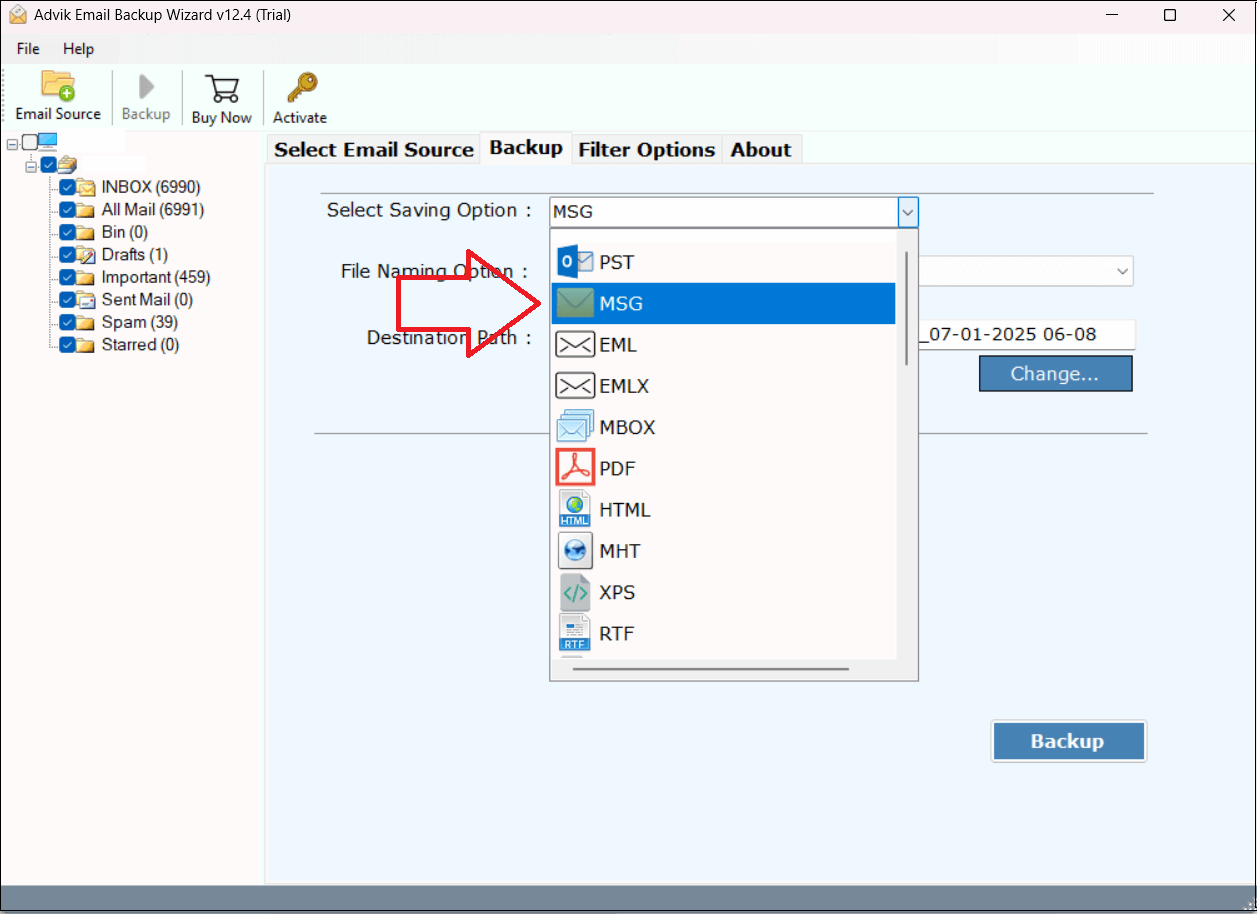
4. Next, select MSG as a saving option.
5. Choose the destination location and click Backup.
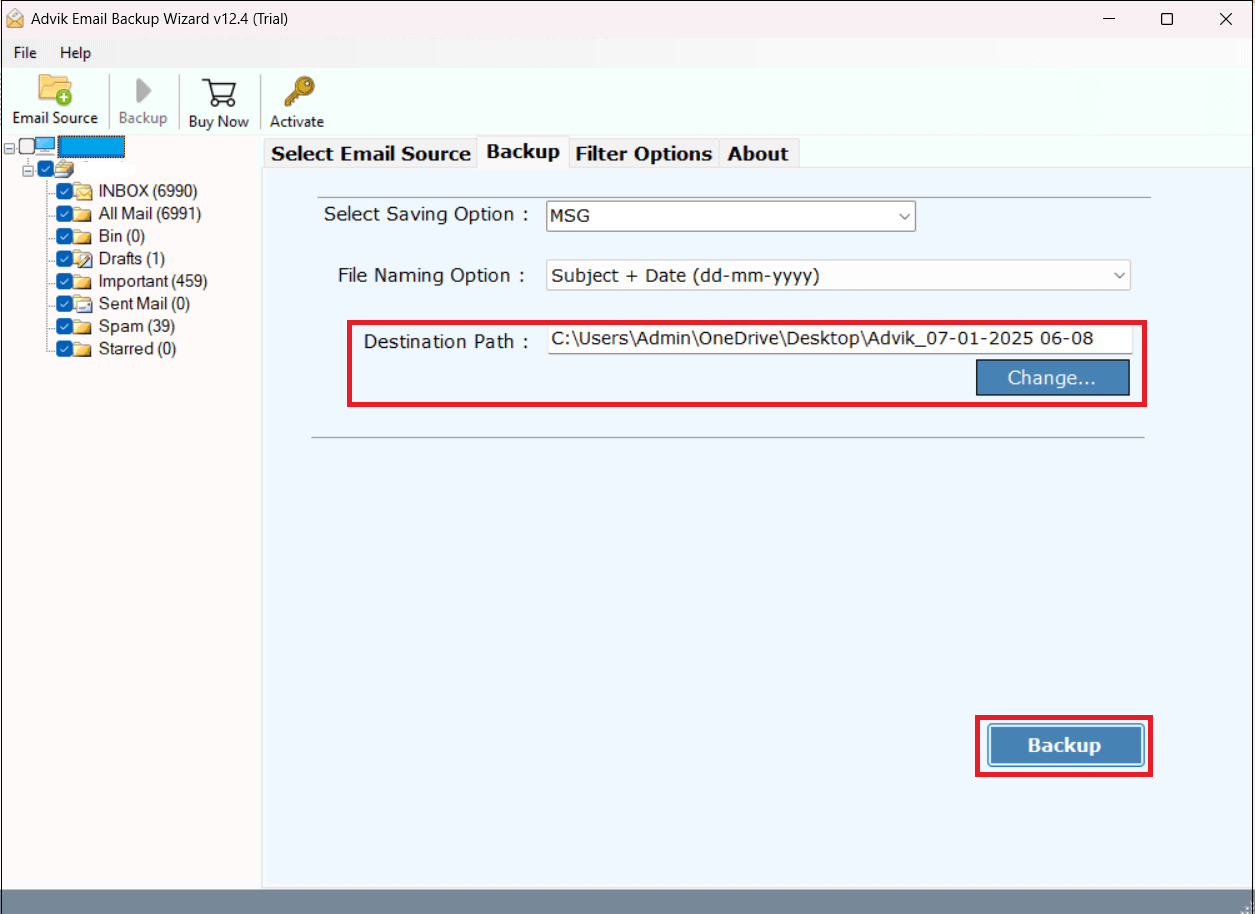
The software will start converting Roundcube emails to MSG files. Once the process is complete, you will get a pop-up message with the complete log report.
Advantages of Using Roundcube to MSG Converter
- Bulk Conversion: Export multiple Roundcube emails to MSG in a single attempt.
- Advanced Filter Options: Allows you to save only selected emails as per your needs.
- Preserves Email Properties: Keeps all email attributes & structure while exporting.
- Multiple Saving Options: 30+ saving options to export Roundcube to PST, MBOX, EML, etc.
- Simple GUI: User-friendly interface, perfect for both technical and non-technical users.
- Wide Compatibility: Supports all versions of both Mac and Windows.
Final Words
In this post, we have discussed how to export Roundcube to MSG. Here, we have explained both manual and automated solutions. The manual method works well if you have a limited number of emails. While for bulk email conversion, choosing the professional tool is the best option.
Now you can decide which method is the best fit for your needs.
