How to Export Roundcube to Word Document?
Jenny Lowrence | February 17th, 2026 | Data Backup
Summary: This article will guide you on how to export Roundcube to Word Document. Here, we are going to share two simple and effective methods to convert Roundcube emails to Word document files. Let’s get started!
Microsoft word Document is the best format for archiving emails, editing, or sharing. Moreover, it facilitates easy access without an internet connection. If you are using Roundcube webmail and want to preserve some important emails, exporting them to DOC files is the smart choice. In this blog, we will discuss two different ways to convert Roundcube emails to DOC.
How to Export Roundcube to Word Document Manually?
Roundcube does not offer an option to save emails as Word. You can manually do it by configuring your Roundcube account with Thunderbird.
Follow these steps;
- Open the Thunderbird email client on your system.
- Go to Tools and choose Account Settings.
- Enter your Name, Roundcube address, and Password in the appropriate fields.
- Thunderbird will automatically detect the necessary settings.
- Once complete, your Roundcube account will be configured and ready to use.
- Now, click on the three-line menu and choose Add-ons.
- Install ImportExportTools NG in Thunderbird.
- After that, select the Roundcube folder that you want to export.
- Click on the ImportExport Tools and select Export all Messages in the Folder.
- Choose the destination folder to save DOC file and click Save.
Done! This is how you can save Roundcube emails as DOC files, but this is a time-consuming and complex process. There is no gurantee preservation of the formatting.
How to Convert Roundcube Emails to Word Document Automatically?
Download and install the Advik Roundcube Backup Tool on your system. The software can directly export Roundcube to Word Document without any external help. It allows you to export all or selected email folders as per your needs. It keeps all email attributes and folder structure during the Roundcube to DOC conversion.
You can download the FREE demo version to check its working procedure.


Steps to Export Roundcube Emails to DOC
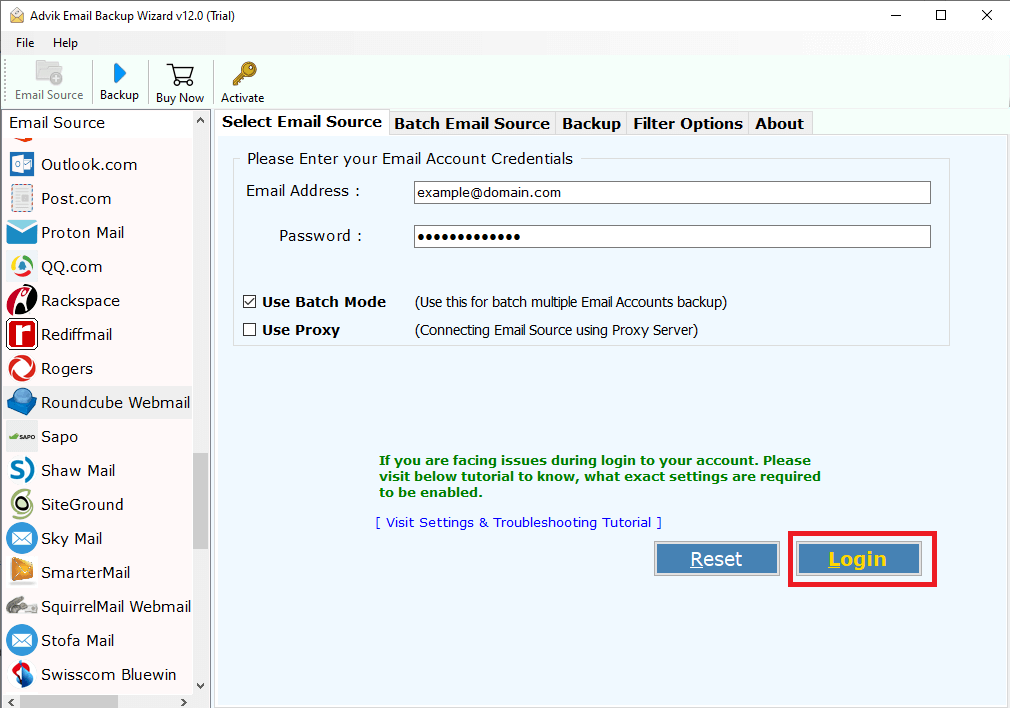
1. Run the tool and enter Roundcube login details to sign in.
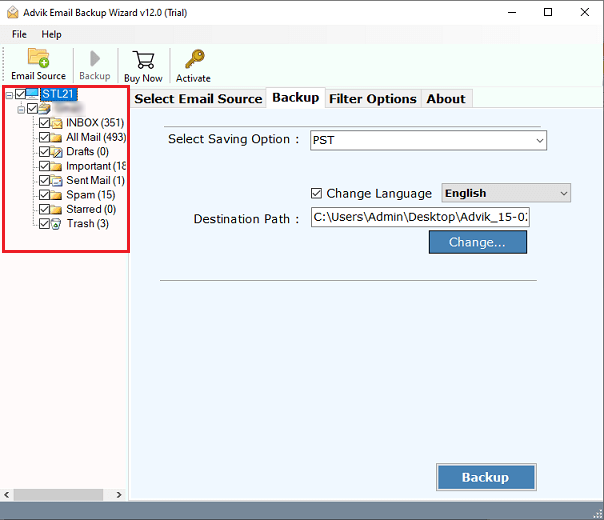
2. Choose the mailbox folders & subfolders to export.
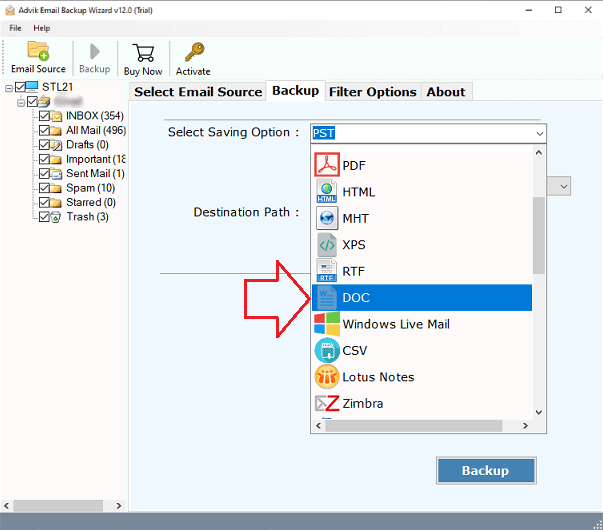
3. Select DOC as a saving option.
4. Browse the target location and click Backup.
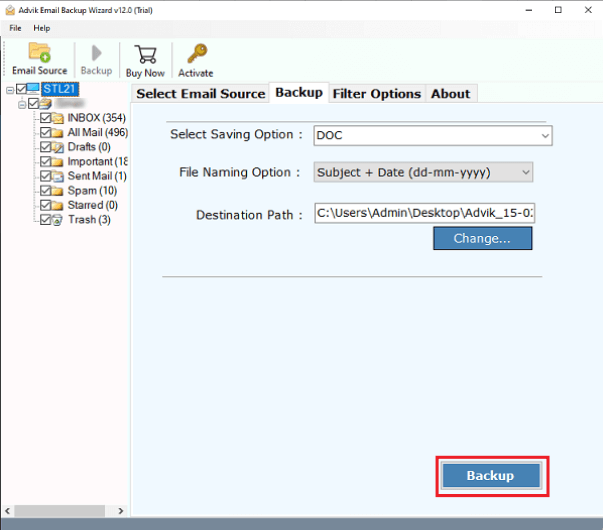
The software will start exporting Roundcube emails to DOC format. Once the process is completed, it will automatically redirect to the destination folder.
Why Choose Automated Tool Instead of Manual Solution?
- Bulk Exporting: The software can export multiple emails from Roundcube to Word Document files at once. You do not need to repeat the steps to convert each email.
- Selective Conversion: If you want to export only important emails, then this utility will help you. It provides various advanced filter options to save specific emails only.
- Multiple Saving Options: The software offers 30+ saving options to convert Roundcube mailbox data. With this utility, you can export RoundCube to PST, MBOX, EML, etc.
- Preserves Data Integrity: The Roundcube-to-DOC converter is a safe and secure solution that preserves all email attributes, such as attachments, sender and recipient information, hyperlinks, etc.
- Simple GUI: This application is designed with a simple graphical user interface. Beginners can easily operate it without any technical training or guidance.
- Wide Compatibility: You can run this tool on both Mac and Windows based machine. It supports all the latest and old versions of both operating systems without any compatibility issues.
Conclusion
In this article, we’ve explored the most effective methods to export Roundcube to Word Document. The techniques described in the above blog allow you to securely convert Roundcubeemails to Word document. Whether you’re using the free manual method or an automated tool, you can export emails from Roundcube into DOC files efficiently.
