How to Export Thunderbird Contacts to Android Phone?
Jenny Lowrence | March 17th, 2026 | Mozilla Thunderbird
Summary: Nowadays, mobile phones have become an integral part of our lives. Most users prefer Android phones for their user-friendly interface and unique features. Furthermore, contacts are important for all of us in both personal and professional lives. Sometimes, Thunderbird users want to export Thunderbird contacts to Android phone to make it easy to interact with others. Saving all the details of Thunderbird contacts on Android mobile allows users to communicate at any time without using Thunderbrd application.
In this write-up, we will discuss how to import Thunderbird contacts to Android phone. Here, we are going to explain manual as well as professional solution to transfer Thunderbird contacts to Android mobile.
So, let’s get started the process without any further delay.
How to Export Thunderbird Contacts to Android Phone Manually?
1. Open the Thunderbird application on your system.
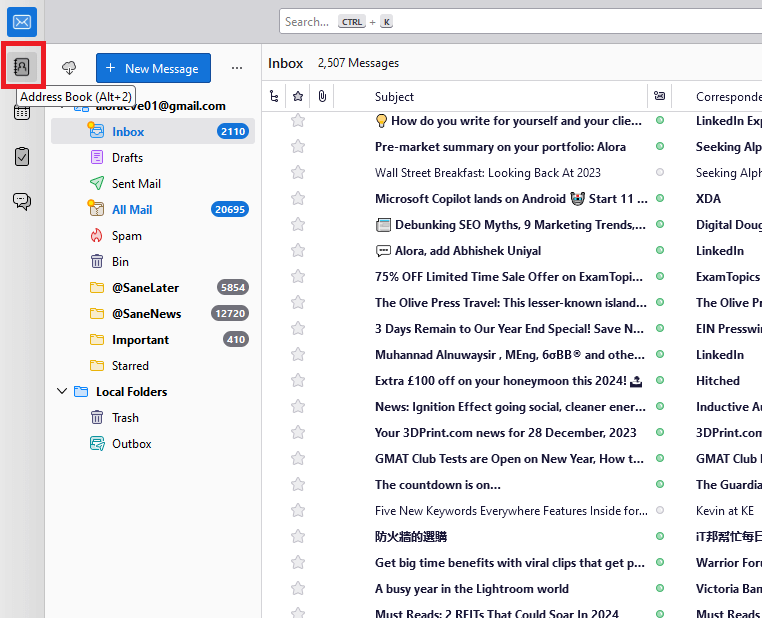
2. Click on the Contacts icon and open the address book.
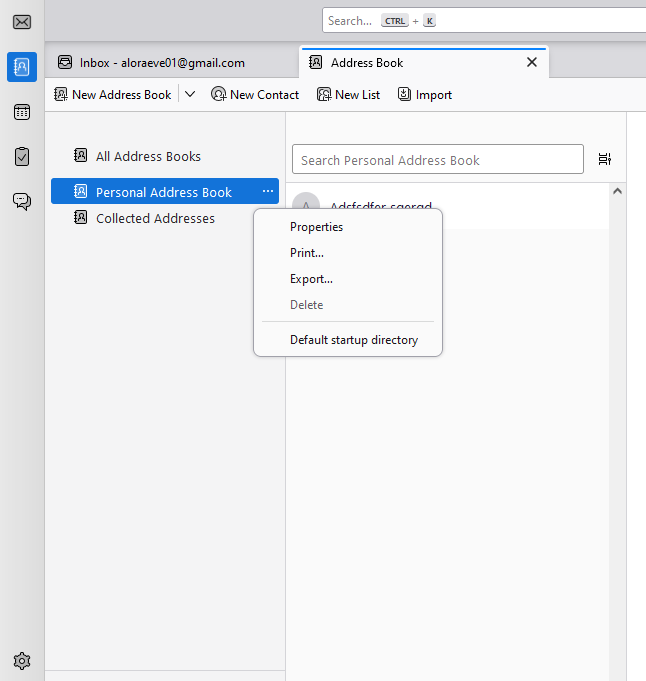
3. Choose Address book that you want to export and click on the three dots to choose Export option.
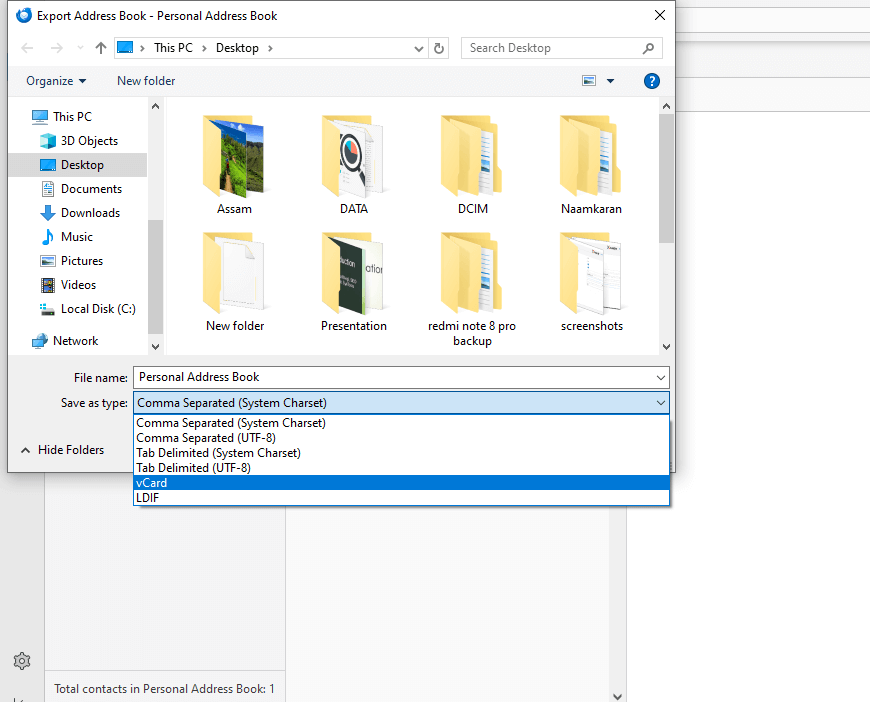
4. Select vCard from Save as type and click the Save button.
5. Now visit the Gmail account login page and sign in with your credentials.
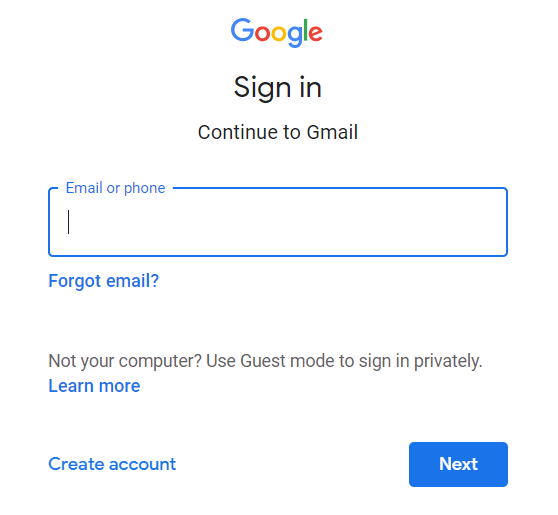
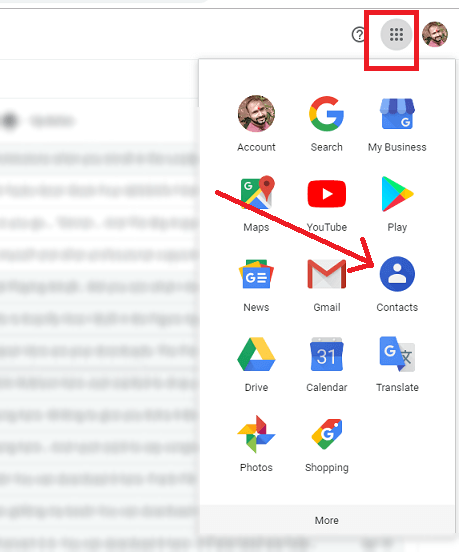
6. Go to the Google Contacts section.
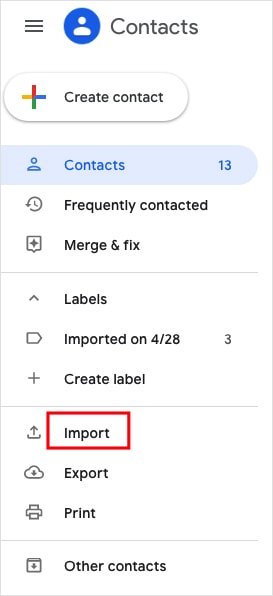
7. Click on the Import option on the left side.
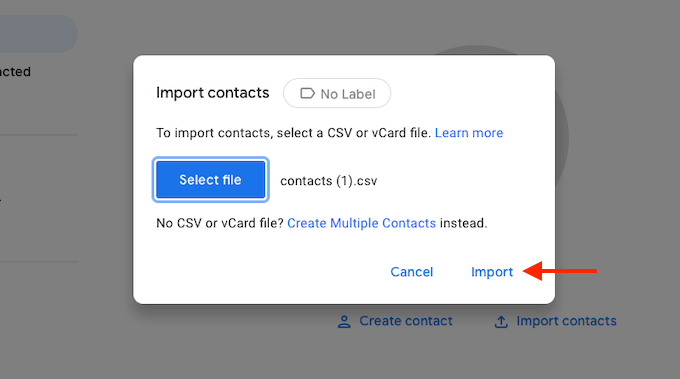
8. Click on the select file to upload vCard file and then press Import button to begin the importing process.
9. After that, go to Settings on your Android phone.
10. Click on Accounts and choose Google.
11. Choose your Google account and let it sync your contacts.
Done! This is how you can export contacts from Thunderbird to Android Phone. But with this approach, you can transfer contacts in bulk.
How to Transfer Thunderbird Contacts to Android Phone Automatically?
Download and install the Advik Thunderbird Converter on your system. The software can export Thunderbird Contacts to Android compatible format in bulk. Also, it allows you to choose the specific contact folder as per your needs. This is a secure solution that preserves all contact details during the process. The interface of this utility is very simple and easy to use.
Click on the below link to download it for FREE.


Steps to Export Thunderbird Contacts to Android Phone
1. Run the tool on your system.
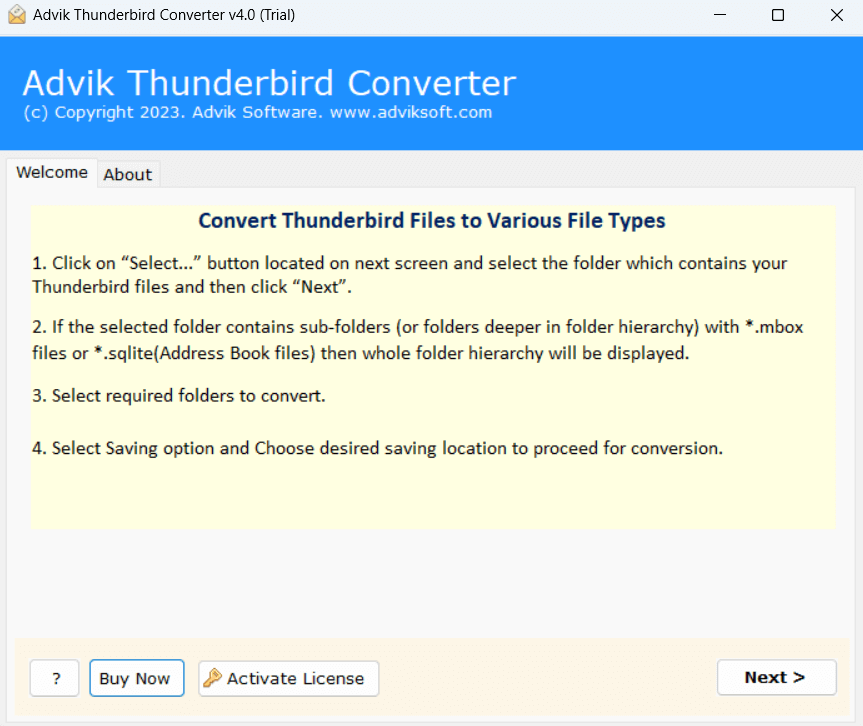
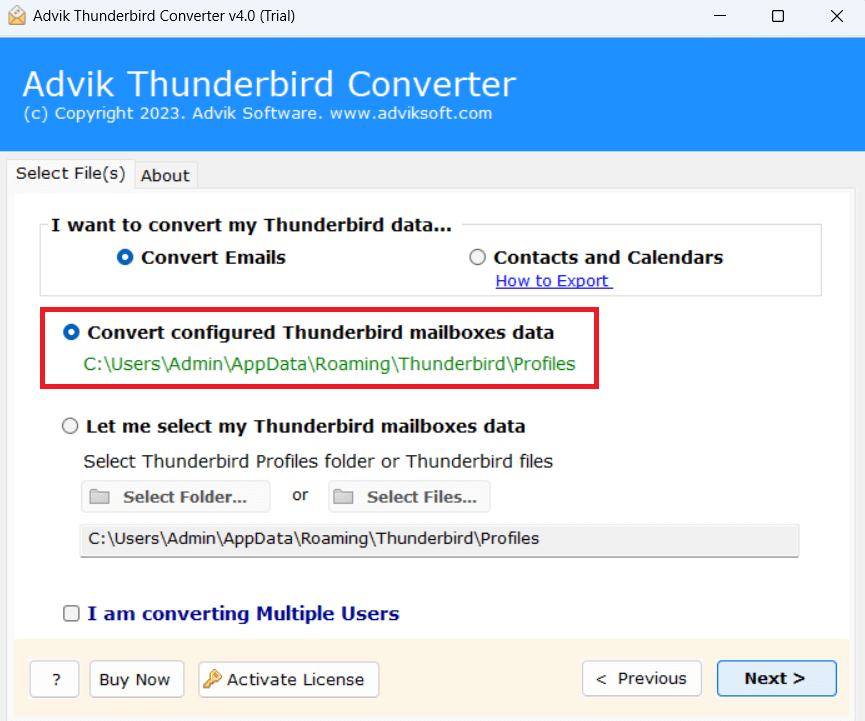
2. Choose your Thunderbird profile and click Next.
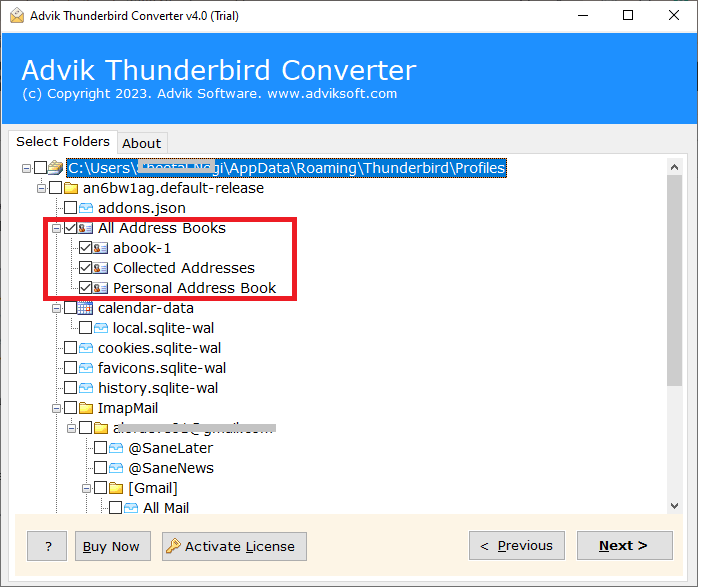
3. Select Address Books folders and press Next.
4. Choose vCard as a saving option.
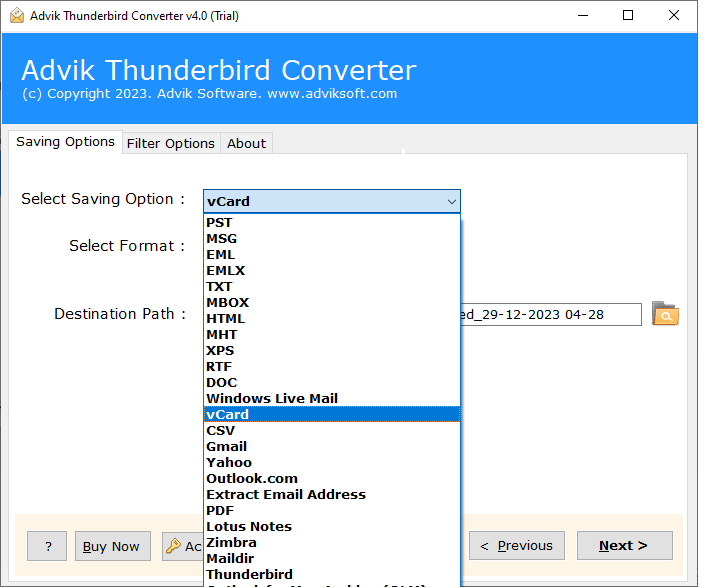
5. Browse the target location and click Next.
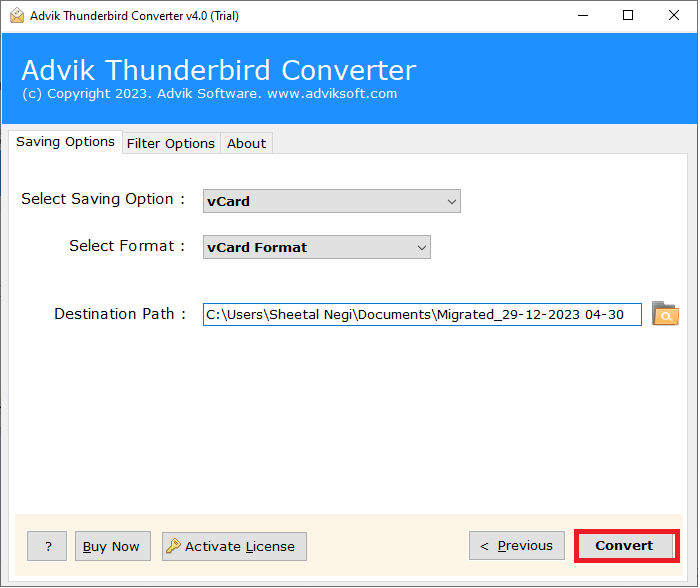
6. Now, it will export Thunderbird contacts to vCard file.
7. Next, transfer it to your Android phone and let it sync.
Advantages of using Automated Tool
- Import multiple contact folders in one go.
- Also, choose the necessary folders for transferring.
- Preserves contact details intact during the process.
- Simple GUI to sync Thunderbird contacts to Android phone.
- Supports all versions of Thunderbird and Windows OS.
Conclusion
Many users need to export Thunderbird contacts to Android phone for various reasons. In this post, we have explained two different ways to import Thunderbird contacts to Android phone. You can easily do it with the manual approach. However, if you face any issues with it, use the above suggested tool that will help you to transfer contacts from Thunderbird to Android without any hassle.