How to Export Thunderbird Emails to Maildir Format?
Jim Backus | February 27th, 2026 | Data Backup
Summary: This article will guide you on how to export Thunderbird emails to Maildir format. If you are also looking for the best solution to convert Thunderbird to Maildir then this post will help you. Here, we are going to explain two different ways to accomplish this task. So, without any further delay, let’s dive in and explore the ideal way that works out for you.
Before proceeding with the solution, let’s understand the reasons behind this conversion.
Why Export Thunderbird to Maildir?
Exporting emails from Thunderbird to Maildir format is beneficial for several reasons:
- Reduce Corruption Risk: Each email is stored as a separate file instead of one large MBOX file.
- Easier Backup: save individual emails without copying the entire mailbox.
- Better Performance: Handles large mailboxes more efficiently.
- Scalability: Suitable for business users and large email archives.
Can Thunderbird Export to Maildir Manually?
Mozilla Thunderbird supports the Maildir storage format internally, but exporting existing folders to Maildir requires either configuration changes or an add-on. Follow these steps;
- Open Thunderbird and click on Menu.
- Go to Settings and choose the General tab.
- Scroll down to the Config editor and search: mail. serverDefaultStoreContractID.
- Right-click on it to change the value to @mozilla.org/msgstore/maildirstore;1.
- Now, restart Thunderbird and again click on the Menu icon.
- Go to Account Settings >> Server Settings and verify that Maildir is selected as storage type.
- Next, open an old email account that has MBOX files.
- Select the email that you want to export.
- Drag & drop into the Maildir folder.
- Now, install the ImportExportTools NG in Thunderbird.
- Export the email to EML file.
- After that, import EML files into a Maildir-based account.
Done! This is how you can export Thunderbird emails to Maildir.
Note: This is a very complex process for non-technical users. There are high risk of data loss.
How to Convert Thunderbird Emails to Maildir Automatically?
Download and install the Advik Thunderbird Converter on your system. The software can directly export Thunderbird to Maildir in just a few simple clicks. With this utility, you can convert multiple emails in a single attempt. This is 100% secure and authentic program that keeps all email attributes and structure during the Thunderbird to Maildir conversion.
You can use trial versions of this utility to export up to 25 emails per folder.


Steps to Export Thunderbird Emails to Maildir Format
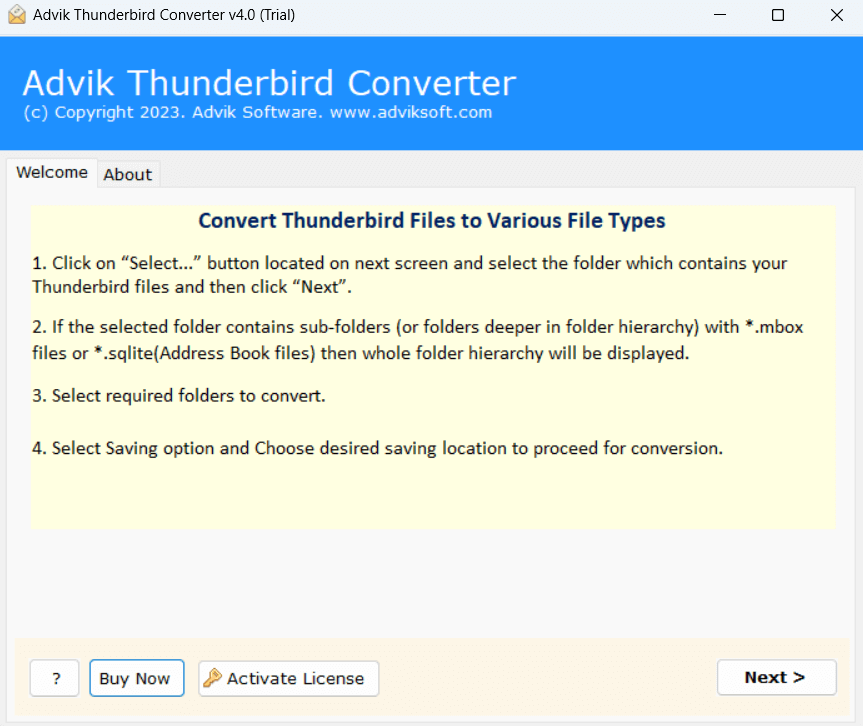
1. Run the tool on your system.
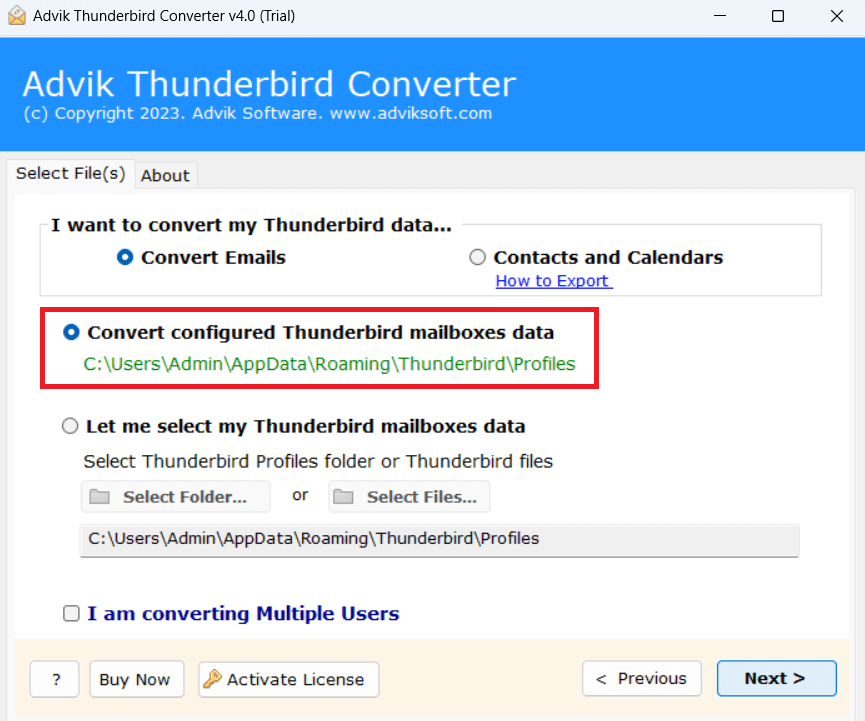
2. Choose your Thunderbird profile and click Next.
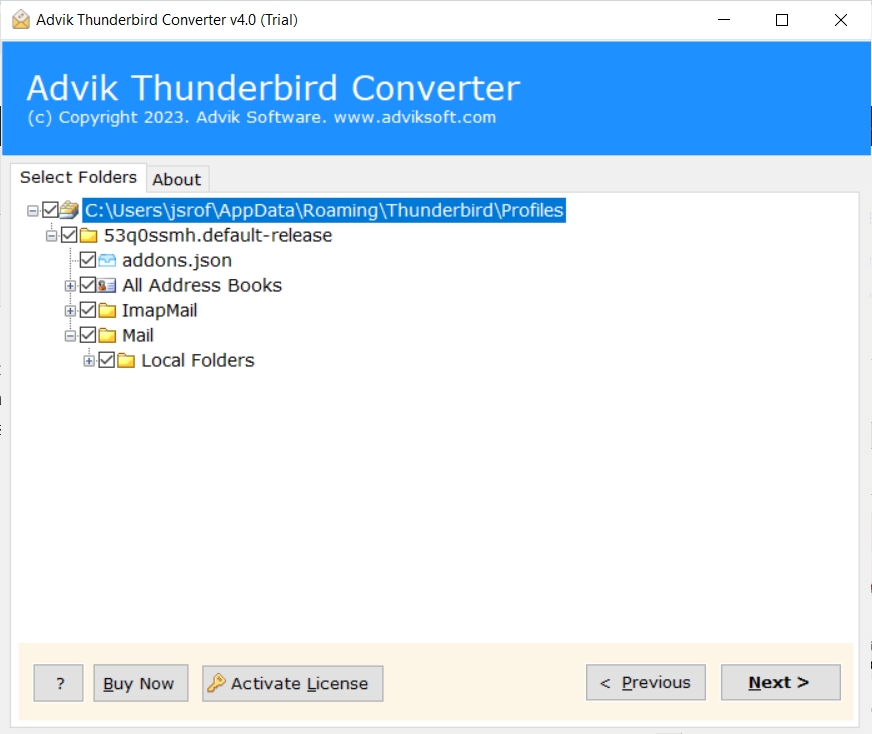
3. Select the mailbox folders to export.
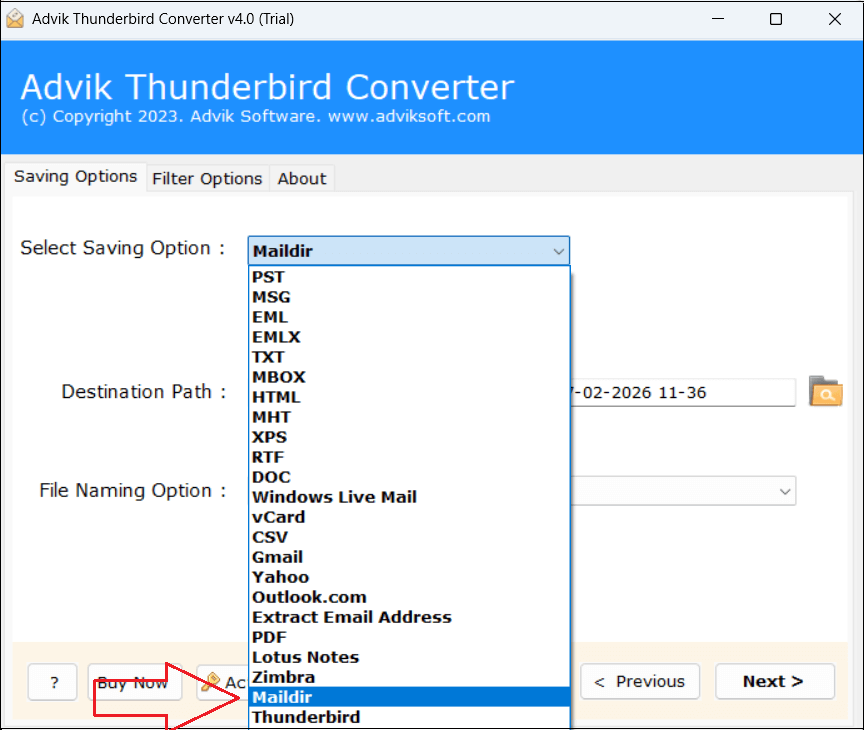
4. Next, choose Maildir as a saving option.
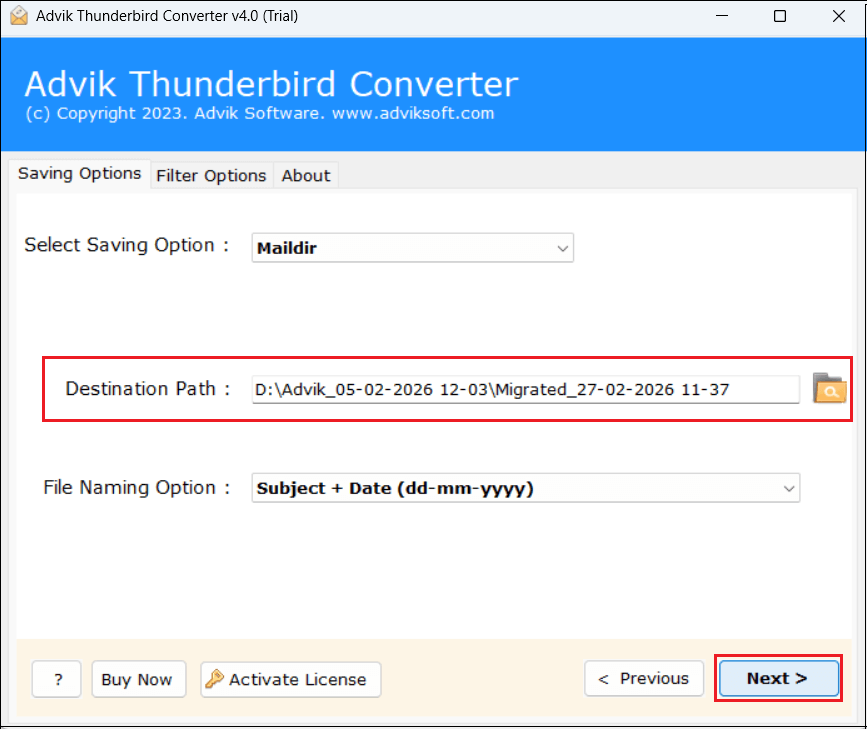
5. Browse target location and click Next button.
The software will start converting Thunderbird emails to Maildir format. Once the process is complete, you will get a pop-up message with a complete log report.
Why Choose Thunderbird to Maildir Converter Tool?
The software offers various advanced features that make the conversion process simple. Some of them are;
- Bulk Conversion: The software can convert all Thunderbird emails to Maildir files at once.
- Selective Exporting: It offers various advanced filter options to export only selected emails.
- Multiple Saving Options: It offers 20+ saving options to export Thunderbird to PST, PDF, etc.
- 100% Data Integrity: This is a secure solution that preserves all email attributes while exporting.
- Maintains Folder Structure: The tool retains the original structure of email folders & subfolders.
- Windows Supportive: The software is compatible with all versions of Windows operating systems.
Conclusion
In this post, we have discussed how to export Thunderbird emails to Maildir format. Here, we have mentioned both manual and automated solutions to convert Thunderbird emails to Maildir files. However, the manual way risks the data’s sensitivity and originality. Of course, none of the users want to happen. So, choosing the professional tool is a smart way. You can download the free demo version to check its working procedure before purchasing the licensed version.