How to Extract Attachments from cPanel Emails?
Jenny Lowrence | February 4th, 2026 | Attachment Extraction
Are you looking for a solution to extract attachments from cPanel emails? If yes, then this post is for you. In this write-up, you will get a safe, reliable, and one-stop solution to save cPanel email attachments.
cPanel is a web hosting control panel. It is widely used to manage websites, hosting emails, databases, and files. It offers its users the ability to send and receive files as attachments, whether it is a document, image, video, or PDF. These email attachments contain crucial information. No one wants to lose their valuable data. It has been determined that users must download attachments from cPanel to a secure location.
Why Extract Attachments from cPanel?
There are several benefits of exporting attachments from cPanel to your system. Some of them are;
- Attachments take up a lot of space. Downloading them helps in freeing up efficient storage space.
- Saving cPanel email attachments ensures you have a local copy of important files.
- Downloading attachments from cPanel allows you to access them even without an internet connection.
- Having all attachments in one place allows you to access them quickly whenever needed.
How to Download All Attachments from cPanel?
Try the Advik Email Backup Tool on your system. The software will assist you in extracting attachments from cPanel emails in bulk. Also, it allows you to export attachments from selective emails. With this utility, you can extract attachments from multiple cPanel email accounts at once. It will save all attachments in the same folder hierarchy without any data loss.
Tap on the below link and try it for FREE.


Steps to Extract Attachments from cPanel Emails
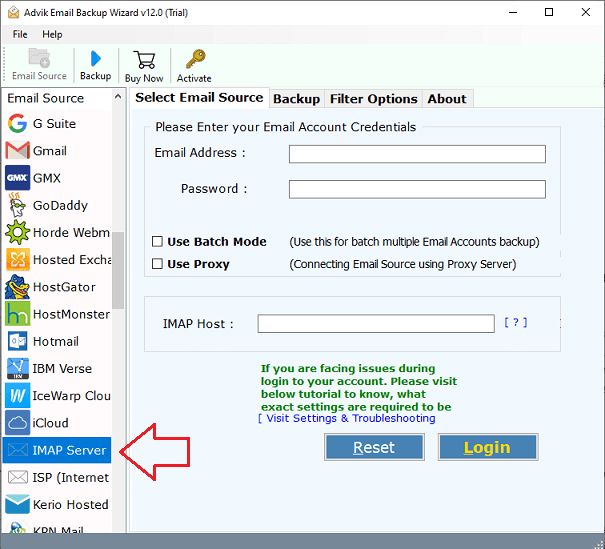
1. Run the tool and choose IMAP Server as email source.
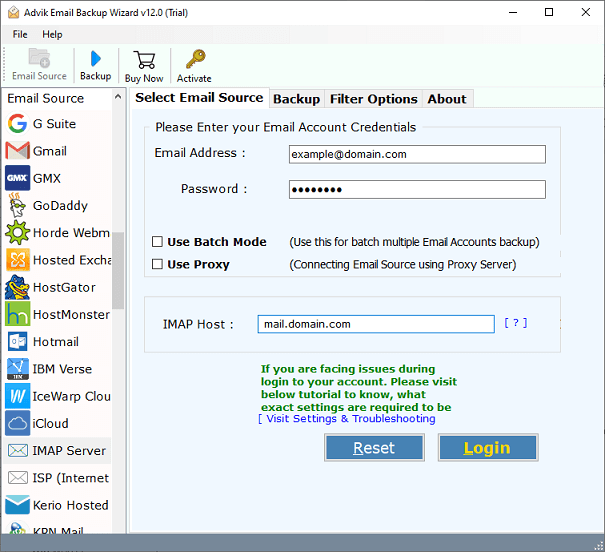
2. Enter your cPanel account login details and click Login.
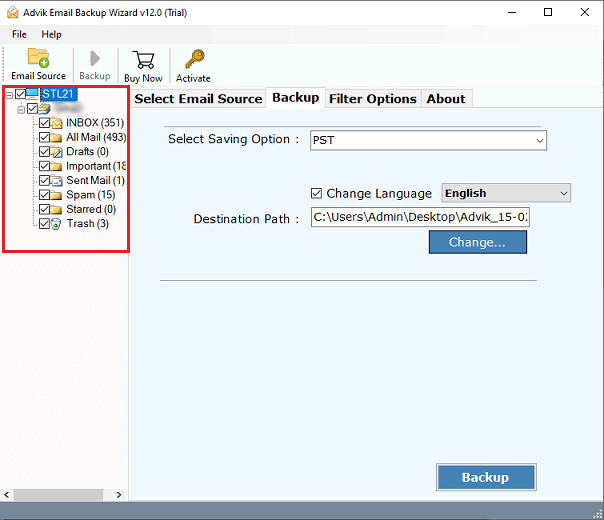
3. Choose the folders from which you want to download attachments.
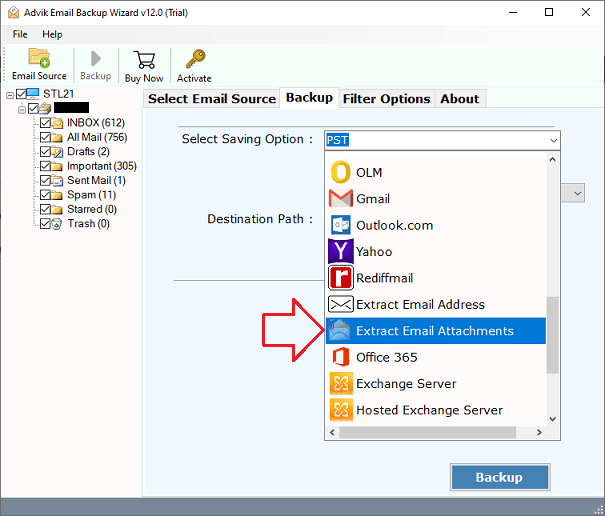
4. Choose Extract Email Attachments from Select Saving option.
5. Browse target location and click the Backup button.
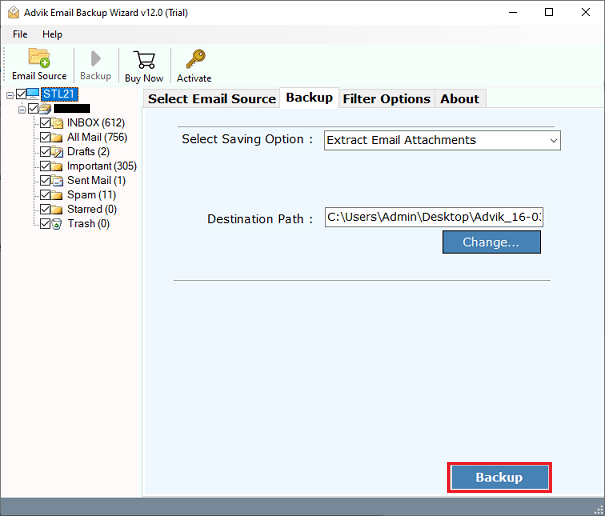
6. The software will start downloading attachments from cPanel emails.
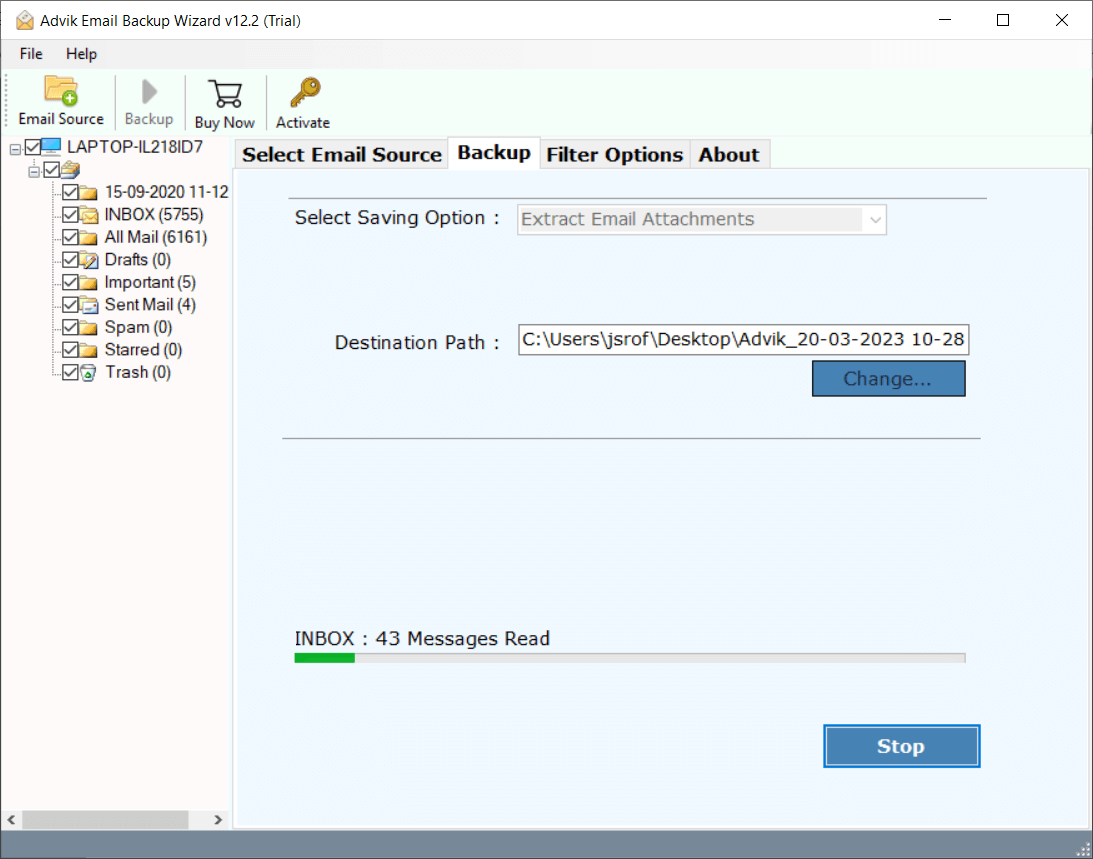
After completing the process, you will get a pop-up message with a complete log report.
Key Features of cPanel Attachment Extractor
- Safe and Secure Solution: The software provides a completely secure interface that never stores the user account credentials or any other information during the process.
- Extract Attachments in Bulk: With this tool, you can download multiple attachments from cPanel in a single attempt. It saves your time and effort to extract all attachments.
- Advanced Filter for Selective Extraction: If you want to export only required email attachments from cPanel, then this utility comes with Advanced Filter Options. These filters help you to extract attachments from cPanel emails by date, email address, subject, etc.
- Maintains Metadata & Originality: The software preserves attachment properties and originality whileexporting attachments. You will get the exact copy of your original cPanel email attachments.
- Batch Mode: The tool comes with a batch mode option that will help you to download attachments from multiple cPanel email accounts in a single attempt.
The Sum Up
In this post, we have discussed how to extract attachments from cPanel emails. There is no manual solution to do it. So, here, we have provided a professional tool that will help you to download attachments from cPanel quickly. You can download its free trial version to check its functionality. Once you are satisfied with its working procedure, then you can purchase its licensed version.
