How to Get Thunderbird Email on Android Device?
Jenny Lowrence | March 16th, 2026 | Data Backup, Mozilla Thunderbird
Overview: If you are having trouble accessing your Thunderbird emails, now is the time to get Thunderbird email on Android device. In this write-up, we will show you how to access Thunderbird emails on android device. Here, we will share the two best methods to transfer emails from Thunderbird to Android. Read this article till the end to get step-by-step instructions to accomplish this task without any hassle.
Nowadays, we spend a lot of time on our mobile phones. We use this small device to read, work, play, and do everything. This is why Thunderbird users are looking for a way to sync their emails with Android device. Here, we are going to explain two practical methods that allow users to access Thunderbird emails on Android.
How to Get Thunderbird Email on Android Device for Free?
Follow the below given steps to manually access Thunderbird emails on Android:
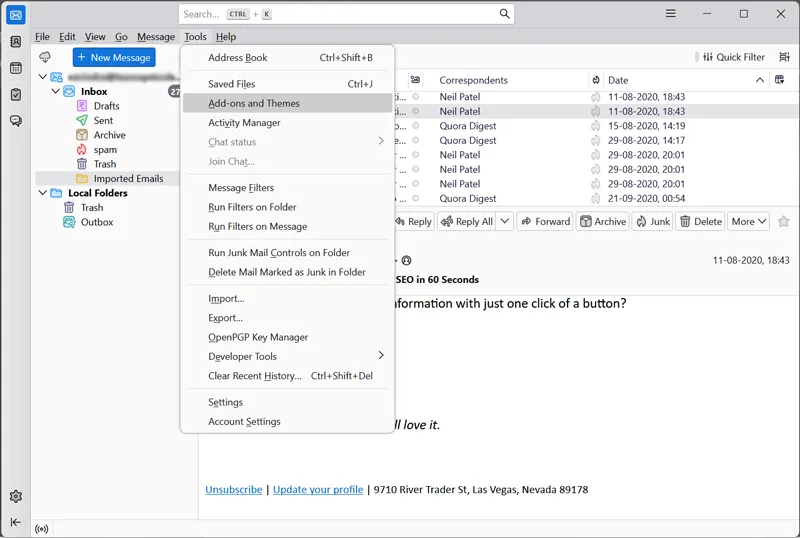
1. Open Thunderbird and go to Tools>> Add-ons and Themes.
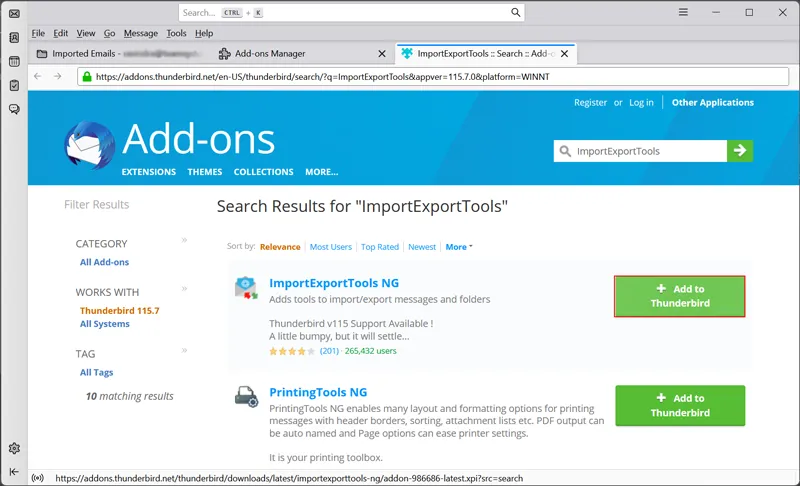
2. Install ImportExportTools NG in Thunderbird.
3. After that, select a folder that you want to transfer.
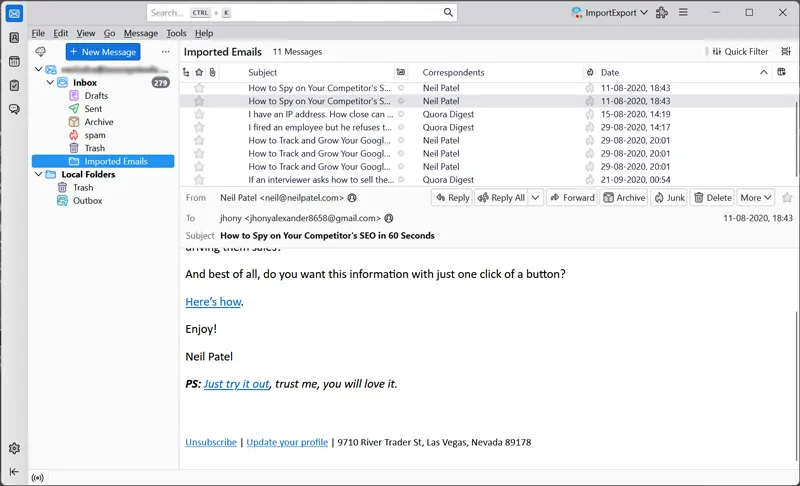
4. Right-click on it and select ImportExportTools NG option.
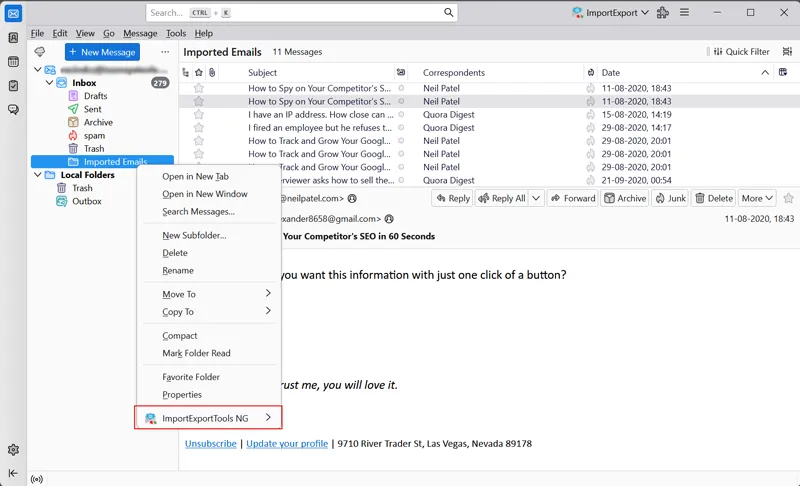
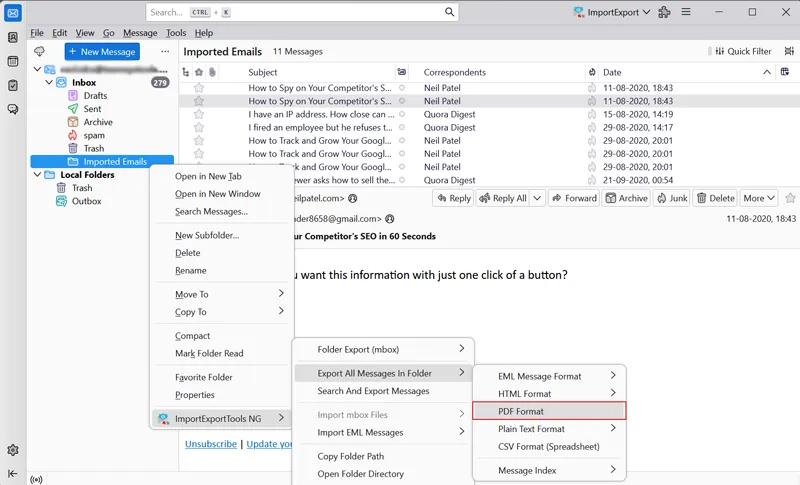
5. Choose Export All Messages in folder >> PDF format.
6. Select the destination path and click Select Folder.
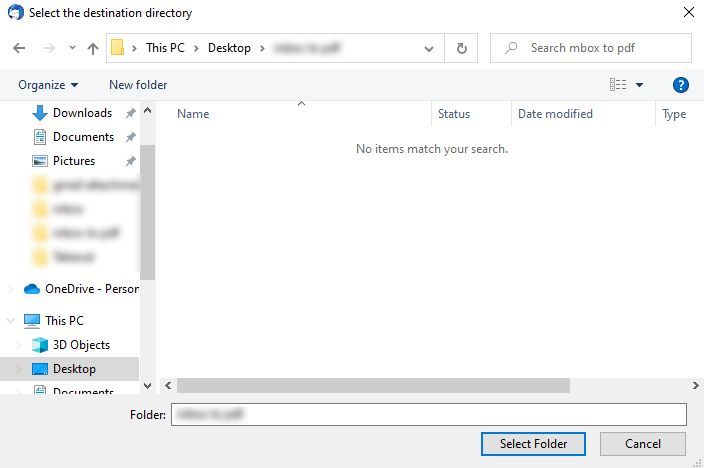
This is how you can save Thunderbird emails to PDF format to access on Android, but it does not allow you to download email folders in bulk.
How to Transfer Thunderbird Emails to Android Device Professionally?
To overcome the limitations of the manual method, you can use the Advik Thunderbird Converter. This tool will help you to get Thunderbid email to Android device in bulk. With this utility, you can download emails into several file formats to access them on Android device. Apart from this, it also offers advanced email filter options to transfer emails based on date range, to, from, subject, etc. It can save Thunderbird email folders in their original format without any single change.
Click on the below link to download it for FREE.


Steps to Get Thunderbird Email on Android Device
1. Run the tool on your system.
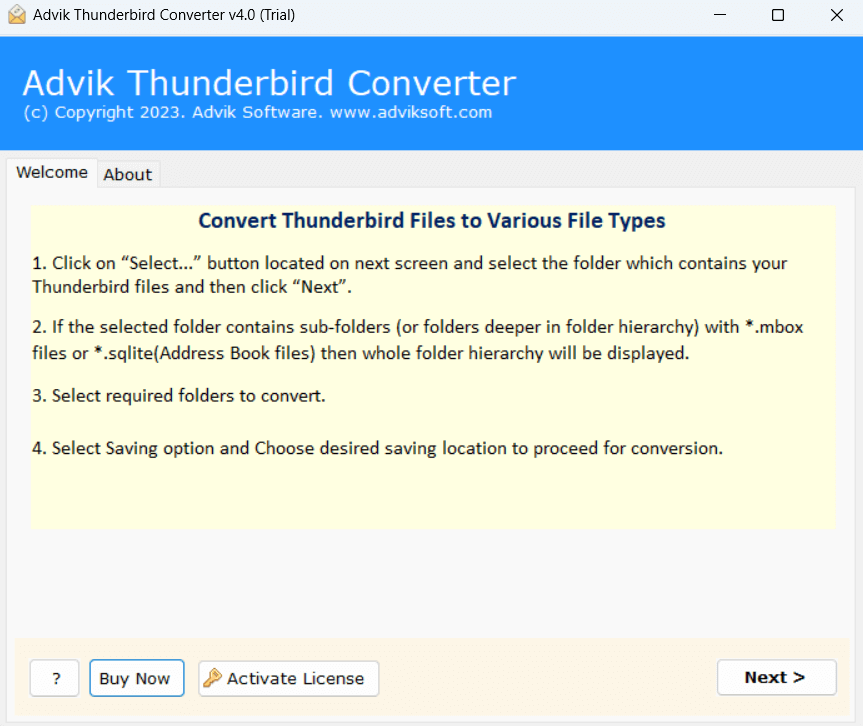
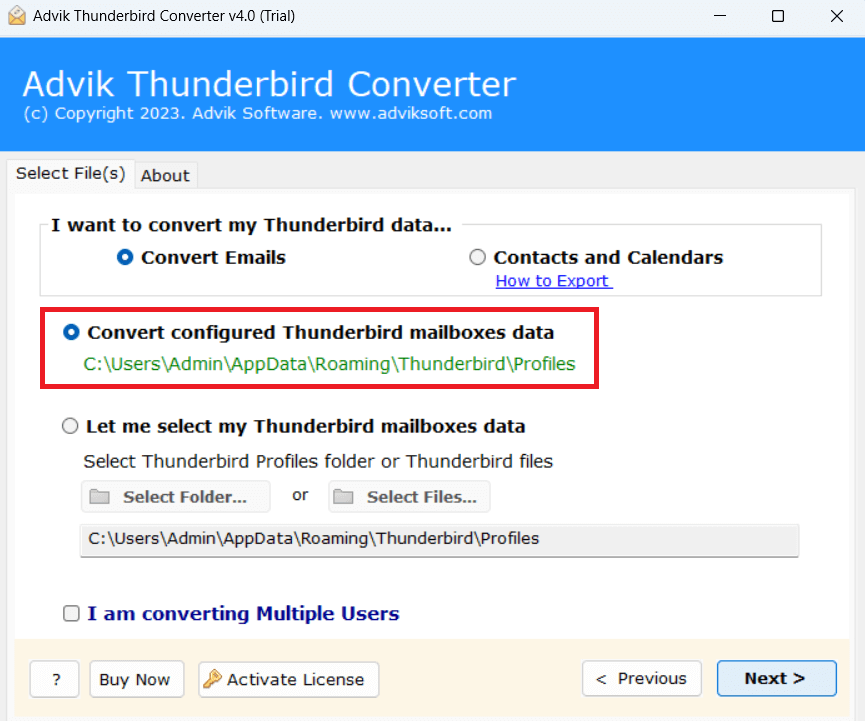
2. Choose your Thunderbird profile and click Next.
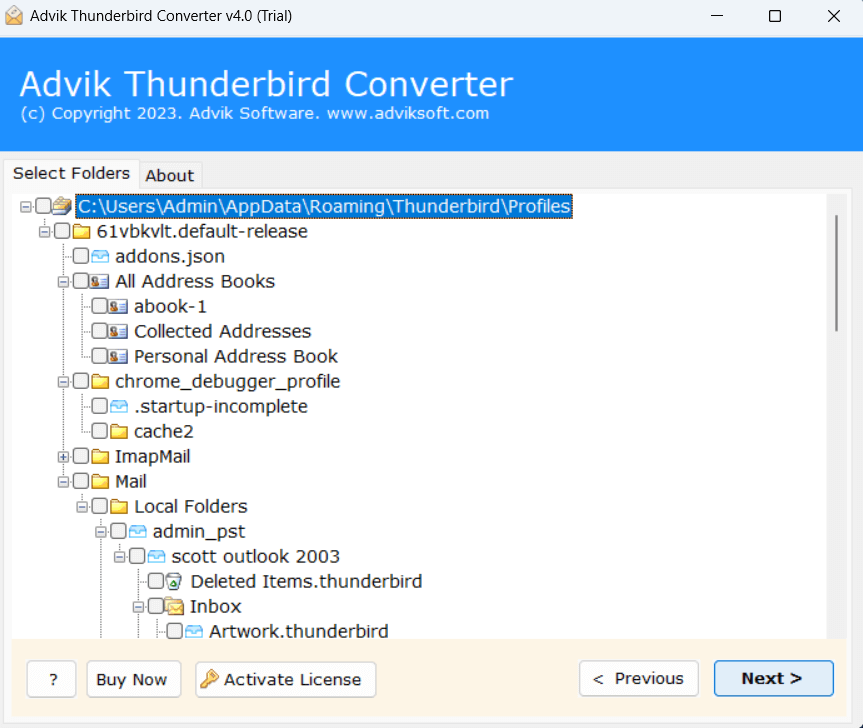
3. Choose the required mailbox folders & subfolders.
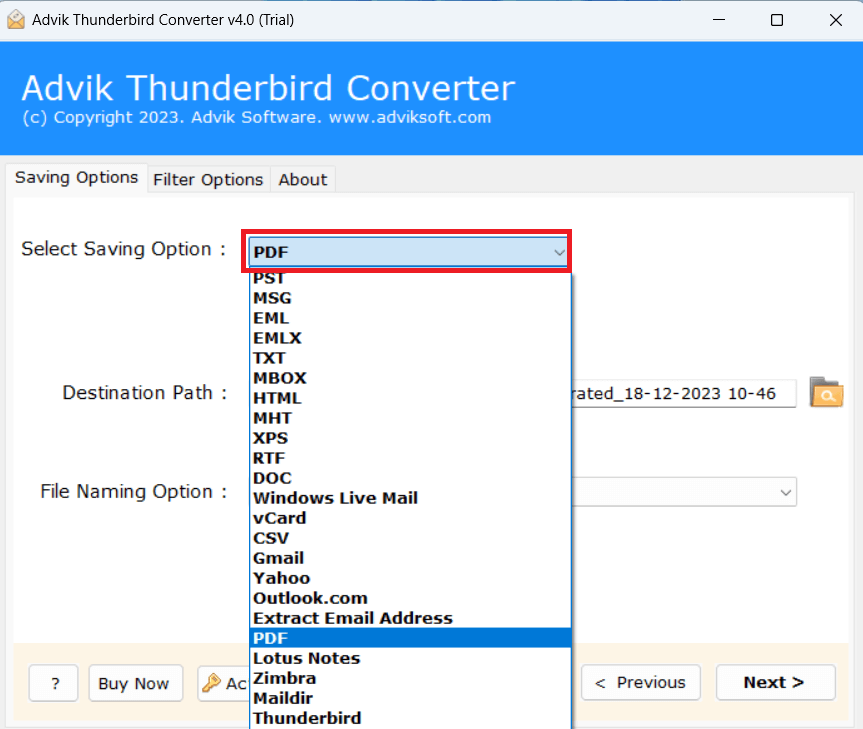
4. Select PDF as a saving option.
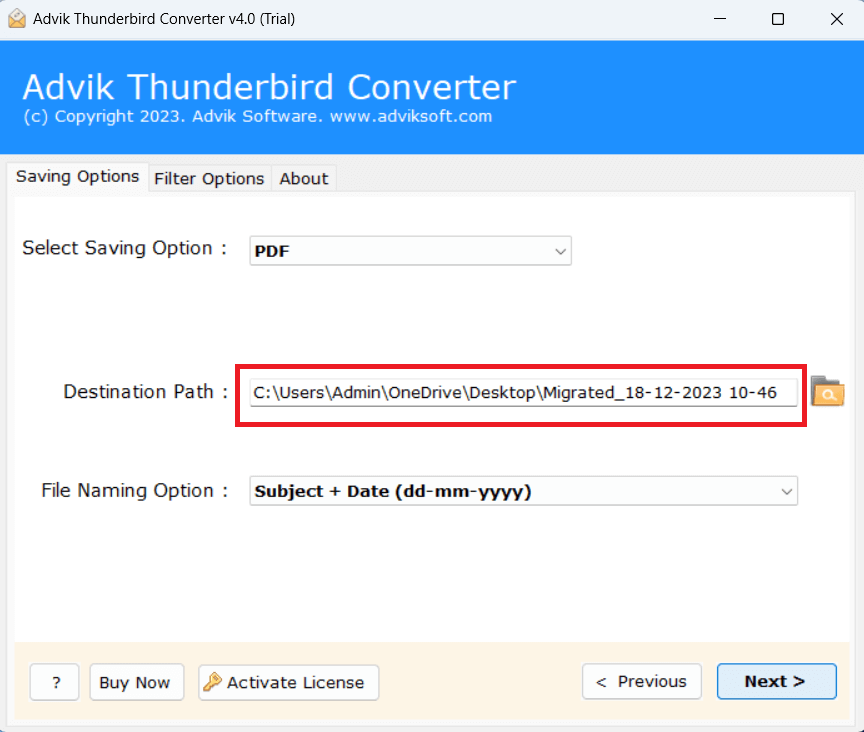
5. Browse target location and click Convert.
The software will start downloading Thunderbird emails into PDF format. Once the process is complete, you can open the resultant file on your Android device easily.
Advantages of Using Automated Tool
- The software can transfer the complete Thunderbird mailbox at once.
- The tool saves Thunderbird emails with attachments and other attributes.
- It keeps the original structure of mailbox folders during the process.
- This program offers advanced email filters to export selected emails.
- It provides various file naming options to organize resultant files.
- 20+ saving options to export Thunderbird to PST, EML, MBOX, HTML, etc.
- The tool is designed in such a way that any novice user can easily use it.
- It supports all the latest and old versions oF Windows operating systems.
Concluding Words
In this post, we have discussed how to get Thunderbird email on Android device. Here, we have mentioned both manual and automated solutions to transfer Thunderbird emails to android. Both methods are 100% workable. You can choose any method that is most suitable for you as per your needs.