How to Export Outlook.com to PST File?
Outlook.com is a free web-based email service developed by Microsoft. It allows users to send and receive emails, manage contacts, schedule meetings, create rules, and access their mailboxes from any device. Many users want to export Outloo.com to PST file for backup, migration, or offline access. A PST is a file format used by Microsoft Outlook to store emails, contacts, calendars, and other mailbox data.
If you are also planning to export Outlook Web App to PST format, then this post is for you. This guide will walk you through the step-by-step process of exporting emails from OWA to PST in different ways. Here are the top 2 ways to convert Outlook.com mailboxes into PST file.
Let’s continue with this article to get more detail.
How to Export Outlook.com to PST File Manually?
This solution shares a free way to Outlook.com mailbox as PST with attachments. First of all, you will require a Microsoft Outlook client on your system. Then, follow the further steps.
1. Open the MS Outlook client and go to File >> Add Account.
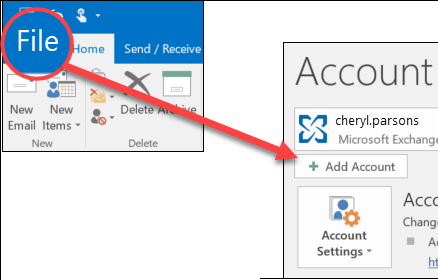
2. Enter your Outlook.com login credentials and complete the configuration process.
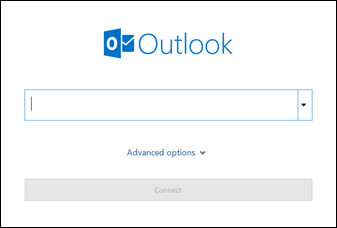
3. Once added, Outlook will sync and load your Outlook.com emails and folders.
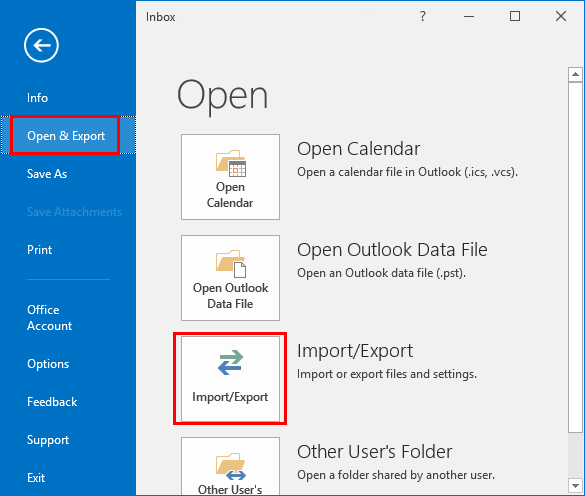
4. Now, click the File >> Open/Export >>Import/Export option from the Outlook menu.
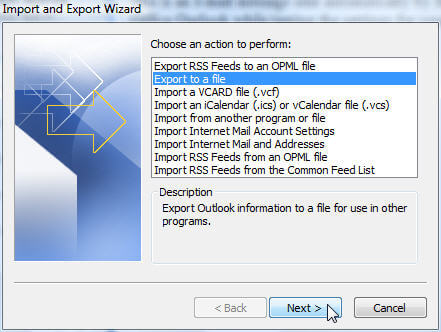
5. A pop-up window will appear, click Export to a file >> Export to Outlook Data File (.pst).
6. In the next window, select Outlook.com mailbox folders and then click Next.
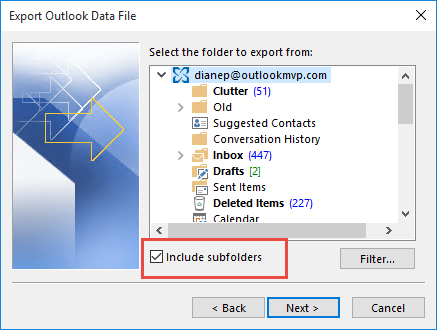
7. Choose the target location to save the .pst file and click Finish.
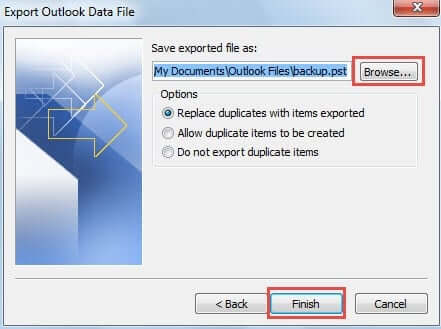
Done! Microsoft Outlook will soon export complete mailbox items into PST file format.
Why is Manual Solution Not Recommended?
- Outlook installation is required.
- Takes time to complete the process.
- No email filter option for selective email export.
How to Export PST File from Outlook Web App Automatically?
Take help from the Advik Outlook.com Backup Tool. This tool is specially designed to export Outlook Online Emails to PST file instantly. It can export the entire mailbox at once, including emails, contacts, calendars, and more. With this software, you can also select specific email folders and apply filters to save only required emails to PST. This solution preserves 100% data integrity and mailbox folder hierarchy during the Outlook.com to PST conversion.
Click on the below link to try it for FREE.


Steps to Export Outlook Web App to PST File
- Run the automated tool on your Windows PC and sign in.
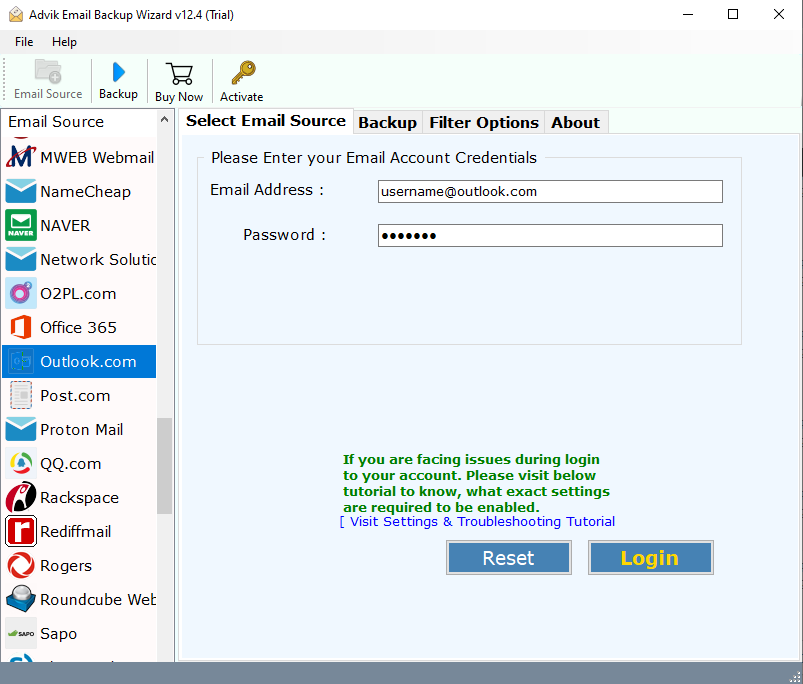
- Select mailbox folders to export into PST file.
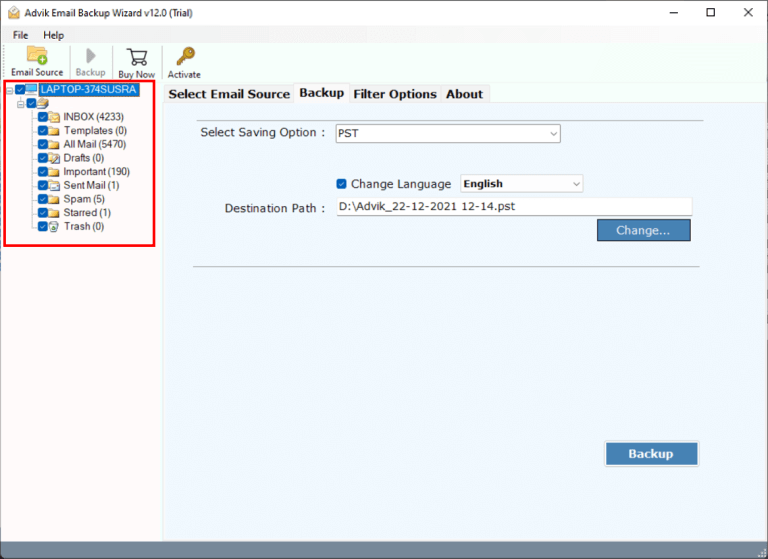
- Choose PST as a saving option from the list.
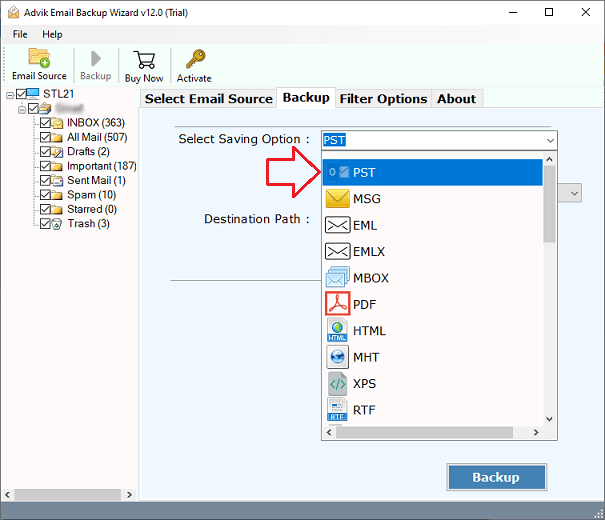
- Click the convert button and analyze the live preview.
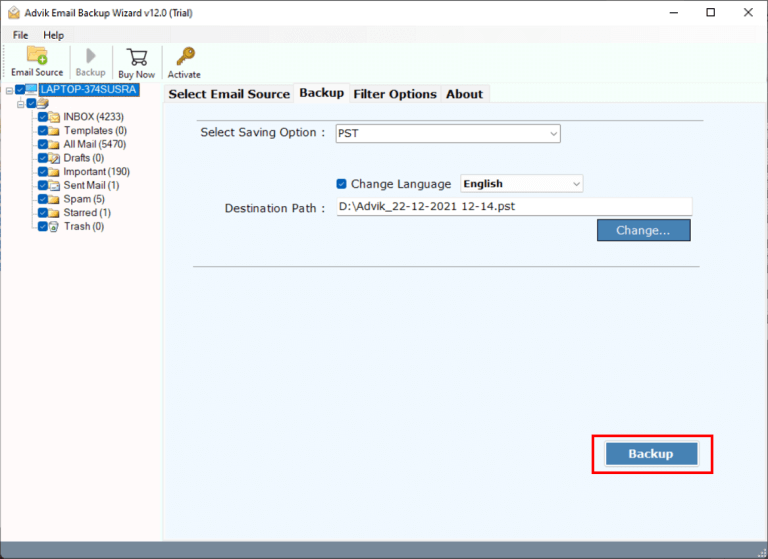
Now sit back and relax! The software will export Outlook.com mailbox to PST file in no time.
Watch How to Export Emails from Outlook Web App to PST File
Besides this, the software is loaded with tons of benefits, some of which are listed below;
- Directly export Outlook Web App to PST without any configuration.
- Maintain the Outlook.com mailbox folder hierarchy throughout the process.
- Advanced email filter options to choose specific Outlook web app emails, such as To, from, subject, etc.
- Preserve key elements and attachments of Outlook.com emails without modifying the original content.
- Export emails to more than 15+ file formats, including Outlook.com to PDF, MBOX, EML, PST, MSG, etc.
- Cloud-to-Cloud email migration is available to import Outlook.com to Gmail, Yahoo Mail, Zoho Mail, etc.
- Offers a batch mode feature to export emails from multiple Outlook Web App accounts to PST file.
Conclusion
Till now, we have discussed the straightforward techniques to export Outlook.com to PST. As you can notice, the manual solution is workable but has a few limitations. So I would like to suggest choosing the above solution. You will get the archive file instantly without losing any information. Secondly, you will get an Email Filter option by which you can export your desired mailbox data.
Frequently Asked Questions
Q1. Can I create a PST file from Outlook Online?
Ans. Yes, you can create PST file in Outlook Web Access using Outlook and a professional tool. Both methods are explained in the above article.
Q2. How to export emails from Outlook Web App to PST file between April 2024 to March 2025?
Ans. The Advik Software offers Date range filter option to convert emails between specific dates.
Q3. Can I export Outlook.com mailbox to PST without changing their folder structure?
Ans. Yes, the software maintains the original structure of mailbox folders even after the process.