How to Transfer AOL Email to Gmail Account?
Jackson Strong | March 7th, 2026 | Email Migration
Looking for a way to transfer AOL email to Gmail account? If so, then in this article, we will discuss how to migrate AOL Mail to Gmail manually and professionally. Read the full blog and complete the AOL to Gmail migration easily.
AOL Mail has been a reliable email service for years. It provides robust email management features, but one of the major limitations of AOL Mail is its outdated interface and fewer customization options, which can make managing your emails a tedious task. Therefore, many users want to transfer AOL Mail to Gmail to get the best email experience with faster access, improved storage, and top-notch security features, but they do not know how to switch from AOL to Gmail account. To help those users, we have come up with two simple methods.
- Manual process using Gmail’s built-in settings
- Automated Migration tool
However, before proceeding with the solutions, let’s explore the benefits of AOL to Gmail migration.
Why Transfer AOL Email to Gmail Account?
- Modern Email Management: Gmail provides a modern and user-friendly interface, allowing you to manage emails, attachments, and folders easily. Compared to AOL Mail, Gmail is faster and more efficient.
- Larger Storage Space: Gmail offers generous storage space (15GB free with options to upgrade), so you don’t have to worry about running out of space, which is a common issue with AOL Mail.
- Easy Integration with Google Services: With Gmail, you gain access to Google’s ecosystem, including Google Drive, Google Meet, Docs, and Sheets, enhancing productivity and team collaboration.
- Enhanced Security Features: Gmail offers advanced security options, including two-factor authentication, spam filtering, and phishing protection. It helps safeguard your data more effectively than AOL Mail.
- Access Anywhere, Anytime: Gmail is optimized for mobile and desktop platforms, allowing you to access your emails anytime on any device, without any compatibility issues.
How to Forward AOL Mail to Gmail for Free?
Follow the below given steps to manually transfer AOL email to Gmail.
1. Log in to your Gmail account.
2. Click on Gear icon in the top right corner and tap on the Settings menu.
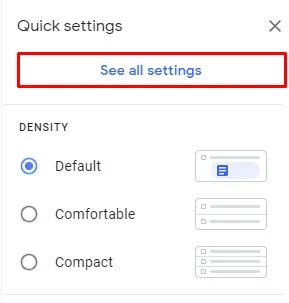
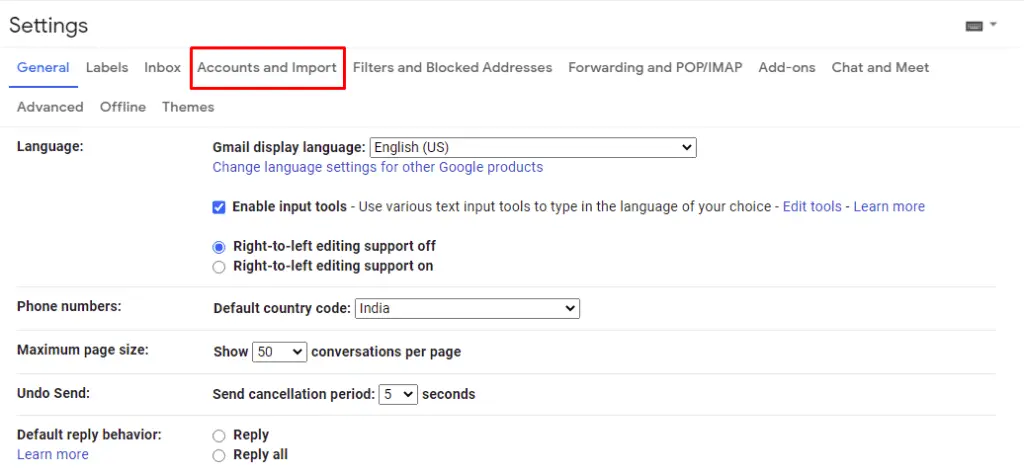
3. Go to the Accounts and Import section.
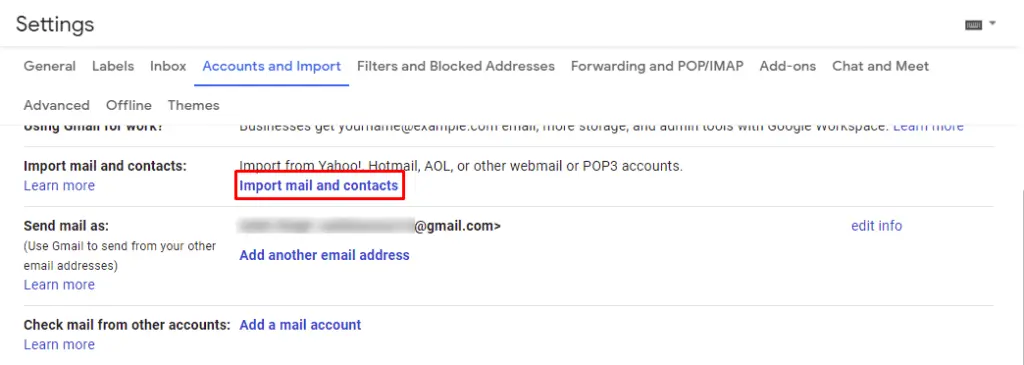
4. Click “Import mail and contacts”.
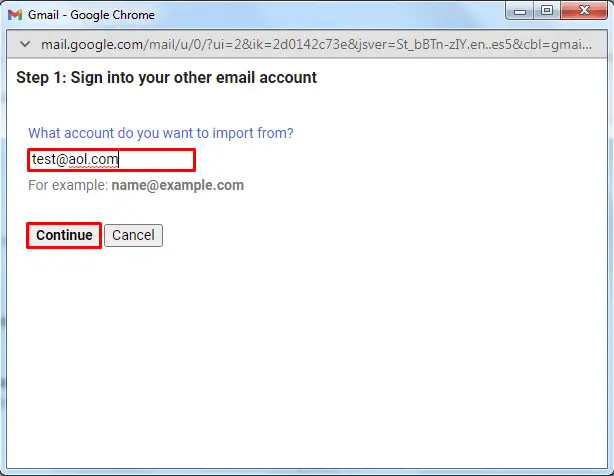
5. Enter your AOL email address under “What account do you want to import from?” and click Continue.
6. Enter your AOL mail password under “Enter the Password” and click “Continue”.
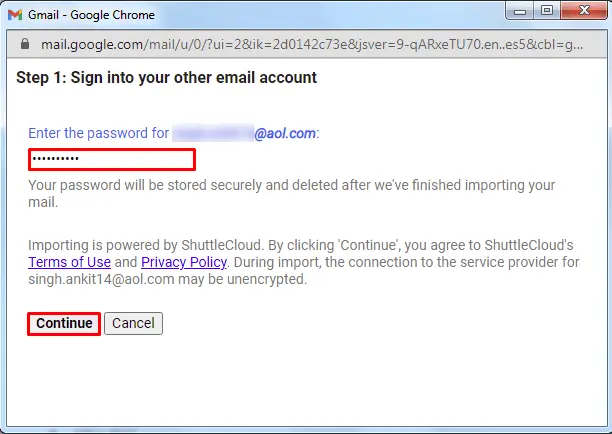
7. Make sure Import contacts and Import emails are selected and click Start Import.
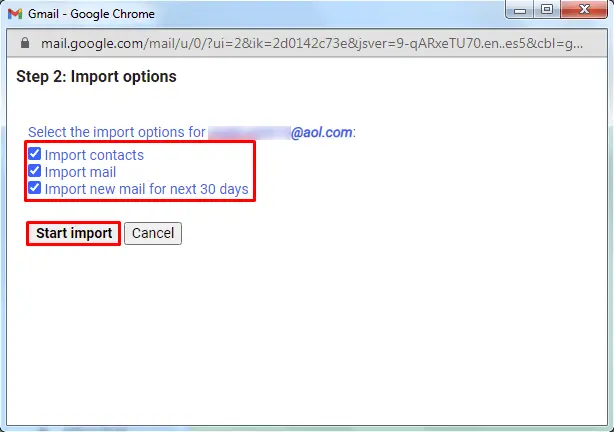
8. The importing process will start, click OK to close the pop-up window.
This is how you can manually add AOL email account to Gmail.
Limitations of Manual Method
- The configuration is complicated as well as time-consuming.
- It never imports the complete mailbox data from AOL mail to Gmail.
- Large mailboxes may take hours to import
How to Migrate AOL to Gmail Automatically?
Try the Advik AOL Backup Tool, which is the most recommended solution to transfer AOL email to Gmail account in just 5 simple steps. Just enter the login credentials of both email accounts to begin the AOL to Gmail migration.
This software will help you:
- To move emails from AOL to Gmail in bulk.
- Export AOL emails into multiple formats.
- Preserves all email attributes during the process.
- Retains the AOL mailbox folders structure intact.
- Import AOL Mail to Gmail based on Date Ranges, To, From, Cc, Bcc, etc.
Click on the below link to download it for FREE.


Note: Make sure to enable Less Secure Apps and Generate One Time Password to use it to Sign into AOL Mail Account. Click here to know how.
Steps to Transfer AOL Mail to Gmail Account
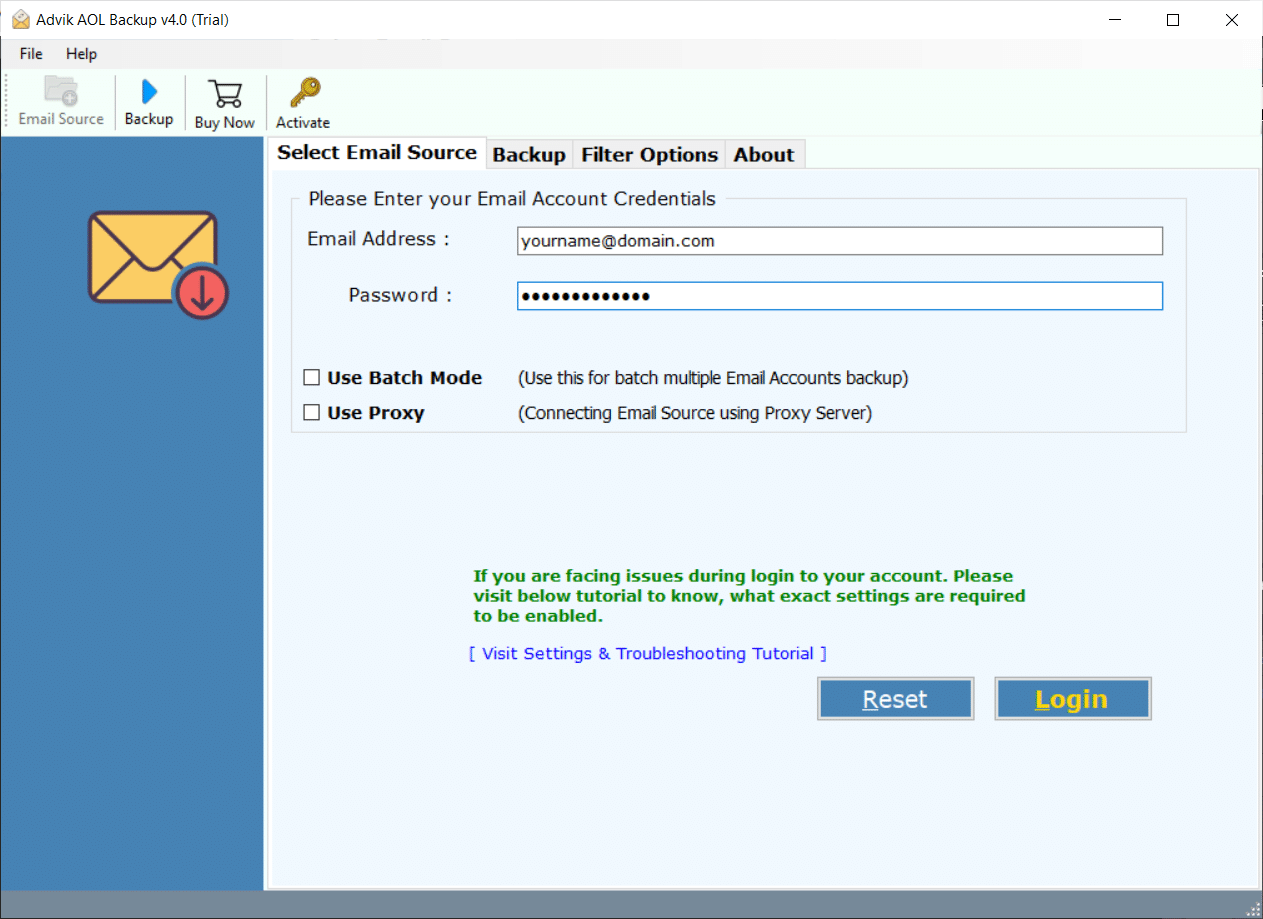
Step 1. Run the software and Enter your AOL login credentials.
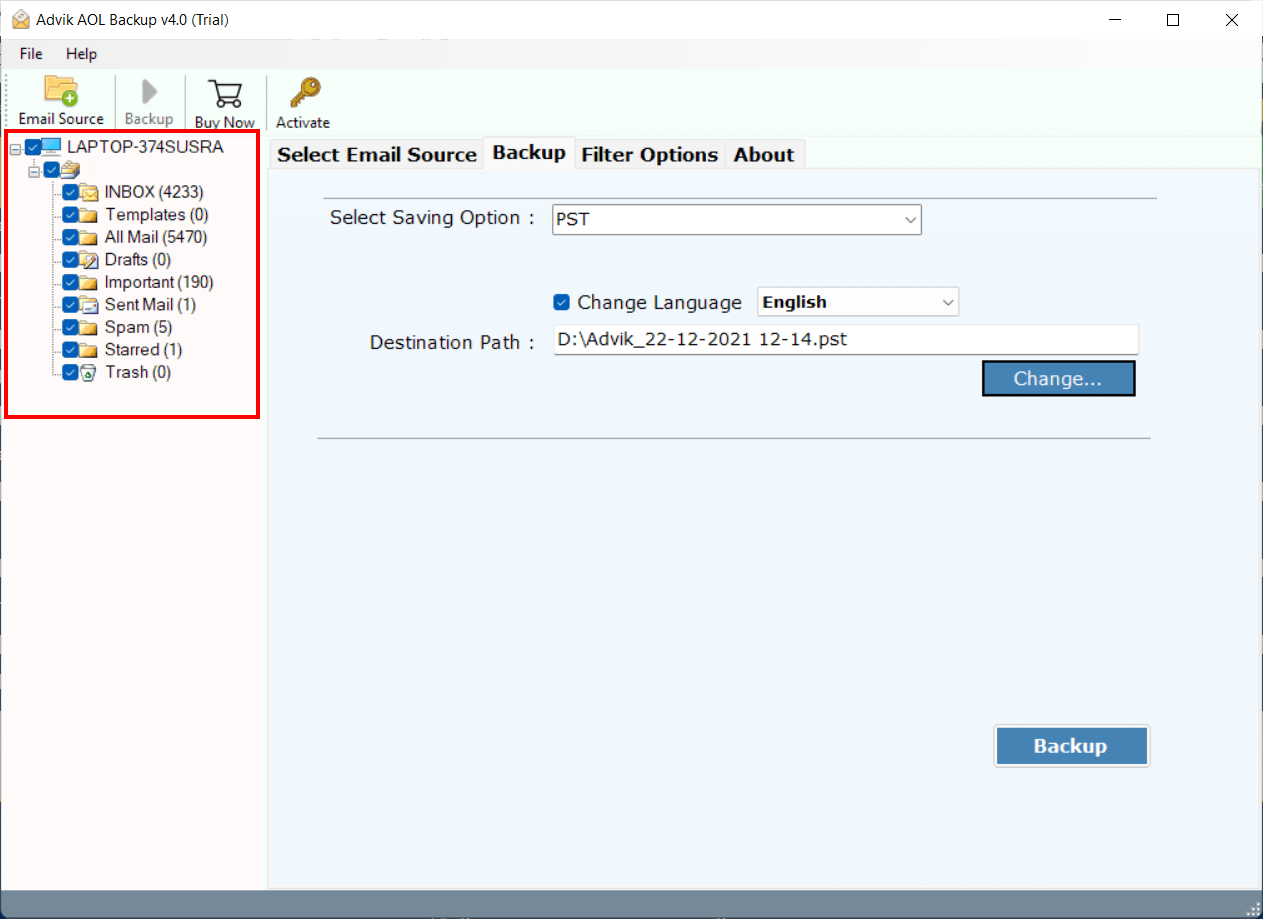
Step 2. Select the mailbox folders that you wish to migrate.
Step 3. Select Gmail as a Saving Option from the list.
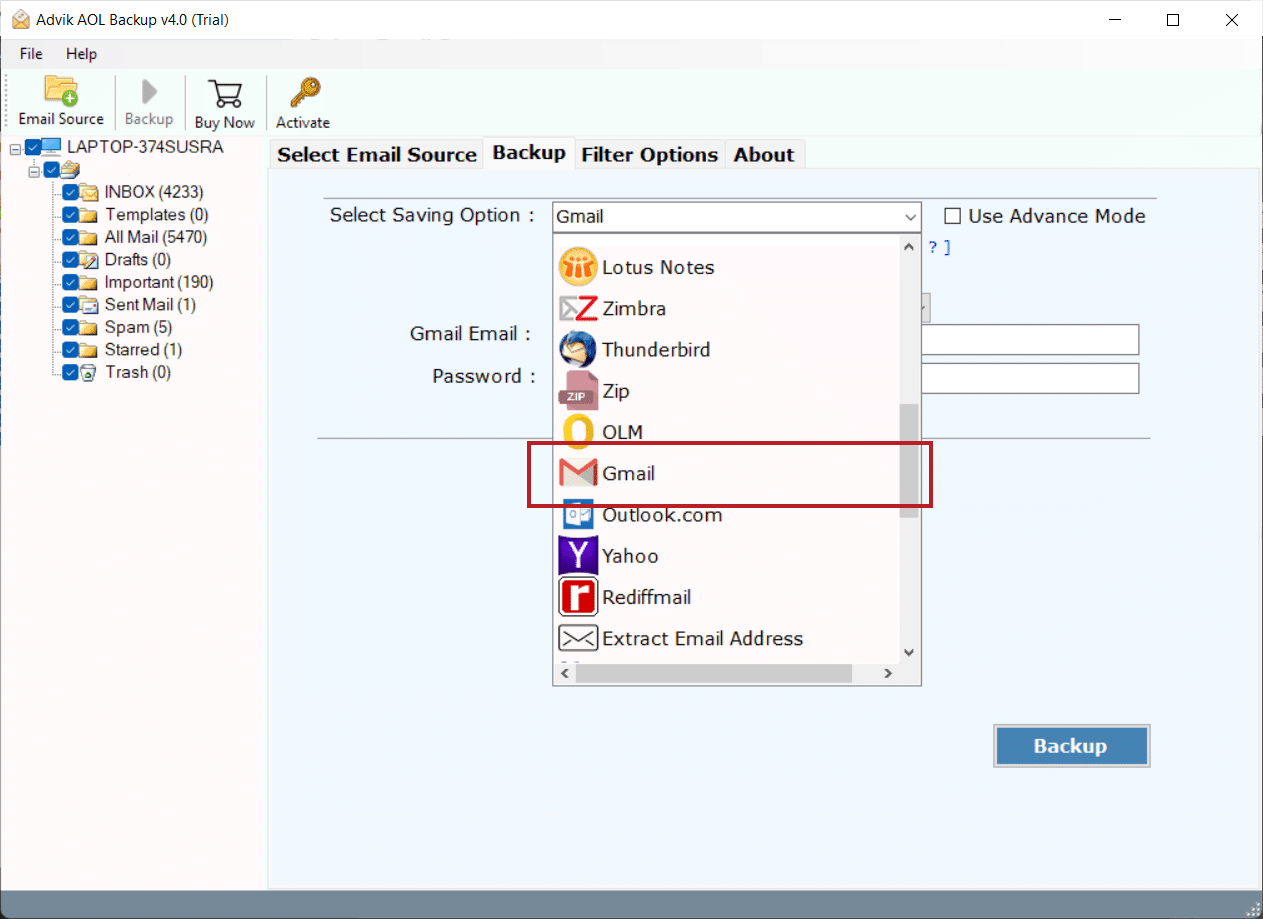
Step 4. Enter your Gmail login credentials and click Backup Button.
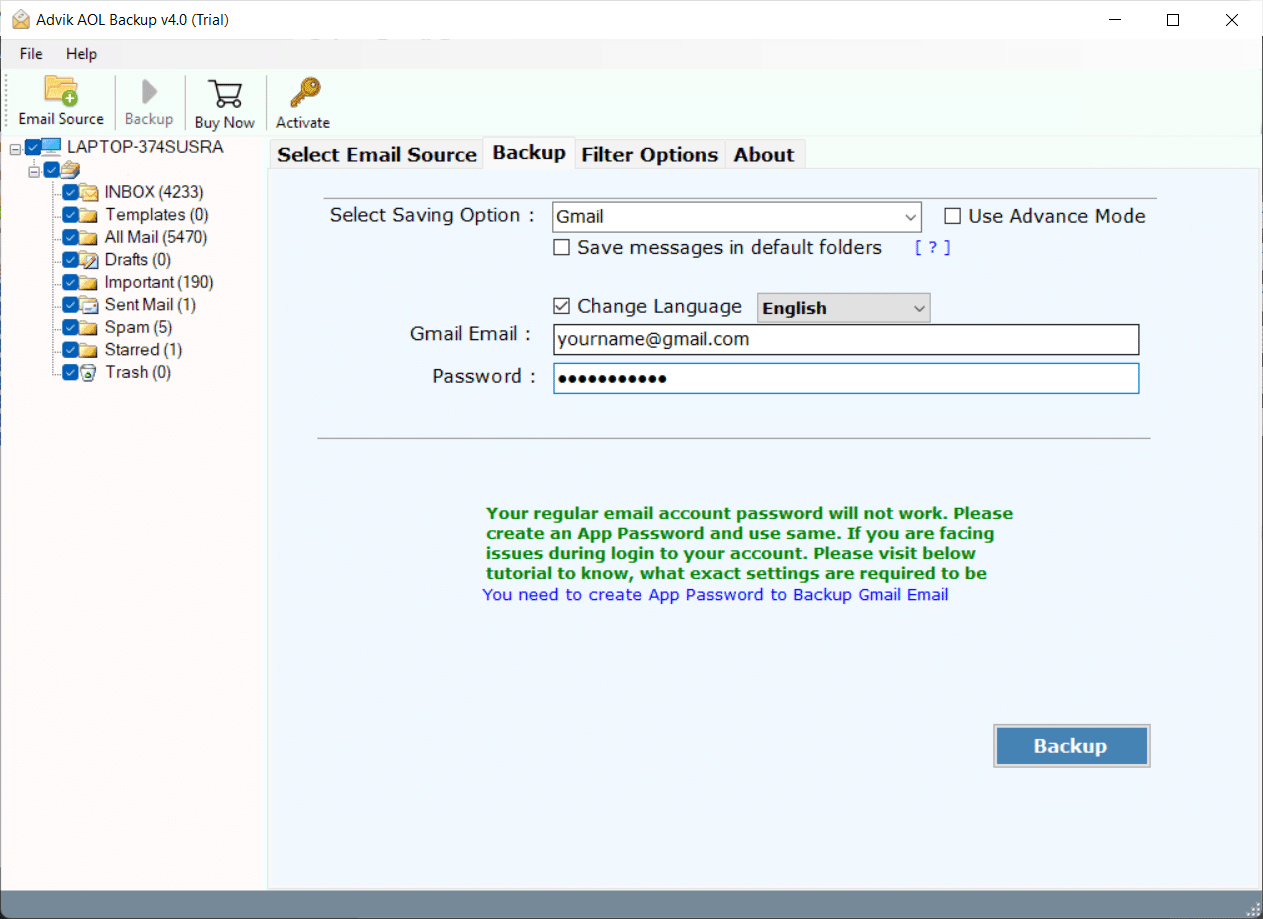
Done! The software will soon export complete AOL emails to Gmail account in one fell swoop.
Watch How to Transfer AOL Email to Gmail in Bulk
Why Choose Automated Software?
- Cloud Migration: Apart from AOL to Gmail migration, you can also use this tool to migrate emails from AOL Mail to Office 365, G Suite, Windows Live Mail, Yahoo Mail, Rediffmail, etc.
- Multiple Saving Options: You can also export AOL emails to PST, MSG, EML, EMLX, PDF, etc.
- Complete Mailbox Migration: This Software migrates the complete Mailbox data. It includes Inbox, Sent Mails, Outbox, Drafts, Spam, Trash, and any other folder created by the user.
- Selective Migration: You can select single as well as multiple Mailbox folders that you want to migrate from AOL to Gmail account. Apart from this, you can use the advanced filter option to migrate selected email messages.
- Preserve Key Elements: During the process of migration, the tool retains all the key elements of emails such as Cc, Bcc, to, from, date & time stamp, header information, hyperlink, Unicode text, etc.
- Support all versions of Windows OS: You can use this Software on almost all versions of Windows like Windows 10, 8, 7, Vista, and XP. You can also run this software on both 32-bit as well as 64-bit machines.
- Free Demo Download: You can download AOL Mail to Gmail Migration tool for free to check the efficiency and the working of this software. Hit the button below to download for free.
Conclusion
In this blog, we have discussed how to migrate from AOL to Gmail. Here, we have explained two easy ways to transfer AOL email to Gmail account. You can choose any of these methods depending on your needs. However, you can manually migrate AOL email to Gmail, but if you face any issues with it, then try the above-suggested tool. This software is the ultimate solution to forward AOL Mail to Gmail in just a few simple steps.
Frequently Asked Questions
Q1. How to transfer AOL email to Gmail from specific folders?
Ans. The Advik software allows you to choose a folder for AOL to Gmail migration. You can select the mailbox that you want to migrate or convert.
Q2. Is it possible to migrate AOL Mail to Gmail without modifying the folder structure?
Ans. Yes, the software Maintains the mailbox folder hierarchy without modifying the original content during the process.
Q3. Can I run this AOL to Gmail Migration Tool in Windows 11?
Ans. Yes, you can install this software in any version of Windows.