iiNet Email Settings for Outlook
Jenny Lowrence | December 23rd, 2025 | Data Backup
If you’re looking to set up your iiNet email account in Outlook or any email client, this guide is here to help. iiNet is a well-known internet service provider in Australia and offers reliable email services to its users. However, to access your iiNet emails in Outlook or any other mail client, using the correct iiNet webmail IMAP settings is very important.
Whether you’re a long-time iiNet user or setting up your email in Outlook or any email client for the first time, knowing the right iiNet IMAP settings for Outlook ensures proper email syncing, secure access, and hassle-free communication.
Let’s get started.
iiNet IMAP and POP3 Server Settings for Outlook
Here are the complete iiNet email settings for both ongoing and outgoing emails. Make sure to enter every detail correctly to avoid any issues.
| Email Settings | Port Details |
|---|---|
| iiNet IMAP Incoming mail server: mail.iinet.net.au (where mail is the domain) |
993, requires SSL 143, non-secure |
| iiNet POP3 Incoming mail server: mail.iinet.net.au |
995, requires SSL 110, non-secure |
| iiNet SMTP Outgoing mail server: smtp.iinet.net.au |
465, requires SSL 587, non-secure |
How to Set Up iiNet Email on Outlook?
Follow these simple steps:
Step 1. Open Microsoft Outlook.

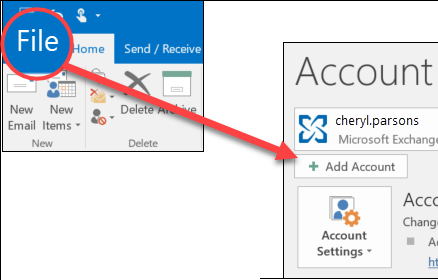
Step 2. Go to File >> Add Account.
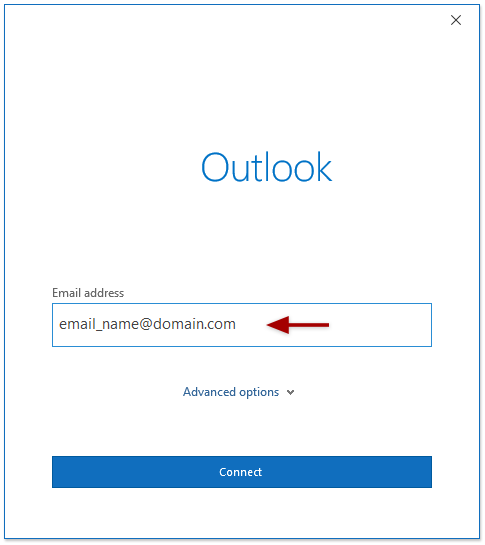
Step 3. Enter your iiNet email address and click Advanced options.
Step 4. Select Let me set up my account manually.
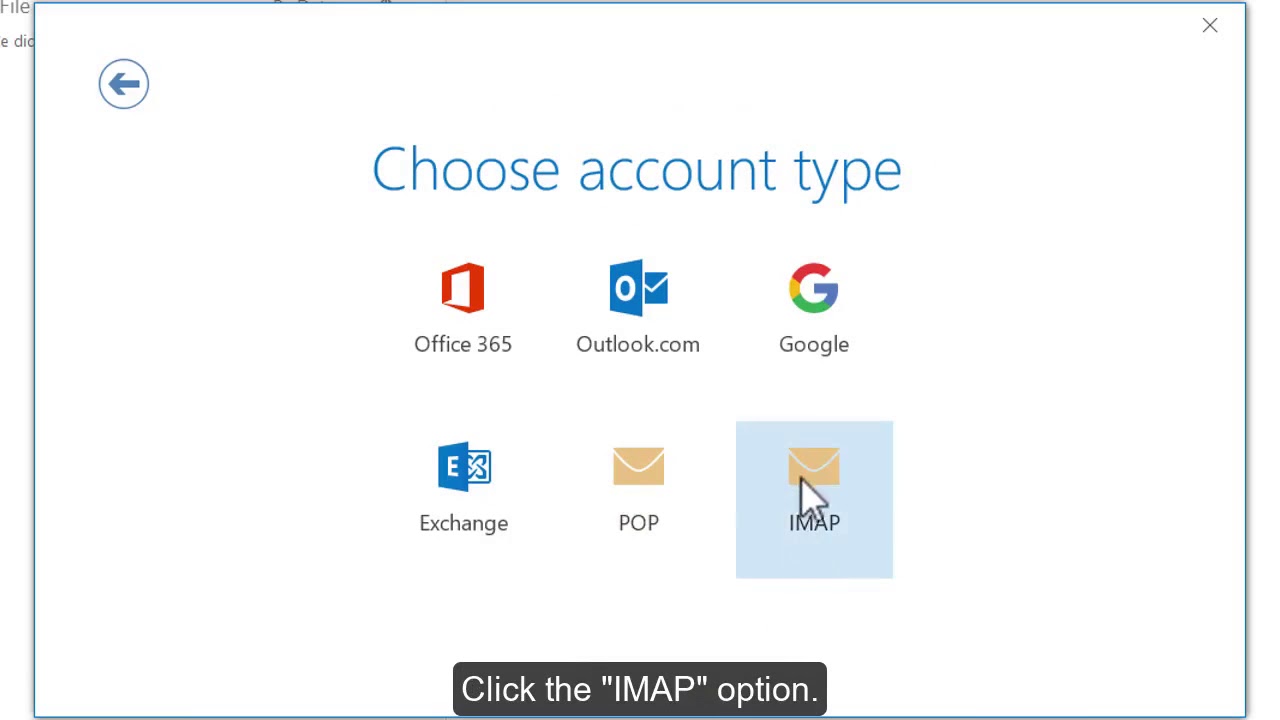
Step 5. Choose IMAP.
Step 6. Enter the iiNet IMAP and SMTP settings listed above.
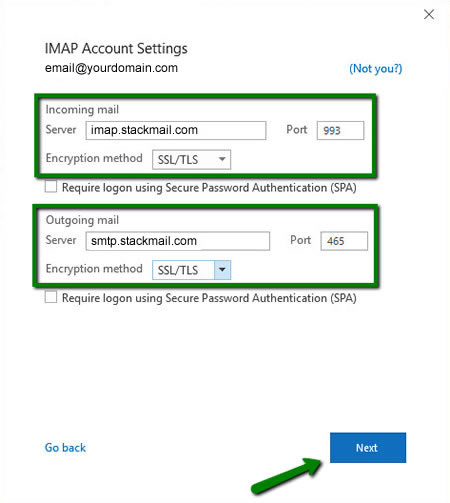
Step 7. Enter your password and click connect.
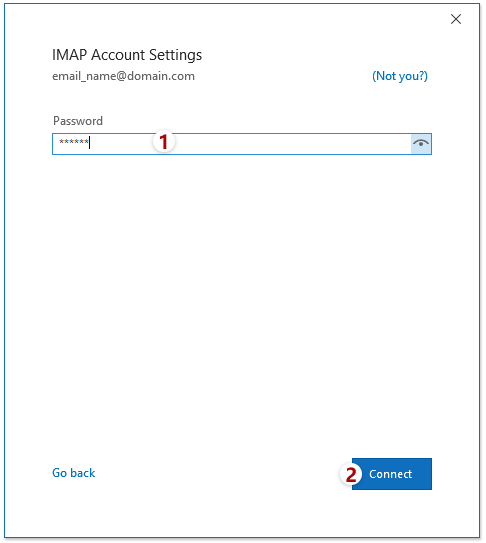
Step 8. Finish the setup.
Once completed, Outlook will start syncing your iiNet emails.
Final Words
Using the correct iiNet email settings for Outlook allows to manage emails easily. Once set up properly, you can manage all your iiNet emails directly from Outlook or any other email client without any hassle.
Frequently Asked Questions
Q1. Can I use iiNet email in Outlook without IMAP?
Ans. Yes, but POP is not recommended as it may cause syncing issues.
Q2. Does iiNet support SSL for IMAP?
Ans. Yes, iiNet supports SSL/TLS for secure email access.
Q3. What if iiNet IMAP settings stop working?
Ans. Re-check settings, reset your password, or contact iiNet support.
Q4. Is iiNet email POP3 or IMAP?
Ans. iiNet email works with both POP3 and IMAP, but IMAP is the better and more reliable option, especially when using Outlook or mobile devices.
