How to Transfer Rediffmail to Gmail Account?
With improved features, better security and increased worldwide use, many users are choosing to migrate Rediffmail to Gmail account. Whether you want to transfer Rediffmail emails to Gmail or just switch over to Gmail entirely, you need to use the correct way. You can use built-in import feature of Gmail or Rediffmail or a dedicated third party tool to complete the migration process.
In this article, we will explain step by step procedure of manual and professional solutions and help you provide every detail about Rediffmail to Gmail migration. So, read this article till the end and choose any method that best suits you.
Before we go down to the methods, let’s first understand the reasons why users need to move Rediffmail emails to Gmail.
Why Migrate from Rediffmail to Gmail?
Most of the users prefer to use Gmail email service instead oof Rediffmail due to several benefits:
- You can access your Gmail account in any web browser, mobile and computer.
- Gmail allows you to schedule emails and integrates easily with other Google services.
- Gmail’s strong security policies give you peace of mind against data loss.
- The layout of Gmail is much cleaner and intuitive than Rediffmail. So, navigating to the interface would be easier.
- Gmail offers better spam filtering and advanced search capabilities.
- Gmail uses labels rather than folders which is better for email management.
Method 1. How to Import Emails from Rediffmail to Gmail?
Follow these steps to configure your Rediffmail account to Gmail. Then you’ll be able to see your emails in your Gmail inbox.
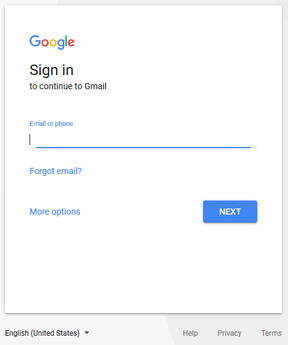
- Enter your email and password to sign into your Gmail account.
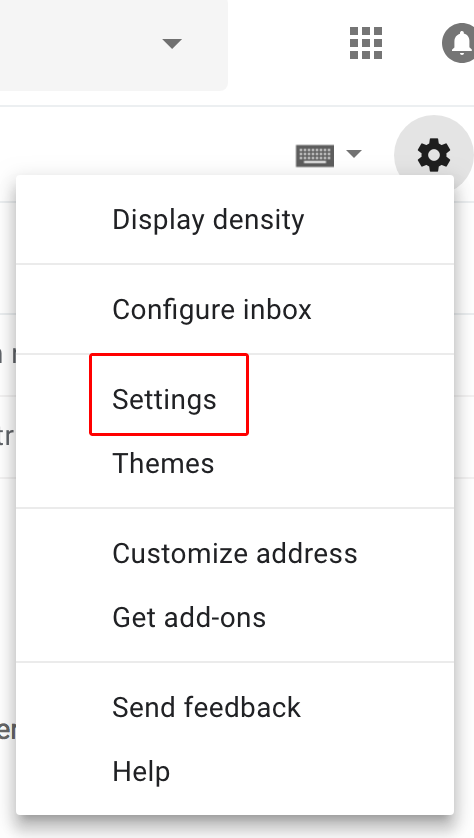
- Click Gear icon on the upper right, then select Settings option.
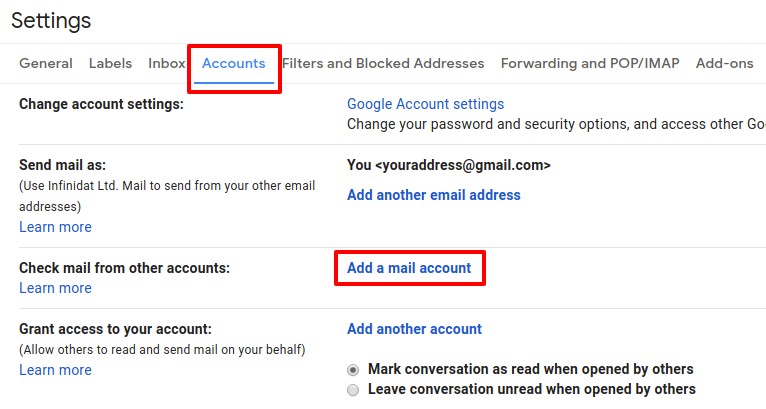
- Click on Accounts and Import and then Add Mail account.
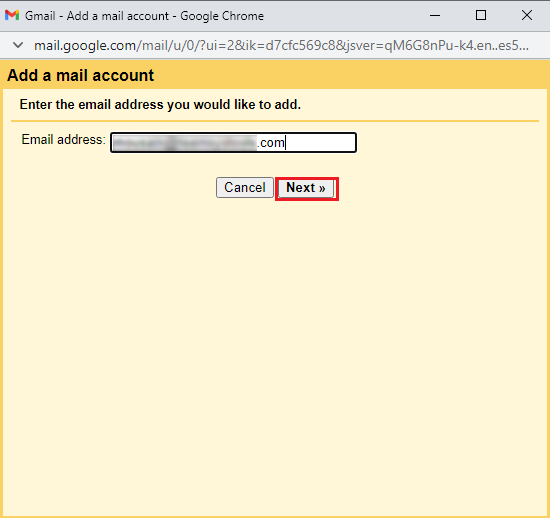
- Now input your rediffmail.com email id and click on the Next button.
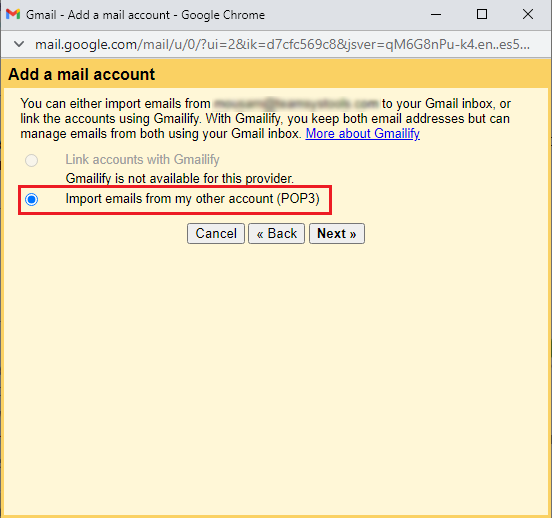
- Select Import emails from my other account (POP3) in this phase.
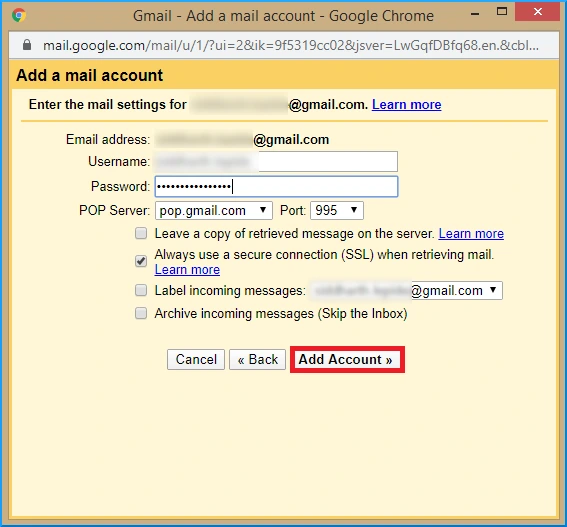
- Complete all needed fields and select Add Account.
Finished! In this way, anyone can easily import Rediffmail emails to Gmail account.
Method 2. How to Transfer Emails from Rediffmail to Gmail?
- Sign in to your Rediffmail account.

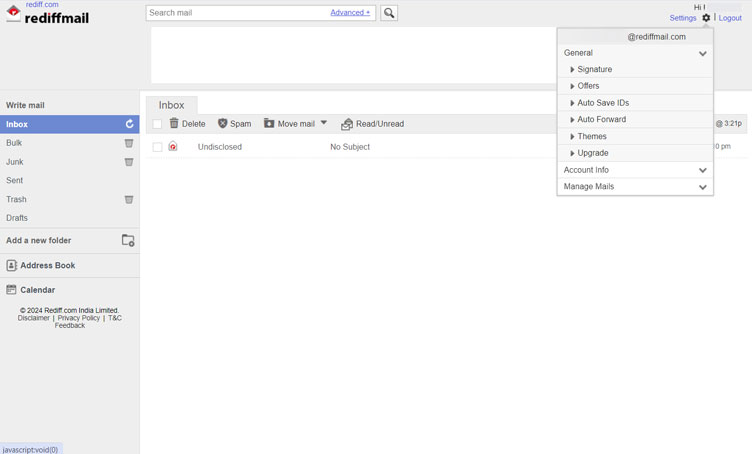
- Click on Settings in the top left corner and choose Auto Forward option.
- Enter your Gmail email address and then click on Save.
- Thereafter, click on Start forwarding my emails.
Now, all your emails will transfer to Gmail account
You can also try the below method to complete this task more easily and conveniently.
Method 3. How to Migrate Emails from Rediffmail to Gmail?
Download and install the Advik Email Migration Tool to transfer Rediffmail to Gmail account in a few simple clicks. It will let you move Rediffmail to Gmail with complete mailbox items. Also, it will maintain folder hierarchy and email elements throughout the process. So that you can rest assured about the data security. You can use its advanced email filters to choose emails selectively based on to, from, cc, bcc, exclude folders, and many more.
Click on the Free demo version and check its working process at no cost!!


Steps to Migrate Rediffmail to Gmail
Step 1. Launch the software on your system.
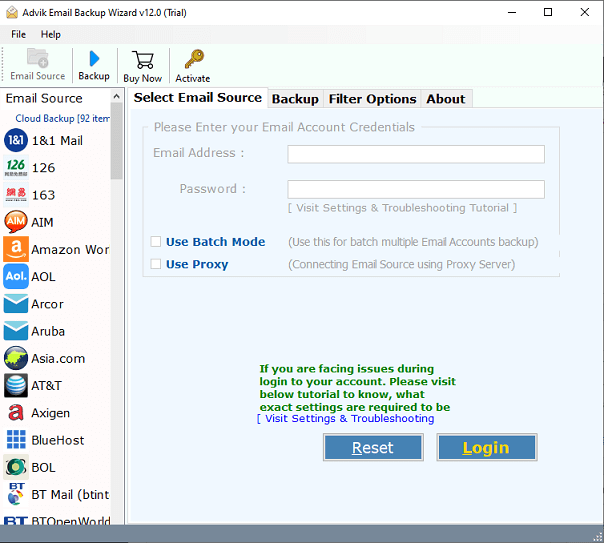
Step 2. Choose Rediffmail as an email source and login with your account details.
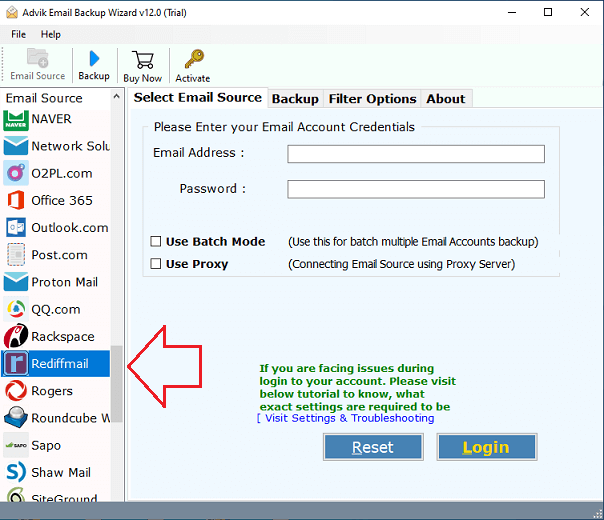
Step 3. Next, select the email folders that you need to transfer.
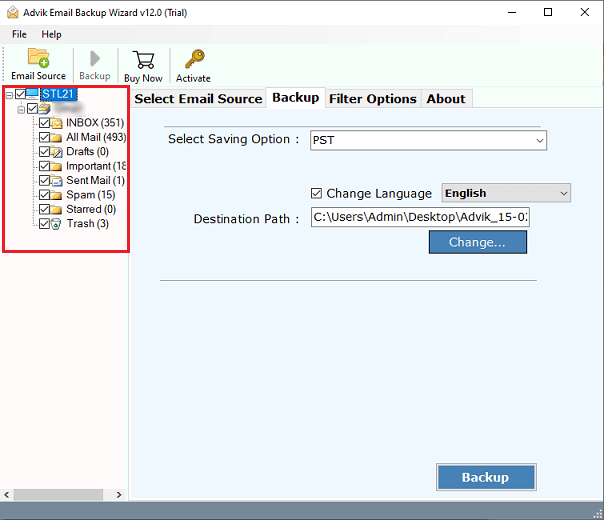
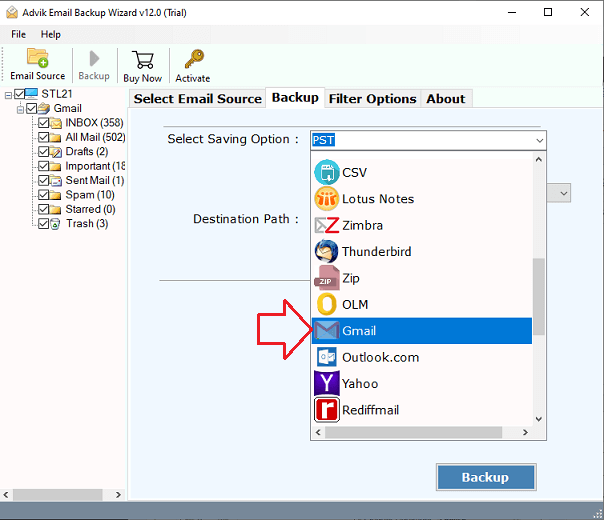
Step 4. Choose Gmail as the destination source.
Step 5. Enter your Gmail account details and click on the Backup.
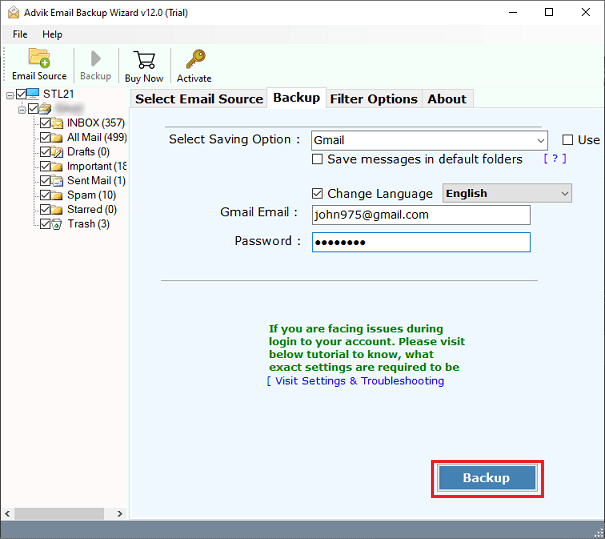
The software will start importing emails from Rediffmail to Gmail account.
It takes a moment and you will be notified with a log text containing the detailed report of the migration process.
Log into your Gmail account to read all your Rediffmail email messages.
Watch How to Transfer Rediffmail to Gmail
Why Choose Automatic Software?
- The software can move all emails from Rediffmail to Gmail at once including attachments.
- It transfers emails from multiple Rediffmail accounts to Gmail at once using Batch Mode feature.
- The tool has 30+ saving options to export Rediffmail emails.
- It keeps the folder structure original while transferring Rediffmail emails.
- There is no limit to the number of emails or folders to migrate.
- It keeps all the metadata and main elements of Rediffmail emails during the migration.
- It offers advanced filter options for selective email migration.
- The Rediffmail to Gmail migration tool is completely safe for transferring emails.
- Both technical and non-technical users can use this app easily.
- 24/7 customer support is available to solve user queries.
- A free demo version to check working procedure before purchasing licensed version.
- Compatible with all versions of Windows and Mac operating systems.
Conclusion
It can be difficult sometimes to switch from one email platform to another. Here we have explained three easy approaches to migrate Rediffmail to Gmail account. You can choose any of these methods that you find suitable for you. However, using automated software makes things a lot easier. To better understand how the software works and what it can do, try the demo edition first.
Frequently Asked Questions
Q 1. How do I add Rediffmail account to Gmail app on Android?
Ans. To add Rediffmail account to the Gmail app on Android. Go to the Gmail app settings, choose Add Account, and enter your Rediffmail information.
Q 2. Will attachments and formatting be preserved while transferring Rediffmail emails to Gmail mailbox?
Ans. Yes, the software preserves all email attributes and the folder structure even after the process.
Q 3. What folders can I migrate out of Rediffmail?
Ans. You can transfer all or selected folders even custom folders from Rediffmail.
Q 4. Do I need to have an internet connection while executing the Rediffmail to Gmail migration process?
Ans. Yes. There is a requirement for an internet connection during the migration of emails.
Q 5. Can I test this software before purchasing the product keys?
Ans. Yes. With trial version you can move first 25 emails from each folder. For unlimited migration, you need to upgrade to the premium version.