How to Import PST to Hostinger Account?
Jenny Lowrence | March 11th, 2026 | Import Emails
Overview: This technical post will guide you on how to import PST to Hostinger. If you also want to transfer your PST data to Hostinger account then this post will help you understand the complete step-by-step process. Here, we’ll show you both manual and automated solutions
PST files are used by MS Outlook to store emails, contacts, calendars, and other mailbox data in a single file. This file is designed only for Outlook. Users cannot open and access their data without Outlook.
On the other hand, Hostinger is a popular web hosting provider that offers affordable and reliable services such as shared hosting, cloud hosting, domain registration, email hosting, etc. It provides robust tools for managing email accounts.
How to Import PST to Hostinger Manually?
Although Hostinger does not offer any option to import PST files directly. By configuring your Hostinger email account with Outlook, you can do it. Follow the below given step:
1. Launch Outlook email client on your system.
2. Now, go to File >> Add Account.
3. Enter Hostinger email account login details to configure it.
4. After adding, Hostinger mailbox folders are visible in Outlook.
5. Now, click File >> Open & Export >> Import/Export.
6. Choose Import from another program or File and click Next button.
7. Select Outlook Data File (.pst) and press Next.
8. Click on Browse and select .pst file that you want to import.
9. Choose Hostinger mailbox folders and click the Finish button.
Done! This is how you can import data from PST file to Hostinger email account.
Why is Manual Solution Not Recommended?
- Outlook must be installed on your system.
- It is a lengthy and complicated process.
- Folder structure may not remain intact.
- In case Outlook import export option greyed out then this method does not work.
How to Open PST File in Hostinger Email Account Securely?
If you want a quick and safe solution, then try the Advik PST Converter on your system. The software allows you to directly import PST to Hostinger email account without installing MS Outlook. With this tool, you can transfer multiple PST files in one go. It maintains complete data integrity and folder hierarchy during the process. The tool comes with a simple interface that allows users to complete the importing process without facing any difficulty.
Download the FREE version to understand the step-by-step process.


Steps to Import PST to Hostinger
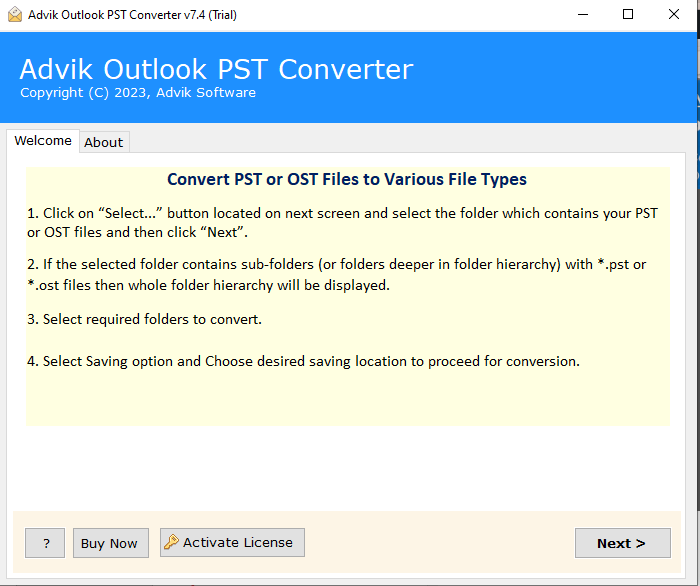
1. Run the tool on your system.
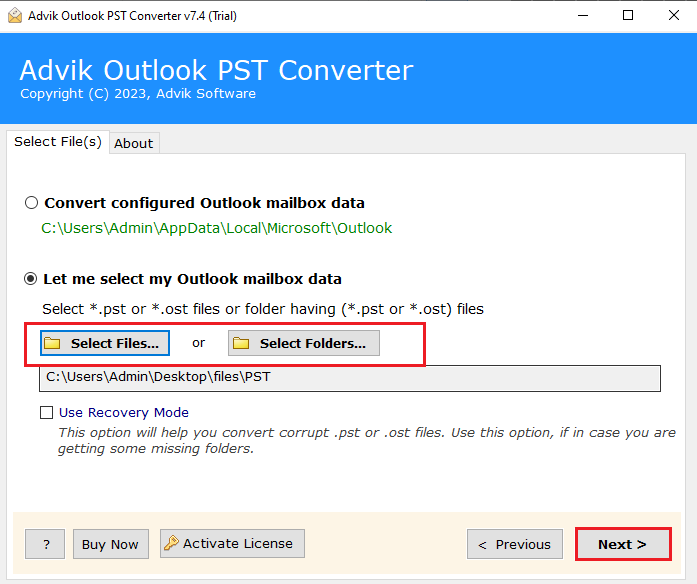
2. Click on Select Files or Folders to add .pst files.
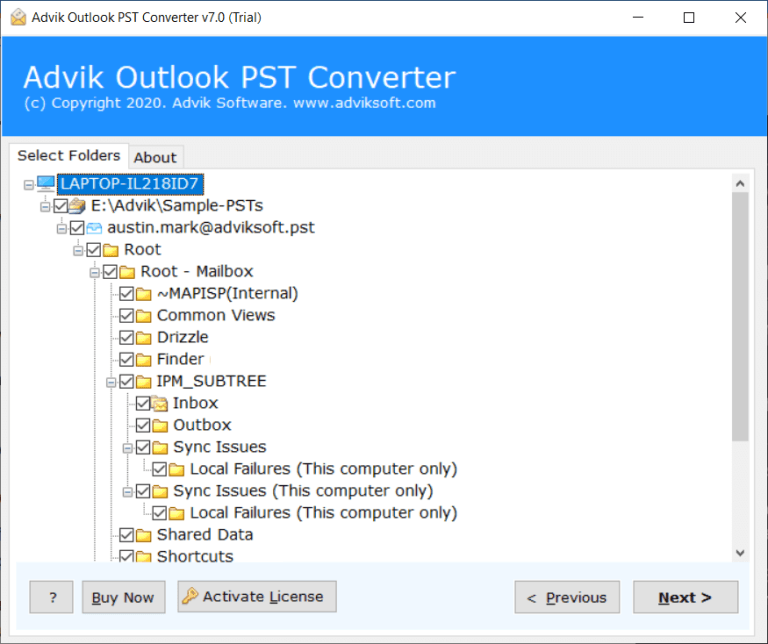
3. Choose the mailbox folders that you want to import.
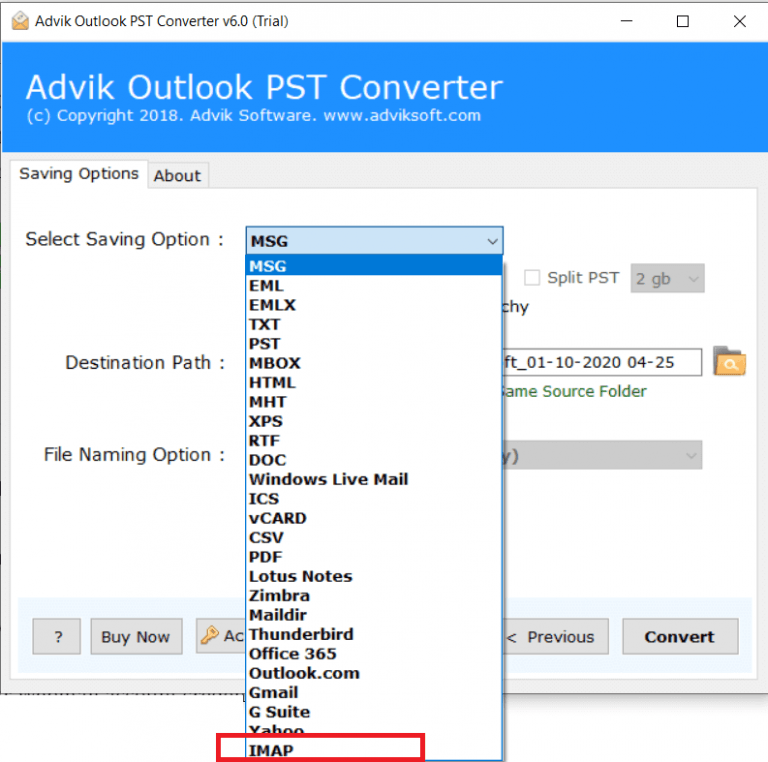
4. Next, select IMAP as a saving option.
5. Enter Hostinger email account login details and click Next.
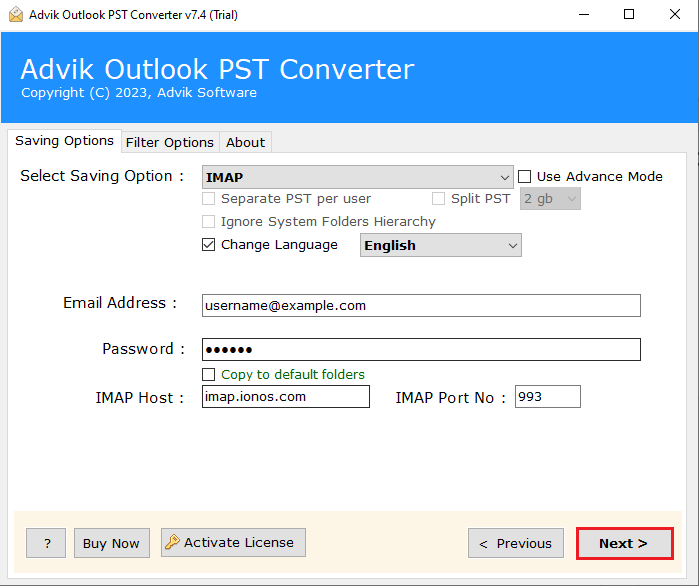
The software will start importing data from PST file to Hostinger account. Once the process is complete, you will get a pop-up message with a complete log report.
Benefits of Using Automated Tool
- Direct Solution: The software directly import PST emails to Hostinger without installing Outlook.
- Bulk Importing: The tool can upload multiple PST files in a single attempt.
- Filter options: Advanced email filters to migrate specific emails based on date, subject, etc.
- Preserves Data Integrity: This is a secure solution that preserves all email attributes while importing.
- Retain Folder Structure: This utility maintains the original structure of folders even after the process.
- Multiple Saving Options: The tool can import PST to Gmail, Office 365, Yahoo, and many more.
- No File Size Limitations: The software can easily import large PST files without size restrictions.
Conclusion
In this post, we have discussed how to import PST to Hostinger using both manual and automated solutions. Both methods are workable. However, the manual method is free but requires Outlook and technical knowledge. To make this process simple, choosing the professional tool is the best option. The software allows users to transfer PST emails to Hostinger without any risk of data loss. Users can try the demo version of this tool to check its working procedure.