How to Migrate Yandex to Gmail Account?
Jim Backus | January 7th, 2026 | Email Migration
Are you planning to migrate Yandex Mail to Gmail and searching for a reliable solution, but haven’t found one yet? This informative article explores complete and detailed instructions using free and pro techniques. After reading this post, you will be able to perform the Yandex to Gmail migration without any assistance.
Yandex Mail is a web-based email service provided by Yandex. It is a Russian Multinational Corporation specializing in internet-related products. Yandex Mail is loaded with many features, such as better attachment management, a modern interface, better contact management, better aliases management, etc.
On the other hand, Gmail is one of the most used email services worldwide. Gmail started its service on 24th April 2004. It is designed and developed by Google. Some of the best features of Gmail are, Schedule emails, better security, better management of emails and contacts, send a large file through a Google Drive link, etc.
Migrating from Yandex Mail to Gmail seems to be a tough task. But in this blog, we share the exact steps to forward Yandex Mail to Gmail. So let’s get started without any further delay!
How to Migrate Yandex Mail to Gmail Manually?
Follow these simple steps to add Yandex Mail to Gmail account.
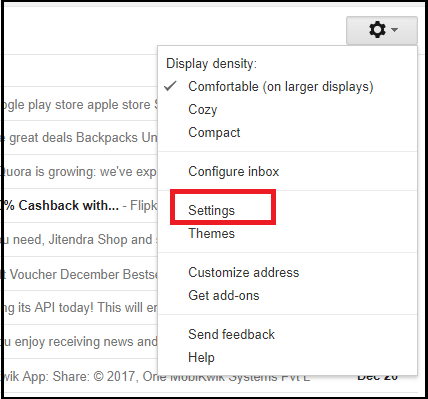
Step 1. Login into Gmail account and press the gear icon on the top right corner.
Step 2. Click on a setting menu.
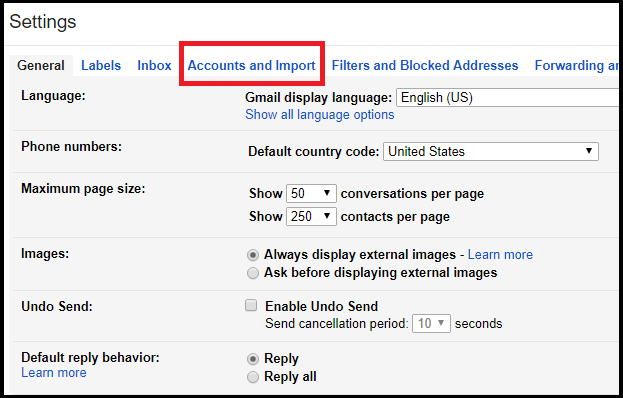
Step 3. In the settings tab, select Account and Import.
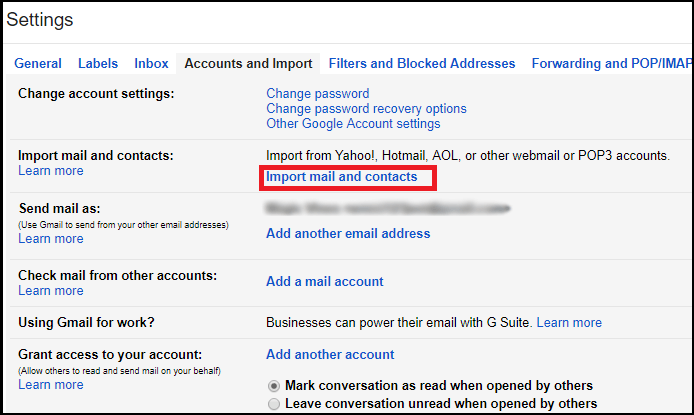
Step 4. Click on “Import Mail and Contacts”.
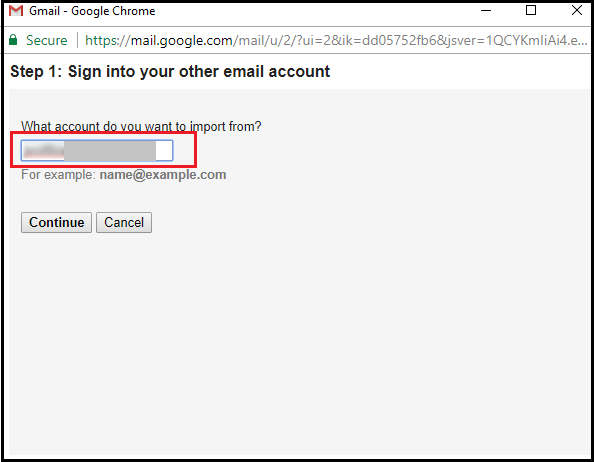
Step 5. In a new tab, enter your Yandex login details.
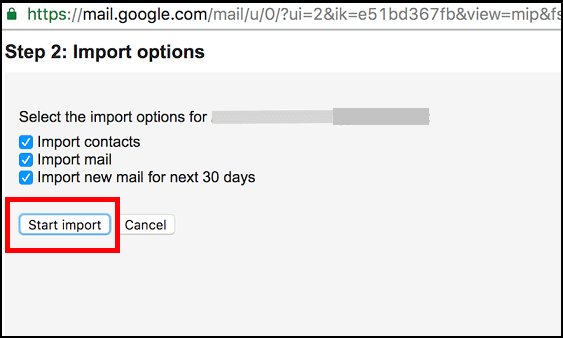
Step 6. Select the items that you want to migrate and click the Start import button, and then wait for the completion of the operation
Limitations
Completion of this task may take up to 2 days depending upon the size and number of emails. This method imports only the Inbox folder.
If you want to import complete mailbox data then you can opt for the second method.
How to Migrate Yandex to Gmail Securely?
Advik Yandex Backup Tool is one of the best tools to transfer Yandex Mail to Gmail. Using this tool, you will be able to import Inbox, Sent Mails, Drafts, Trash, Spam, and any other folder created by users at once. Apart from this, you can also choose the folders for selective migration. It preserves all email attributes and folder hierarchy throughout the process. The interface of this software is very simple. Anyone with a basic knowledge of computers can easily migrate Yandex Mail to Gmail account.


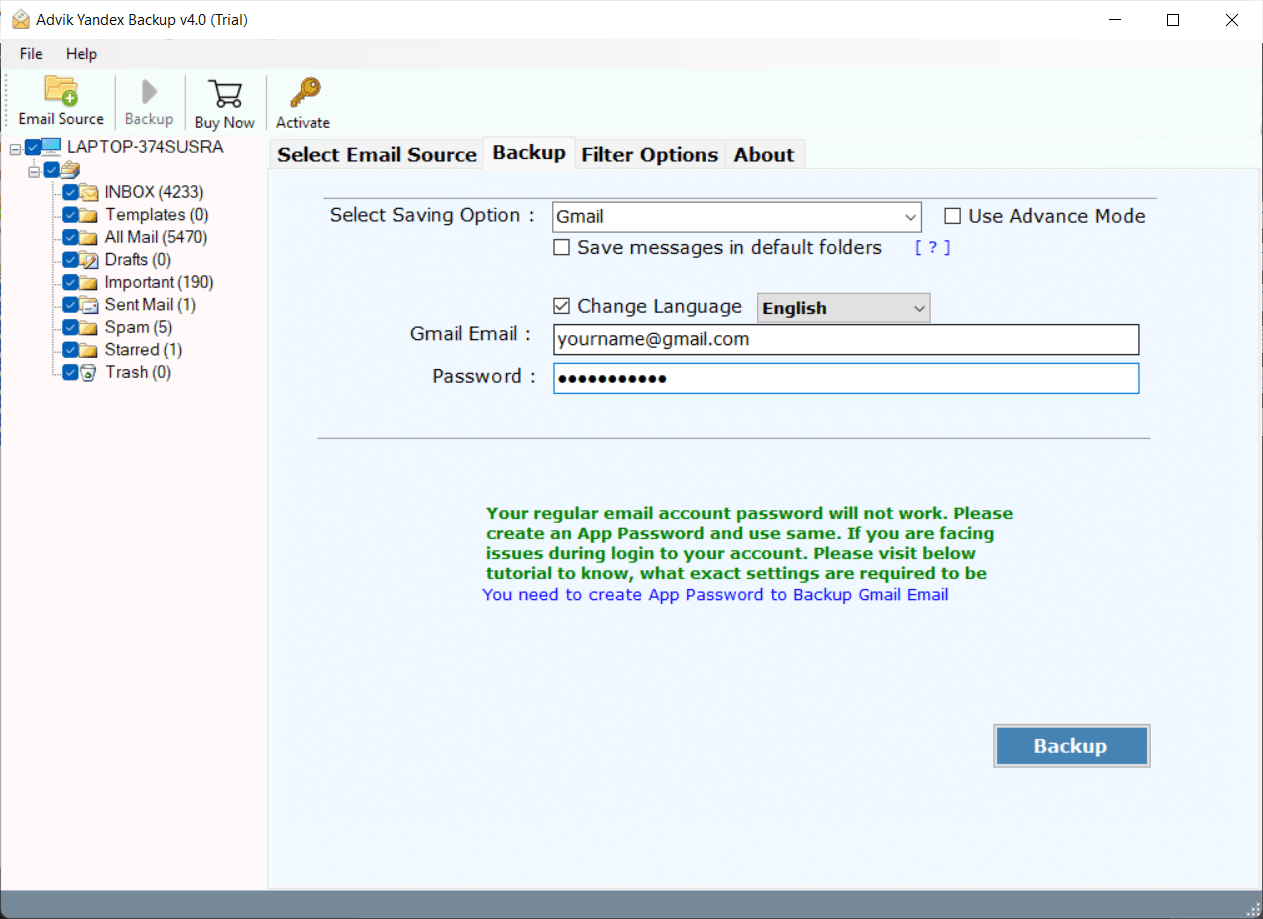
Note: Enable Less Secure Apps and IMAP from Gmail and Yandex.Mail. Use App Password in Yandex.Mail.
Steps to Import Yandex Mail to Gmail
Step 1. Launch the software on your Windows computer.
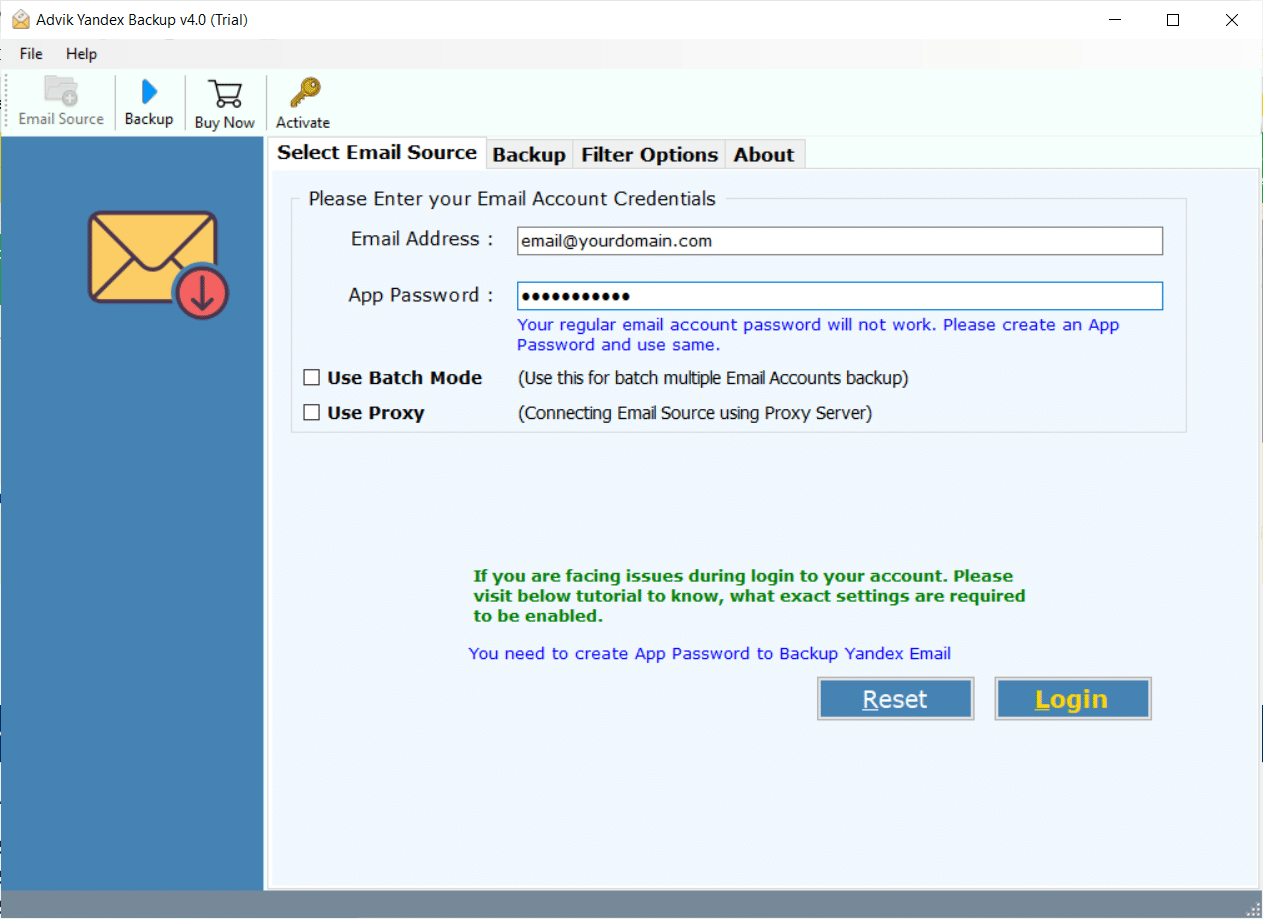
Step 2. Enter Yandex email address and App Password to Sign in.
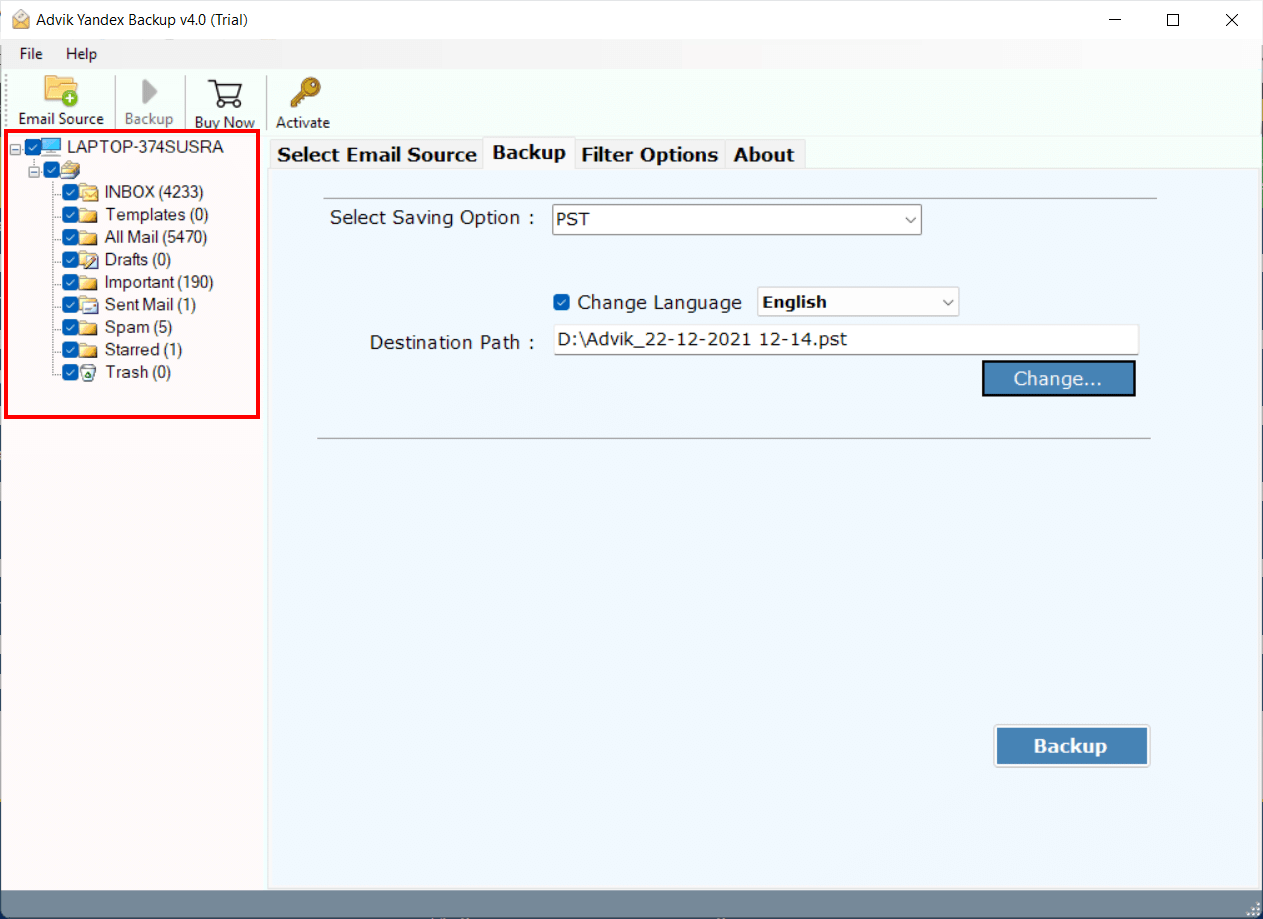
Step 3. Select the desired mailbox folder that you want to import.
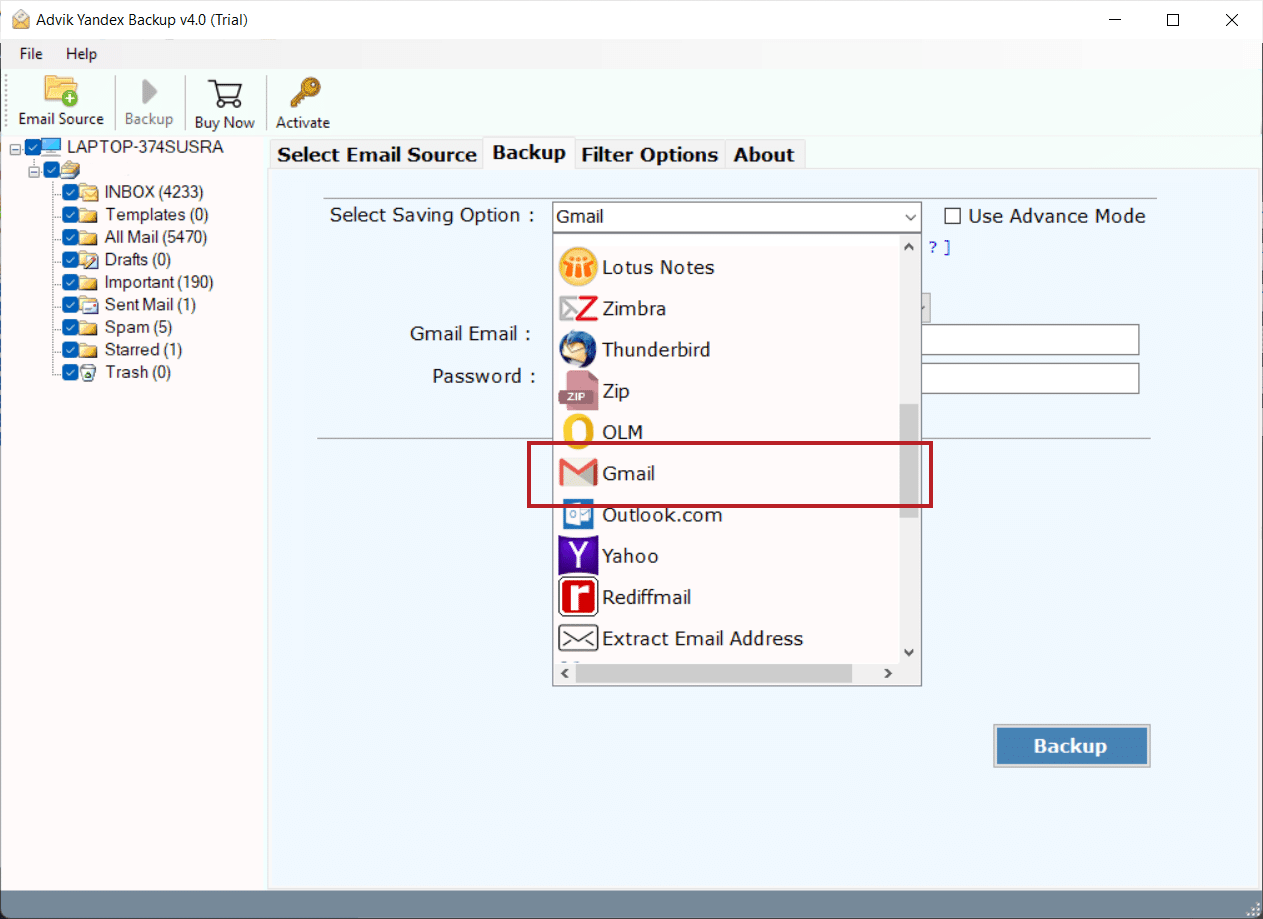
Step 4. From multiple saving list, select Gmail as a saving option.
Step 5. Enter Gmail or G suite login details and hit the Backup button.
The software will start migrating emails from Yandex.Mail to Gmail in no time. The process is fully automatic but preserves all email attributes like cc, time, bcc, signature, message, hyperlinks, attachments, etc.
Watch How to Migrate Yandex Mail to Gmail
Why Choose Yandex to Gmail Migration Tool
There are many reasons to choose Advik Software. Some of them are as follows;
- Maintain Folder Structure; The folder and sub-folder structure of email remain the same during the process of Yandex to Gmail Migration. So that it will be easy to navigate emails after the migration.
- Preserve Key Elements; All the key elements of emails such as “to”, “from”, “Cc”, “Bcc”, “Footer info”, “embed image”, etc are preserved during the process.
- Multiple Output Format; You can use this software to download the backup of Yandex mail into multiple formats such as Yandex to PST, MSG, EML, MBOX, PDF, HTML, MHT, XPS, RTF, DOC, etc.
- Cloud Migration; Apart from Yandex to Gmail Migration, this software can easily migrate emails from Yandex to G Suite, Office 365, Yahoo Mail, another Yandex Mail account or another cloud-based email service that uses IMAP protocol.
- Support Windows OS; You can install this software on almost all versions of Windows OS including Windows 10, Windows 8, Windows 7, Windows Vista, and Windows XP.
- Dedicated Customer Support; In case you are stuck somewhere while migrating emails from Yandex to Gmail, you can contact our customer support for further help.
Conclusion
After reading this post, you should now know how to migrate Yandex Mail to Gmail account. The methods used for this task have been tested and proven by the experts before being presented to you so that you can trust them and do it yourself as well. However, for an easy, safe, and bulk migration process, you can try the automated software with useful features for businesses that need to import Yandex email folders into Gmail. You can start by downloading the free version to try it out. If it meets your needs, you can buy the full version to tackle the limits in the trial version.
Frequently Asked Questions
Q1. How do I set up IMAP for Yandex and Gmail for manual migration?
Ans. For Yandex, enable IMAP in Yandex Mail settings. For Gmail, go to Settings > Forwarding and POP/IMAP and enable IMAP.
Q2.Will my email folders be preserved during migration?
Ans. Yes, with Advik software, all your email folders will be preserved throughout the process.