How to Migrate Gmail to IMAP Server?
Jenny Lowrence | March 18th, 2026 | Email Migration
“I have been using a Gmail account for a long time, and thousands of emails and attachments are stored in my account. Now, I want to migrate Gmail to IMAP server to free up some occupied storage in my Gmail account, but I don’t know how to do it. Can anyone suggest a quick and secure solution to transfer emails from Gmail to IMAP?”
Many users are facing challenges in performing Gmail to IMAP migration. If you are also one of them, then do not panic. This write-up will guide you on how to migrate Gmail emails to IMAP Server manually and professionally. Read this article till the end to get step-by-step instructions to accomplish this task without any hassle.
Benefits of Migrating Gmail to IMAP Server
Here are several advantages of moving emails from Gmail to IMAP account:
- IMAP provides centralized email management of multiple accounts.
- IMAP enables users to access emails across multiple devices.
- Migrating to IMAP leads to an effortless integration with different email clients.
- Helpful to back up important emails locally or to another server
How to Migrate Gmail to IMAP for Free?
You can manually move emails using an email client. Follow the below steps to transfer emails via Thunderbird:
- Login into Gmail account and go to Settings.
- Click on Forwarding and POP/IMAP option.
- Enable IMAP and click on Save Changes.
- Launch Thunderbird on your system.
- Click on Tools >> Account Settings.
- Click on Account Actions and select Add a Mail Account.
- Enter your Gmail login details to add Gmail account to Thunderbird.
- Next, configure IMAP account in Thunderbird.
- After configuration, both Gmail and IMAP accounts appear in the left panel.
- Select the Office 365 emails or folders.
- Right-click on it and choose Move To >> IMAP Mailbox folder.
Done! This is how you can move Gmail emails to IMAP account.
Note: This is a lengthy and time-consuming process. Users must have a technical expert to perform the process otherwise, there are higher chance of data loss.
How to Transfer Gmail Mailbox to IMAP Automatically?
Download and install the Advik Gmail Migration Tool on your system. This tool provides direct option to migrate Gmail to IMAP server in just a few simple clicks. It allows you to move all or selected Gmail folders as per your needs. With this utility, you can transsfer emails from multiple Gmail accounts to IMAP in one go. The software keeps the original structure of Gmail mailbox folders during the Gmail to IMAP migration. Thus no data loss will take place at any step.
Click on the below link and try the FREE version to analyze its working procedure.


Steps to Migrate Gmail to IMAP Server
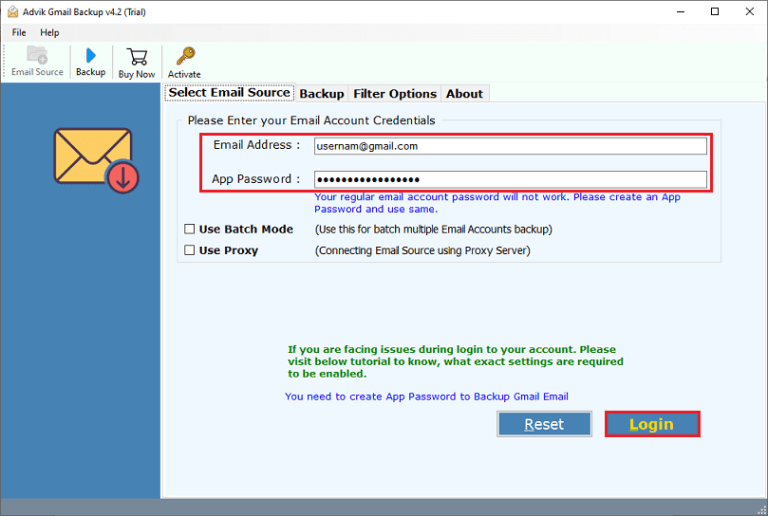
1. Run the tool and enter your Gmail login details to sign in.
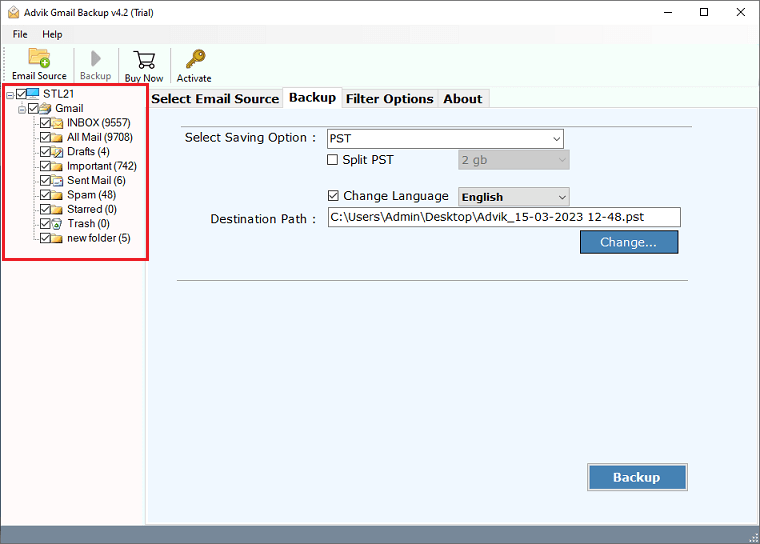
2. Choose the required mailbox folders & subfolders.
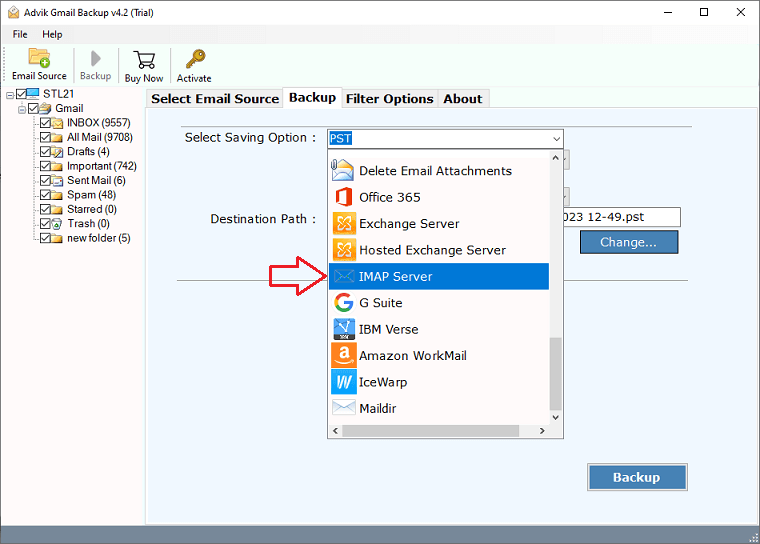
3. Select IMAP Server as a saving option.
4. Enter IMAP account login credentials and click Backup.
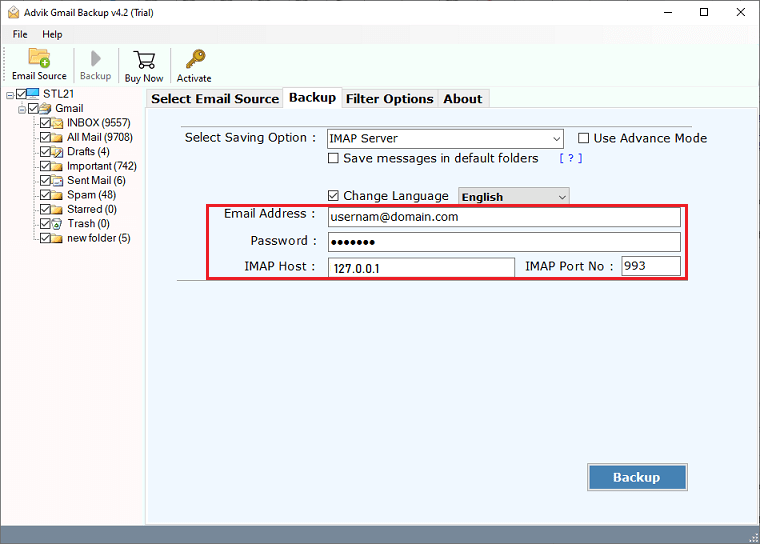
The software will start migrating Gmail emails to IMAP Server along with attachments. Once the process completes, it will display a successful message with a log report as well.
Advantages of Using Gmail to IMAP Migration Tool
- Directly migrate emails from Gmail to IMAP account.
- Transfer Gmail emails to IMAP Server in a single attempt.
- Batch mode to move emails from multiple Gmail accounts.
- Also, migrate Gmail to iCloud, Yahoo, Office 365, Zoho Mail, etc.
- Preserves all email attributes and properties during the process.
- Maintains the Gmail mailbox folder hierarchy while migrating.
- Advanced email filter options to move only selected emails.
Conclusion
In this post, we have discussed how to migrate Gmail to IMAP Server. Here, we have explained both manual and automated solutions to transfer Gmail to IMAP account. You can manually move emails using email client, but it comes with some limitations. To overcome them, you can use the above-suggested tool that will enable you to perform Gmail to IMAP Server migration quickly. You can download its free version, which allows you to migrate 25 emails from each folder at no cost.