How to Migrate Hostinger Email to Google Workspace?
Jenny Lowrence | January 20th, 2026 | Email Migration
In this post, you will get complete and correct information on how to migrate Hostinger email to Google Workspace. Here we will show you every step to transfer Hostinger to Google Workspace by using the best techniques.
As we all know, Hostinger is a well-known web hosting provider. On the other hand, Google Workspace is a complete package of multiple applications. Migrating mails from Hostinger to Google Workspace is a common requirement for businesses seeking better reliability producitivity. However, many users struggle when switching from Hostinger to Google Workspace.
User Query Related to Hostinger to Google Workspace Migration
“I am using Hostinger, which contains so many important emails. Now, I want to migrate Hostinger email to Google Workspace, but I don’t know how to do it. Can anyone suggest any reliable solution to transfer email from Hostinger to Google Workspace?”
Like the above user, many users are looking for the solution of same query. This article will provide both manual and automated solutions for the Hostinger to G Suite migration.
Let’s get started without any further delay!
How to Migrate Hostinger Email to Google Workspace Manually?
Google Workspace provides a built-in Data Migration Service to migrate email from any IMAP-enabled account to Google Workspace.
Follow these steps:
- Log in to Google Admin Console.
- Go to Tools >> Data Migration.
- Click Set up Data Migration and select the IMAP Server as the migration source
- Enter Hostinger IMAP server details, IMAP Server: imap.hostinger.com, Port: 993, Encryption: SSL.
- Enter Hostinger account details.
- Choose Email as the data type and start date for migration.
- Enter the Google Workspace email address as the destination and click on the Start button to begin the migration process.
Limitation of Manual Solution
- Slow for large mailboxes.
- No selective email migration
- Risk of synchronization errors
How to Transfer Emails from Hostinger to Google Workspace Securely?
To overcome all the limitations of manual solution, try the Advik Email Migration Tool. With this tool, you can migrate Hostinger emails to Google Workspace in just a few simple clicks. You just need to enter the login details of both email accounts to begin the Hostinger to Google Workspace migration. It allows you to choose all or selected folders for migrating.
Additionally, the tool offers advanced email filter options that enable you to move emails based on date range, to, from, subject, etc. While migrating, the tool preserves email attributes and folder structure intact.
Click on the below link and try it for FREE.


Note: The demo version, which allows you to migrate 25 emails from each Hostinger folder to Google Workspace.
Steps to Migrate Hostinger to Google Workspace
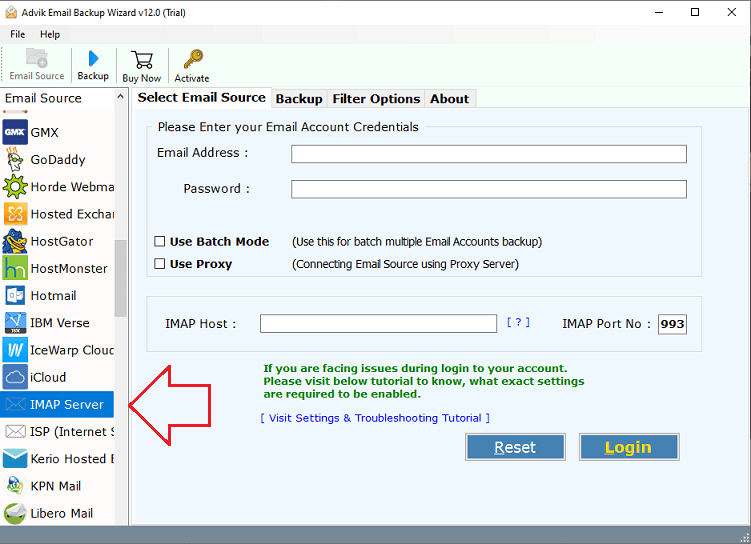
1. Run the tool and choose IMAP Server as email source.
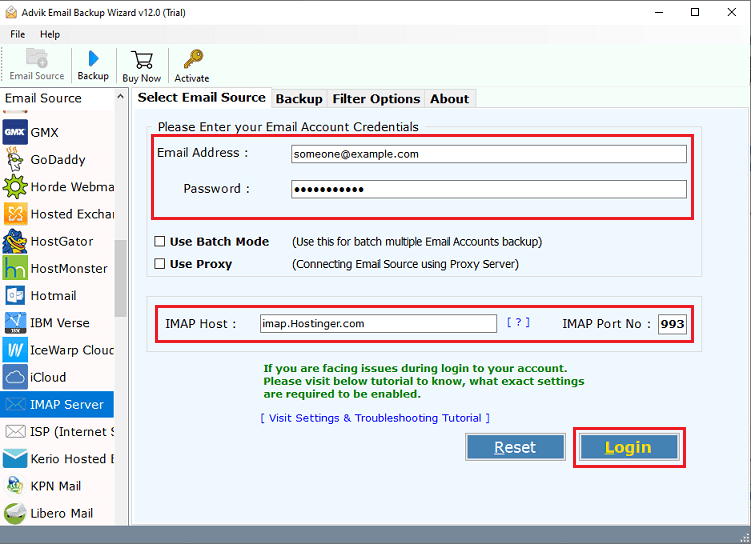
2. Enter your Hostinger email account credentials and IMAP details to sign in.
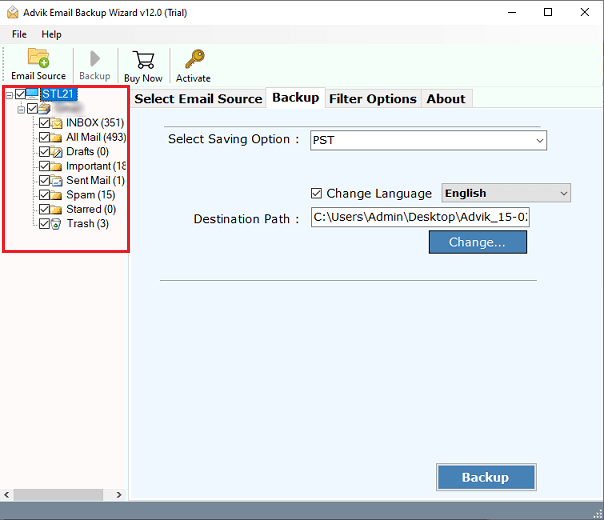
3. Select the required mailbox folders that you want to migrate.
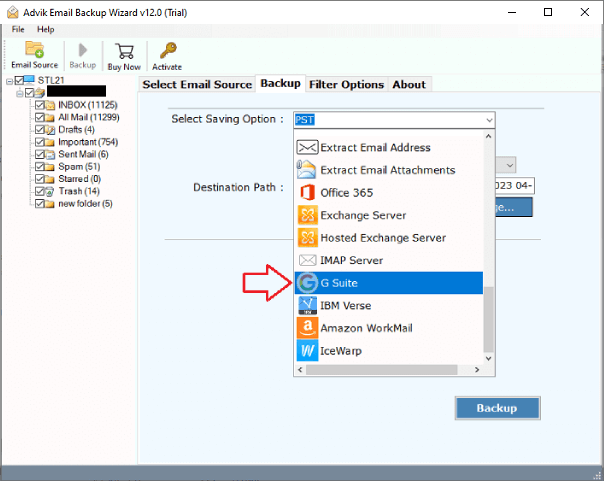
4. Choose G Suite as a saving option.
5. Apply the Advanced Filter option to migrate selective emails. (Optional)
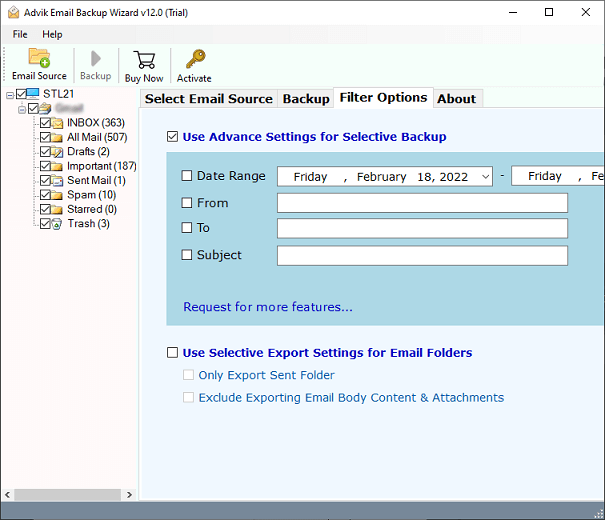
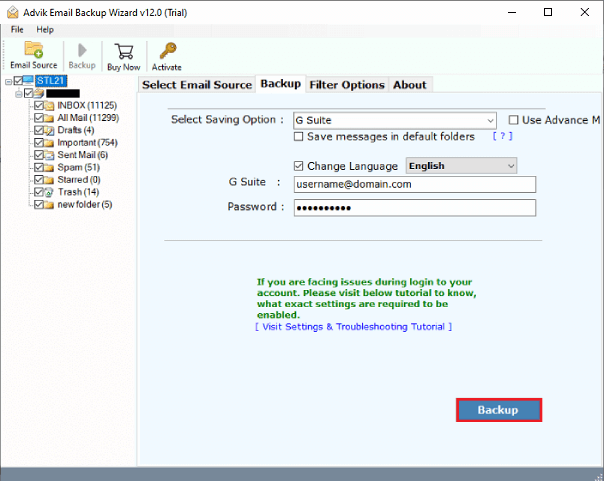
6. Enter your Google Workspace account login details and click Backup button.
7. The software will start migrating Hostinger emails to Google Workspace mailbox.
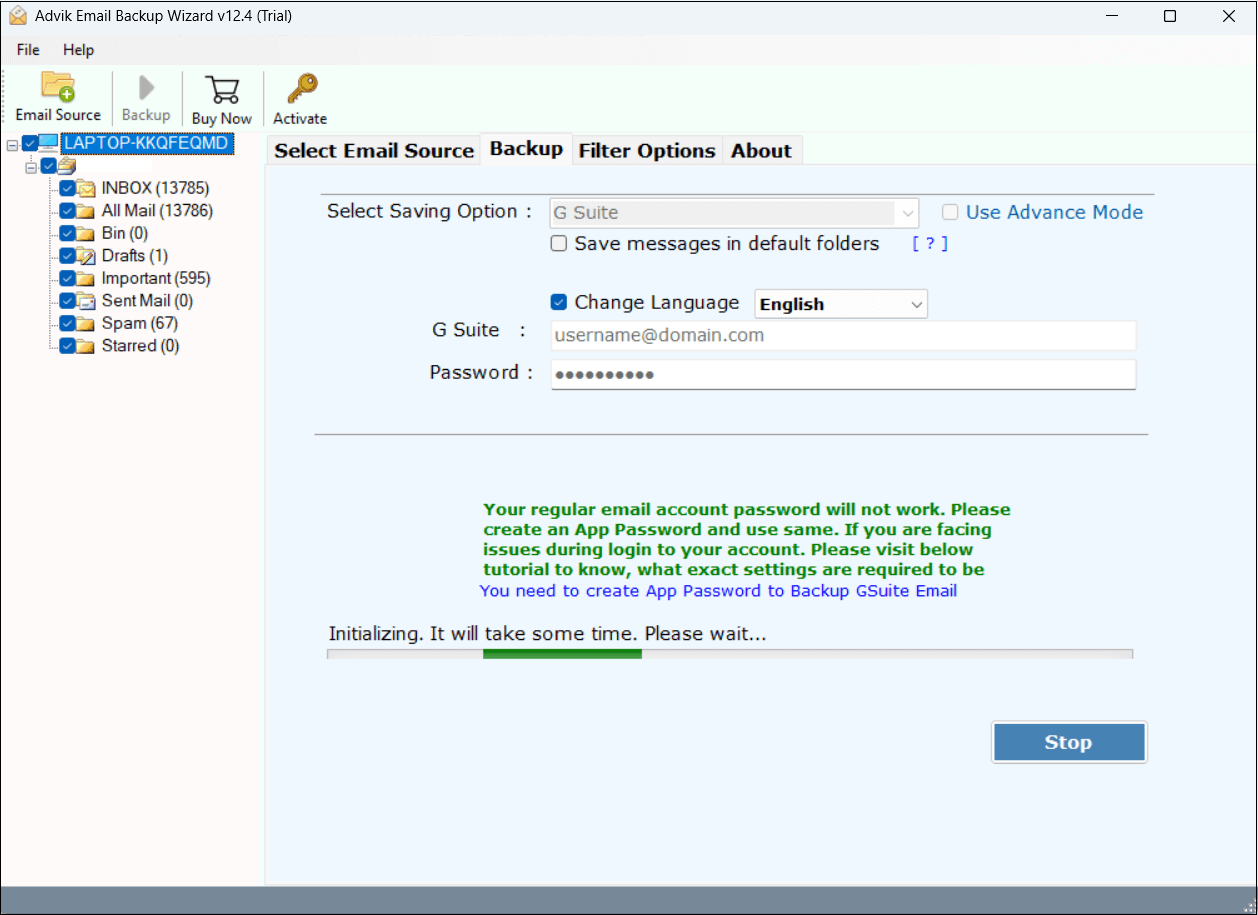
Done! This is how you can migrate Hostinger email to Google Workspace account.
Advantages of Using an Automated Tool
- Directly migrate Hostinger to Google Workspace.
- Complete migration of all emails, attachments, and folders.
- Maintains the original folder hierarchy throughout the process.
- Advanced filter options to selectively migrate emails.
- Also, migrate Hostinger emails to any cloud-based email platform.
- Batch mode feature to transfer multiple Hostinger accounts’ data to Google Workspace.
- Preserves email properties such as email headers, images, hyperlinks, etc.
- 24*7 free technical support is available to solve users’ issues.
Conclusion
In this post, we have discussed how to migrate Hostinger email to Google Workspace manually and professionally. You can manually transfer Hostinger email to Google Workspace but it comes with some limitations. So, it is advisable to use the recommended tool to complete the Hostinger to Google Workspace migration without any restrictions. You can evaluate its working procedure by downloading its free demo version.