How to Migrate iRedMail to Gmail Account?
Jenny Lowrence | February 23rd, 2026 | Email Migration
Do you need to migrate iRedMail to Gmail account, but are not sure how to do it? Don’t panic! In this informative blog, we are going to explain how you can transfer emails from iRedMail to Gmail without any difficulty.
IredMail is an open-source mail server program that offers web-based management tools along with a feature-rich email server. It supports IMAP, POP3, and SMTP protocols and offers full control over email data.
On the other hand, Gmail is one of the most widely used email platforms in the world. It offers a comprehensive suite of tools for communication and productivity.
Why Migrate from iRedMail to Gmail?
- Better Integration: Gmail is integrated with other Google services such as Google Drive, Calendar, Sheets, Docs, etc.
- Enhanced Security: Gmail has strong security features like two-step verification.
- Scalability: Gmail offers scalable plans, making it suitable for both individuals and businesses of all sizes.
- Accessibility: Gmail’s mobile app is user-friendly and available on both Android and iOS devices. It ensures that you can access your emails anywhere.
How to Migrate iRedMail to Gmail Account for Free?
1. Log in to your Gmail account.
2. Go to the Gear icon and click on Settings.
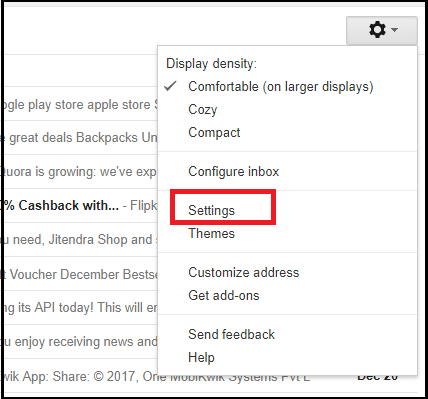
3. Now, click on Account and Import section.
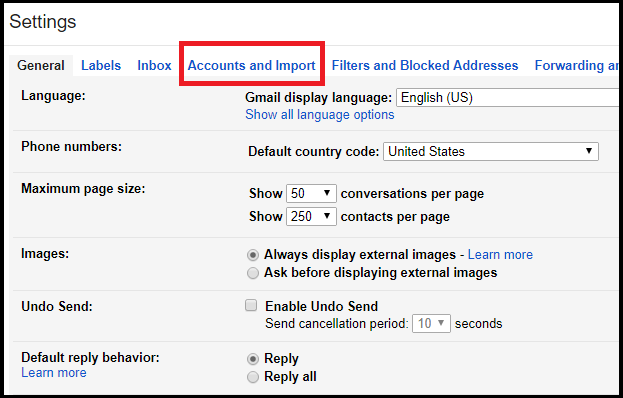
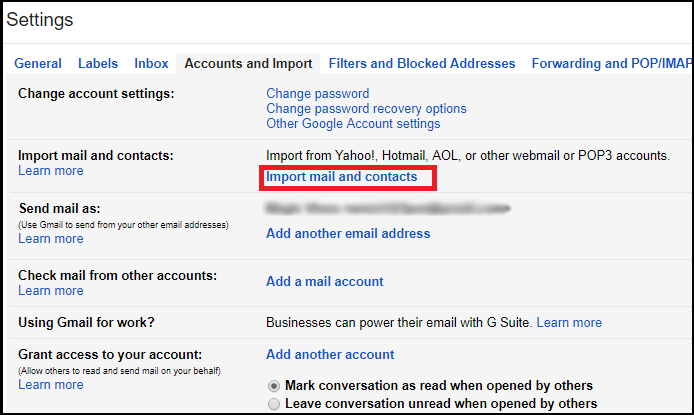
4. Select Import Mail and Contacts option.
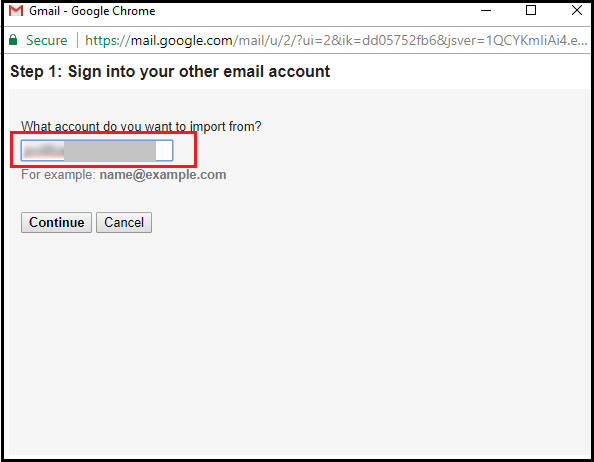
5. Enter iRedMail login details and click Continue.
6. Choose the items that you want to migrate and click on the Start Import button.
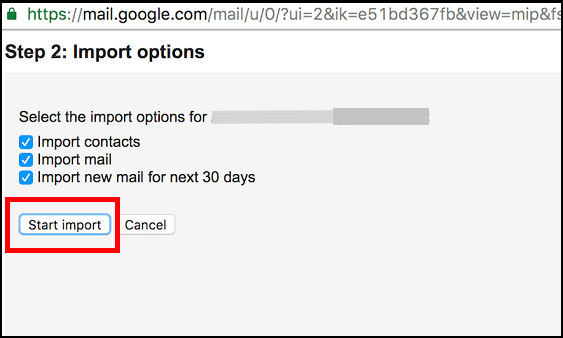
Wait some time to complete the importing process.
Note: This method only imports emails from the Inbox folder. If you want to migrate the complete mailbox, then you can opt for the second method.
How to Transfer iRedMail Emails to Gmail Automatically?
Try the Advik Email Migration Tool to migrate iRedMail to Gmail. The software can move the entire iRedMail mailbox, including the inbox, sent items, and drafts, at once. Additionally, it offers advanced filter options to transfer emails based on date range, to, from, subject, etc. During the iRedMail to Gmail migration, the tool preserves data integrity and folder structure as well. Thus, no data loss will take place at any step.
Download the FREE version and transfer 25 emails from each folder to check its functionality.


Steps to Migrate iRedMail Emails to Gmail
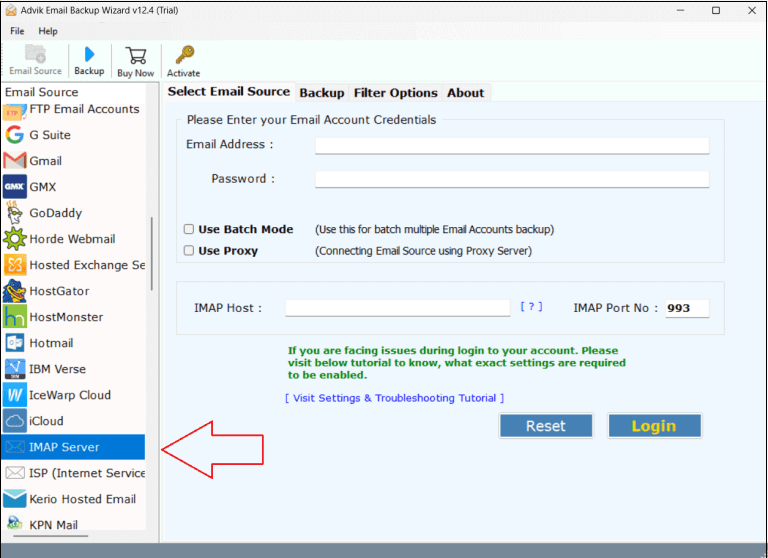
1. Run the tool and choose IMAP Server as email source.
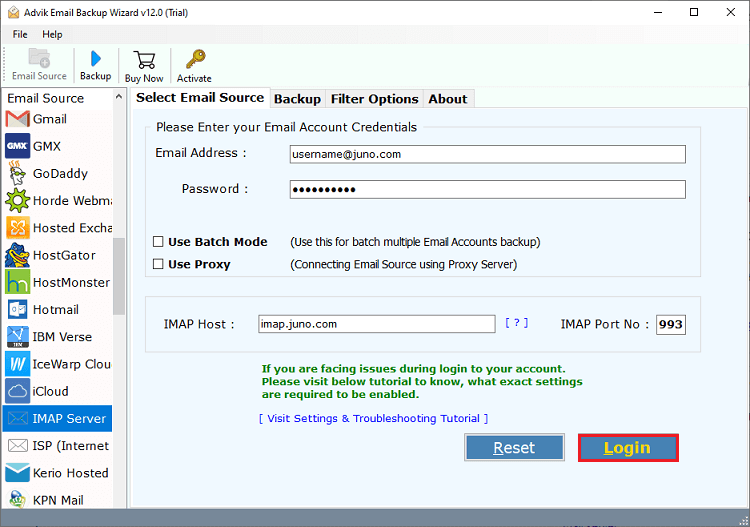
2. Enter iRedMail account login credentials and press Login to sign in.
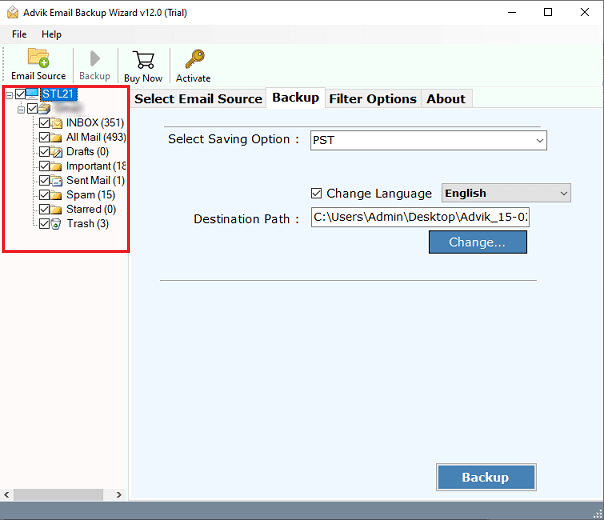
3. Choose the required mailbox folders.
4. Next, select Gmail as a saving option.
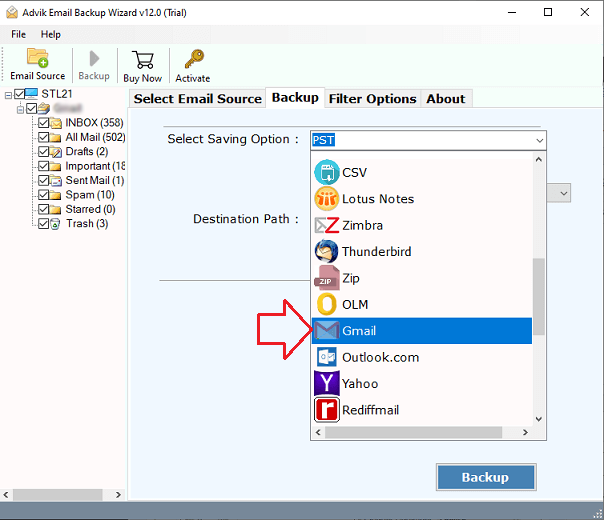
5. Enter your Gmail account login details and click Backup.
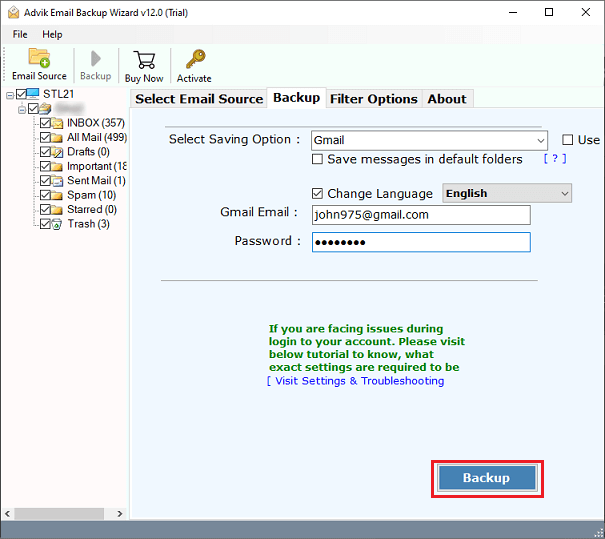
The software will start transferring emails from iRedmail to Gmail account. You will get a pop-up message after completing the process.
Apart from the above function, the tool offers advanced features that make the iRedMail to Gmail migration process smooth. Some of them are;
- Batch Mode: Migrate emails from multiple iRedMail accounts to Gmail at once.
- Bulk Migration: Transfer all email folders and subfolders in a single attempt.
- Filter Options: Advanced email filter to move selected emails from iRedMail.
- Safe & Secure: Preserves all email properties while migrating from iRedMail to Gmail.
- Retains Folder Hierarchy: Keeps the original structure of mailbox folders during the process.
- Simple GUI: User-friendly interface helpful for both technical and non-technical users.
- Mac & Windows Supportive: Compatible with both Mac and Windows operating systems.
Final Words
Moving from iRedMail to Gmail can greatly improve accessibility, security, and collaboration. In this post, we have discussed two different ways to migrate iRedMail to Gmail account. The manual method may be enough for small-scale migration. While the automated tool is suitable for large scale transistion. Depending on your particular requirements and the amount of data, you can choose any method.